Rank Math vs Yoast: Which is Better? 7 Key Facts
Rank Math vs Yoast is the decision every WordPress site owner eventually faces, and it usually lands at the worst possible moment — right when you are trying to publish, not fiddle with plugin settings.
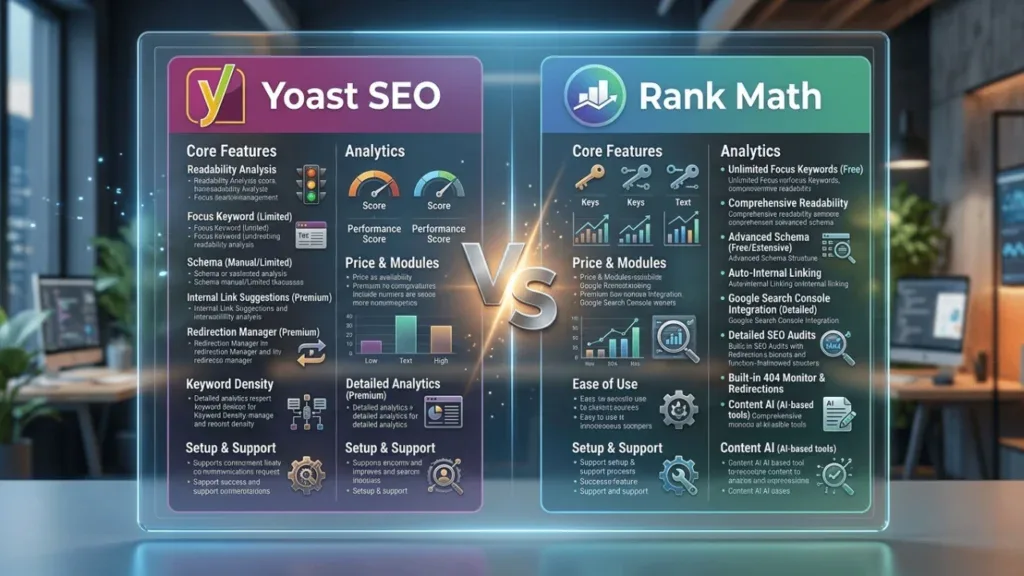
Both plugins promise the same headline outcome: cleaner on-page SEO, better schema, faster indexing, fewer blind spots. Neither is a magic switch. What separates them is how much control you get, how much noise you tolerate, and whether your site is a hobby blog or a monetized machine with real revenue attached to rankings.
I have migrated sites between these two plugins more times than I care to admit, and the lessons rarely match the marketing pages.
This rank math vs yoast guide sticks to seven facts that actually change your decision: pricing logic, setup friction, schema handling, keyword tracking, speed cost, migration pain, and the support you lean on when something breaks at midnight.
If you stick with me to the end, you will walk away with a rank math vs yoast checklist you can run against your own site in twenty minutes — no guesswork, no plugin hopping.
Why the Rank Math vs Yoast Debate Still Matters for Your Search Visibility
Choose the wrong SEO plugin and you do not just lose features — you lose time. You end up rebuilding meta templates, redoing redirects, and re-verifying structured data months after launch because the first pick never fit your workflow.
Both Yoast SEO and Rank Math sit in the same layer of your stack: the layer that talks to search engines about what your pages mean. Titles, meta descriptions, canonical tags, XML sitemaps, robots directives, breadcrumbs, schema markup — all of it comes from this one plugin. That is a lot of trust placed in a single install.
The word “better” gets thrown around carelessly in the rank math vs yoast space. A better tool for a five-page brochure site is a burden for a WooCommerce store with 4,000 SKUs.

So instead of picking a winner in the abstract, treat rank math vs yoast as a fit problem: which plugin matches your content volume, your team’s skill, and how much you want to tinker.
One honest observation from agency work: most sites do not fail because of the plugin. They fail because nobody ever configured it properly. You can rank well with either option if the fundamentals are wired correctly — and you can tank a strong site with either one if you leave defaults untouched.
Two Plugins, One Job: What Both Tools Actually Control
Strip away the branding and both plugins handle the same core responsibilities. They inject title and meta description tags, manage canonical URLs, generate XML sitemaps, add noindex/nofollow controls per post, and produce structured data that helps search engines understand your content.
The practical difference shows up in defaults and granularity. Refining each detail of your rank math vs yoast strengthens this section. Yoast tends to guide you with a traffic-light checklist and conservative recommendations.
Rank Math leans toward automation: it will prefill titles, suggest schema types, and push you toward setup wizards that configure a lot in one pass.
Neither approach is inherently superior. If you like being nudged, Yoast’s discipline helps. If you want the plugin to do the heavy lifting, Rank Math’s automation saves hours across a large library — and that single trade-off explains a huge share of the rank math vs yoast argument online.
Fact 1: Pricing Models Reward Different Types of Sites
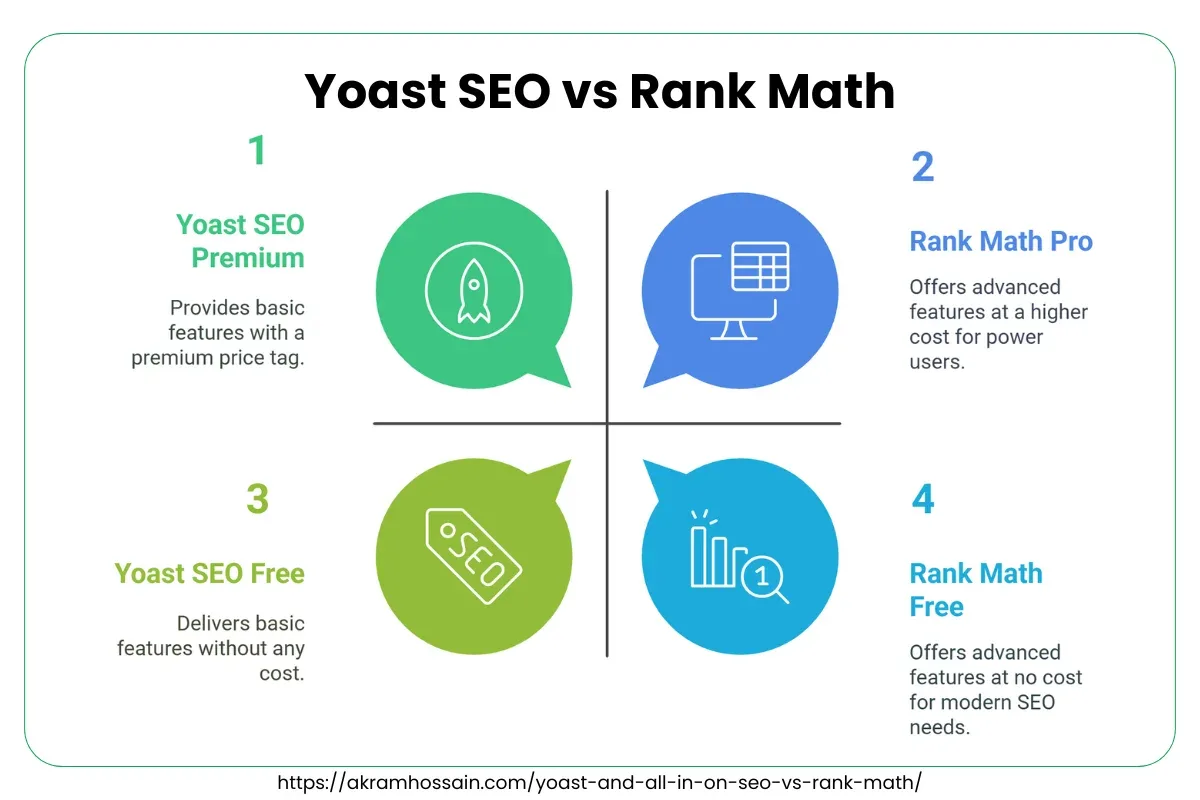
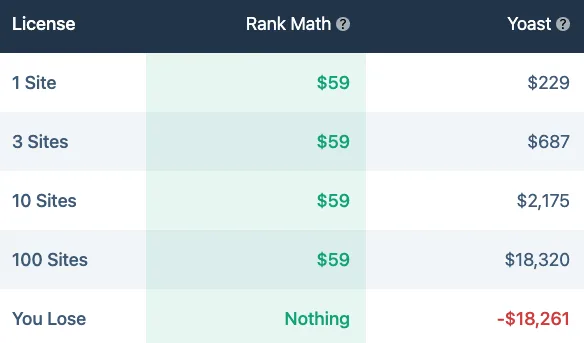
This is where the rank math vs yoast comparison gets refreshingly concrete. Rank Math runs a freemium model with an unusually generous free tier: redirects, schema types, multiple keyword tracking, and Google Analytics integration are available without paying. Yoast keeps its free version lean and reserves most advanced controls for the premium plan.

For a personal blog, Rank Math’s free tier often delivers everything you need. For a serious content operation with editorial workflows, Yoast Premium’s internal linking suggestions and multi-keyword focus can justify the spend. The trap is assuming “free” means “complete” in either direction.
Here is a quick way to think about cost: count how many premium features you would genuinely use each week. Anything you would not touch is not a feature — it is decoration on a pricing page.

| Consideration | Rank Math | Yoast SEO |
|---|---|---|
| Free tier depth | Very broad (schema, redirects, tracking) | Core SEO essentials only |
| Paid model | Tiered plans by site count | Premium and agency tiers |
| Best fit | Budget-conscious sites needing features fast | Teams wanting guided, conservative optimization |
| Renewal risk | Feature-heavy, so downgrades sting | Moderate, core free version still functional |
Physical, digital, or enterprise product — the pricing question never changes: what do the rank math vs yoast lose if you stop paying? With Rank Math, you would lose redirects and advanced schema. With Yoast, you would lose some workflow niceties but keep clean fundamentals. Write that answer down before you compare anything else.
Fact 2: Setup Friction Reveals Which Plugin Fits Your Skill Level
Rank Math’s first-run wizard is aggressive in the best sense. It asks about your site type, connects Google Search Console, imports settings from other plugins, and switches on sensible templates in one sitting. Ten minutes and you are basically running.
But that speed cuts both ways. The wizard makes decisions for you, and if you do not review them, you can inherit title templates that clash with your brand voice. I have seen sites launch with default title formats like “Post Title – Site Name” that looked fine until they started competing in SERPs.
Yoast takes the opposite path. Maintaining clarity across your rank math vs yoast remains essential. Its setup is more conversational, and it walks you through configuration with explanation rather than automation. Slower? Slightly. More deliberate? Absolutely. If you learn by understanding, Yoast respects that instinct.
My practical rank math vs yoast tips here: after either wizard finishes, spend fifteen minutes auditing the title and description templates, the sitemap toggle, and the noindex defaults for archives. Those three spots cause most post-launch surprises.
What the First Hour With Each Plugin Feels Like
With Rank Math, the first hour is momentum. Options appear quickly, and you find yourself enabling schema, redirects, and local SEO modules without much friction. The interface is busier, but for people who like dashboards, that density reads as power.
With Yoast, the first hour is orientation. The settings pages are calmer and the editor panel frames optimization as a checklist you can reason through. If you are onboarding a junior writer, that simplicity has real value.
Neither first hour is “wrong.” Ask yourself a single question: do the rank math vs yoast want the plugin to lead you, or do you want to lead the plugin? Answer honestly and the pick becomes obvious.
Fact 3: Schema Handling is Where the Real Difference Hides
Structured data is the unglamorous backbone of modern search results. It feeds rich snippets, review stars, FAQ displays, and breadcrumb trails. Both plugins handle it, but the depth differs noticeably.
Rank Math ships with a wide menu of schema types available in the free version, including Article, Recipe, Course, Event, and Local Business. It also offers an advanced schema generator that lets you build combinations — a feature power users appreciate when the built-in types do not quite match the page.
Yoast approaches schema with a more opinionated default: the rank math vs yoast generates a graph of connected entities automatically and lets you extend it through filters and premium additions. For most sites, that graph is accurate enough to do the job without intervention.
Where this matters in rank math vs yoast best practices: if you run a directory, a review site, or a local service business with multiple locations, Rank Math’s granular options save you from custom code. If you run a straightforward blog or corporate site, Yoast’s automated graph is less work to maintain.

The Case for Reviewing Schema Before You Publish
Schema errors rarely announce themselves. They quietly fail the validation check while your content looks perfectly fine on the front end. Run any page through a structured data testing tool at least once after switching plugins.
A common mistake I see: enabling FAQ schema on pages where the questions are not actually visible to readers. Search guidelines expect the marked-up content to be present on the page — hiding it in schema while the visible page stays silent invites problems.
So treat schema as a published claim, not a checkbox. Applying these principles to your rank math vs yoast yields measurable results. Whichever plugin you choose, audit the output on your three most important page types before assuming it works.
Fact 4: Keyword Tracking and Content Scoring Work Differently
This is your rank math vs yoast section people care about most, and it is also the most misunderstood. Both plugins show you a content analysis score, and both scores are directional hints, not search engine signals. Google does not read your plugin’s green circle.
Yoast’s classic traffic-light system is simple: red, orange, green, with readable explanations. It has trained a generation of writers to think about focus keyword placement, meta description length, and readability. That educational value is real.

Rank Math scores content on a 100-point scale and supports tracking multiple focus keywords in the free version. Proper attention to your rank math vs yoast sets a strong baseline.
For a site targeting secondary and long-tail queries on the same page, that flexibility removes the awkward guessing game of which phrase gets the single focus slot.
The honest rank math vs yoast tips here: do not edit sentences purely to satisfy a score. I have watched writers mutilate natural prose chasing a perfect green, then wonder why engagement dropped. The score is a nudge — your editorial judgment is the editor.

| Content Analysis Aspect | Rank Math | Yoast SEO |
|---|---|---|
| Score style | 0–100 point scale, granular checks | Traffic-light good/needs improvement/bad |
| Focus keywords | Multiple keywords tracked | One primary focus keyword |
| Readability checks | Built in, configurable | Built in, well-explained |
| Best use case | Pages targeting several related queries | Writers learning on-page fundamentals |
One more nuance from real projects: Rank Math’s scoring is stricter on things like keyword density in headings, so a page can feel over-optimized when it is simply thorough. Read every warning with context before rewriting a single word.
Fact 5: Page Speed Impact Between Rank Math vs Yoast is Smaller Than You Think
Plugin performance is a favorite forum battleground, and the noise usually outpaces the evidence. Both plugins add database queries, load scripts in the admin area, and inject front-end markup. Neither is going to single-handedly ruin your Core Web Vitals.
Rank Math has historically had a lighter footprint for some users, especially when advanced modules are disabled. Developing your rank math vs yoast with precision highlights key strengths. Yoast has optimized its front-end output over time and remains lean for typical configurations. The variance between sites of the same size tends to be small.
The bigger performance factor is the rank math vs yoast. Every module you leave switched on adds weight. Rank Math’s module system makes this visible, which is a gift — you can turn off local SEO, analytics, or content AI if you are not using them.
If speed is your genuine concern, test before you panic. Run your site with each plugin on a staging clone using the same caching and hosting. That comparison beats any rank math vs yoast checklist borrowed from someone else’s site, because it measures your pages, not theirs.
Practical Benchmarking Without Losing a Weekend
Clone your site to staging, keep caching identical, and measure twice: once with the plugin active, once with it disabled. Focus on server response time and the number of render-blocking requests, not just the headline performance score.
In most cases the rank math vs yoast will find differences in the low milliseconds — well below the noise created by image weight and third-party scripts. Spend your optimization energy there instead.
Fact 6: Migration Pain is the Hidden Cost in Every Rank Math vs Yoast Decision
Switching plugins is not a button press. Meta templates, redirect rules, schema settings, and sitemap configuration do not all transfer cleanly, even when the importing plugin claims to handle it.
Both plugins offer importers, and both importers work reasonably well for core metadata. The trouble appears in the details: title template syntax differs, breadcrumb behavior differs, and any custom schema you built in one plugin may need manual rebuilding in the other.

Before the rank math vs yoast migrate, export your current settings, back up the database, and take screenshots of every configuration screen. Then test on staging with a small batch of URLs and compare the rendered source code.
This is the unglamorous part of the rank math vs yoast guide that nobody publishes because it is not exciting — and yet it saves weekends.
The practical takeaway: a plugin swap costs roughly a full working day for a small site and multiple days for a large one. If you are only mildly dissatisfied, consider tuning your current setup before switching.
What to Verify After Any Migration
Check the rank math vs yoast canonical tags still point to the right URLs. Confirm your XML sitemap generates and submits without errors. Validate structured data on representative pages. And inspect the rendered title and meta description on a handful of key posts.
Also, re-check your redirects. Targeted refinements to your rank math vs yoast streamline the entire review. Some sites rely on the SEO plugin for redirect management, and a switch can silently orphan those rules. Broken redirects are a quiet ranking leak that takes weeks to notice.
Finally, update your rank math vs yoast checklist with the migration date and the specific settings you changed. Future you will be grateful for the paper trail.
Fact 7: Support, Documentation, and Community Shape Your Long-Term Experience
Every SEO plugin looks solid the day you install it. The difference shows up in month eight, when a WordPress update ships and your schema breaks a week before a product launch.
Yoast has been in the market long enough to build extensive documentation and a large community. The answers you need are usually searchable, and the plugin’s longevity gives confidence in its maintenance cadence.
Rank Math is younger and faster-moving. Focusing on rank math vs yoast provides clear direction here. It ships features frequently, maintains an active knowledge base, and runs community channels where users get responses. Faster releases cut both ways: more capability, more chances for a behavioral change to surprise you.
My recommendation here stands regardless of brand loyalty. Test any update on staging first, subscribe to the plugin’s changelog, and keep a fallback timeline of at least a week before a big campaign. That discipline matters more than which name appears in your plugin list.
A Practical Rank Math vs Yoast Checklist Before You Decide
Here is where the analysis turns into action. Run this rank math vs yoast checklist against your actual site — not a hypothetical one — and the decision usually resolves itself in one afternoon.
Answer each item honestly. If you find yourself guessing, that uncertainty is itself a signal that you need more testing time.
- Count your content volume. A site with 30 posts benefits from automation and prefilled templates. A site with 3,000 posts needs keyword tracking depth and bulk edit efficiency. Both plugins handle scale, but your editorial workflow will favor one.
- List the premium features you would use weekly. Redirects, multi-keyword tracking, internal link suggestions, advanced schema, local SEO modules. Anything unused should not factor into your ranking.
- Audit your structured data needs. Recipes, reviews, events, courses, local businesses, and FAQs each have different schema complexity. Match the plugin to your actual content types rather than the full feature menu.
- Check how much your site depends on redirect management. If you change URLs often and rely on the SEO plugin for redirects, confirm the free or paid tier gives you what you need before committing.
- Assess your team’s comfort level. A junior writer benefits from guided checks and calm dashboards. A technical operator prefers density and control. The plugin should fit the person clicking the buttons.
- Test performance on staging with identical caching. Measure response time and render-blocking requests. If the gap is negligible, remove speed from your decision entirely.
- Plan the migration cost in hours, not minutes. Assume a full day for a small site. If you are not prepared to spend it, tune what you have instead of switching.
One last item worth adding to any rank math vs yoast best practices routine: after you decide, do not revisit the choice for at least six months. Plugin hopping is the most expensive habit in WordPress SEO.
Who Wins the Rank Math vs Yoast Verdict?
Neither plugin is universally better, and anyone claiming otherwise is selling something. Effective execution in your rank math vs yoast makes a tangible difference. The honest verdict splits along fit.
Pick Rank Math if the rank math vs yoast want a generous free tier, multiple keyword tracking, deep schema control, and a module system that lets you trim what you do not use. It rewards tinkerers and budget-conscious site owners who will actually review the wizard’s output.
Pick Yoast SEO if you value guided discipline, readable explanations, conservative defaults, and a mature ecosystem. It rewards writers and teams who want fundamentals handled cleanly without wrestling granular settings.
This whole rank math vs yoast discussion sits inside a larger discipline: on-page optimization, technical SEO, and content strategy all have to work together. Treat the plugin as the plumbing, not the water.
If you want to go deeper after settling this choice, the natural next steps are schema markup validation, internal linking architecture, and Core Web Vitals tuning — all three matter more for rankings than the plugin logo.
Whatever you choose, configure it once, document it, and then get back to publishing. That is the habit that moves rankings; the plugin just keeps the pipes clean.
For verified reference and background research, consult the authoritative informational resource on this topic.