Product Schema Markup: 9 Easy Steps for Better Results
Product schema markup is the difference between a product page that quietly sits in search results and one that shows up with price, availability, and glowing review stars right in the SERP. That single change in how your listing appears can lift click-through rates more than any headline rewrite ever will.
This product schema markup guide walks you through nine concrete steps, from the raw vocabulary to validation and rollout, so you can implement structured data that search engines actually trust and reward.
Here’s the honest truth most tutorials skip: schema markup isn’t a magic switch. Focusing on product schema markup provides clear direction here. It’s a contract with Google. You tell the crawler exactly what a product is, what it costs, whether it’s in stock, and how people rate it.
Get the details right and the product schema markup earn richer results. Get them wrong and you get a warning in Search Console at best, a manual action at worst.
So let’s treat this like a real build. Nine steps, each one earned. No fluff, no recycled definitions. By the end you’ll have a product schema markup checklist you can hand to a developer, a content editor, or your own future self at 11 p.m. Before a launch.
Why Product Schema Markup Deserves a Spot in Your SEO Stack
Search engines don’t “see” your product page the way a shopper does. They parse HTML, follow links, and try to infer meaning. Structured data removes the guessing.
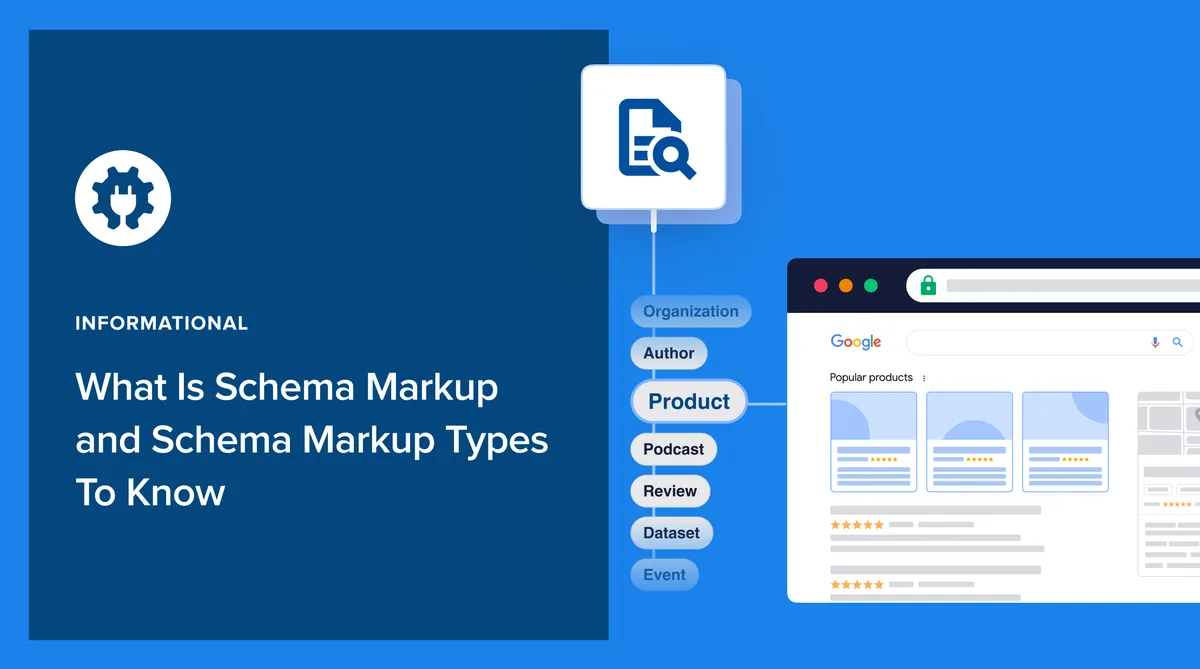
When you add product schema markup, you’re translating a human-readable page into a machine-readable statement: this is a product, here is its name, here is its offer, here is its rating.
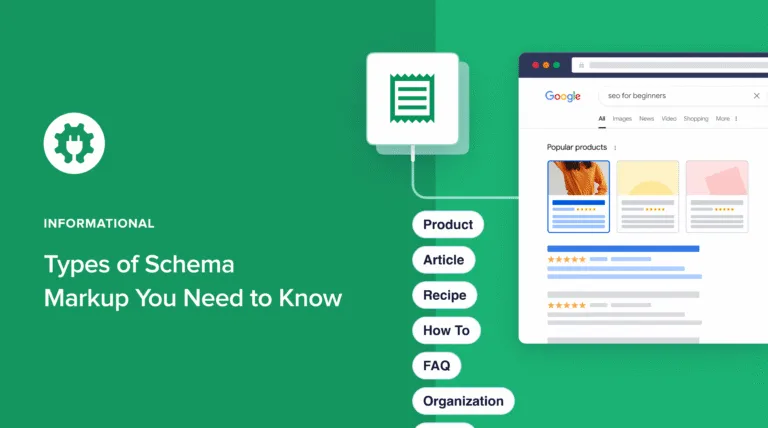
The payoff shows up in rich results. Refining each detail of your product schema markup strengthens this section. Google can surface price ranges, stock status, star ratings, and shipping details directly in the search listing.
Those visual cues pull eyes. In competitive retail SERPs, a listing with review stars and a price range consistently outperforms a plain blue link, even when both rank in similar positions.
The Three Audiences You’re Actually Writing For
Beginners assume schema markup is “for Google.” That’s only a third of the story. You’re writing for three audiences at once: the search crawler that validates your data, the rich result renderer that decides what to display, and the human who skims the SERP and decides whether to click.
Each audience has different tolerances. The crawler wants valid JSON-LD with required properties. The renderer wants consistency between your markup and your visible page. The human wants a reason to care. When those three align, product schema markup stops being a technical chore and becomes a conversion asset.
What Actually Changes in the SERP
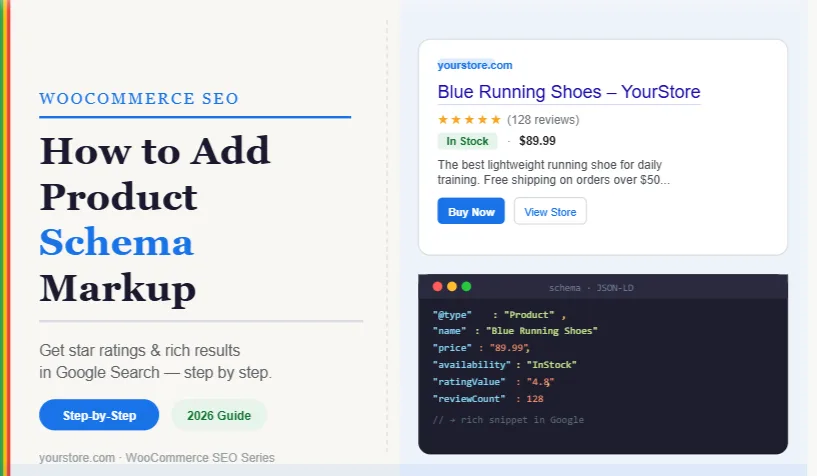
Picture two listings side by side. The first reads like a plain link: title, URL, snippet. The second shows a price range, a five-star aggregate, “In stock,” and free shipping. Which one earns the tap? Nine times out of ten, the enriched one.
That’s not speculation. Rich results compress the decision. Shoppers no longer need to click through to learn the price or check availability. They get the essentials in the SERP and click with intent. Higher-quality clicks, lower bounce, better engagement signals. That’s the flywheel product schema markup sets in motion.
Step 1: Audit Your Product Pages Before You Touch a Single Tag
Every solid implementation starts with an honest inventory. Effective execution in your product schema markup makes a tangible difference. Before writing markup, you need to know what you’re marking up.
Grab a spreadsheet and list every product page on your site: URL, product name, SKU, price, availability, review count, average rating, and any variants (size, color, material).
This audit does two things. First, it exposes gaps. Half your catalog might be missing review counts, or prices might live in an image instead of text. Second, it forces consistency.
If your price is competitive direct manufacturer pricing on the page but competitive direct manufacturer pricing in your feed, the markup will contradict itself and get ignored.
What to Capture in the Audit
At minimum, log the product schema markup fields for each product: unique identifier (SKU, GTIN, MPN), name, description, brand, image URL, price, currency, availability status, aggregate rating, and review count. If any field is missing, flag it. You can’t mark up data that doesn’t exist.

Here’s a real-world snag: many storefronts display prices via JavaScript after page load. Crawlers may or may not execute that script. If your price only exists in a JS-rendered widget, your markup risks a mismatch. Fix the source before you fix the schema.
Mapping Pages to Schema Types
Not every product page is a simple Product. A page selling a variable product (say, a t-shirt in five sizes) needs ProductGroup and Product variants. A page bundling three items might need ItemList or nested offers. Getting the type right at this stage saves painful refactors later.

Write the type next to each URL in your audit sheet. This one column will drive ninety percent of your implementation decisions, and it’s the single most overlooked step in most product schema markup tips you’ll read online.
Step 2: Choose the Right Schema Format (JSON-LD Wins)
The product schema markup have three formats to pick from: JSON-LD, Microdata, and RDFa. All three work. Only one is worth your time in a modern stack. JSON-LD (JavaScript Object Notation for Linked Data) is Google’s recommended format, and it’s the one you should default to unless you have a very specific reason not to.
Why? JSON-LD lives in a single <script> block, separate from your HTML. It’s easier to read, easier to debug, easier to generate dynamically from a CMS or template engine. Microdata and RDFa tangle markup into your HTML attributes, which makes both content editing and schema maintenance a headache.
JSON-LD Vs. Microdata Vs. RDFa: a Quick Comparison
| Format | Where It Lives | Ease of Maintenance | Google Recommendation |
|---|---|---|---|
| JSON-LD | Separate <script> block |
High — decoupled from HTML | Preferred |
| Microdata | Inline HTML attributes | Low — tangled with content | Supported |
| RDFa | Inline HTML attributes | Low — verbose and error-prone | Supported |
If you’re on a legacy platform that already uses Microdata, migrating to JSON-LD is usually worth the effort. But don’t rip out working markup for the sake of purity. Focus on the data quality first.

Where to Inject JSON-LD
The script block typically goes in the <head> or just before the closing </body> tag. Structuring your product schema markup around proven patterns ensures impact. Either placement works. What matters is that the block renders server-side, not after a client-side hydration delay that crawlers might miss.
On a Shopify, WooCommerce, or Magento store, the product schema markup can usually inject JSON-LD through a theme template or a dedicated SEO app. On a custom build, expose a schema partial that your product template renders. Keep it in one place so updates don’t require touching twenty files.
Step 3: Build the Core Product Schema Markup Skeleton
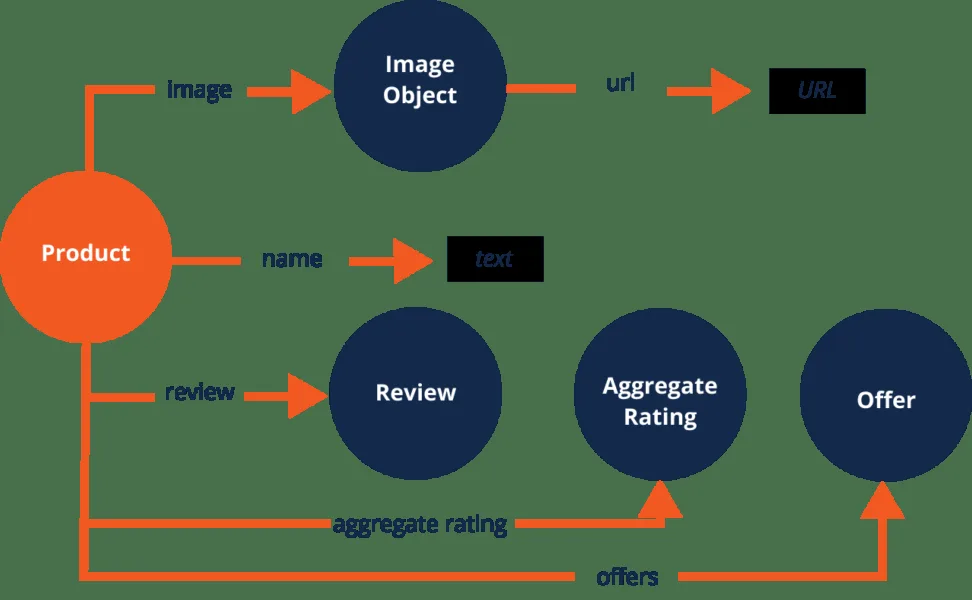
Now we get to the bones. A minimal Product schema needs a handful of required properties: name, image, and offers (or review/aggregateRating if you want rich results). Everything else is enhancement. Start with the skeleton, then layer on detail.
Here’s the shape most implementations should follow. Applying these principles to your product schema markup yields measurable results. Notice the @context and @type declarations — those tell the crawler which vocabulary you’re speaking and which entity you’re describing. Skip them and nothing else parses correctly.

The Required Properties, Explained
name is the product title as it appears on the page. image is a URL to the primary product image (multiple URLs are allowed and encouraged). offers is where the money lives — price, currency, availability, and seller. Get these three right and you’ve cleared the minimum bar.
Then add brand, sku, description, and gtin or mpn. These aren’t strictly required but they dramatically improve how search engines understand and trust your product. A product with a GTIN is far more identifiable than one without.

Optional Properties That Punch Above Their Weight
aggregateRating with ratingValue and reviewCount unlocks star ratings in the SERP. Proper attention to your product schema markup sets a strong baseline. review (individual reviews) adds depth. priceValidUntil signals urgency and prevents stale price display. shippingDetails and hasMerchantReturnPolicy round out the offer with logistics info shoppers care about.
Don’t stack every optional property just because the product schema markup can. Each one is a promise to keep the data accurate. A missing property is forgivable. A wrong property is a trust violation that can cost you rich results entirely.
Step 4: Add Offers, Price, and Availability Without Breaking Trust
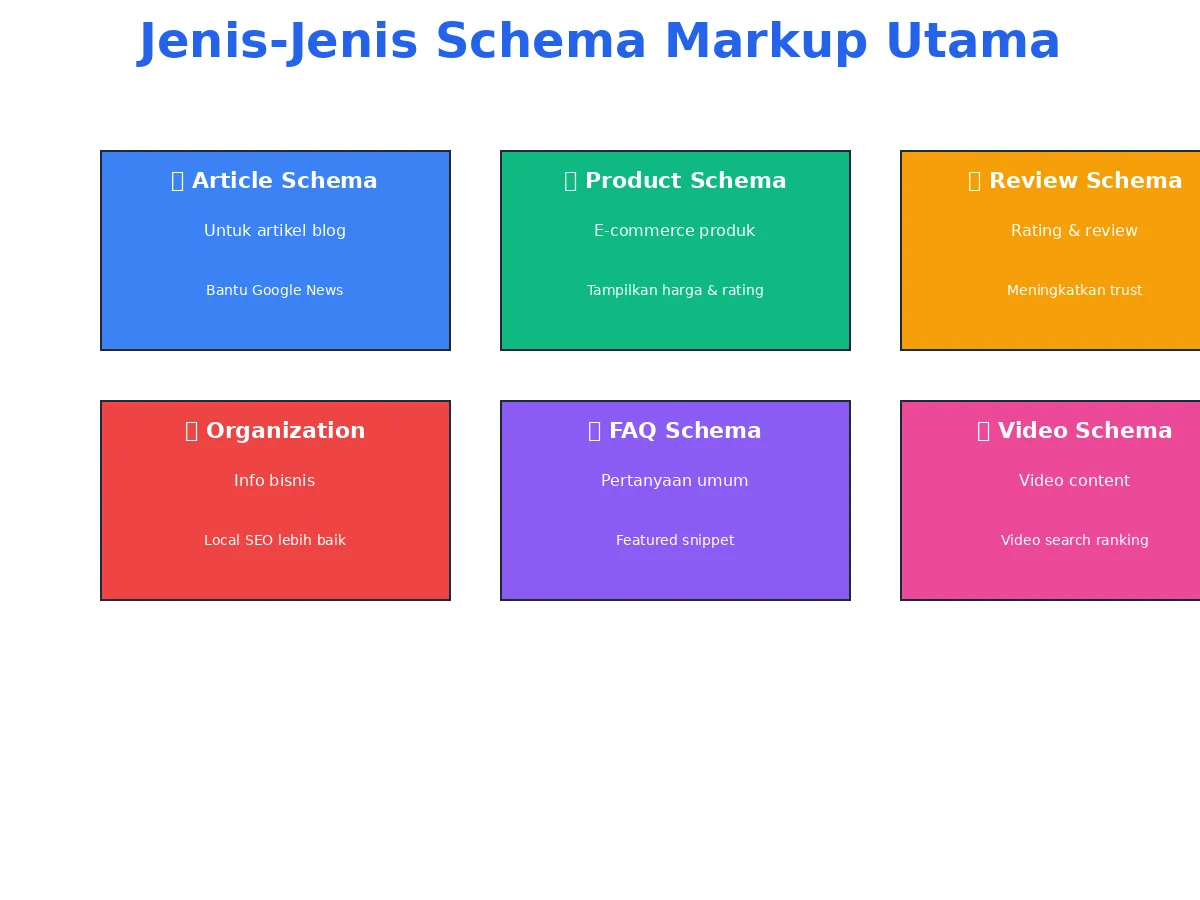
The Offer object is where most product schema markup implementations quietly fail. Price mismatches, currency confusion, and stale availability are the three most common culprits. Search engines compare your markup against your visible page, and any discrepancy erodes trust.
Your price must match what’s displayed. Your priceCurrency must be a valid ISO 4217 code (USD, EUR, GBP). Your availability must use a schema.org URL like https://schema.org/InStock — not a plain “in stock” string. These details matter more than most tutorials admit.

The Offer Object, Field by Field
Start with price, priceCurrency, and availability. Developing your product schema markup with precision highlights key strengths. Add URL pointing to the product page. Add priceValidUntil if your pricing is time-bound (a sale end date, for example). Add seller with a nested Organization if you’re a marketplace with multiple sellers.
If your product has variants at different prices, use AggregateOffer with lowPrice, highPrice, and offerCount. This is the correct way to represent a price range, and it’s what Google expects for products with multiple SKUs on one page.

Handling Sales, Discounts, and Dynamic Pricing
Dynamic pricing is a trap. If your price changes based on geography, login status, or A/B tests, the markup can go stale within minutes. The safest approach: mark up the price the crawler will actually see on a fresh, logged-out request. That’s the version Google validates against.
For sales, mark up the current sale price, not the original. Use priceValidUntil to signal the sale window. When the sale ends, update the markup. Automation helps here — a product schema markup checklist should include a step for syncing markup on every price change.

Step 5: Layer in Reviews and Aggregate Ratings the Right Way
Review stars are the most visible payoff of product schema markup. They’re also the most abused. Google has tightened rules around review markup, and for good reason: fake or self-serving reviews mislead shoppers and degrade SERP quality.
The rule of thumb: only mark up reviews the product schema markup are genuinely visible on the page, written by real customers, and not gated behind a login. If you can’t point to the review on the page, don’t mark it up. That single principle keeps you out of trouble.

AggregateRating Vs. Individual Reviews
AggregateRating summarizes many reviews into one score. Maintaining clarity across your product schema markup remains essential. It needs ratingValue (the average), reviewCount (total reviews), and often bestRating and worstRating. This is what drives the star display in search results.
Review objects represent individual reviews. They need author, reviewRating, and reviewBody. Use them sparingly — a handful of representative reviews is better than marking up every single one. Over-marking can trigger warnings and slow down validation.
What Google Actually Enforces
Google’s review snippet guidelines are strict. Integrating product schema markup into your workflow produces consistent quality. Reviews must be about the product, not about your store or shipping experience. They must be visible to users.
They must not be aggregated from third-party sites you don’t control unless you’re the actual publisher. Violations can result in a manual action that strips all your rich results.
The safest path: mark up only first-party reviews that live on the product page. If you syndicate reviews from a provider, check their terms and Google’s guidelines carefully. When in doubt, skip the markup. A clean listing beats a penalized one.

Step 6: Handle Product Variants and ProductGroup Correctly
Variants are where most product schema markup guides wave their hands and move on. Don’t. A t-shirt in five sizes, a laptop in three configurations, a supplement in two flavors — these are all variant scenarios that need specific handling.
The modern approach uses ProductGroup as the parent entity and Product as the children. A thoughtful approach to product schema markup reinforces your qualifications. Each variant gets its own Product with a unique sku, offers, and variesBy property. The ProductGroup ties them together with productGroupID and hasVariant.
When to Use ProductGroup Vs. Single Product
Use ProductGroup when a single page displays multiple variants the product schema markup share a common identity. Use a single Product when the page represents one specific SKU. Use AggregateOffer when you want to show a price range without listing every variant individually.
Mixing these up is common. A page selling one shirt in one size is a single Product. A page selling the same shirt in five sizes is a ProductGroup with five Product variants. Getting this right improves how Google displays your page in results and prevents validation errors.
A Variant Example That Works
Imagine a running shoe available in three colors. The parent ProductGroup has productGroupID: “RS-100” and hasVariant pointing to three Product objects, one per color. Each variant carries its own sku, color, offers, and image.
The product schema markup structure lets Google understand both the family and the individual items. It also prevents the classic mistake of marking up a single price for a product that actually ranges from competitive direct manufacturer pricing to competitive direct manufacturer pricing depending on color. That mistake alone kills rich results for thousands of stores.
Step 7: Validate, Debug, and Fix Before You Ship
You wouldn’t launch a landing page without checking it in a browser. Same principle applies to product schema markup. Validation isn’t optional. It’s the step that separates a working implementation from a pile of warnings.
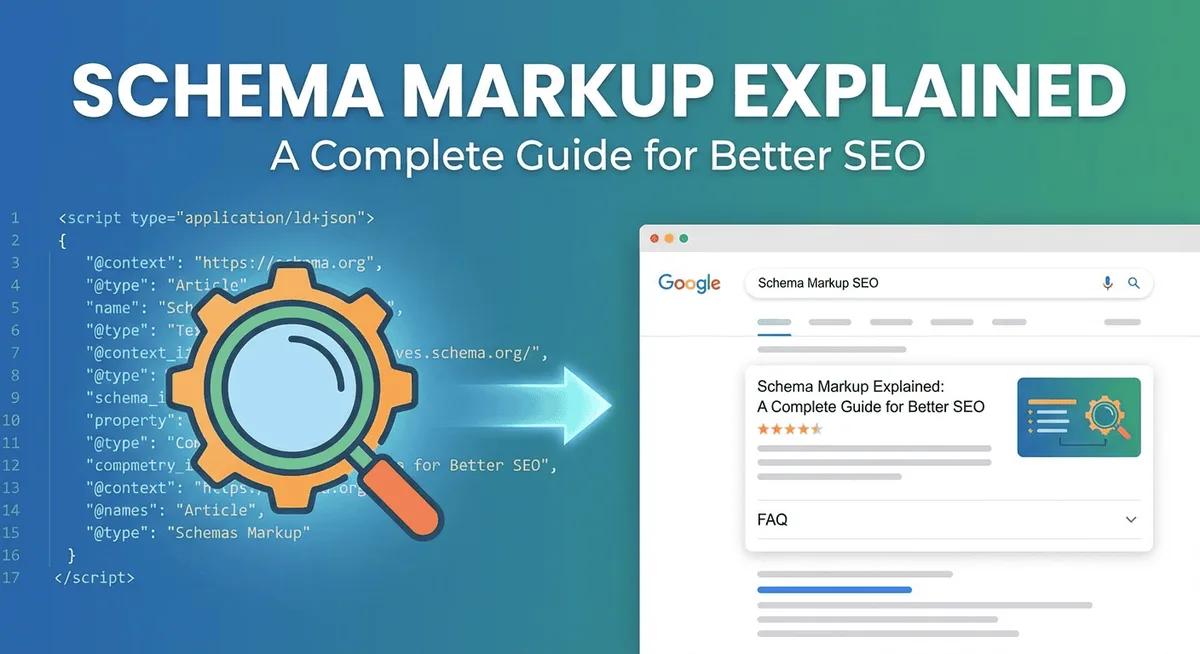
Start with Google’s Rich Results Test. It tells you which rich result types your page qualifies for and flags missing or invalid properties. Then run the Schema Markup Validator for a broader check against the full schema.org vocabulary. Both are free and both should be in your pre-launch routine.
Reading the Error Messages Like a Pro
Errors fall into three buckets: missing required properties, invalid values, and mismatches with visible content. Missing properties are easy — add them. Invalid values usually mean a wrong format (e.g., a price as a string with a currency symbol). Mismatches require you to look at the page and the markup side by side.
Warnings are softer but still worth fixing. A warning about a missing optional property won’t break your rich result, but it might cost you a feature. A warning about an ambiguous value, however, can cause Google to ignore that property entirely.
Common Errors and How to Fix Them
- Price mismatch: The markup says competitive direct manufacturer pricing, the page shows competitive direct manufacturer pricing. Fix by syncing your data source and your markup source to the same field.
- Invalid availability: Using “in stock” instead of
https://schema.org/InStock. Fix by using the canonical schema.org URL. - Missing image: The image property points to a broken URL or a placeholder. Fix by verifying the URL resolves to a real, crawlable image.
- Review markup on non-review content: Marking up testimonials as reviews. Fix by removing markup from anything that isn’t a genuine product review.
- Duplicate product markup: Two Product blocks on one page describing the same item. Fix by consolidating into a single block.
Each of these is fixable in minutes once you know what to look for. The trick is to validate early, validate often, and treat warnings as small debts you pay down before launch.

Step 8: Monitor Performance and Iterate Using Real Data
Shipping valid markup is step eight, not the finish line. The real work begins after launch, when you watch how search engines actually treat your pages. Search Console’s “Enhancements” reports are your dashboard here — they show valid items, warnings, and errors across your catalog.
Watch for trends, not just totals. A sudden spike in errors usually means a template change or a feed sync failure. A slow drift in warnings might signal a data quality issue upstream. Either way, the report tells you where to look.

What to Track in Search Console
Track valid items, valid items with warnings, and errors separately. Then track impressions and CTR for pages with rich results versus pages without. That comparison is the clearest signal of whether your product schema markup is paying off.
Also watch the “Rich results” filter in the Performance report. It isolates queries where your listing appeared with rich features. If that segment is growing faster than your overall traffic, your markup is doing its job.
Iterating Without Breaking What Works
Once your baseline is stable, iterate carefully. Add optional properties one at a time and watch the impact. Add shippingDetails, then check if shipping info appears in results. Add hasMerchantReturnPolicy, then check the same. Small, measured changes beat big-bang rewrites every time.
Keep a changelog. When a validation error appears six weeks after launch, you’ll want to know what changed and when. A simple spreadsheet with dates, changes, and observed impact is worth more than any dashboard.
Step 9: Scale Across Your Catalog With a Product Schema Markup Checklist
One product page is easy. Ten thousand is a different game. Scaling product schema markup requires automation, consistency, and a checklist that anyone on your team can follow. This is where the difference between a one-off win and a durable SEO asset lives.
The good news: once your template is right, the same logic applies across the catalog. The bad news: catalogs drift. New products get added, prices change, availability flips, and reviews accumulate. Your markup has to keep up.
The Product Schema Markup Checklist You Can Hand to Anyone
- Confirm the schema type: Single Product, ProductGroup with variants, or AggregateOffer for price ranges. Match the type to the page’s actual content.
- Verify required properties: name, image, and offers are present and correct. No exceptions.
- Check identifiers: sku, gtin, or mpn are populated wherever available. Missing identifiers weaken entity resolution.
- Validate price and currency: price matches the visible page, priceCurrency uses a valid ISO 4217 code.
- Confirm availability: Uses a canonical schema.org URL, not a plain string.
- Audit review markup: Only first-party, visible reviews are marked up. Aggregate ratings match the displayed average.
- Test with Rich Results Test: No errors, warnings reviewed and either fixed or documented.
- Verify on a logged-out, fresh request: The markup a crawler sees matches the markup a user sees.
- Log the change: Date, version, and observed impact recorded in a shared changelog.
- Schedule a re-check: Re-validate quarterly or after any template, feed, or pricing change.
That checklist is the backbone of product schema markup best practices. Print it. Pin it. Hand it to the developer who owns the template and the merchandiser who owns the catalog. When both teams use the same checklist, drift stops being a problem.
Automating the Boring Parts
Manual markup doesn’t scale. Wire your product schema markup to your product data source — your PIM, your feed, your CMS. When a price changes in the source, it should change in the markup. When a product goes out of stock, the availability field should follow automatically.
Most e-commerce platforms and SEO tools offer schema generation out of the box. Use them as a starting point, not a finish line. Review the generated output against your checklist, then customize where needed. Automation handles volume; human review handles quality.
Common Product Schema Markup Mistakes That Cost You Rich Results
Even careful teams trip on the same handful of issues. Knowing them in advance is half the battle. Here are the ones I see most often in audits, along with the fix for each.
Mistake 1: Marking Up Data That Isn’t on the Page
This is the cardinal sin. If your markup says the product has a 4.8 rating but the page shows no reviews, Google flags it as a mismatch. The fix is simple: only mark up what’s visible. If you want to display a rating, display it on the page first, then mark it up.
Mistake 2: Using the Wrong Schema Type
Using Product for a category page, or ItemList for a single product, confuses the crawler. Match the type to the page’s actual purpose. Category pages get ItemList. Product pages get Product. Variant pages get ProductGroup.
Mistake 3: Stale Prices and Availability
Prices change. Inventory runs out. If your markup doesn’t update, it lies. Automate the sync between your data source and your markup, and add a validation step to your deployment pipeline.
Mistake 4: Ignoring Warnings Until They Become Errors
Warnings feel harmless until they cascade. A missing image warning today becomes a rich result failure tomorrow. Treat warnings as small debts and pay them down before they compound.
Frequently Asked Questions About Product Schema Markup
Here is an in-depth breakdown of key considerations regarding this section:
Does Product Schema Markup Directly Improve Rankings?
Not directly. Schema markup is not a ranking factor in the traditional sense. What it does is improve how your listing appears in search results, which can lift click-through rate. Higher CTR sends positive engagement signals, and those can indirectly support rankings over time. Treat markup as a visibility and conversion tool, not a ranking lever.
How Long Until I See Results from Product Schema Markup?
Rich results typically appear within days to a few weeks after Google recrawls your pages. If you’ve just launched, expect a lag while the crawler discovers and validates your markup. Monitor Search Console’s Enhancements report to confirm when items move from “detected” to “valid.”
Can I Use Product Schema Markup on a Page With Multiple Products?
Yes, but carefully. A category page listing many products should use ItemList with each item as a Product. A single product page with variants should use ProductGroup. Avoid marking up multiple unrelated products as if they were one — that’s a mismatch waiting to happen.
What Happens if My Markup Doesn’t Match the Visible Page?
Google may ignore the mismatched property, downgrade your rich result eligibility, or in severe cases issue a manual action. The safest policy is strict consistency: if it’s not visible on the page, it doesn’t belong in the markup.
Do I Need Product Schema Markup if I Already Have a Merchant Center Feed?
Yes. They serve different purposes. Merchant Center feeds power Shopping ads and free listings. On-page product schema markup powers organic rich results. Both matter, and they should agree with each other on price, availability, and identifiers.
How Often Should I Re-Validate My Product Schema Markup?
At minimum, quarterly. More often if your catalog changes frequently, your template is updated, or your pricing is dynamic. Add validation to your deployment pipeline so every release gets checked automatically.
Final Thoughts on Turning Product Schema Markup Into a Competitive Edge
Nine steps, one goal: make your product pages legible to search engines and irresistible to shoppers. The teams that win at this treat product schema markup as infrastructure, not a one-time project. They audit, they build, they validate, they monitor, and they iterate.
Start with step one the product schema markup week. Audit ten product pages. You’ll learn more from that exercise than from reading a dozen more articles. Then work through the remaining steps at a pace your team can sustain. The compounding effect is real — every page that earns rich results makes the next page easier to justify.
And when you’re ready to go deeper, explore the parent topic of structured data for e-commerce. Related sub-topics worth your time include Organization schema for brand identity, BreadcrumbList for navigation clarity, and FAQPage markup for supporting content.
Each one reinforces the others, and together they build the kind of topical authority that search engines reward over the long haul.
That’s the real payoff of product schema markup done well. Not a single star rating in the SERP, but a catalog that search engines understand, trust, and consistently surface. Build it once, maintain it always, and let the rich results do the talking.
For verified reference and background research, consult the authoritative informational resource on this topic.