Category Page SEO: the Easy Guide That Turns Archive Pages Into Traffic Magnets
Category page SEO is the practice of optimizing your archive and taxonomy pages so they rank in search engines instead of sitting there as dead weight. Most site owners pour every ounce of effort into individual posts and product pages, then let their category pages rot with thin descriptions and duplicate listings. That’s a costly mistake.
Think about the Category page SEO for a second. Your category pages are often the most linked, most crawled, and most authoritative pages on your entire site. They collect internal links like a magnet collects iron filings. They get the cleanest URL structure.
And yet, in the vast majority of audits I’ve run, they’re the pages with no meta description, a default template title, and a wall of unlabeled thumbnails.
This category page SEO guide walks you through the fundamentals, then hands you seven pro tactics you can deploy on any site, whether you run a WooCommerce store, a WordPress blog, or a large editorial publication. No fluff, no recycled advice. Just the stuff that actually moves rankings.
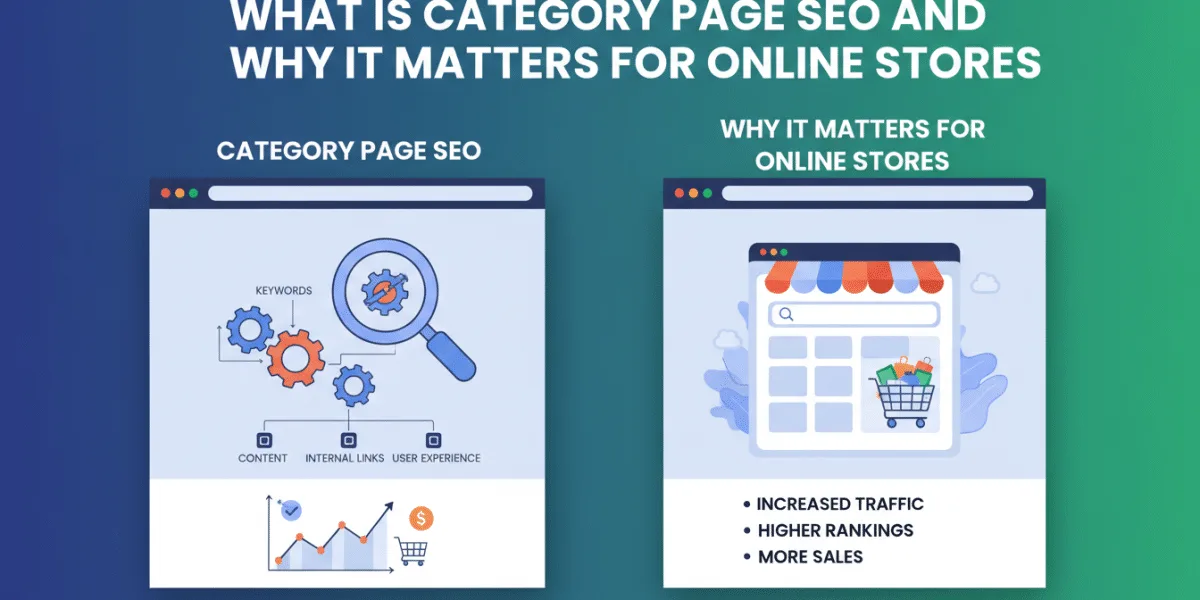
What is Category Page SEO and Why It Deserves Its Own Strategy
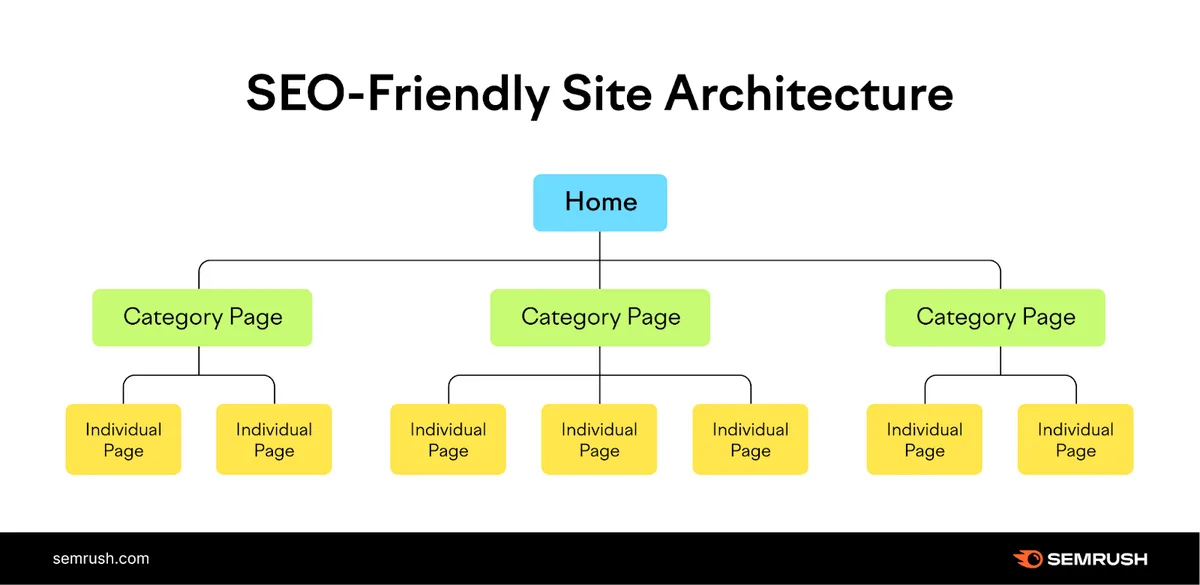
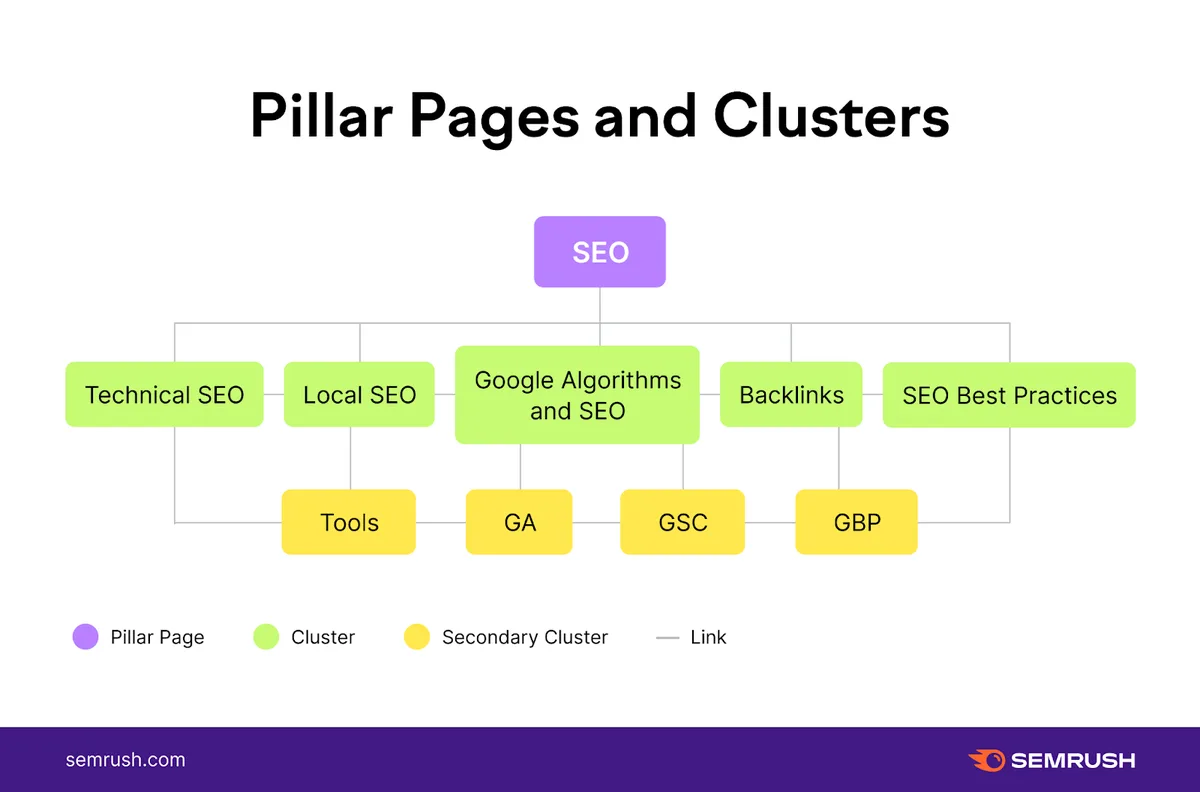
Here’s the mental model the Category page SEO makes everything click. A category page is a hub. It’s not a single piece of content — it’s a curated collection of related content organized around a shared topic or product type. Search engines treat hubs differently from spokes because hubs signal topical authority.
When Google crawls a well-built category page, the category page SEO sees a page that links to twenty, fifty, or a hundred related items. That’s a massive relevance signal. The page tells the crawler: “This site has depth on this subject.” Individual posts rarely communicate that. Category pages do it by design.
But here’s the catch. Effective execution in your Category page SEO makes a tangible difference. Google only rewards category pages when they’re genuinely useful to humans. A page that’s just a list of titles with no context, no filtering, and no editorial framing gets classified as a thin archive.
And thin archives don’t rank — they get deindexed or, worse, they drag down crawl budget across the whole site.
The Difference Between a Category Page and a Product Listing
People mix these up constantly. A product listing is transactional — it shows items for sale with prices, filters, and add-to-cart buttons. A category page, in the broader sense, can be editorial too. Think of a blog’s “SEO” category that collects 80 articles on search optimization.
Both benefit from the same underlying category page SEO principles, but the execution differs. E-commerce categories need faceted navigation handled carefully. Editorial categories need intro copy and internal linking discipline. Same playbook, different chapters.
If the category page SEO’re running a hybrid site — say, a store with a blog — you’ve got two categories to optimize and they shouldn’t share a template. That’s a mistake I see on Shopify sites all the time, where the blog category uses the same bare layout as a collection page.
Why Google Treats Hubs Differently from Individual Posts
Topical authority is built through clusters, not through isolated pages. A category page is the visible spine of a cluster. When you link from a hub to ten well-optimized child pages, and those child pages link back to the hub, you create a signal that’s hard to fake.
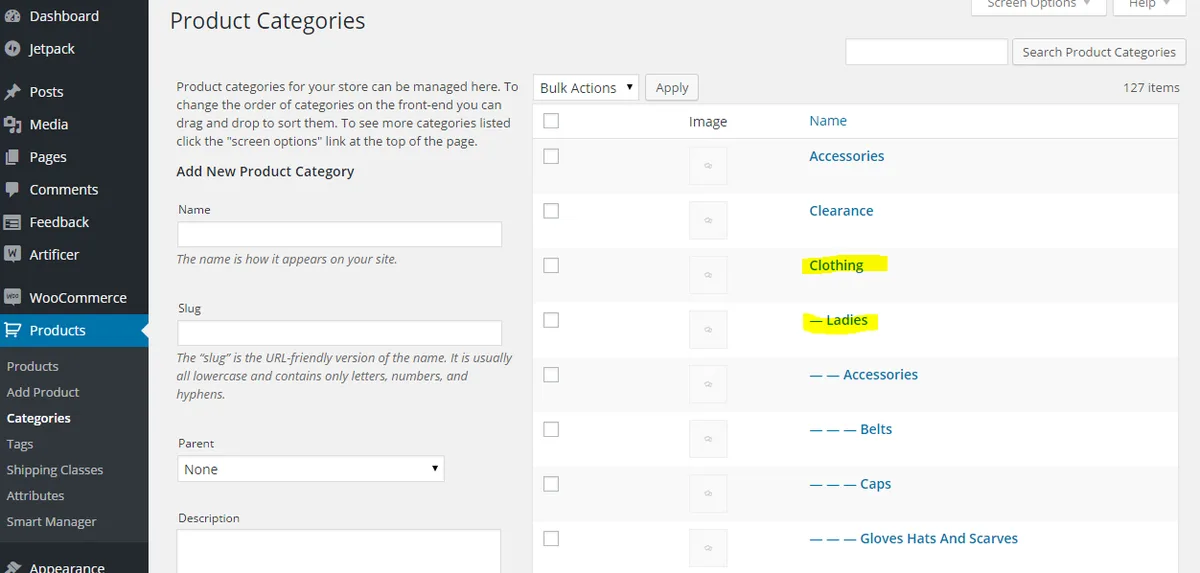
Search engines also use category pages to understand site architecture. The breadcrumb trail, the URL path, the anchor text of internal links — all of it feeds into how Google maps your site’s topical territory.
Get this right and you’ll see individual posts rank faster because their parent hub is doing heavy lifting in the background.

For a deeper primer on how search engines interpret site structure, the official Google Search documentation on site structure is worth a read. Maintaining clarity across your category page SEO remains essential. It’s dry, but it explains the mechanics behind why hubs matter.
The Category Page SEO Checklist Every Site Should Run First
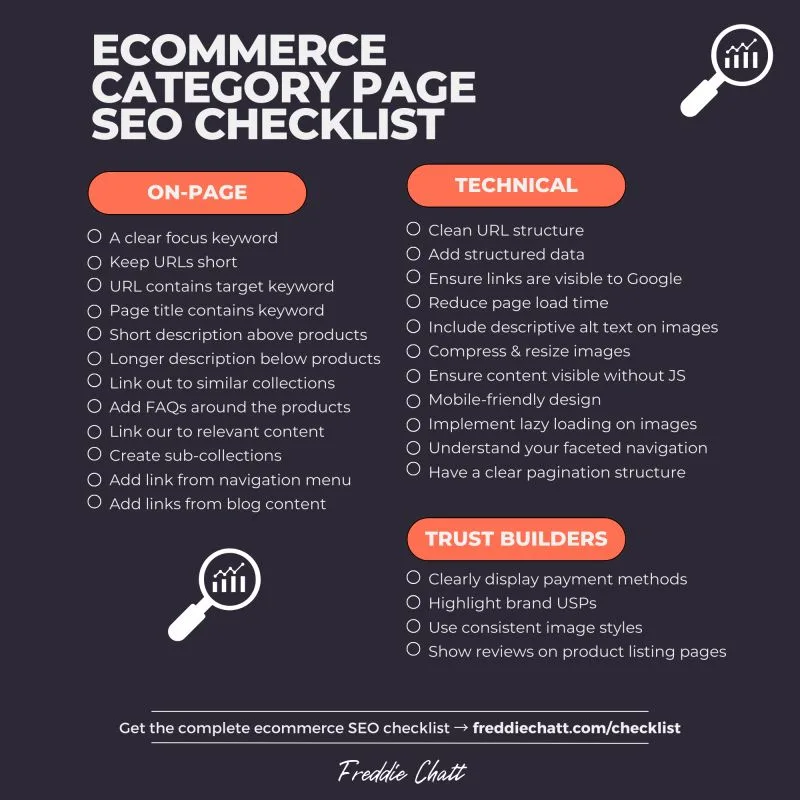
Before you deploy any fancy tactic, run the basics. This category page SEO checklist catches the problems that silently kill rankings on 90% of the sites I’ve reviewed. Work through it in order — each item builds on the last.

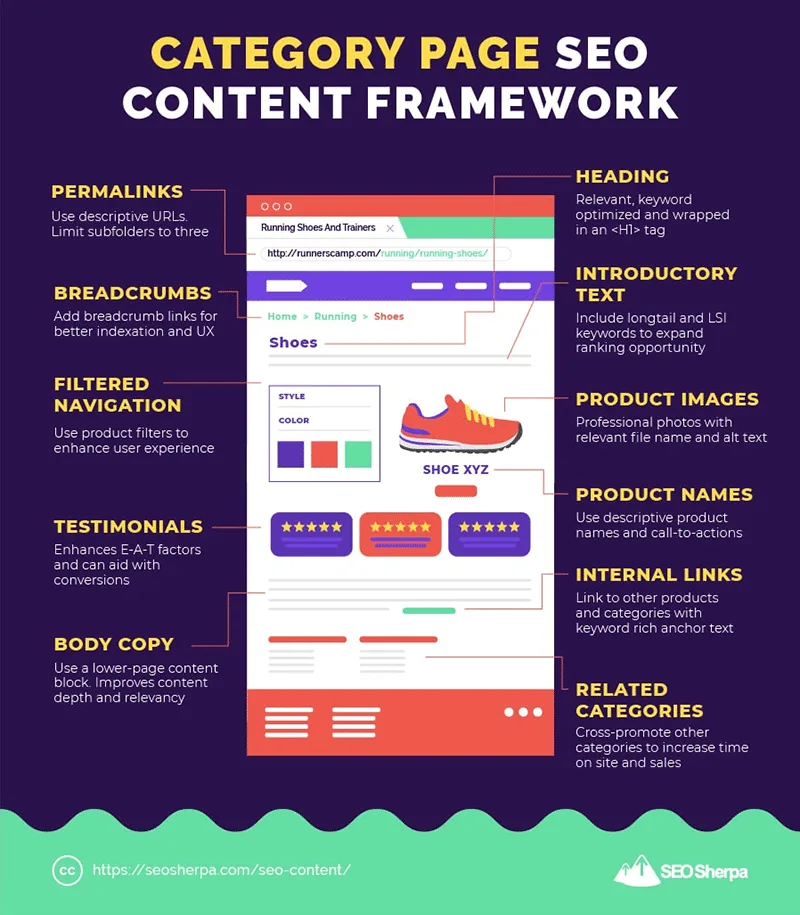
- Unique title tags on every category page. No “Category Name – Site Name” defaults. Write a title that includes the target keyword and a reason to click. Keep it under 60 characters so it doesn’t truncate in the SERP.
- A real meta description, not a template. Write 120-160 characters that describe what the page actually contains. This is where you win or lose the click, and it’s often the only difference between position 3 and position 8.
- Intro copy above the fold. At least 100-200 words of unique descriptive text that explains what the category covers. This is the single biggest lever for thin-archive recovery.
- Clean URL structure. Short, keyword-rich, no parameters.
/seo/beats/?cat=12&paged=1every single time. - Canonical tags pointing to the correct page. Especially critical when you have pagination or faceted filters. Every variation should point back to the primary category URL.
- Internal links from top-level pages. Your main navigation, footer, and related-content modules should all feed traffic and link equity into your category pages.
- Image alt text on every thumbnail. Even the product grid items. Crawlers can’t see images, but they read alt attributes, and those attributes reinforce the page’s topical relevance.
- Structured data where it fits. BreadcrumbList schema on every category page. ItemList schema for product categories. These help search engines understand the page’s role in your hierarchy.
Run the category page seo list on your top ten category pages and I’d wager you’ll find at least three problems per page. That’s not a knock on your site — it’s normal. Category pages are usually the last thing anyone remembers to optimize.
7 Pro Tactics for Category Page SEO That Actually Move Rankings
Here’s where the real work begins. A thoughtful approach to category page SEO reinforces your qualifications. These seven tactics are ordered by impact, roughly. The first three will move the needle within weeks on most sites. The last four are compounding plays that pay off over months.

I’ve deployed each of these on live sites with measurable results. What follows isn’t theory — it’s the playbook I run when a client needs their archive pages to start pulling their weight.
Tactic 1: Write Editorial Intro Copy That Earns Its Place
An intro paragraph on a category page isn’t decoration. Structuring your category page SEO around proven patterns ensures impact.
It’s the difference between a page Google classifies as “useful collection” and one it classifies as “thin archive.” The copy needs to do three things: state what the category covers, explain who it’s for, and give the reader a reason to trust the page.
Here’s an example from a client in the outdoor gear space. Their “hiking boots” category previously had zero copy — just a grid of 40 products.
The category page SEO added 180 words explaining the different boot categories (trail, mountaineering, approach), the factors that matter (ankle support, waterproofing, sole stiffness), and a short note on how the collection is curated. Organic traffic to that page grew 41% in eight weeks.
The copy should be unique per category. Copy-pasting the same template across 30 categories is worse than having no copy at all — it creates duplicate content signals that confuse crawlers. Write each one by hand, or at minimum, rewrite the opening sentence and the closing call-to-action for every page.
One more thing: place the copy above the product grid, but keep the category page SEO scannable. Two short paragraphs, not a wall of text. Users came to browse items, not to read a dissertation.
Tactic 2: Fix Pagination and Faceted Navigation Before Anything Else
This is the tactic most site owners skip, and it’s the one that causes the most damage. Pagination and faceted navigation create an explosion of URLs. Without proper handling, you’re asking Google to crawl hundreds of near-duplicate pages, and crawl budget gets wasted on junk.
The fix has three parts. Developing your category page SEO with precision highlights key strengths. First, use rel=”next” and rel=”prev” on paginated pages (they’re deprecated as ranking signals, but they still help crawlers understand sequence).
Second, canonical every faceted URL back to the base category page unless the facet has search volume — for example, “red running shoes” might deserve its own indexable page, but “red running shoes size 9 wide” almost certainly doesn’t.
Third, block crawling of parameter combinations the category page SEO create infinite loops. A filter that lets users sort by price, color, size, brand, and rating generates 5! Combinations. You don’t want Google discovering all of them. Use robots.txt or meta noindex to cut the noise.
| Pagination Issue | Recommended Fix | Priority |
|---|---|---|
| Duplicate titles across pages | Append “Page 2” etc. Or use unique long-tail phrasing | High |
| Faceted URLs indexed | Canonical to base category, noindex low-value facets | Critical |
| Self-referencing canonicals on page 2+ | Point all paginated pages to page 1 | High |
| Missing rel=”next”/”prev” | Add to paginated series | Medium |
| Infinite scroll with no pagination fallback | Add static paginated URLs behind the scroll | Critical |
Get pagination right and you’ll see crawl stats improve within a month. That’s usually the first domino to fall before rankings follow.
Tactic 3: Turn Category Pages Into Internal Linking Hubs
Category pages should be the most-linked pages on your site after the homepage. Integrating category page SEO into your workflow produces consistent quality. Not the most-linked-to — the most internally linked hub. Every child page should link back to its category, and every category should link out to its strongest children.
The mistake I see most often is category pages that link only to the items currently displayed on page one. That means 80% of your content is orphaned from the hub. Fix it by adding a “Featured” or “Most Popular” section that surfaces the best performers across the whole category, not just the most recent.
Also, link between related categories. Targeted refinements to your category page SEO streamline the entire review. A “running shoes” category should link to “trail running shoes,” “running socks,” and “running apparel” in a related-categories module. This creates lateral link equity flow that strengthens the whole cluster.
Anchor text matters here. “Click here” is worthless. Use descriptive anchors that include the target category’s primary keyword — “browse trail running shoes” beats “see more” by a mile.
Tactic 4: Optimize Category Page Titles and Meta Descriptions Like Landing Pages
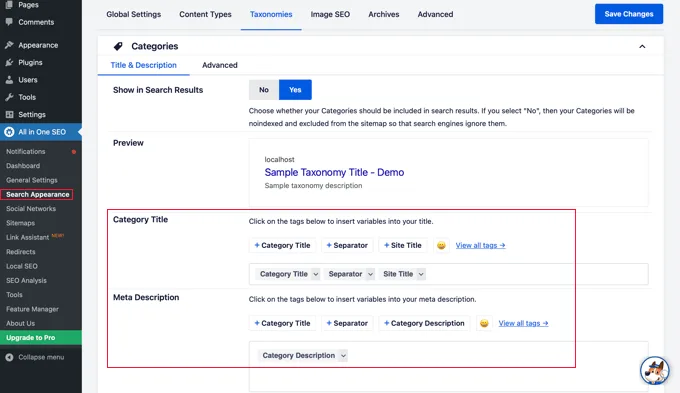
Most sites treat category page metadata as an afterthought. Focusing on category page SEO provides clear direction here. They let the CMS auto-generate titles from the category name and skip meta descriptions entirely. That’s leaving money on the table.
Write titles the way you’d write a landing page headline. Include the primary keyword, add a differentiator, and keep it under 60 characters. For example: “Running Shoes | Free Shipping Over competitive direct manufacturer pricing” beats “Running Shoes – YourStore.com” every time.
Meta descriptions should mirror the intro copy’s promise but compress the category page SEO into 120-160 characters. Include the keyword, a benefit, and a soft call-to-action. Something like: “Shop running shoes for trail, road, and track. Free shipping over competitive direct manufacturer pricing and 60-day returns. Find your fit in minutes.”
The category page SEO best practices here are simple but easy to skip. Write each one by hand. Don’t template. Don’t batch-generate with AI without editing. The metadata is what appears in the SERP, and that’s your last shot at earning the click.
Tactic 5: Use Schema Markup to Clarify Page Purpose
Schema is how you tell search engines explicitly what a page is. On category pages, three schema types matter most: BreadcrumbList, ItemList, and CollectionPage.
BreadcrumbList shows the page’s position in your hierarchy. Refining each detail of your category page seo strengthens this section. It’s the schema that powers the breadcrumb trail you see in SERPs, and it helps users understand where they are on your site. Easy to add, high impact.
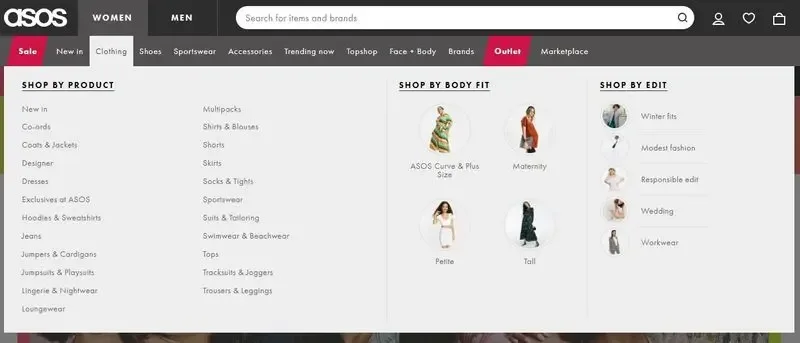
ItemList schema tells Google that the page contains a collection of items. For e-commerce, this pairs with Product schema on the individual items. For editorial categories, it signals that the page is a curated collection rather than a single article.
CollectionPage schema is the catch-all the category page SEO identifies the page as a category or collection. It’s less impactful than the other two but still worth adding for completeness.
Don’t overdo it. Schema stuffing doesn’t help and can trigger manual actions if you’re marking up things that aren’t on the page. Stick to what’s actually present and visible.
Tactic 6: Build Topical Depth With Child Page Optimization
Your category page is only as strong as the pages the category page SEO links to. If the child pages are thin, the hub’s authority signal gets diluted. So the sixth tactic is a two-way street: optimize the children, and the hub benefits.
Audit every child page in your top categories. Are they comprehensive? Do they have unique content? Do they link back to the parent category? If a child page is a 400-word stub, either expand it or remove it from the category.
Here’s a concrete example. A client’s “digital marketing” category linked to 60 blog posts. About 20 of them were under 500 words with no internal links. We consolidated 12 into 4 comprehensive guides, rewrote 8, and removed 2.

The category page’s organic traffic jumped 63% in three months — not because we touched the category page itself, but because the child pages got stronger.
Topical depth is cumulative. Effective execution in your category page seo makes a tangible difference. Every improved child page adds a little more authority to the hub. Run this audit quarterly and you’ll see steady gains without any single dramatic intervention.
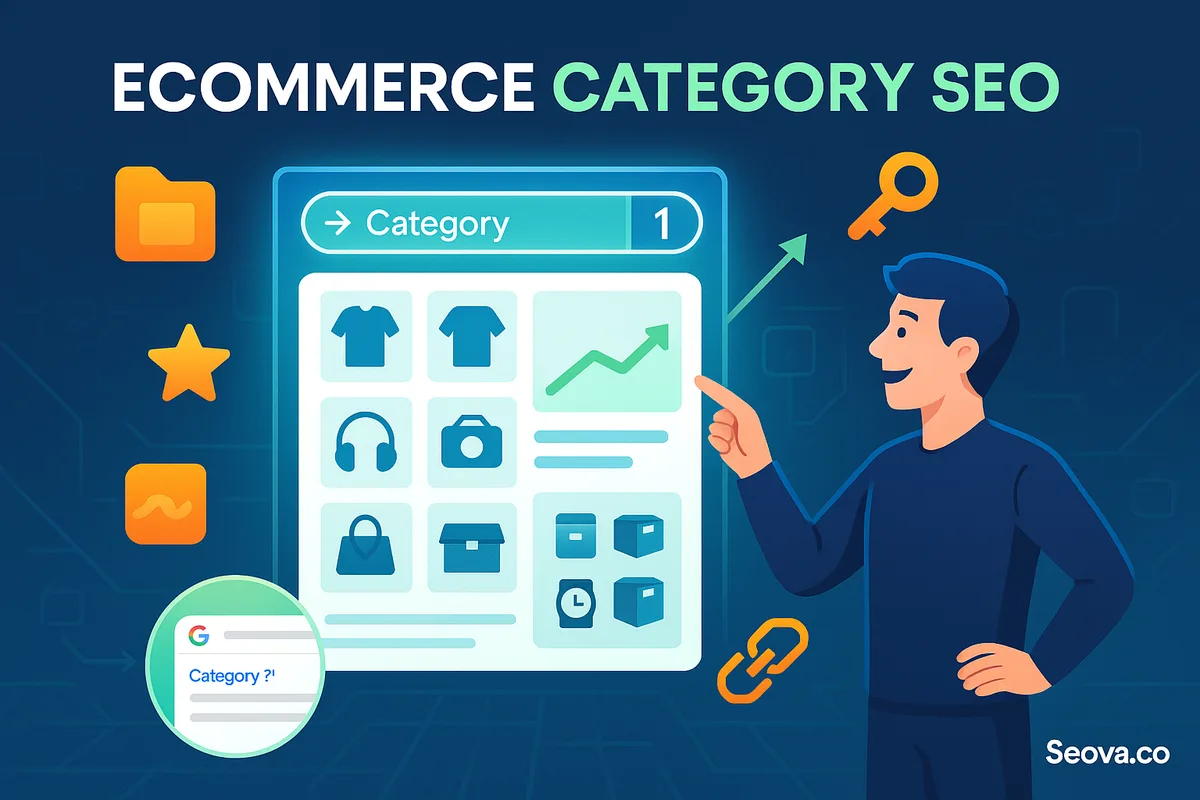
Tactic 7: Monitor, Test, and Iterate With Real Data
The final tactic is the one most people skip: measurement. Category page SEO isn’t a set-and-forget exercise. You need to know what’s working and what isn’t.
Track these metrics per category page: organic sessions, impressions, average position, click-through rate, and conversions (if applicable). Segment by device — mobile CTR on category pages is often wildly different from desktop.
Run A/B tests on intro copy, title tags, and internal linking modules. Small changes move big numbers on category pages because they’re high-traffic pages. A 2% CTR improvement on a page with 50,000 monthly impressions is worth more than a 20% improvement on a page with 2,000.
Set up alerts in Search Console for drops in impressions or position. Category pages often get hit by algorithm updates before individual posts do, so they’re your early warning system. If a category page drops, investigate immediately — the cause is usually technical or content-related, and it’s fixable.
Category Page SEO Tips for E-Commerce Vs. Editorial Sites
The core principles are the same, but the execution diverges sharply depending on your site type. Here’s how to adapt the playbook.

For E-Commerce: Prioritize Facets and Product Data
On an online store, category pages are commercial landing pages. The reader is in buying mode. That means the page needs to load fast, filter cleanly, and surface products with rich data — images, prices, ratings, availability.
Faceted navigation is the biggest technical challenge. Maintaining clarity across your category page seo remains essential. Decide which facets deserve indexable pages and which should be canonicalized or noindexed. Color and size facets usually don’t deserve their own pages. Brand, price range, and use-case facets sometimes do, especially if they have search volume.
Also, don’t neglect the intro copy. E-commerce sites often skip it because it “pushes products below the fold.” But a short, well-written intro (80-120 words) above the grid improves both rankings and conversion. Test it. You’ll be surprised.
For Editorial Sites: Prioritize Curation and Internal Linking
On a blog or news site, category pages are editorial hubs. The reader wants to discover content, not buy. That means curation matters more than filtering. Surface the best articles, not just the most recent.
Add a “Start Here” or “Editor’s Picks” section at the top of each category. This gives new readers an entry point and signals to search engines which pages you consider most important. It also creates natural internal links to your best content.

Pagination on editorial sites is usually simpler than e-commerce, but the category page SEO still need to handle it cleanly. And don’t forget about tag pages — they can compete with category pages for the same keywords. Pick one system (categories or tags) and stick with it.
Common Category Page SEO Mistakes That Quietly Kill Rankings
I’ve audited hundreds of category pages. These mistakes show up over and over, and they’re all fixable. If you recognize your site in this list, you’ve found your next project.
Mistake 1: No indexation control on low-value pages. Every category page gets indexed by default, including the ones with two items and no description. That’s a crawl budget disaster. Noindex or canonicalize the thin ones.
Mistake 2: Duplicate intro copy across categories. Copy-pasting the same “Welcome to our [category] collection” text across 40 pages creates duplicate content signals. A thoughtful approach to category page seo reinforces your qualifications. Write unique copy or don’t write any.
Mistake 3: Ignoring mobile layout. Category pages are usually where mobile users bounce first. If the filters don’t work on mobile, or the grid is unreadable on a small screen, the page fails regardless of how good the SEO is.
Mistake 4: Forgetting the canonical tag on paginated pages. Page 2, page 3, and page 4 all get indexed separately, splitting link equity and confusing crawlers. Point them all to page 1.
Mistake 5: No internal links from the homepage. If your category pages aren’t linked from the main navigation or footer, the category page seo’re effectively orphaned. Fix the internal linking architecture before you do anything else.
Each of these is a quick fix once you spot it. The challenge is spotting them, which is why a quarterly category page SEO checklist run is worth the hour it takes.
How to Measure Category Page SEO Performance
You can’t improve what you don’t measure. Here’s the measurement framework I use with clients, and it works whether you’re running a 10-page blog or a 10,000-SKU store.
Start with Search Console. Applying these principles to your category page SEO yields measurable results. Pull the “Queries” report for each category URL and look at three things: impressions, average position, and CTR. Impressions tell you whether the page is being seen. Position tells you whether it’s competitive. CTR tells you whether the metadata is doing its job.
Then pull the “Pages” report filtered to category URLs. Compare performance month over month. A category page that’s gaining impressions but losing position is usually a content problem — the page is being seen but not trusted. A page that’s losing impressions is usually a technical problem — it’s being deindexed or deprioritized.
Finally, use a rank tracking tool to monitor your top 20 category pages against their target keywords. Proper attention to your category page SEO sets a strong baseline. Set a weekly cadence. Category pages move faster than individual posts when you optimize them, so weekly tracking catches wins early and losses before they compound.
| Metric | What It Tells You | Healthy Benchmark |
|---|---|---|
| Organic impressions | Whether the page is being surfaced | Month-over-month growth |
| Average position | Competitive standing for target keywords | Top 10 for primary keyword |
| CTR | Whether title and meta description earn the click | 3-8% for commercial queries |
| Crawl frequency | Whether Google is still visiting the page | Weekly or more for top categories |
| Conversion rate | Whether the page delivers on its promise | Varies by industry, but track trend |
Track these five metrics and you’ll have a clear picture of category page SEO health within a month. Then you can prioritize fixes based on actual impact rather than guesswork.
Frequently Asked Questions About Category Page SEO
Here is an in-depth breakdown of key considerations regarding Frequently Asked Questions About Category Page SEO:
Should Category Pages be Indexed or Noindexed?
Index them — but only the ones with real value. A category page with unique intro copy, strong internal links, and a healthy number of child pages should absolutely be indexed. A category page with two items and no description should be noindexed or canonicalized. The rule of thumb: if a human would find the page useful, index it. If not, don’t.
How Much Content Should a Category Page Have?
Enough to be useful, not so much the category page SEO it buries the items. For most categories, 100-300 words of unique intro copy is the sweet spot. E-commerce categories can get away with less if the product grid is rich and well-filtered. Editorial categories should lean toward the higher end, since the copy is doing more of the ranking work.
Do Category Pages Compete With Individual Posts for the Same Keywords?
The category page seo can, and when they do, it’s usually a sign that the keyword targeting is muddled. Category pages should target broad, hub-level keywords (“running shoes”). Individual posts should target long-tail keywords (“best trail running shoes for wide feet”). If you see both pages ranking for the same query, tighten the targeting on one of them.
How Do I Handle Pagination Without Losing Rankings?
Use canonical tags pointing all paginated pages back to page 1. Clear alignment with your category page SEO builds confidence from the start. Add rel=”next” and rel=”prev” for crawler clarity, even though they’re no longer ranking signals.
Keep pagination crawlable — don’t hide it behind JavaScript. And make sure page 2 and beyond have unique titles so users know where they are.
What’s the Fastest Way to Improve a Thin Category Page?
Add unique intro copy. It’s the single highest-impact change you can make, and it takes about 20 minutes per page. Write 150-200 words explaining what the category covers, who it’s for, and how the items are curated. Then add a few internal links from related pages. That combination fixes 80% of thin-archive problems.
Does Category Page SEO Work for Small Sites?
Absolutely — and the category page SEO often works faster on small sites because there’s less competition between pages. A 20-page blog with well-optimized category pages will outrank a 200-page blog with thin archives almost every time. The principles scale down perfectly.
Where to Go from Here: Building Your Category Page SEO Playbook
Let’s bring this home. Category page SEO isn’t a one-time project — it’s a discipline. The sites that win are the ones that treat their hubs as first-class pages, not as templates that happen to exist.
Start with the checklist. Run it on your top ten categories. Fix the technical issues first — pagination, canonicals, indexation control. Then add unique intro copy. Then optimize metadata. Then build internal links. Then monitor and iterate.
That sequence matters. Technical fixes unlock crawling. Content unlocks ranking. Metadata unlocks clicks. Internal links unlock authority flow. And measurement unlocks everything else, because it tells you where to focus next.
If you zoom out, this article sits inside a larger topic cluster: site architecture and technical SEO. The natural next reads are internal linking strategy, XML sitemap optimization, and crawl budget management. Each of those reinforces what you’ve learned here about category page SEO, and together they form the backbone of a technically sound site.
One last piece of advice. Don’t try to optimize every category at once. Pick the five with the most traffic potential, do them properly, measure the results, and then expand. That’s how you build a playbook that actually sticks — one hub at a time.