LinkedIn SEO: Why Search Visibility on LinkedIn Deserves Its Own Playbook
LinkedIn SEO is the practice of optimizing your profile, content, and company page so LinkedIn’s internal search engine surfaces you to the right people. That’s the short version.
The longer version involves understanding how a platform with over a billion members decides who shows up when a recruiter types “fractional CFO” or a buyer searches “B2B podcast agency.”
Here’s what most people get wrong: they treat LinkedIn like your linkedin SEO they update once a year and forget. Meanwhile, the platform’s search algorithm quietly reshuffles results every single day based on activity, keyword relevance, and network proximity.
If you’re not actively feeding that algorithm, you’re invisible — even to people who’d genuinely benefit from knowing you exist.

This LinkedIn SEO guide walks through nine specific, tested strategies that move the needle. Not vague advice like “be active” or “post more.” Actual tactics with mechanics you can replicate. Some take twenty minutes. Others require a few weeks of consistent effort.
All of them work, and I’ve watched them work across profiles in wildly different industries — from freelance designers to enterprise sales teams.
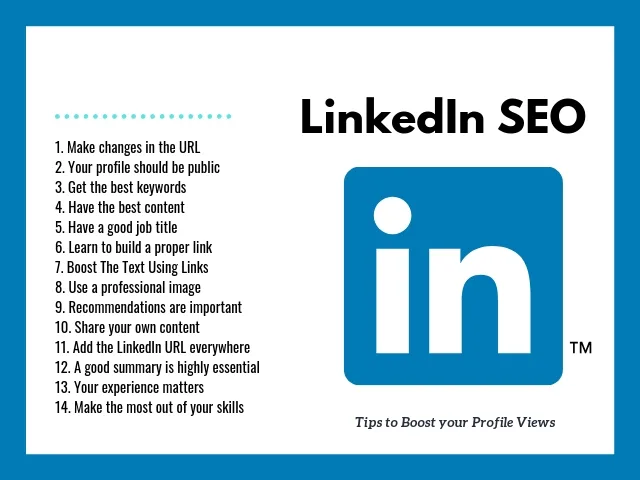
Before diving in, one framing note: LinkedIn search behaves differently than Google. It weighs recency, engagement velocity, and connection degrees in ways Google simply doesn’t. So the tactics below borrow from traditional SEO principles but adapt them to LinkedIn’s peculiar logic. Treat this as a LinkedIn SEO checklist you’ll return to quarterly, not a one-and-done task.
The Foundation: How LinkedIn Search Actually Decides Who Ranks
LinkedIn doesn’t publish its ranking factors, but years of testing and pattern observation have made the mechanics fairly clear. The algorithm pulls from five broad buckets: keyword relevance, profile completeness, network strength, activity signals, and engagement history.

Keyword relevance is the entry ticket. If your headline says “Marketing Consultant” but someone searches “demand generation strategist,” you won’t appear unless those exact or closely related phrases exist somewhere in your linkedin SEO profile. LinkedIn matches terms across your headline, summary, job titles, skills, and even the text of your posts.
Profile completeness acts as a multiplier. A fully filled-out profile — with a photo, banner, detailed experience descriptions, skills, recommendations, and custom URL — gets weighted more heavily than a sparse one. This isn’t speculation. Profiles with all sections completed consistently outrank thinner profiles for identical keyword matches.
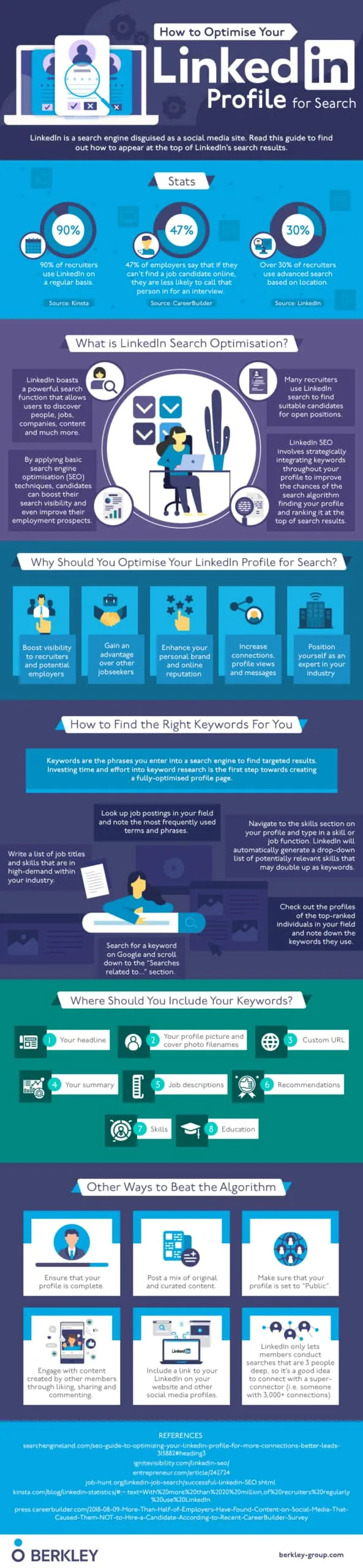
Network strength matters more than most realize. Effective execution in your linkedin SEO makes a tangible difference. LinkedIn uses degrees of connection as a proximity signal. If a searcher is connected to you directly, you jump ahead of a third-degree match with identical keywords. This is why building genuine, relevant connections isn’t just a vanity metric — it’s a ranking lever.
Activity signals and engagement history round out the picture. Posting regularly, commenting on others’ content, and getting reactions all feed the algorithm’s sense of whether you’re an active participant or a dormant account. A dormant profile with perfect keywords will lose to an active profile with slightly weaker keyword alignment.

Why This Framework Changes Your Optimization Priorities
Most people optimize their profile once and call the linkedin SEO done. That approach ignores the activity and engagement layers entirely — which means you’re leaving ranking potential on the table. The nine strategies below address all five buckets, not just the keyword bucket.
If you only have time for one thing, fix your keyword alignment first. It’s the fastest win. But if you want sustainable visibility, you need the full LinkedIn SEO best practices stack working together.

Strategy 1: Engineer Your Headline Around Search Intent, Not Job Title
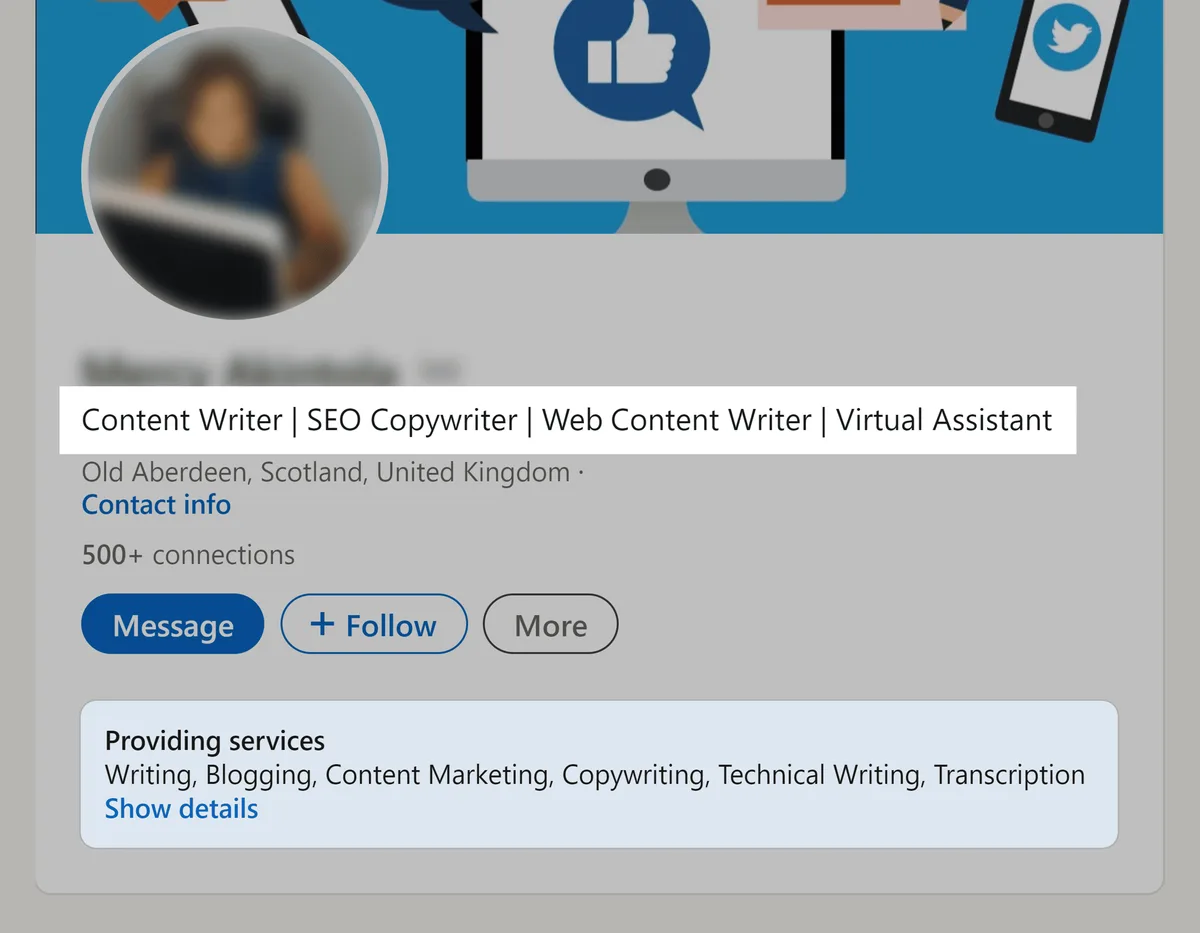
Your headline is the single highest-weighted text field in LinkedIn’s search algorithm. It’s also the first thing a searcher sees in results.
Yet most people fill it with a job title and nothing else — “Senior Product Manager at Acme Corp” — which tells the algorithm almost nothing about what they actually do or who they serve.
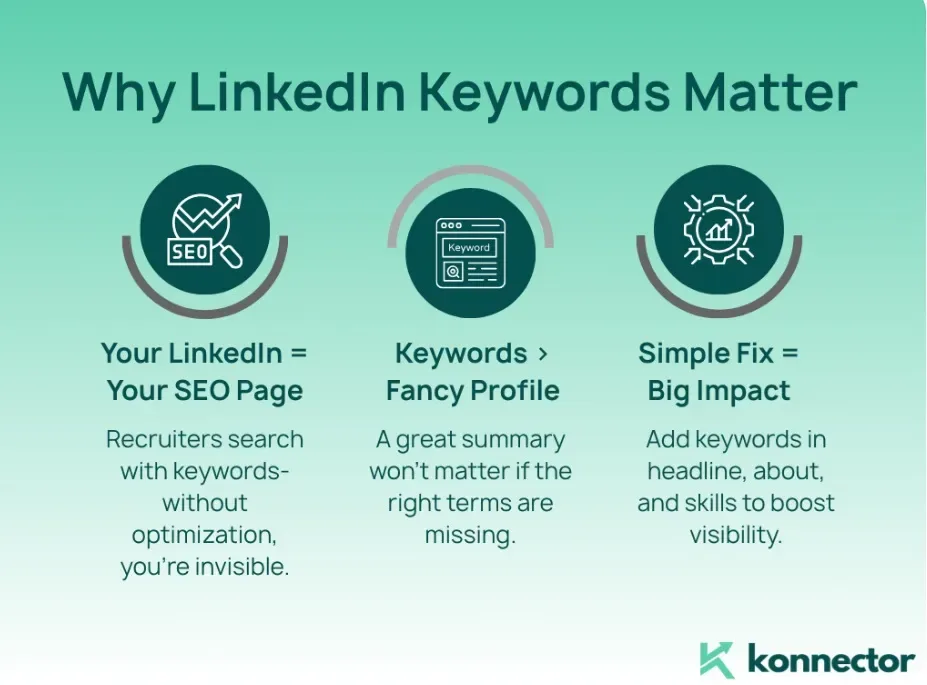
The fix is to write a headline that combines role, specialty, and outcome. Something like: “Product Manager | B2B SaaS Growth & Retention | I Help Teams Ship Features Users Actually Want.” That headline now contains three distinct keyword clusters, each of which can match different searches.
Here’s the practical test: imagine five different people searching for someone like the linkedin SEO. What terms would each use? If your headline only contains one of those terms, you’re invisible to the other four. Rework it until at least three of those search phrases appear naturally.
One caveat — don’t stuff. LinkedIn’s algorithm can detect keyword density that reads as spammy, and human visitors will scroll past a headline that looks like a comma-separated list of buzzwords. The goal is a headline that reads like a sentence but contains multiple searchable phrases.
Real Example: a Freelance Copywriter’s Before and After
Before: “Freelance Copywriter.” After: “Freelance Copywriter for SaaS & Fintech | Landing Pages, Email Sequences, and Brand Voice Guides.” The second version now matches searches for “SaaS copywriter,” “fintech copywriter,” “landing page copywriter,” and “email sequence writer” — four distinct search intents from one headline field.
That’s the kind of leverage a well-built headline creates. It’s not about being clever. It’s about being findable.
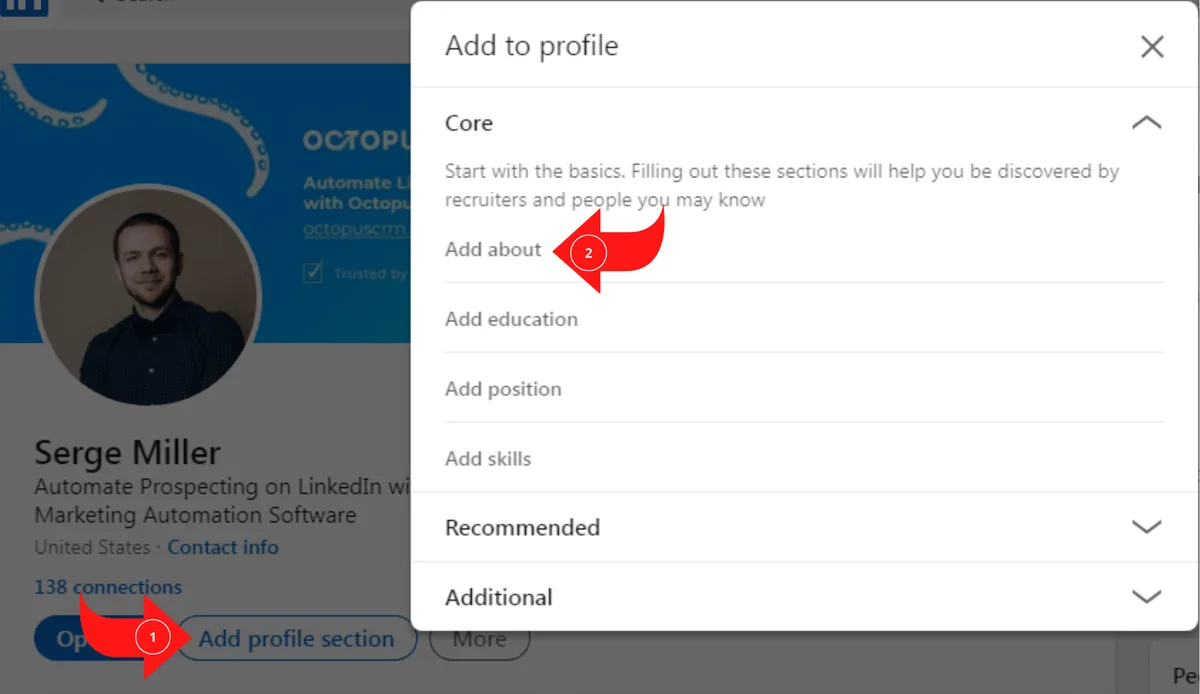
Strategy 2: Build a Keyword-Rich About Section That Reads Like a Conversation
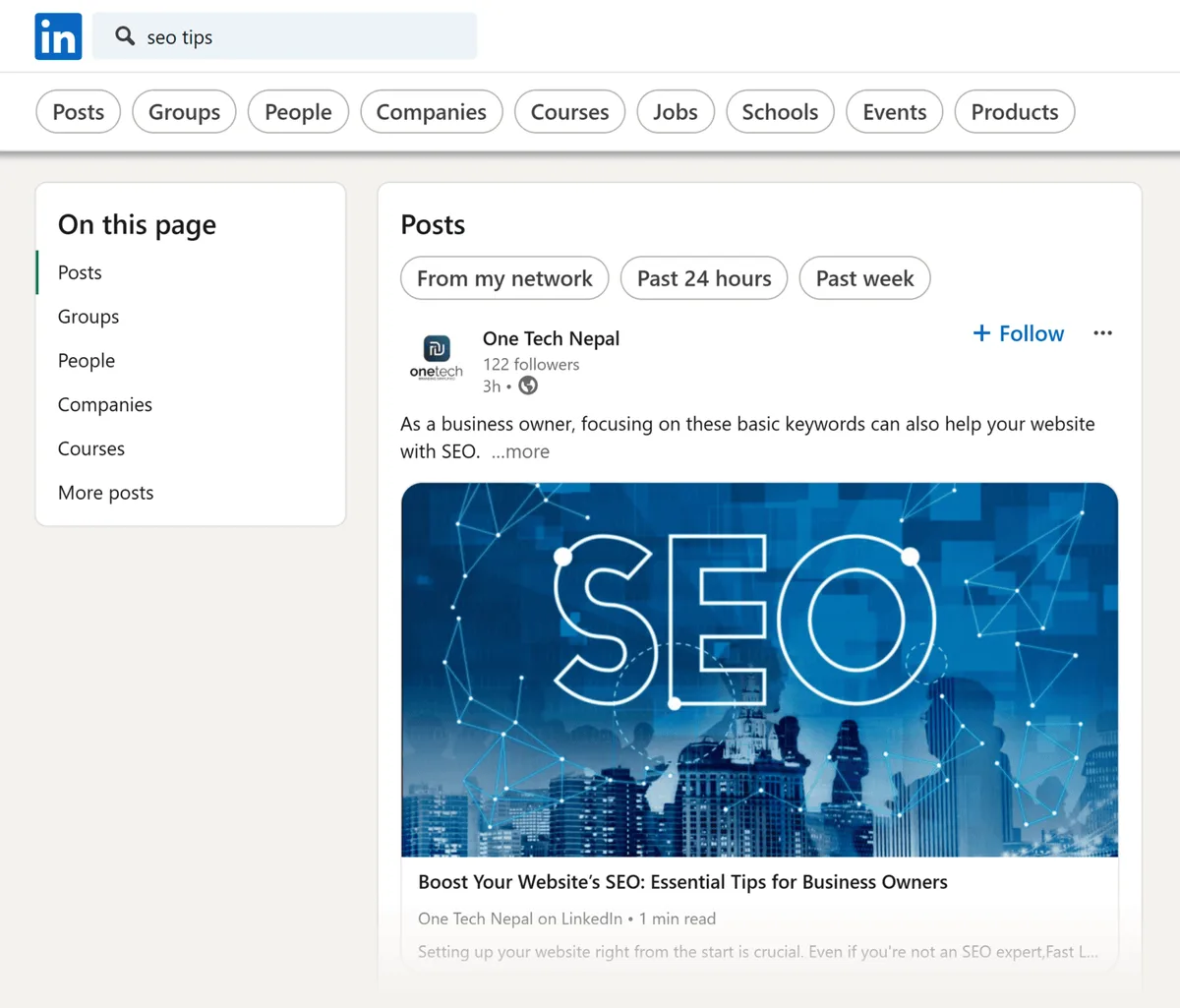
The About section (formerly the Summary) is the second-most weighted text field after the headline. Structuring your linkedin SEO around proven patterns ensures impact. LinkedIn’s algorithm scans it for keyword matches, and it’s also where human visitors decide whether to keep reading or click away.
The mistake most people make is treating it as a third-person bio — “John is a seasoned professional with 15 years of experience in…” That reads stiff and wastes the keyword opportunity.
Better: write in first person, open with what you do and who you help, then weave in the specific terms your target audience would search.
A strong About section for search purposes does three things. First, it names your specialty in plain language within the first two lines (LinkedIn truncates after roughly 300 characters in search results).
Second, the linkedin SEO includes a natural list of services or focus areas — bullet points work well here because they’re easy to scan and easy for the algorithm to parse. Third, it ends with a call to action that tells the reader what to do next.
The LinkedIn SEO tips that circulate online often skip this detail: the first 300 characters of your About section get indexed most heavily. Front-load your most important keywords there.
What to Avoid in Your About Section
Skip the buzzword soup. “Results-driven, dynamic, synergistic leader” means nothing to a search algorithm and less to a human. Also avoid stuffing the same keyword five times in one paragraph — LinkedIn’s spam detection can flag this, and readers will notice.
Aim for a natural density of your core terms: mention your primary specialty two or three times across the full section, with supporting terms scattered throughout. Proper attention to your linkedin SEO sets a strong baseline. That’s enough for the algorithm without triggering any spam filters.
Strategy 3: Turn Your Experience Section Into a Searchable Case Study
Most people list job titles and company names in their Experience section and stop there. That’s a massive missed opportunity. LinkedIn indexes the description field under each role, which means every word you write there becomes a potential search match.

The better approach: treat each role description as a mini case study. Developing your linkedin SEO with precision highlights key strengths. What did you actually do? What tools did you use? What outcomes did you produce? Which industries did you serve? Each of those answers contains searchable terms.
For example, instead of “Managed marketing campaigns,” write “Led demand generation campaigns across paid search, LinkedIn Ads, and email — driving 40% year-over-year pipeline growth for a B2B SaaS company.” Now the description contains terms like “demand generation,” “paid search,” “LinkedIn Ads,” “email marketing,” and “B2B SaaS” — five distinct search matches.
This is one of those LinkedIn SEO best practices that compounds over time. Each role you add with a detailed description adds new keyword surface area. Profiles with thin descriptions consistently lose to profiles with rich ones, even when the headline and About section are identical.
How Far Back Should You Go?
List your last ten to fifteen years of relevant experience with full descriptions. Clear alignment with your linkedin SEO builds confidence from the start. Older roles can be trimmed to titles and dates. The algorithm weights recent activity more heavily, so there’s diminishing return on detailed descriptions for roles from two decades ago.

If you’ve had a career pivot, keep the older roles brief but don’t delete them. The continuity signals trust, and the older titles may still match niche searches you wouldn’t otherwise capture.
Strategy 4: Optimize Your Skills Section for Both Algorithm and Endorsements
LinkedIn allows up to fifty skills on your linkedin SEO profile, but most people list ten or twelve and call it done. That’s leaving a lot of keyword surface area unused. The skills section functions as a secondary keyword index — each skill you add is a potential match for someone searching that term.
Fill out all fifty slots if the linkedin seo can do so honestly. Prioritize skills that match your target search terms. If you’re positioning as a “content strategist,” make sure “content strategy,” “content marketing,” “editorial strategy,” and “content planning” all appear as skills.
Endorsements matter too, though less than the linkedin SEO once did. A skill with fifteen endorsements carries more weight than the same skill with zero. The practical move: after adding a new skill, ask a handful of colleagues to endorse it. A quick message works fine — most people are happy to click a button.
Also, pin your top three skills. LinkedIn lets you reorder them, and the top three appear more prominently on your profile and in some search contexts. Choose the three that most closely match your primary positioning.
Should You Take LinkedIn’s Skill Assessments?
Yes, when the linkedin SEO’re available for skills you actually have. Passing an assessment adds a “verified” badge to that skill, which can improve both algorithmic weight and human trust. The assessments take fifteen to twenty minutes each, and there’s no downside to passing one.
Strategy 5: Use Consistent Posting to Feed the Activity Signal
Here’s where LinkedIn SEO diverges most sharply from Google SEO. On Google, a static page can rank for years without updates. On LinkedIn, dormant profiles sink. The algorithm rewards active participation, and posting regularly is the most direct way to signal activity.
“Regularly” doesn’t mean daily. Two to three posts per week is enough to maintain momentum. The content itself matters less than the consistency — though posts that generate comments and shares obviously carry more weight than posts that get a few likes and go quiet.
What should you post? Anything relevant to your specialty. Case studies, quick observations, questions for your network, links to useful resources, short how-tos. The format matters less than the relevance. A post about your specific expertise reinforces the same keywords your linkedin SEO profile is already optimized for.
One pattern worth noting: posts that spark genuine conversation — where people reply with substance, not just “Great post!” — tend to get distributed more widely. That wider distribution feeds back into the activity signal, which in turn improves your search ranking. It’s a virtuous loop, but only if the content is actually worth discussing.
The Commenting Multiplier
Commenting on others’ posts is an underrated LinkedIn SEO tactic. Thoughtful comments on posts in your niche expose your name to new audiences and signal topical relevance to the algorithm. A well-placed comment on a viral post in your industry can drive more profile views than a mediocre post of your own.
Aim for two or three substantive comments per day. Not drive-by “Congrats!” replies — actual thoughts that add something to the conversation. This is one of those LinkedIn SEO tips that feels small but compounds fast.

Strategy 6: Build a Company Page That Reinforces Your Personal Brand
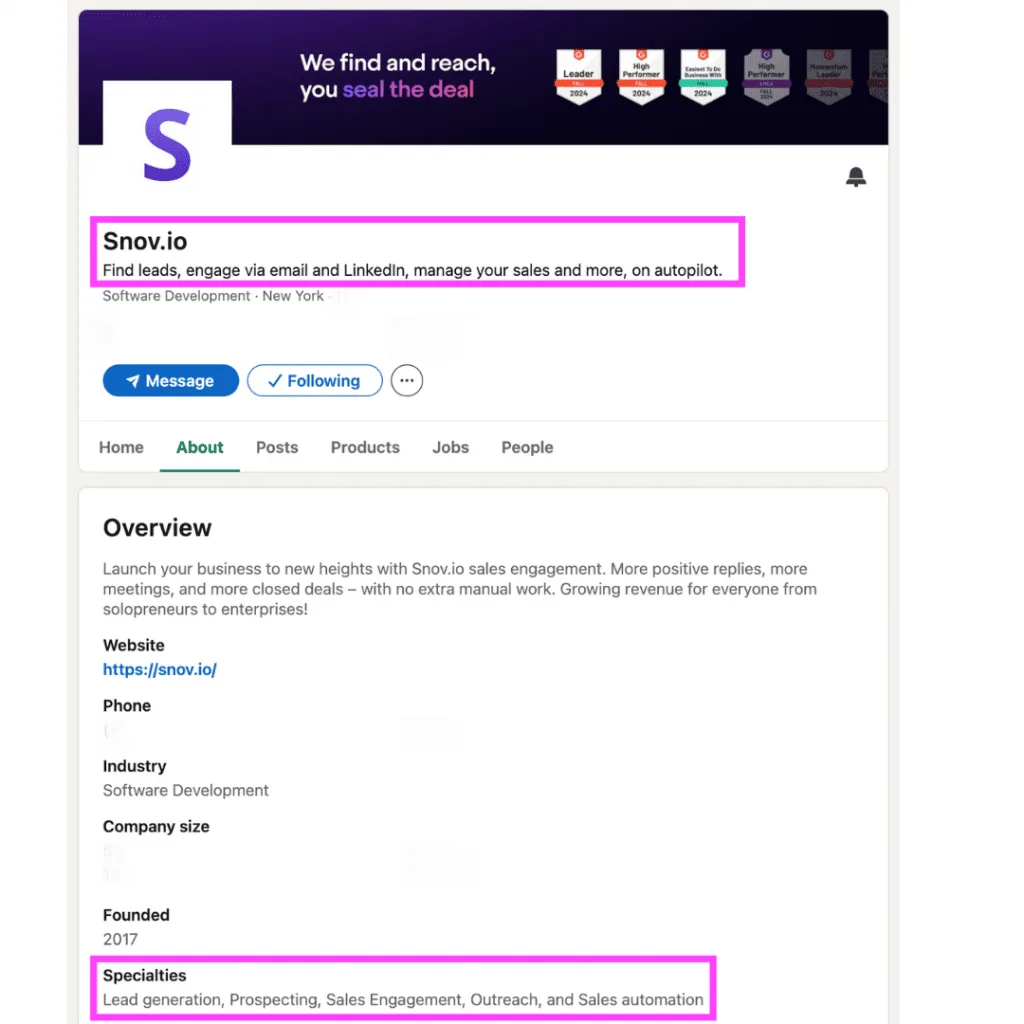
If the linkedin SEO run a business or freelance practice, your company page is a second keyword surface. LinkedIn indexes company pages independently, which means a well-optimized page can rank for searches your personal profile might miss.
The optimization checklist for a company page mirrors the personal one: keyword-rich tagline, detailed About section, consistent posting, and a filled-out specialties field. The specialties field is particularly useful — it functions like the skills section on a personal profile, giving the algorithm a list of terms to match against.

Cross-link between your personal profile and company page. your linkedin SEO profile should mention the company; your company page should list you as an admin or employee. This cross-referencing strengthens both entities in the algorithm’s view.
One often-overlooked detail: company page posts get indexed and can appear in search results. Posting consistently on the company page — even if it’s just resharing relevant industry news — keeps the page active and visible.
When a Company Page Isn’t Worth the Effort
If the linkedin SEO’re a solo freelancer with no plans to hire or scale into a brand, a company page may be overkill. Your personal profile will do the heavy lifting. But if you’re building any kind of team or brand, the company page becomes a second ranking asset that’s worth the setup time.
Strategy 7: Leverage Recommendations and Social Proof as Ranking Signals
Recommendations do double duty. They provide social proof to human visitors — “this person is credible” — and they add keyword-rich text to your linkedin seo profile that the algorithm can index. A recommendation that mentions your specific skills and outcomes is worth more than a generic “great to work with” note.
The practical approach: when the linkedin SEO request a recommendation, give the person a hint about what to mention. “If you could mention the [specific project] and the [specific outcome], that would be great” is a perfectly reasonable ask. Most people are happy to write something specific when they know what to focus on.
Aim for three to five strong recommendations rather than twenty generic ones. Quality beats quantity here, both for the algorithm and for human readers. Recommendations that repeat your key terms reinforce your topical relevance.

Endorsements work similarly but at lower weight. Applying these principles to your linkedin SEO yields measurable results. They’re easy to collect and easy to give, so they don’t carry the same signal strength as a written recommendation. Still, a skill with many endorsements outranks the same skill with none.
The Reciprocity Play
If you want recommendations, give them first. Write thoughtful recommendations for colleagues and former collaborators. Many will reciprocate without being asked. This is one of those LinkedIn SEO best practices that’s really just good networking dressed up in algorithmic terms.

Strategy 8: Publish Articles and Newsletters to Expand Your Indexed Content
LinkedIn’s long-form publishing feature — articles and newsletters — creates additional indexed content tied to your profile. Each article you publish becomes a new page the algorithm can match against search queries. Newsletters, in particular, get distribution to subscribers and can rank for niche topics.
The keyword logic here is straightforward: an article titled “How B2B SaaS Companies Can Build a Content Engine the linkedin SEO Actually Converts” contains multiple searchable phrases that a personal profile alone might not capture. Over time, a body of published articles builds a topical cluster around your expertise.
You don’t need to publish weekly. One solid article per month is enough to maintain the signal. The articles should be substantive — 800 to 1,500 words, with clear structure and genuine insight. Thin articles don’t help and can dilute your topical authority.
Newsletters have an added advantage: subscribers get notified when you publish, which drives engagement back to your linkedin SEO profile. That engagement feeds the activity signal, which loops back into search ranking. It’s a compounding system if you keep it running.
What to Write About
Write about the problems your target audience is trying to solve. If you’re a career coach, write about job search strategy, interview prep, and salary negotiation. If you’re a fractional CMO, write about marketing team structure, budget allocation, and channel strategy. The topics should map directly to the searches you want to rank for.
Strategy 9: Run a Quarterly LinkedIn SEO Audit and Fix What’s Slipped
LinkedIn profiles decay. Job titles change, skills go stale, old posts bury new ones, and the algorithm’s weighting shifts over time. A quarterly audit keeps your linkedin SEO profile aligned with your current positioning and catches anything that’s drifted.
Here’s a practical LinkedIn SEO checklist for the audit:
- Search your own name and key terms. See where you actually rank. If you don’t appear in the first few pages for your primary specialty, something needs fixing.
- Review your headline and About section. Are they still aligned with what you want to be found for? Update if your positioning has shifted.
- Check your skills list. Remove anything outdated, add anything new. Make sure the top three still match your primary focus.
- Audit your experience descriptions. Are recent roles detailed enough to be searchable? Are old roles trimmed appropriately?
- Review your activity. Have you posted in the last month? Commented recently? If not, restart the habit.
- Check your recommendations. Are they current? Do they mention specific skills and outcomes?
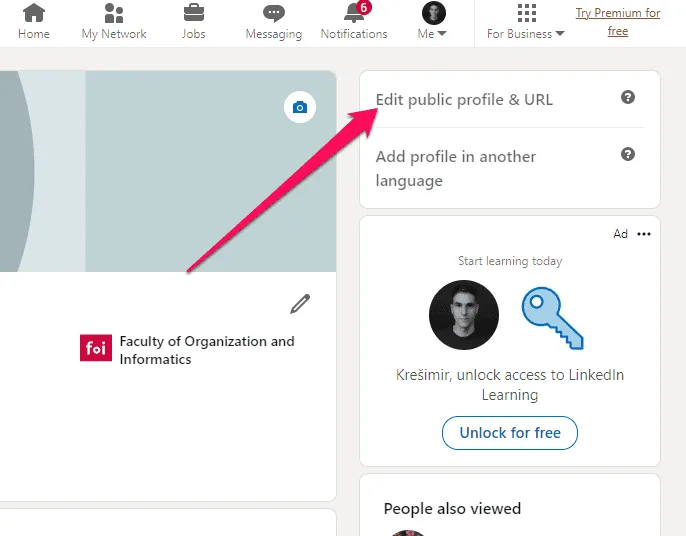
- Verify your custom URL. A clean URL like linkedin.com/in/yourname is easier to share and slightly better for search.
- Check your company page (if you have one). Is it still active and accurate?
- Review your articles and newsletters. Are they still relevant? Do they need updates?
- Look at your analytics. Which searches are driving profile views? Double down on what’s working.
The audit takes about an hour if you do it thoroughly. Do it quarterly and you’ll catch drift before it costs you visibility. This is the single most underrated item on any LinkedIn SEO checklist — most people optimize once and never look back.
What the Analytics Tell You
LinkedIn’s built-in analytics show you which search terms are driving profile views, which companies are viewing your profile, and how your posts are performing. That data is gold for refining your keyword strategy. If you’re getting views from searches for “fractional CMO” but not “marketing consultant,” lean into the former.
Check the analytics monthly, even if the linkedin SEO only do the full audit quarterly. Patterns emerge quickly, and small adjustments early prevent bigger problems later.
Common LinkedIn SEO Mistakes That Kill Your Visibility
Even with the nine strategies above, certain mistakes can undo the work. Effective execution in your linkedin seo makes a tangible difference. Here are the ones I see most often.
Keyword stuffing. Repeating the same term ten times in a headline or About section doesn’t help — the linkedin seo triggers spam detection and reads poorly to humans. Natural density beats repetition every time.
Ignoring the custom URL. The default URL LinkedIn assigns includes random numbers. A clean custom URL is easier to share, looks more professional, and gives the algorithm a cleaner signal. Fix it in settings — it takes two minutes.
Neglecting the banner image. The banner is prime visual real estate. Focusing on linkedin seo provides clear direction here. A banner that names your specialty in text reinforces your keyword positioning and catches the eye in search results.
Treating the profile as static. A profile that hasn’t been updated in two years sends a dormancy signal. Even small updates — a new skill, a refreshed About section — keep the algorithm engaged.
Building a network of irrelevant connections. Connection relevance matters. Refining each detail of your linkedin seo strengthens this section. A network of people in your industry strengthens your topical signal. A network of random connections dilutes it.
How Long Does LinkedIn SEO Take to Show Results?
Keyword changes to your headline and About section can shift search visibility within a few days. Activity signals take longer — usually two to four weeks of consistent posting before the algorithm noticeably adjusts your ranking. Recommendations and articles compound over months.
The realistic timeline: expect small wins in the first week, meaningful visibility gains in the first month, and sustained improvement over a quarter. Anyone promising overnight results is selling something.
One useful benchmark: check your profile views weekly. A steady upward trend over four to six weeks is a reliable sign that the changes are working. A flat line means something needs adjusting.
What to Do if Nothing Changes
If the linkedin SEO’ve made changes and seen no movement after a month, the most likely culprit is keyword mismatch. You’ve optimized for terms you think people search, but the actual search terms are different. Check your analytics to see what people are actually typing — then optimize for those.
The second most likely culprit is inactivity. If you updated your linkedin seo profile but haven’t posted or commented in weeks, the algorithm may not be surfacing you regardless of your keyword alignment. Activity and keywords work together; one without the other underperforms.
Frequently Asked Questions About LinkedIn SEO
Here is an in-depth breakdown of key considerations regarding this section:
Does LinkedIn SEO Actually Affect Who Sees My Profile?
Yes, directly. LinkedIn’s internal search engine determines who appears in recruiter searches, prospect searches, and general discovery. Profiles that align with search terms appear more often; profiles that don’t stay invisible. The effect is measurable in your linkedin SEO profile view analytics.
How Often Should I Update My LinkedIn Profile for Search?
Review your headline, About section, and skills quarterly. Update your experience section whenever you change roles. Post or comment at least two to three times per week to maintain activity signals. The full audit once a quarter keeps everything aligned.
Can I Rank for Multiple Specialties on LinkedIn?
You can, but with limits. LinkedIn’s algorithm tends to favor profiles with clear topical focus. If you try to rank for five unrelated specialties, you’ll likely rank weakly for all of them. Better to pick two or three closely related specialties and dominate those.
Do LinkedIn Recommendations Really Help Search Ranking?
They help modestly. Recommendations add keyword-rich text to your profile and provide social proof that influences click-through rates. A recommendation that mentions specific skills and outcomes is worth more than a generic one. Three to five strong recommendations are enough.
What’s the Biggest LinkedIn SEO Mistake Beginners Make?
Treating the profile as a static resume. LinkedIn rewards activity and freshness. A profile that’s optimized once and never touched will gradually lose visibility to profiles that are actively maintained. The platform’s algorithm is designed to surface active participants.
Does Posting Frequency Matter for Search Visibility?
It matters, but not as much as consistency. Two to three posts per week is sufficient. Daily posting doesn’t produce proportionally better results and can lead to burnout. The key is steady, sustained activity rather than sporadic bursts.
How Do I Find the Right Keywords for My LinkedIn Profile?
Start with the terms your target audience would use to search for someone like the linkedin seo. Check job postings for your role to see what terms employers use. Look at competitors’ profiles to see what they’re optimizing for. And check your own analytics to see what searches are already driving views.
Should I Use a Professional Headshot for LinkedIn SEO?
Yes. Profiles with photos get significantly more views and engagement than profiles without. The photo itself doesn’t directly affect keyword ranking, but the engagement it drives feeds the activity signal. A clear, professional headshot is table stakes.
Putting It All Together: Your Ongoing LinkedIn SEO Routine
The nine strategies above aren’t a one-time project. They’re a system you maintain. The people who dominate LinkedIn search aren’t doing anything exotic — they’re just consistently doing the basics that most people skip.
If you’re starting from scratch, work through the strategies in order. Headline first, then About section, then experience descriptions, then skills. That sequence addresses the highest-weight fields first. Once the foundation is set, layer in the activity strategies — posting, commenting, publishing — and run the quarterly audit to keep everything aligned.
One final thought: LinkedIn SEO is ultimately about being findable by the people who matter to your work. The algorithm is a means, not an end. Optimize for the searches that would actually bring you clients, collaborators, or opportunities — not for vanity metrics or arbitrary keyword volume. A profile that ranks for the right three terms beats a profile that ranks for thirty irrelevant ones.
Start with the headline. Fix the About section. Post something this week. Run the audit next quarter. That’s the whole game, repeated consistently.
| Strategy | Primary Ranking Bucket | Time to Implement | Time to See Results |
|---|---|---|---|
| 1. Keyword-Optimized Headline | Keyword relevance | 15 minutes | 2-5 days |
| 2. Keyword-Rich About Section | Keyword relevance | 30-45 minutes | 3-7 days |
| 3. Detailed Experience Descriptions | Keyword relevance | 45-60 minutes | 1-2 weeks |
| 4. Optimized Skills Section | Keyword relevance + endorsements | 20 minutes | 1-2 weeks |
| 5. Consistent Posting | Activity signals | Ongoing (2-3x/week) | 2-4 weeks |
| 6. Company Page Optimization | Keyword relevance (secondary) | 60-90 minutes | 2-4 weeks |
| 7. Recommendations & Social Proof | Engagement history | Ongoing | 4-8 weeks |
| 8. Articles & Newsletters | Indexed content | Ongoing (1x/month) | 4-12 weeks |
| 9. Quarterly SEO Audit | All buckets | 60 minutes/quarter | Prevents decay |
For a broader view of how search algorithms weigh relevance and authority, the Wikipedia entry on search engine optimization offers useful context that applies across platforms, including LinkedIn SEO.