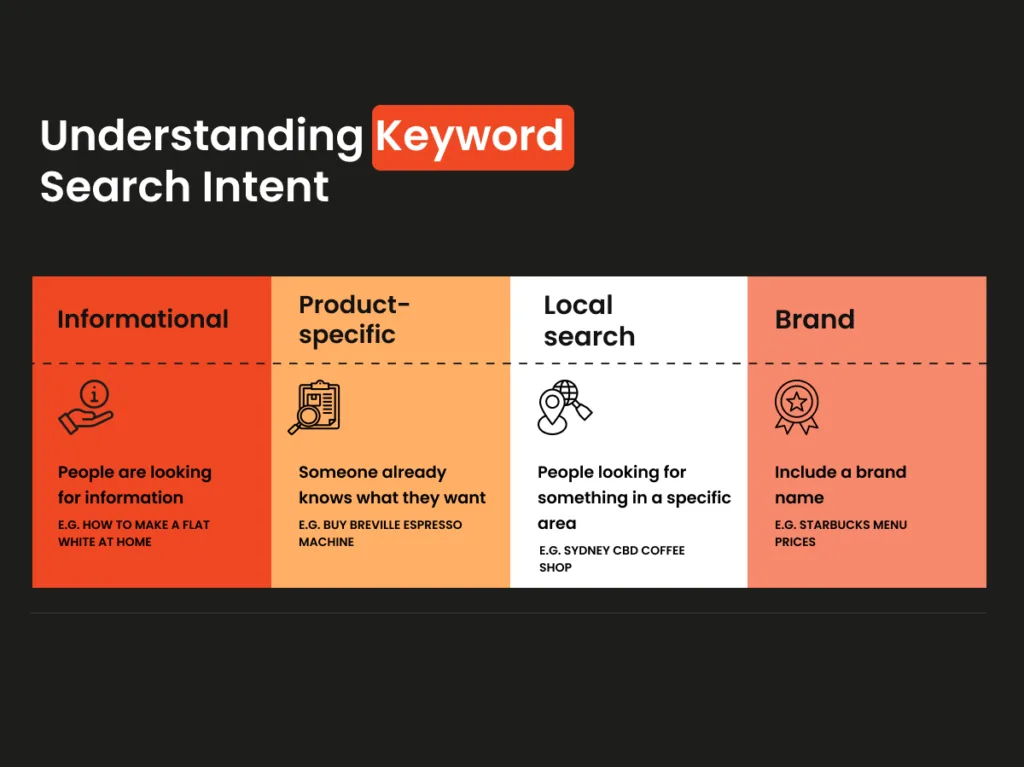
Informational keywords are the search phrases people type when they want to understand something, not buy something. That single distinction shapes everything that follows in this guide.
If you have ever opened Search Console, seen a wall of question-style queries, and wondered how to turn that raw curiosity into traffic you can actually build a content strategy around, you are in the right place.
Below is a five-step method you can run on any site, from a one-person blog to a multi-author publishing operation.
Here is the honest version up front: most people mishandle this keyword type. They either lump it in with commercial terms and wonder why conversions stay flat, or they chase every “what is” and “how to” query they can find and drown in scattered, low-value posts.
Neither approach works. What works is a repeatable process — identify, qualify, outline, write, and measure. Five steps, each with its own logic and its own traps.
Think of this as the parent topic in a larger cluster about keyword research and search intent. Once you understand how informational keywords behave, every other keyword class — navigational, commercial, transactional — becomes easier to read, because you finally have a baseline to compare against.
What are Informational Keywords, Really?
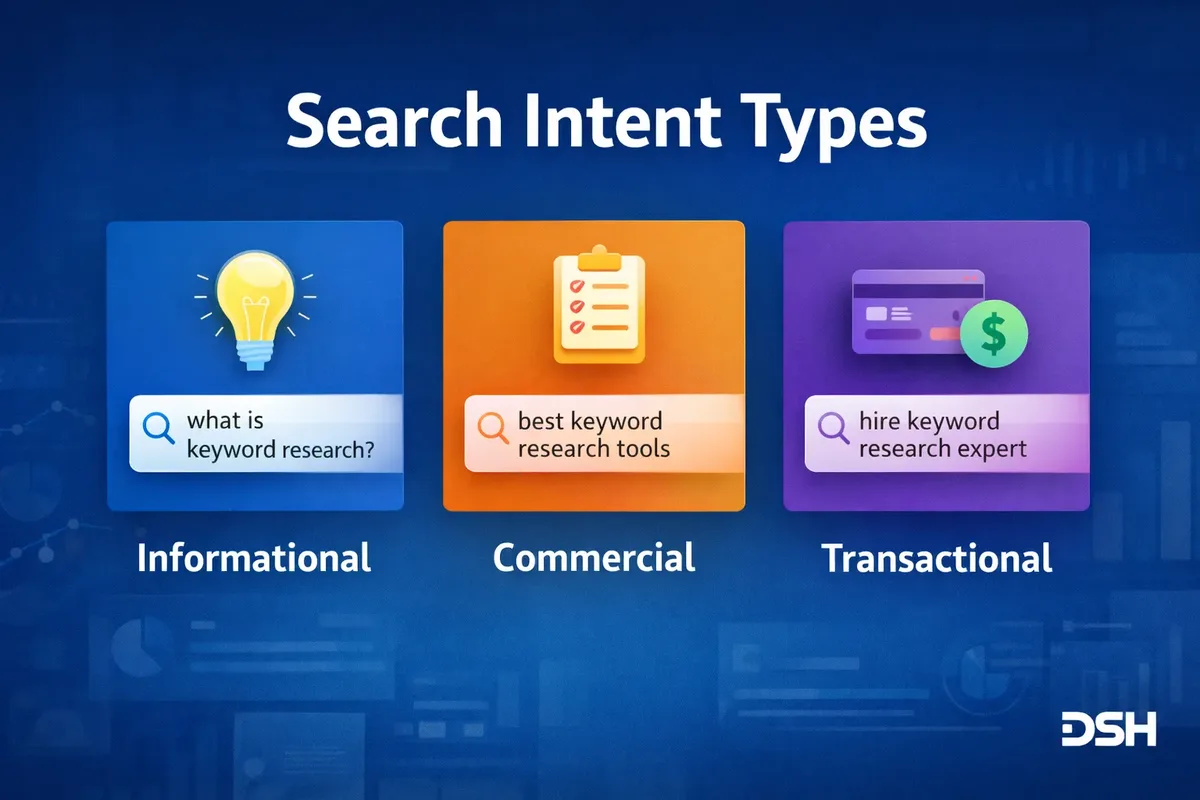
Informational keywords are queries driven by a need to learn. The searcher wants an answer, a definition, a comparison, a process, or reassurance. They are not standing at a checkout counter. They are standing in a library aisle, scanning spines.
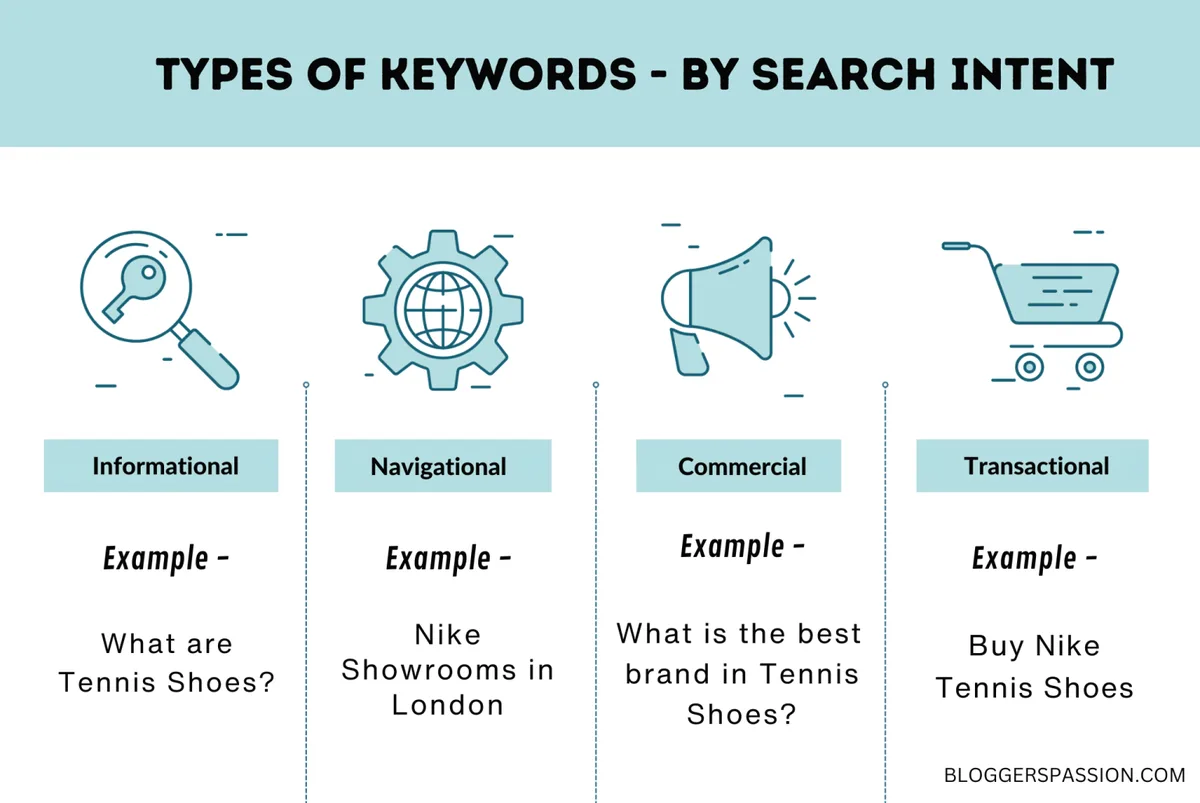
Search engines have gotten very good at reading the informational keywords intent. Google’s own documentation on understanding search intent frames it around the “why” behind a query, and the ranking systems reward pages that match that why rather than pages that merely repeat the words.
That is why a product page almost never ranks for “how does X work” — the format betrays the intent.
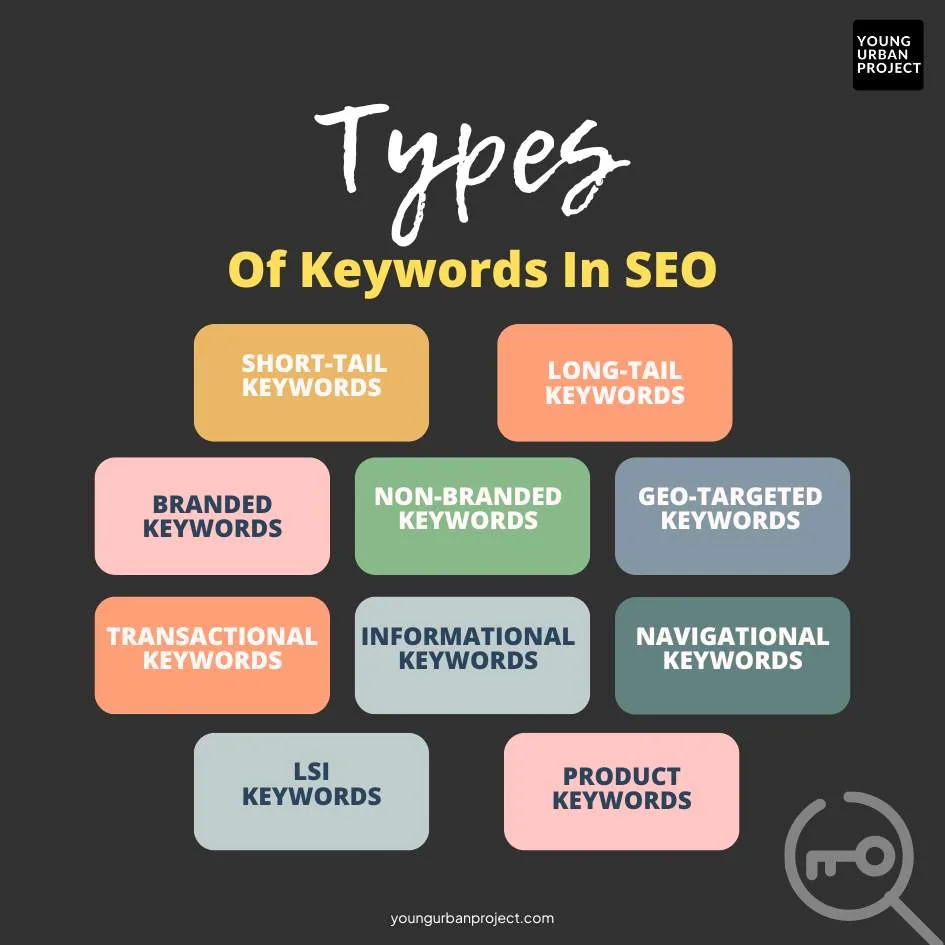
Consider a concrete example. Someone types “why does my sourdough starter smell like acetone.” That is a classic informational query. A bakery selling starter kits could technically rank for it, but only if it publishes an article that genuinely explains the chemistry and the fix. The product link can live inside that article. The article itself must teach.
This is the mental model that separates competent SEO from keyword chasing. Informational keywords demand education. Deliver education and the trust — and eventually the sale — follows.
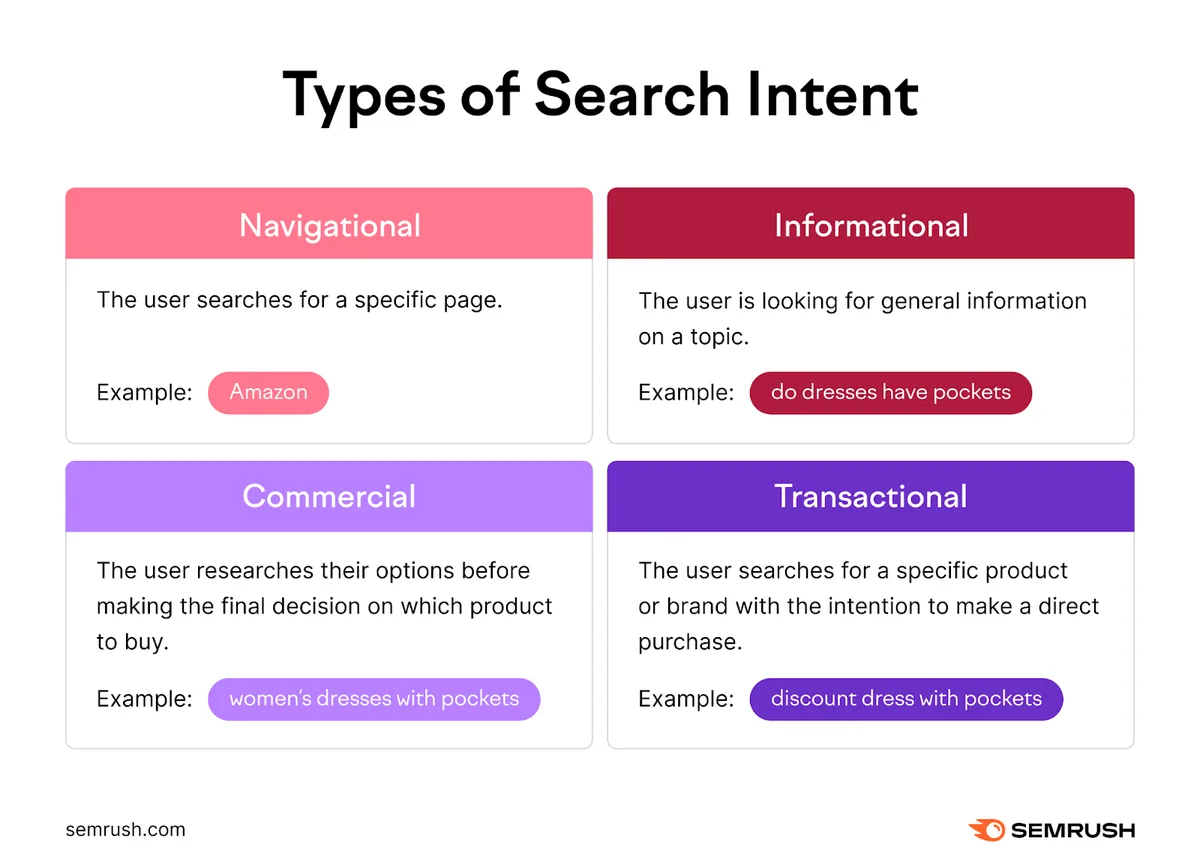
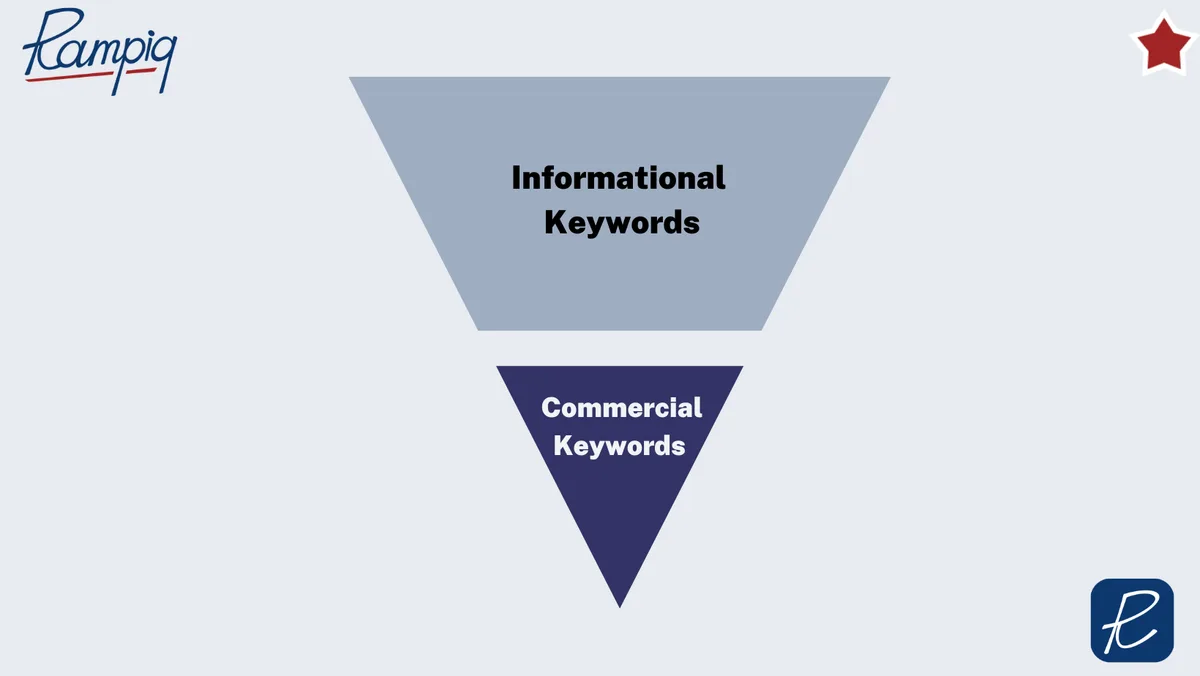
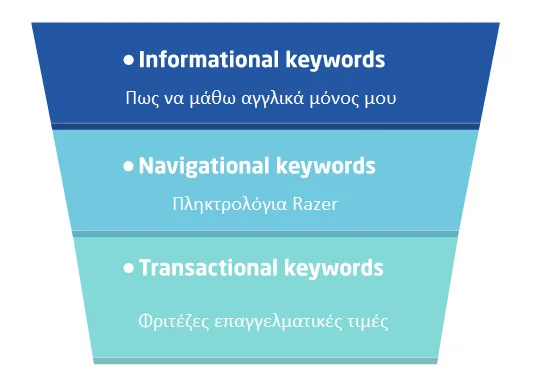
How Informational Keywords Differ from Commercial and Transactional Terms
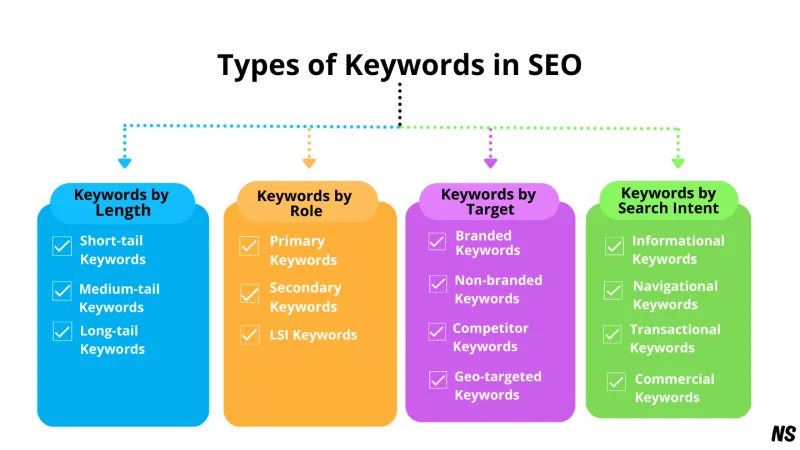
The cleanest way to see the difference is to line them up against each other.
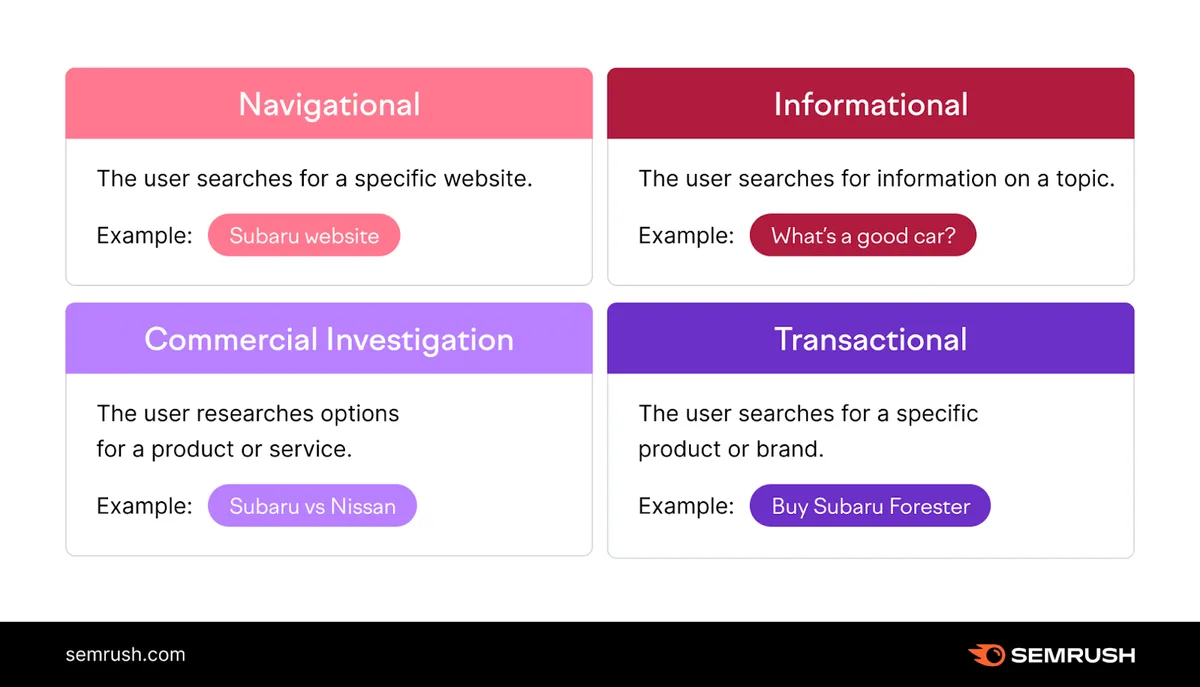
| Keyword Type | What the Searcher Wants | Example | Content Format That Wins |
|---|---|---|---|
| Informational | To understand, learn, or solve | “what is a fixed rate mortgage” | Guide, explainer, tutorial, FAQ |
| Commercial | To compare options before deciding | “best fixed rate mortgage lenders” | Comparison, review, roundup |
| Transactional | To complete an action | “apply for fixed rate mortgage online” | Landing page, signup flow |
| Navigational | To reach a specific destination | “chase mortgage login” | Homepage or login page |
Notice that the same topic sits in all four buckets at different stages of the journey. The person researching “what is a fixed rate mortgage” is the same person who later searches “best fixed rate lenders” and then “apply online.” Your job is not to convert them on the first query.
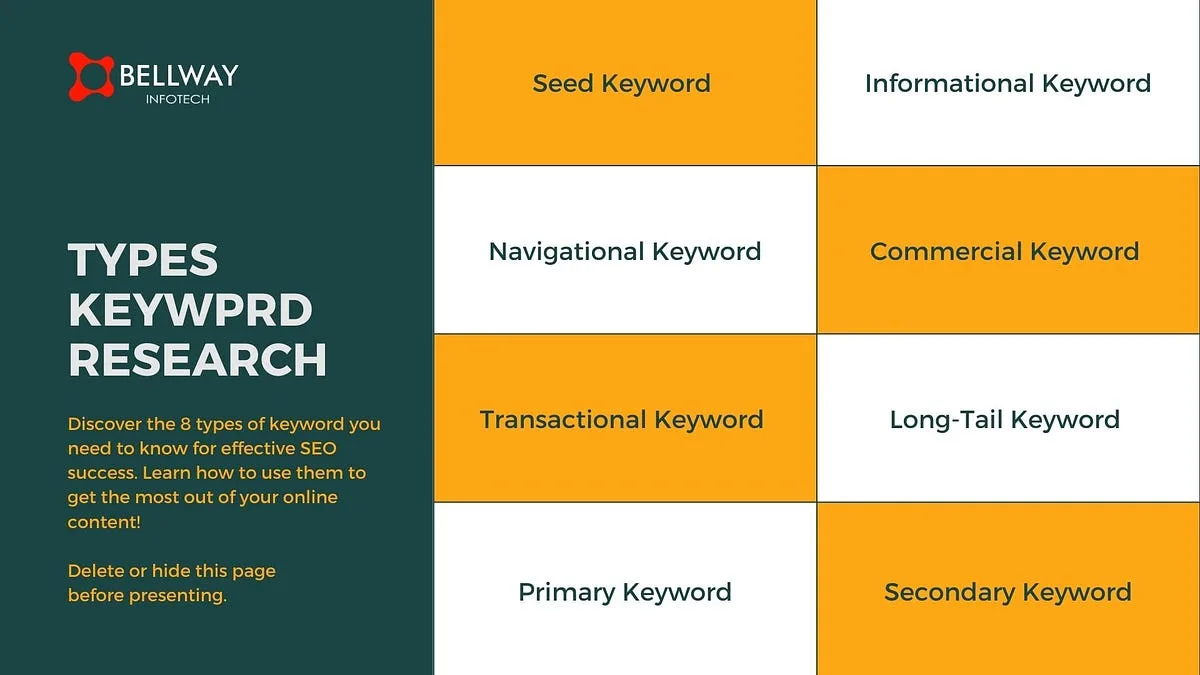
Your job is to be the most useful answer at each stage, so you stay in their memory when the intent shifts.
A practical tip from the trenches: when the informational keywords audit a page, ask which of the four rows it belongs to. If the answer is murky, the page is probably trying to serve two intents at once, and that is the single most common reason good pages underperform.
Step 1: Find Informational Keywords With Real Demand
Step one is discovery, and discovery has to be systematic. Random brainstorming produces the same twenty obvious questions everyone else already answered. You want the long-tail, the weirdly specific, the queries that reveal what people actually struggle with.
Start where the data lives. Search Console is free and it shows the queries your existing pages already surface for — including informational keywords you never targeted on purpose. That report alone often uncovers a dozen article ideas hiding in plain sight.
Then widen the net. Answer engines like AlsoAsked and People Also Ask boxes show the adjacent questions Google treats as related. Reddit threads, Quora, and niche forums show the language people actually use, which is often nothing like the language marketers would choose. That gap between real phrasing and polished phrasing is where the ranking opportunity lives.
Keyword tools help too, but read them critically. Effective execution in your informational keywords makes a tangible difference. Volume estimates for question-style queries are notoriously noisy. A query with 200 monthly searches that converts into newsletter signups can outperform a 5,000-search query that attracts drive-by readers who bounce in four seconds.
Sources Worth Mining for Question-Style Queries
Here is a working list I return to again and again. Treat it as an informational keywords checklist for the discovery phase.
- Google Search Console Performance report — filter for queries containing what, how, why, when, which, and can. These are your existing informational keywords, already indexed and already ranking somewhere.
- People Also Ask expansions — type your seed term, open the PAA box, and click through the related questions. Each click spawns new questions. Do this three levels deep and you will have thirty-plus raw candidates in five minutes.
- Autocomplete and alphabet soup — type your term followed by every letter of the alphabet. Slow, but it surfaces phrasing real users type, not phrasing tools invent.
- Community threads — subreddits, Facebook groups, Stack Exchange, and niche forums. Sort by top posts of all time and read the titles. The questions people upvote hardest are the questions with real demand.
- Support inbox and chat logs — the single most underused source. If customers ask your team the same question repeatedly, they are asking search engines too, and the answer is sitting in your email history free of charge.
On tools specifically: Ahrefs, Semrush, and Moz all handle question filtering well, while free options like Google Trends and Keyword Surfer cover the basics. Focusing on informational keywords provides clear direction here. You do not need a premium subscription to start. You need a method and a spreadsheet.
Step 2: Qualify Before You Commit
Discovery is cheap. Execution is expensive. Step two exists to protect you from writing three thousand words on a question nobody with buying power ever asks.
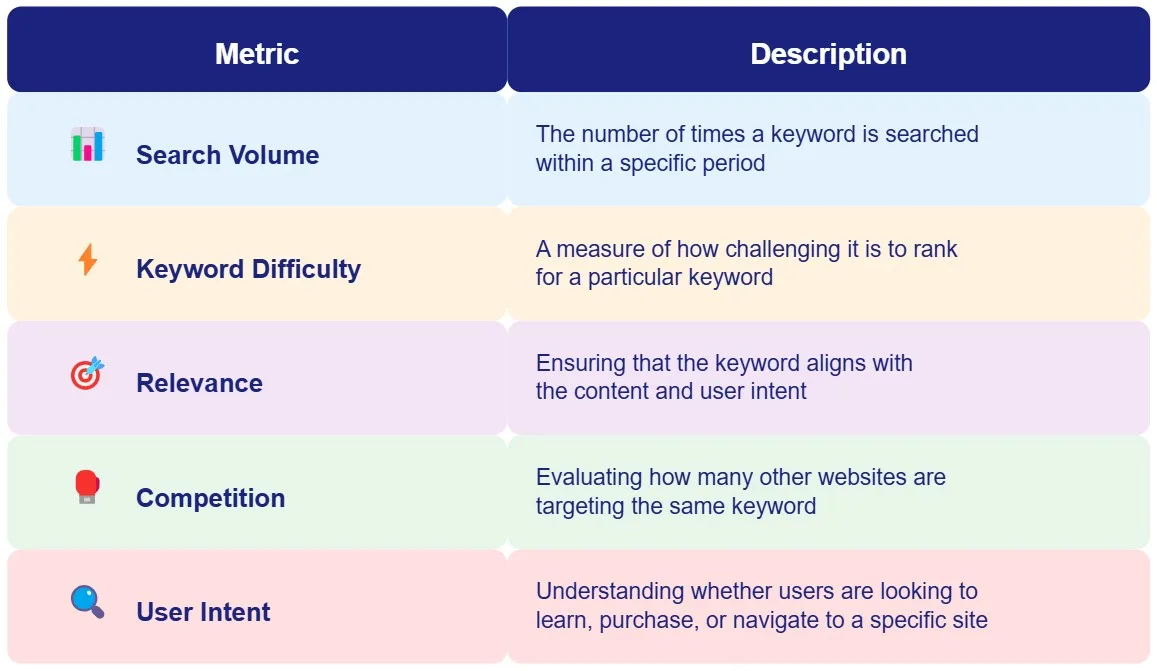
Qualification runs on four questions, and I run all four before a single outline gets drafted. Maintaining clarity across your informational keywords remains essential. First, does this query have a clear informational intent that matches a readable format?
Second, can you realistically rank — is the current SERP dominated by giants you cannot out-author, or is there a gap in depth you can fill? Third, does the query connect to something you eventually sell or want to be known for? Fourth, is it evergreen enough to keep earning traffic after the initial push?
The third question is where most content audits fail. A site selling accounting software should not chase “how to bake sourdough” no matter how juicy the volume looks. Topical relevance compounds. Off-topic traffic dilutes.
There is a subtle trap here worth naming. Some informational keywords are what practitioners call “top-of-funnel graveyards” — enormous volume, near-zero path to revenue, and audiences who will never buy. “What is the meaning of life” is an informational query. It is also useless to a business. Qualification is how you separate curiosity from commercial curiosity.
A Scoring Framework That Saves Hours
Score each candidate on a simple 1-to-5 scale across four dimensions, then multiply. A thoughtful approach to informational keywords reinforces your qualifications. Intent clarity, ranking feasibility, topical fit, and evergreen longevity. The product lands between 1 and 625. Anything under 80 gets parked. Anything over 200 gets scheduled.
Run this on twenty candidates and a pattern emerges fast. The highest scorers usually are not the highest-volume queries. They are the mid-volume questions where the existing results are shallow, outdated, or written for the wrong audience. That is your opening.
I keep this scoring sheet next to every informational keywords checklist I build, because qualification is the step most people skip under deadline pressure, and it is the step that determines whether the next four steps produce anything worth having.
Step 3: Map the Intent to the Right Page Format
Format is not a cosmetic choice. Refining each detail of your informational keywords strengthens this section. It is the strongest ranking signal most publishers ignore. When someone searches a definition question, Google rewards pages that answer the definition immediately, usually within the first hundred words. When someone searches a process question, tutorial formats win. When someone searches a comparison, side-by-side structures win.
Match the format to the intent and the informational keywords clear half the ranking battle before you write a sentence. Mismatch the two and no amount of keyword placement rescues the page.
Here is how the mapping usually breaks down in practice.
- Definitions and “what is” queries — lead with a one-sentence definition, expand into context, then cover related concepts. Keep the answer above the fold.
- “How to” and process queries — numbered steps, one action per step, with a concrete example per step. This article is a living example of that format.
- “Why” queries — cause-and-effect structure. Explain the mechanism first, then the symptoms, then the remedy.
- Comparisons and “versus” queries — a table early, then pros and cons per option, then a recommendation with reasoning.
- Listicle and “examples of” queries — grouped categories with numbered items inside each. Flat lists of thirty items in one block lose readers by item five.
A quick reality check from experience: pages that win consistently tend to include a table, a short answer near the top, and a short FAQ at the bottom. That combination satisfies skimmers, deep readers, and the question-expansion features search engines now surface directly in results.
Step 4: Build the Outline and Write for Humans First
Step four is where the work gets real. An outline built from informational keywords is different from an outline built from a sales angle, and the difference shows up in the headings.
Every H2 should be a promise the reader can recognize as something they wanted to know. Phrase them as the reader would phrase the question. “How Do You Measure Success” beats “Measurement Considerations” every time, because the first sounds like the reader’s voice and the second sounds like a memo.
Once the outline exists, writing is about coverage without padding. Applying these principles to your informational keywords yields measurable results. Answer the question in the first sentence under each heading, then earn the scroll with depth.
Cover the obvious subtopics, add the non-obvious angle, and stop when the value stops. Word count is an outcome, not a target.
Two structural rules pay for themselves. First, keep paragraphs to two or three sentences. Mobile readers scan, and long blocks bleed attention. Second, put a short, direct answer near the top of every section before expanding. That pattern serves both humans and the answer engines that quote snippets.
Where Most Writers Leak Quality
Three leaks show up again and again in drafts I review.
The first is keyword insertion the informational keywords serves the tool instead of the sentence. You can usually spot it because the sentence reads like it was assembled from parts. Rewrite for flow and the ranking usually survives anyway, because modern search engines read meaning, not just matching strings.
The second is speculation dressed as fact. Proper attention to your informational keywords sets a strong baseline. If you are not sure a statistic is current, describe the pattern instead of inventing a number. Readers reward honesty and punish fabricated precision.
The third is repetition disguised as reinforcement. Repeating the same point three times does not make it stronger. It makes the reader leave. Cut it once and trust the reader to remember.
The best informational keywords tips I have ever received boil down to this: write the page a helpful expert would send to a confused friend. Then check whether it still ranks. Usually it does, because usefulness and relevance are the same thing measured from two directions.
Step 5: Publish, Measure, and Improve the Page Over Time
Step five is where most content programs quietly fail. A page published and forgotten is a page that slowly decays. Ranking positions drift, competitors publish better answers, and a page that once earned steady traffic quietly becomes another dead tab in your sitemap.
Set a review rhythm. Monthly for the first quarter, then quarterly. Look at two signals primarily: average position changes for the page’s core informational keywords, and scroll depth or time-on-page where your analytics supports it. If both are healthy, leave it alone. If either is weak, the fix is usually structural, not cosmetic.
Common fixes worth trying, in roughly the order of impact. Developing your informational keywords with precision highlights key strengths. Add a short direct answer near the top if the page buries the lead. Add a table if the reader is scanning for a comparison.
Break long sections into clearer subheadings if people drop off mid-page. Expand thin sections that only cover the obvious angle. Refresh dated facts, dead links, and outdated tool references.
This is where informational keywords best practices start to separate from generic content advice. Because these queries are evergreen by nature, a well-built page earns compounding returns. A small improvement made once can lift a page for years.
Metrics That Actually Tell You Something
Ignore vanity metrics. Focus on three: impressions growth for question-style queries, click-through rate for the page’s position band, and a secondary action — newsletter signup, download, or time on a deeper section of the page.
The click-through signal is especially telling. Clear alignment with your informational keywords builds confidence from the start. If a page ranks on page one but earns a low click-through rate, either the title and meta description promise the wrong thing or the format on the results page is losing the click. Both are fixable, and both are cheap to test.
One more habit worth building. After every update, note the date and what changed. Over a year, that log becomes your most valuable asset for spotting which patterns actually move rankings for your site versus which ones just sound plausible in a Twitter thread.
The Informational Keywords Checklist You Can Reuse
Before this closes out, here is the whole method compressed into a reusable informational keywords checklist. Run it on any idea before you commit time to drafting.
- Identified the query in real data. Not invented — pulled from Search Console, PAA, autocomplete, or a community thread.
- Confirmed intent is genuinely informational. If a transactional or commercial framing is the real driver, build a different page.
- Scored the candidate on clarity, feasibility, fit, and longevity. Anything under your threshold gets parked, not forced.
- Checked the SERP landscape. Note the format of the top five results. If they are all shallow, that is the gap.
- Mapped intent to format. Definition, process, cause-and-effect, comparison, or listicle. Match and win; mismatch and lose.
- Outlined with reader-language headings. Questions the reader would actually ask, not internal category names.
- Drafted the direct answer first. Every section opens with a clear answer before expanding.
- Added structure — table, short FAQ, or grouped numbered items. Skimmers get the gist; deep readers get the depth.
- Reviewed for repetition and padding. Every paragraph earns its place or gets cut.
- Scheduled a review. Monthly for a quarter, then quarterly.
Follow that list and you will avoid the two failure modes that waste most content budgets — chasing the wrong keywords and publishing without a review cycle.
Frequently Asked Questions About Informational Keywords
The informational keywords are the questions that tend to come up once people start building informational keywords guide is the part that matters here, and the process described above. The answers here are short and direct, because the point is to unblock, not to re-explain everything.
Can Informational Keywords Ever Drive Sales?
Yes, but indirectly. They build trust, capture email signups, and place your brand in front of someone at the exact moment their need becomes conscious. The conversion happens later, often on a commercial query, and it happens more reliably when the earlier informational touchpoint was genuinely helpful. Attribution tools struggle with this, which is why top-of-funnel pages are chronically undervalued.
How Many Informational Keywords Should One Article Target?
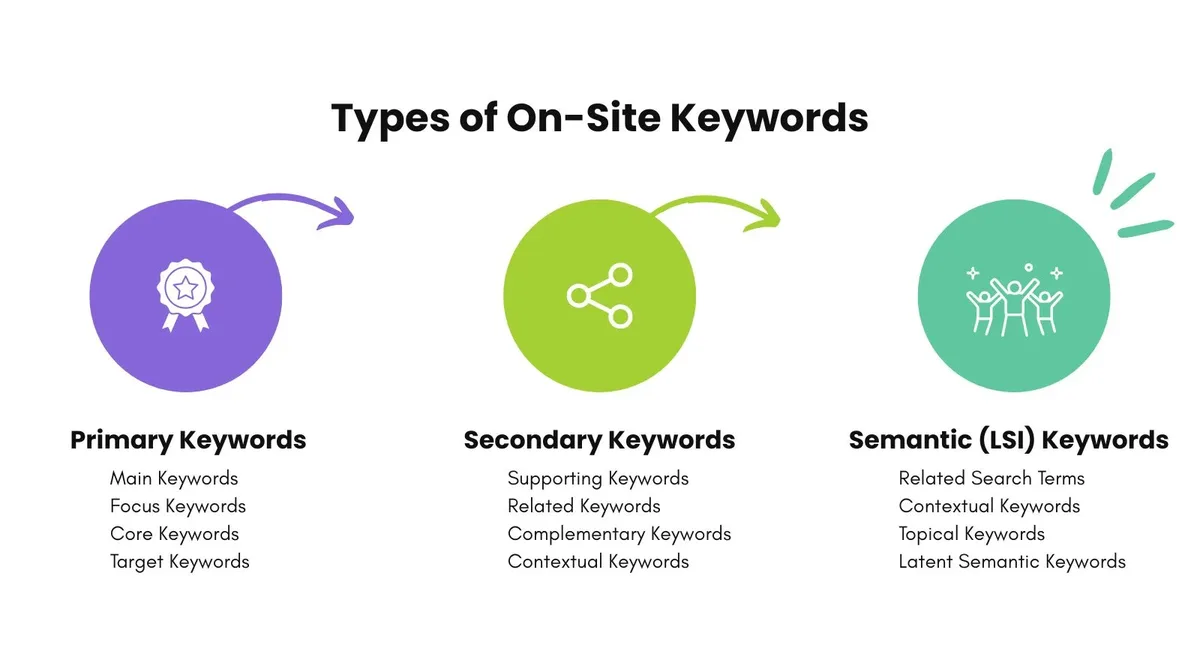
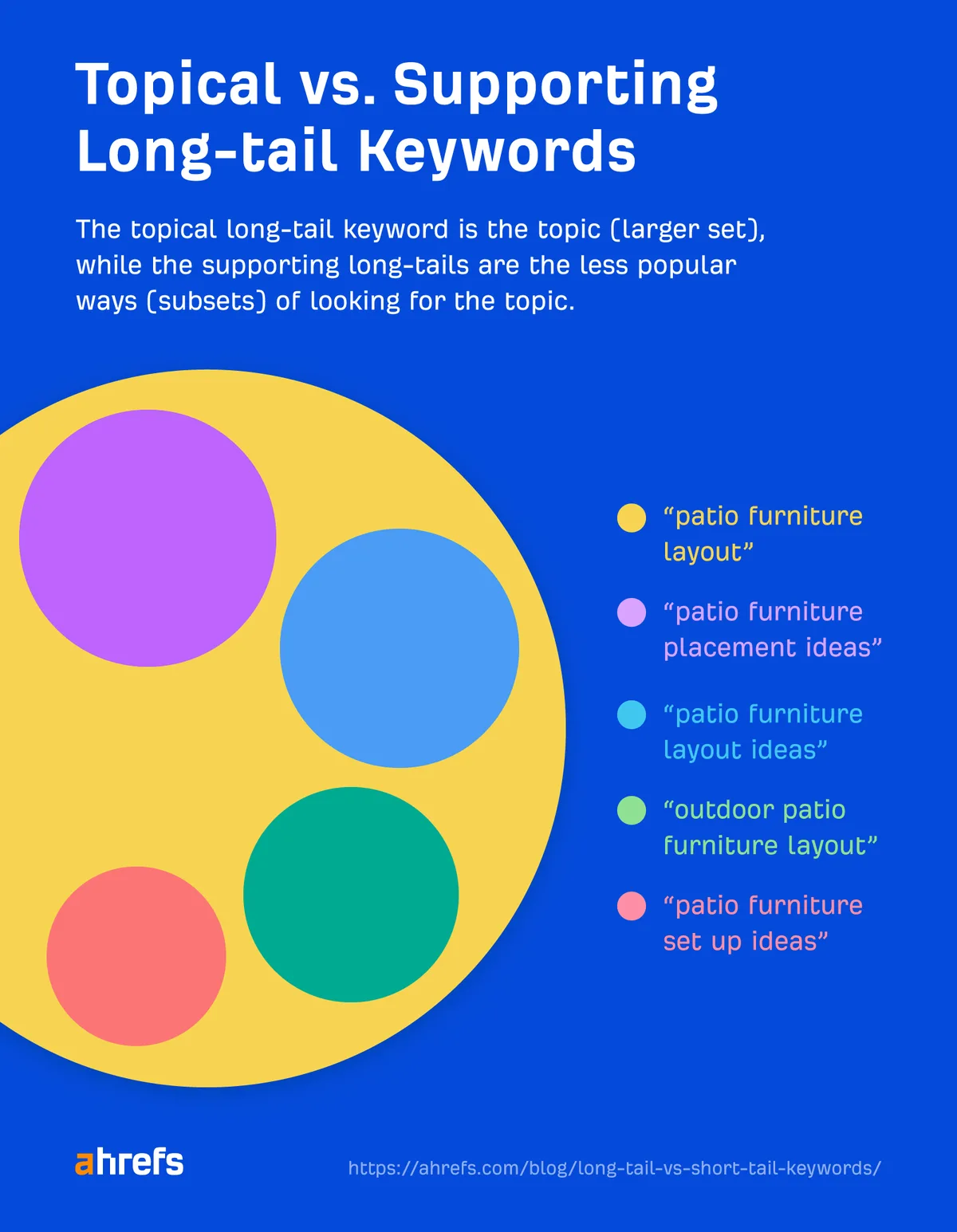
One primary, plus a handful of closely related variants and long-tail questions that belong naturally in the same article. Trying to serve five unrelated questions in one page is one of the most common reasons content underperforms. If the sub-questions have meaningfully different intents, they usually deserve their own page.
Do Informational Keywords Still Matter With AI Answer Engines?
More than ever. Answer engines pull, quote, and cite sources that answer questions clearly and crisply. A page built for a real reader, with a direct answer near the top and a structured breakdown below, is exactly the format those systems reward. The best informational keywords tips in this environment are still about clarity, not tricks.
How Long Should a Page Targeting These Queries Be?
Long enough to answer fully, short enough that nothing is padded. That is vague by design, because the honest answer depends on the question. A definition might need six hundred words. A step-by-step process might need three thousand. Let coverage decide the length.
What is the Biggest Mistake in This Process?
Skipping step two. Qualification is boring and it happens before anything feels exciting, so it gets rushed. But qualification is where you save yourself from writing beautiful pages that never had a chance. Force yourself to score the candidates before you draft. You will thank yourself around the fifth month.
Once you have built a solid batch of pages around informational keywords and reviewed them on a schedule, the pattern compounds. Each page feeds the next, clusters form, and the site develops the topical authority that makes every future ranking easier.
That is the whole point of the five-step method — not a single page, but a system that gets stronger the longer you run it.
For verified reference and background research, consult the authoritative informational resource on this topic.