If you have ever stared at your YouTube Studio dashboard wondering how to change channel name on YouTube without breaking anything, you are in the right place. The good news is that the process is simpler than most creators expect — and it takes only a few minutes once you know where to click.
I have walked dozens of creators through this exact task, from hobby vloggers to small business owners running product channels. The confusion almost always comes from one thing: YouTube splits your “channel name” and your “Google Account name” into two separate settings, and people edit the wrong one.
So let’s fix that today. Below you will find every method, every limitation, and every quirk that shows up when you learn how to change channel name on YouTube on desktop, iPhone, or Android.
What “Channel Name” Actually Means on YouTube
Before you touch a single setting, you need to understand what YouTube considers your channel name. Focusing on how to change channel name on youtube provides clear direction throughout this process. It is the public-facing label that appears under your videos, in search results, in comments, and on your channel page banner.
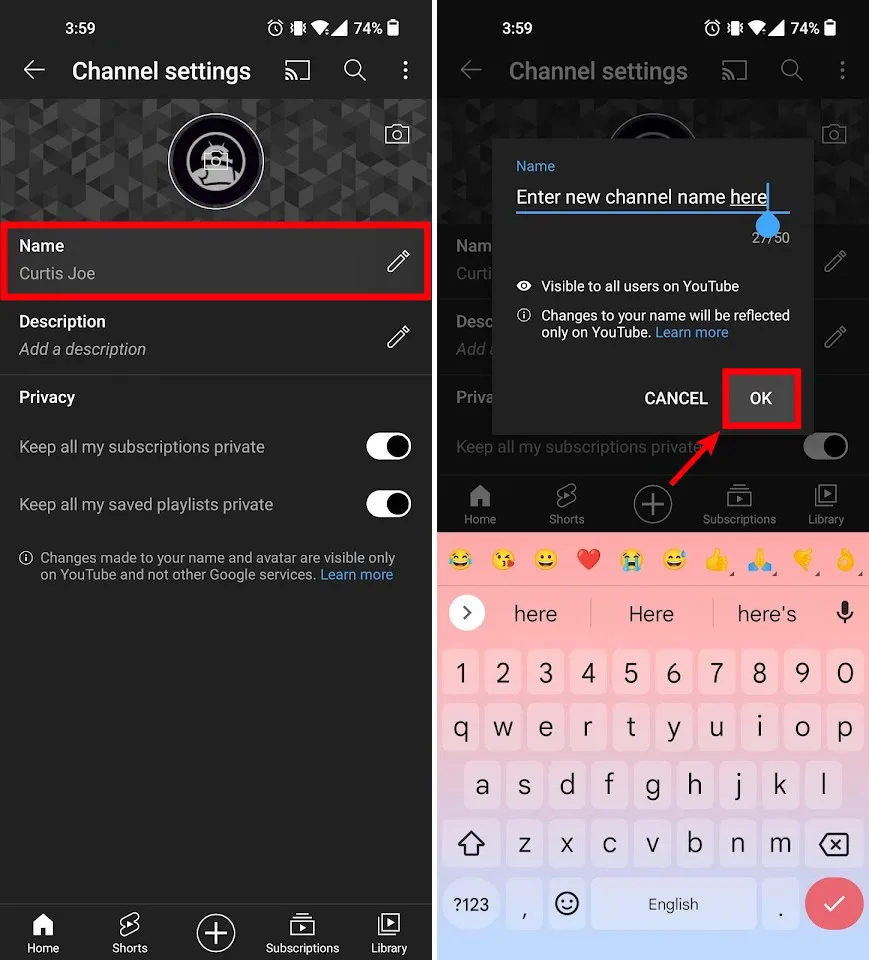
This is different from your Google Account name, which is what shows up in Gmail, Google Drive, and your personal Google profile. Focusing on how to change channel name on youtube provides clear direction throughout this process. Changing one does not automatically change the other, and that trips up a huge number of people.
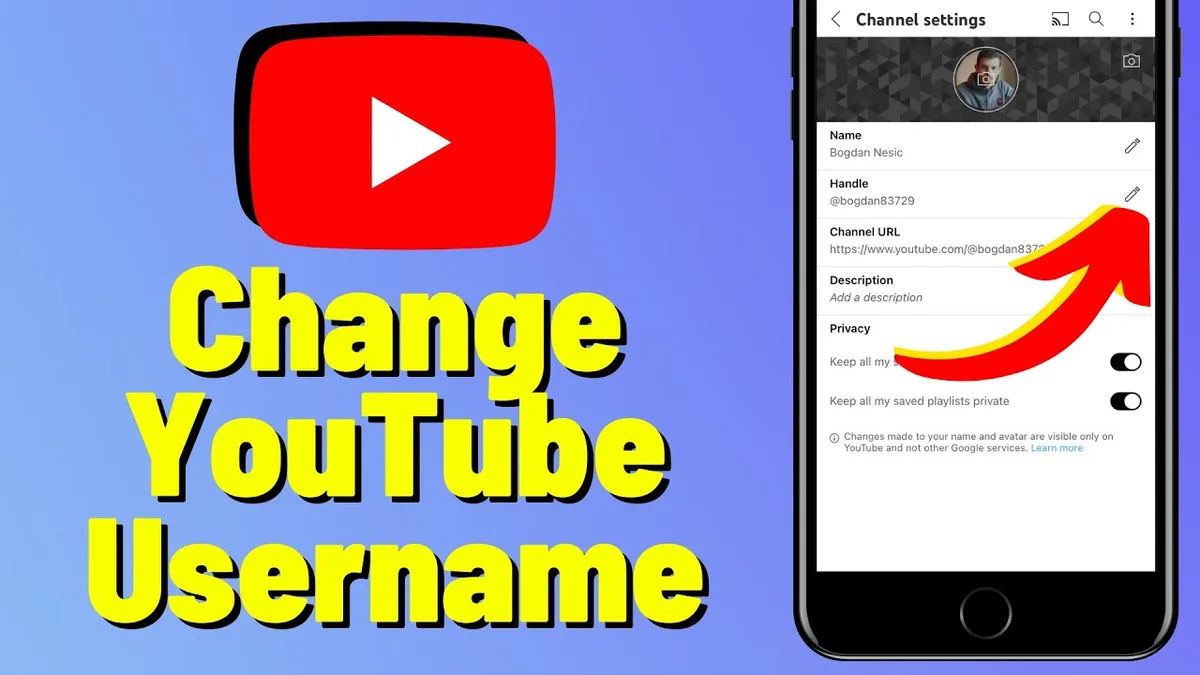
There is also a third layer: your YouTube handle. The handle is the @username people use to tag you, and it lives in its own separate field inside YouTube Studio. When someone asks how to change channel name on YouTube, they usually mean the display name — but handles matter just as much for branding.
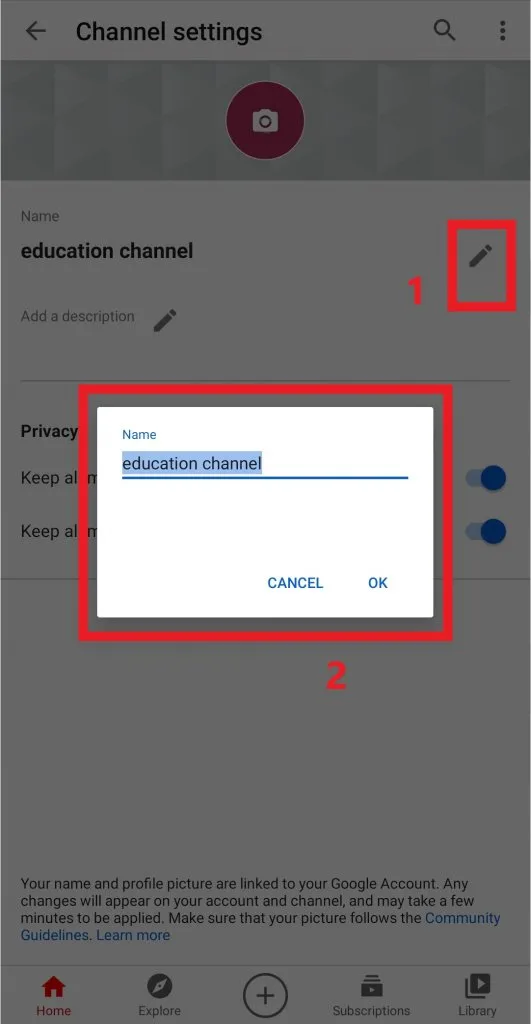
Here is the quick breakdown so you can see the difference at a glance:
| Element | Where It Appears | Where You Edit It |
|---|---|---|
| Channel name | Under videos, channel page, search results | YouTube Studio Settings Channel Basic info |
| Google Account name | Gmail, Google profile, account switcher | myaccount.google.com Personal info |
| YouTube handle (@name) | URL, mentions, comments | YouTube Studio Customization Basic info |
| Channel URL | Browser address bar | Automatically tied to handle |
Once you internalize that these are three separate things, the whole process of how to change channel name on YouTube becomes far less intimidating. Most people only need to edit the first one.
How to Change Channel Name on YouTube on Desktop
The desktop method is the most reliable, and it is the one I always recommend first. YouTube’s web interface gives you the clearest view of every field, and changes sync instantly across all your devices.
Start by signing into the Google Account that owns the channel. Mastering how to change channel name on youtube makes a tangible difference in real-world situations. If you manage multiple channels, double-check you are in the correct one before editing anything — this is the single most common mistake I see.
Step-By-Step Desktop Walkthrough
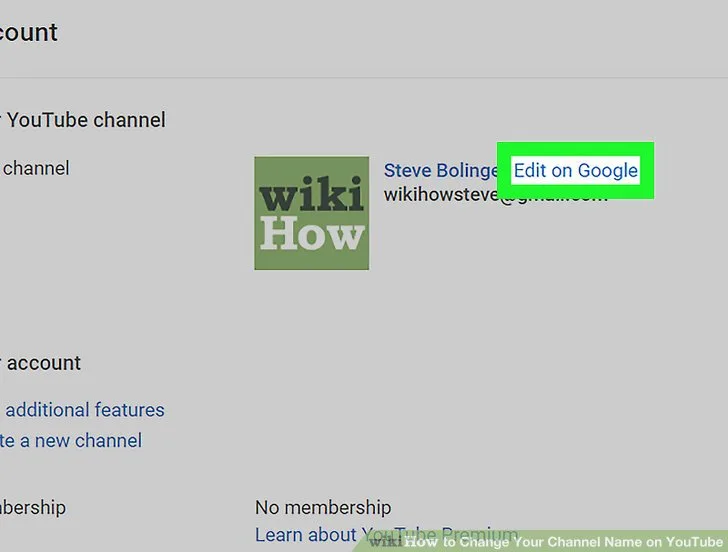
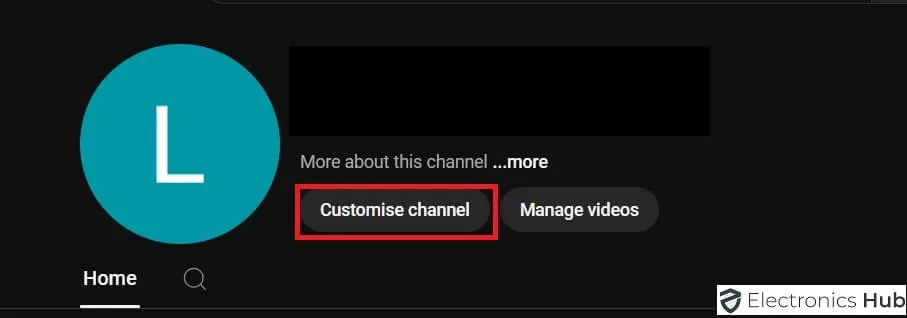
Open youtube.com in any browser and click your profile picture in the top right corner. From the dropdown, select “YouTube Studio” — that is where all channel-level settings live.
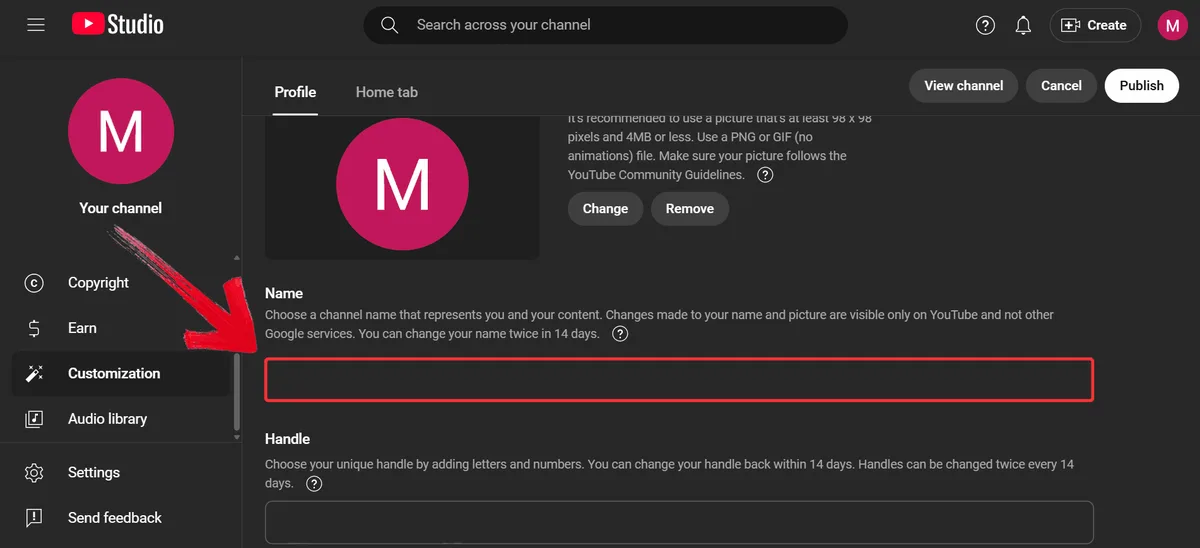
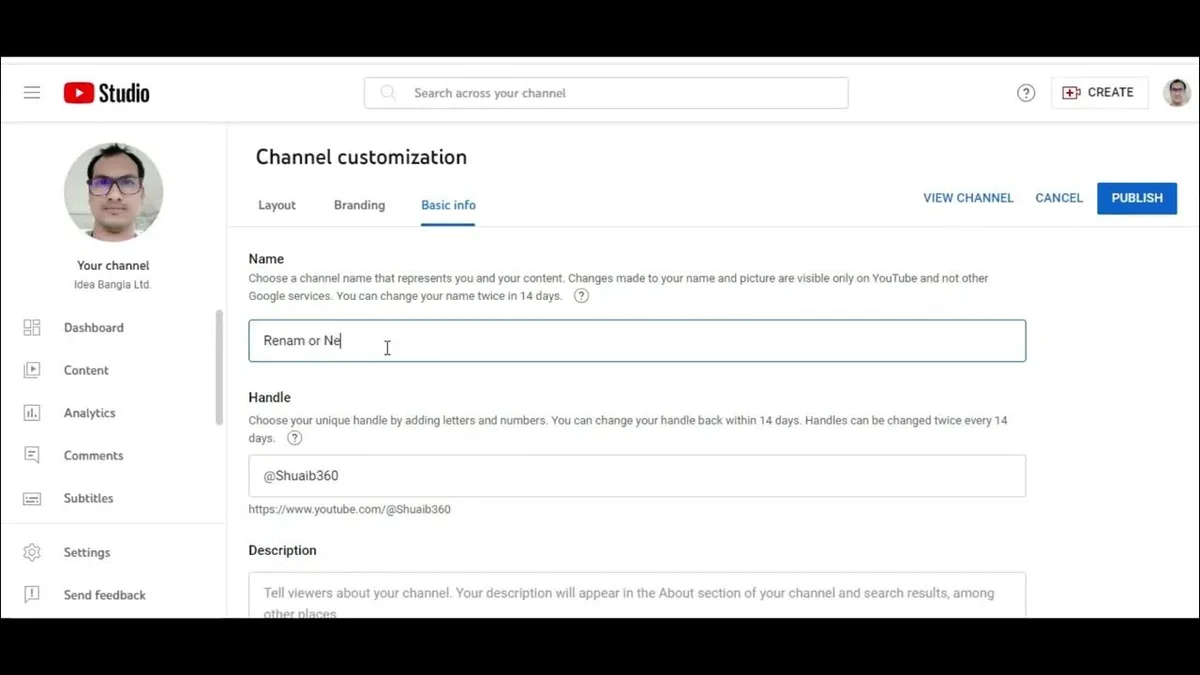
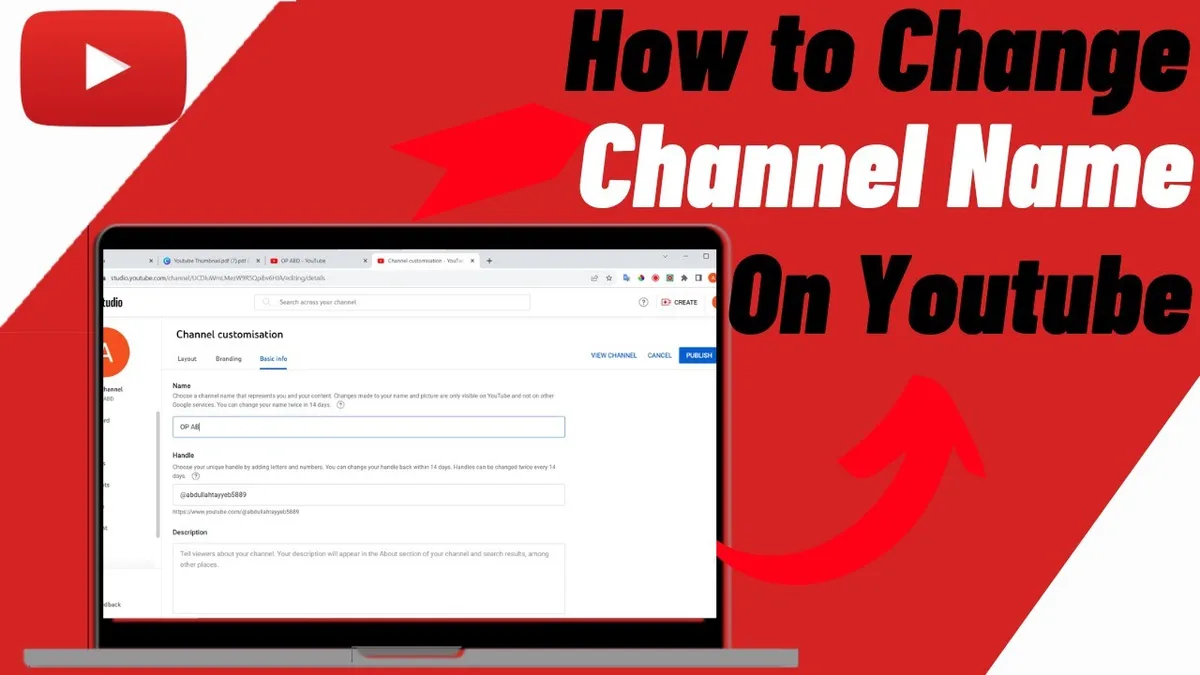
Once Studio loads, look at the left-hand sidebar and scroll down until you see “Settings.” Click it, then choose the “Channel” tab followed by “Basic info.” You will now see a field labeled “Name” with your current channel name inside it.
Delete the old text and type your new name. A practical understanding of how to change channel name on youtube helps eliminate common pitfalls. YouTube allows up to 100 characters here, though I strongly suggest keeping it under 30 for readability on mobile screens. Short names are easier to remember and look cleaner in search results.
Hit “Publish” in the top right corner. That is genuinely all it takes to complete how to change channel name on YouTube on a computer. The update usually propagates within a minute or two.
What Happens Right After You Save
Your new name will appear on your channel page almost immediately. Mastering how to change channel name on youtube makes a tangible difference in real-world situations. However, older videos and comments may take a bit longer to reflect the change because YouTube caches some metadata on its content delivery network.
If you still see the old name after ten minutes, try a hard refresh with Ctrl+Shift+R on Windows or Cmd+Shift+R on Mac. In my experience, that clears the issue nine times out of ten.
One more thing worth knowing: your channel URL does not change when you rename the channel. Only updating your handle will alter the URL, which is an important distinction when you are thinking through how to change channel name on YouTube for branding purposes.
How to Change Channel Name on YouTube on iPhone
Mobile users often assume they cannot rename a channel from the app, and that is only half true. Applying proven principles to how to change channel name on youtube yields consistent, measurable results.
The YouTube app itself does not offer a direct rename button, but you can still get the job done through a mobile browser.
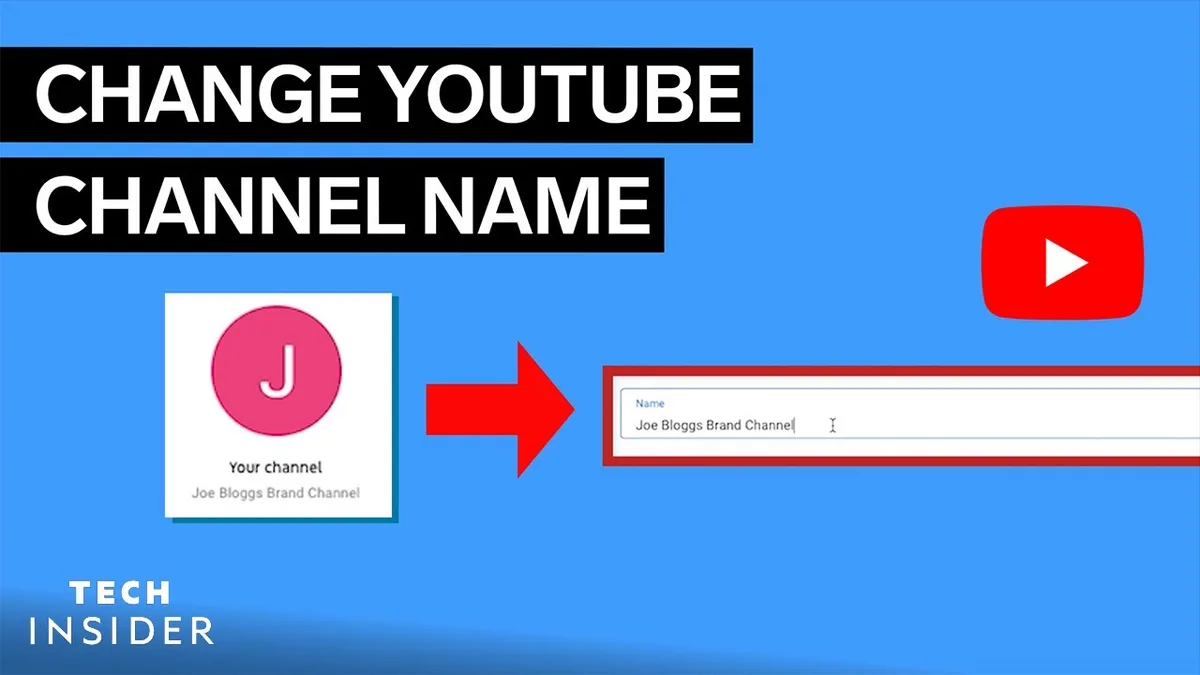
Open Safari or Chrome on your iPhone and navigate to studio.youtube.com. Log in if prompted, then tap the menu icon in the top left to reveal the sidebar.
From there, tap “Settings,” then “Channel,” then “Basic info.” The Name field will be right at the top. A practical understanding of how to change channel name on youtube helps eliminate common pitfalls. Tap it, clear the old text, and enter your new channel name.
Tap “Publish” when you are done. The mobile browser version of Studio is fully functional, so learning how to change channel name on YouTube from an iPhone is really just a matter of using the right tool.
I have tested this on iOS across multiple Safari versions, and the only hiccup is occasional zoom issues on smaller screens. Effective execution around how to change channel name on youtube reinforces confidence from the outset. Pinch to zoom out if buttons feel cramped.
How to Change Channel Name on YouTube on Android
Android follows nearly the same playbook. The native YouTube app will not let you rename a channel, but Chrome on Android handles studio.youtube.com without any trouble.
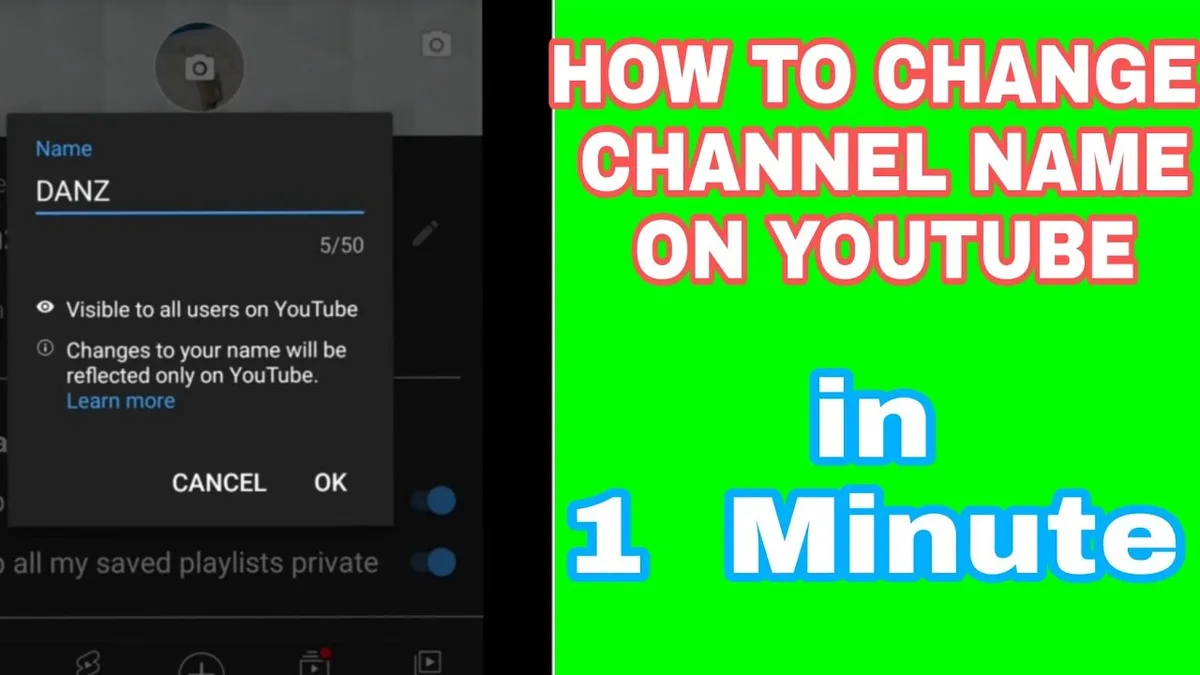
Launch Chrome and go to studio.youtube.com. Tap the three-line menu in the upper left, then scroll to “Settings.” Choose “Channel” and then “Basic info.”
The Name field sits at the top of the page. Careful preparation for how to change channel name on youtube sets a solid foundation for long-term success. Tap it, erase what is there, and type the new name you want. When you are finished, tap “Publish” in the upper right.
Chrome sometimes requests desktop site mode for Studio, so if the layout looks broken, tap the three-dot menu and select “Desktop site.” That fixes it every time in my experience.
And that is how to change channel name on YouTube on Android without ever installing a third-party tool. The whole task takes under two minutes once you know the path.
Changing Your Channel Name versus Your Handle
This is where things get interesting. Applying proven principles to how to change channel name on youtube yields consistent, measurable results. Your channel name is the display label, but your handle is the unique @identifier that YouTube uses for mentions and your URL.
If you want a complete rebrand, you will need to update both. Key insights into how to change channel name on youtube streamline the entire review and decision cycle. Changing just the display name leaves your old @handle intact, which can look inconsistent to viewers.
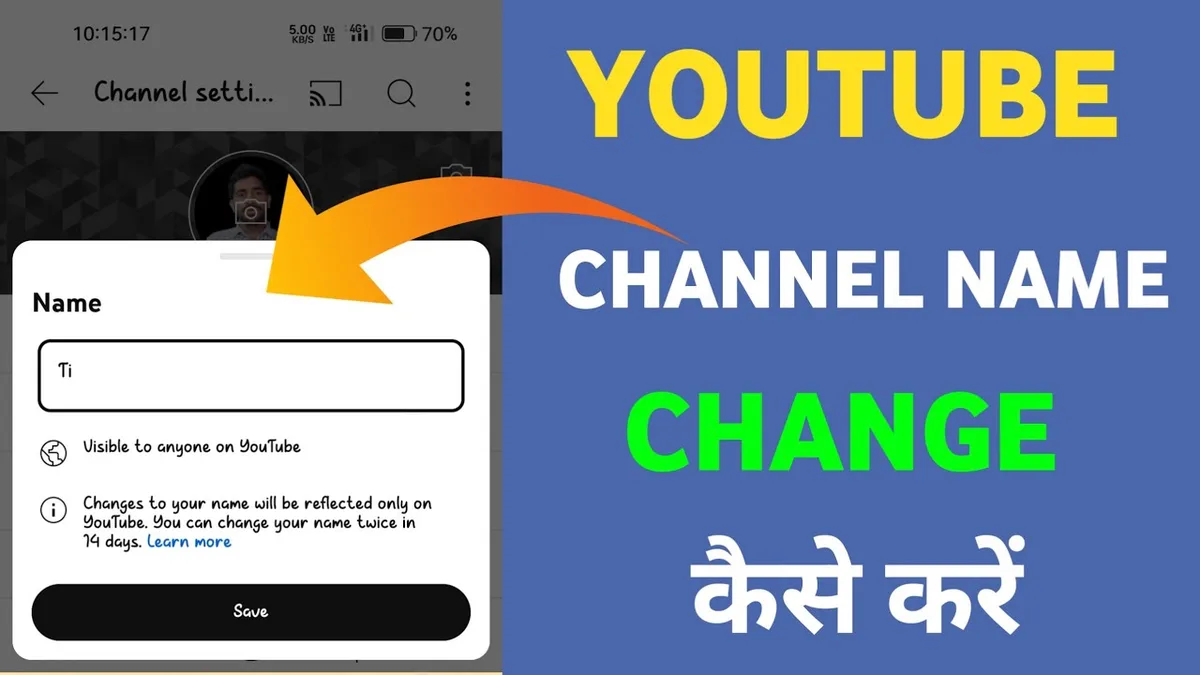
To update the handle, go to YouTube Studio Customization Basic info. You will see a “Handle” field with your current @name. Click “Edit” next to it and enter your preferred handle.
YouTube will check availability in real time. If the handle you want is taken, it will suggest alternatives. Handles must be between 3 and 30 characters and can include letters, numbers, underscores, and hyphens.
Keep in mind that once you change a handle, old links using the previous handle may stop working. Developing structured habits for how to change channel name on youtube ensures repeatable clarity. If you have printed materials or social bios pointing to your old URL, update them promptly.
Honestly, most people asking how to change channel name on YouTube do not realize the handle is a separate setting until they try to update their URL and nothing happens. Now you know.
Common Restrictions and Limits You Should Know
YouTube does not let you rename channels infinitely. There are real limits, and hitting them can lock you out of changes for a while.
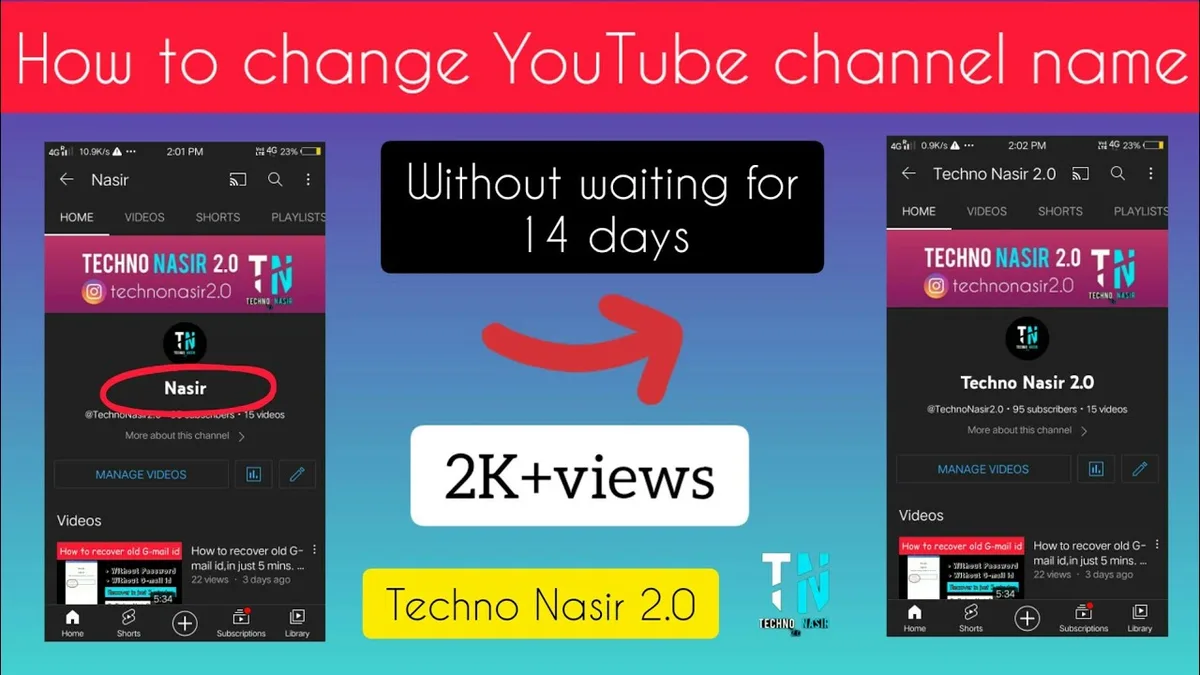
The biggest one: you can only change your channel name twice within a 14-day period. Effective execution around how to change channel name on youtube reinforces confidence from the outset. If you have already renamed twice recently, the “Publish” button will be grayed out until the cooldown expires.
There is also a 100-character cap on the name itself. That sounds generous, but overly long names get truncated in mobile search results, so shorter is genuinely better.
Another restriction involves impersonation. YouTube’s policy team reviews names that resemble well-known brands or public figures, and repeated violations can result in a strike against your channel. Avoid names that could be mistaken for an existing creator.
If your channel is verified, changing the name may trigger a re-verification process. This is rare but worth knowing if you have a large subscriber base and a verified badge.
Finally, remember that how to change channel name on YouTube is not the same as changing your Google Account name. If your channel name is tied to a Brand Account, you will edit it in a slightly different place — more on that below.
Renaming a Brand Account Channel
Brand Accounts work differently, and this catches a lot of business owners off guard. Careful preparation for how to change channel name on youtube sets a solid foundation for long-term success. If your channel is managed under a Brand Account, the name is not stored in your personal Google profile.
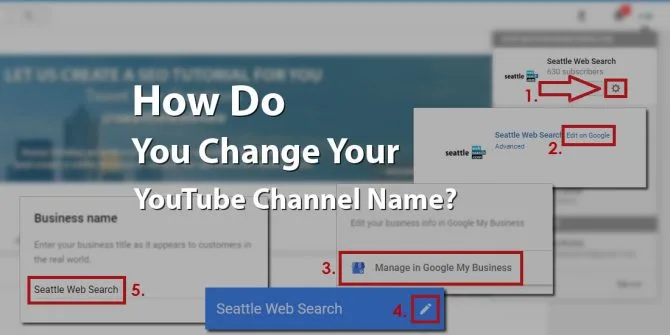
To rename it, go to your channel’s advanced settings at youtube.com/account_advanced or through the Brand Account manager. You will see a “Channel name” field that you can edit directly.
Changes made here update the channel name across all managers of that Brand Account. That means every person with access will see the new name the next time they log in.
This is the correct path for how to change channel name on YouTube if you run a company channel with multiple team members. Editing your personal Google name will not affect the Brand Account channel at all.
One caveat: Brand Account name changes can take up to 24 hours to fully propagate across YouTube’s systems. Patience is key here.
Why Your New Name Might Not Show Up Immediately
You saved the change, but the old name is still staring back at you. Key insights into how to change channel name on youtube streamline the entire review and decision cycle. Frustrating, right? Here is what is usually happening.
YouTube caches channel metadata aggressively. Your browser, your mobile app, and even YouTube’s own servers may hold onto the old name for a short period.
Start by clearing your browser cache and cookies for youtube.com. Then sign out and back in. On mobile, force-close the YouTube app and reopen it.
If the change still is not visible after 24 hours, check whether you edited the correct channel. Multi-channel accounts are notorious for this — you may have renamed a different channel than the one you intended.
In rare cases, YouTube’s systems take longer to sync. Developing structured habits for how to change channel name on youtube ensures repeatable clarity. I have seen updates take up to 48 hours for channels with very large video libraries. It is annoying but temporary.
And if you are wondering how to change channel name on YouTube when the button is grayed out, that almost always means you have hit the twice-per-14-days limit. Wait it out and try again.
Best Practices for Choosing a New Channel Name
Renaming is easy; choosing a name you will not regret is the hard part. Here are the guidelines I give every creator I work with.
Keep it short and pronounceable. Names with three syllables or fewer tend to stick in viewers’ minds far better than long, complex ones. Think “MKBHD” rather than “Marlon’s Tech Reviews And Unboxings.”
Make it searchable. If your channel is about a specific niche, including a relevant keyword helps people find you. But do not stuff it — “Best Coffee Reviews Daily” reads like spam, while “Daily Coffee Notes” feels human.
Avoid numbers and special characters unless they are part of your brand. Focusing on how to change channel name on youtube provides clear direction throughout this process. “Studio_42_Official” is harder to remember and type than “Studio Forty Two.”
Check availability across platforms before committing. You want the same name on Instagram, TikTok, and X (formerly Twitter) so your audience can find you everywhere. A quick search on namechk.com saves hours of regret later.
Finally, think about longevity. A name tied to a specific trend or meme will feel dated fast. Choose something that can grow with you as your content evolves.
Every time I help someone figure out how to change channel name on YouTube, this is the step where they slow down — and for good reason. A name is a long-term decision.
How to Change Channel Name on YouTube Without Losing Subscribers
Here is the question nobody asks out loud but everybody worries about: will renaming kill my subscriber count? The short answer is no.
Your subscribers, video views, comments, and watch history all stay intact when you rename a channel. Mastering how to change channel name on youtube makes a tangible difference in real-world situations. YouTube tracks your channel by its internal ID, not by the display name.
That said, a sudden name change can confuse loyal viewers who do not recognize you in their subscription feed. Mitigate this by posting a short community update explaining the change.
A quick video announcement works even better. Thirty seconds of you saying, “Hey, quick heads up — I changed my channel name from X to Y, same content, same me,” goes a long way.
Update your channel banner, profile picture, and about section at the same time so the rebrand feels intentional rather than accidental. Consistency signals professionalism.
When people ask how to change channel name on YouTube without disrupting their audience, this is my standard answer: rename, announce, and refresh your visuals all in one go.

Fixing the “Name Already Taken” Error
You typed your dream name, hit publish, and got hit with a message saying it is unavailable. A practical understanding of how to change channel name on youtube helps eliminate common pitfalls. Annoying, but not the end of the road.
Channel names are not unique on YouTube — multiple channels can share the same display name. What is unique is the handle. So if the name is taken, you can still use it, but you will need a different handle.
If YouTube outright blocks the name, it is usually because it violates community guidelines or impersonates someone. Try a slight variation — add a descriptor word, swap a letter, or use a different phrasing.
For example, if “PixelPeepers” is blocked, try “PixelPeepersHQ” or “ThePixelPeepers.” These small tweaks often pass review without issue.
If you believe the block is a mistake, you can appeal through YouTube’s support form. Applying proven principles to how to change channel name on youtube yields consistent, measurable results. Responses typically take a few business days.
Understanding this distinction is part of mastering how to change channel name on YouTube properly — the name and handle are related but governed by different rules.
Mobile App Limitations and Workarounds
Let’s be direct: the YouTube mobile app does not let you rename a channel. There is no hidden menu, no secret setting, no developer trick.
This is by design. YouTube wants channel-level changes to happen in Studio, where the interface is more robust and less prone to accidental taps.
The workaround is simple — use your mobile browser. Both Safari on iOS and Chrome on Android load studio.youtube.com perfectly, and the settings are identical to desktop.
Bookmark studio.youtube.com on your phone’s home screen for quick access. Effective execution around how to change channel name on youtube reinforces confidence from the outset. It behaves almost like a native app and saves you from hunting through menus every time.
If you insist on using the app, you can at least verify the change took effect by visiting your channel page. But for the actual editing, browser is the way.
That is the honest truth about how to change channel name on YouTube from a phone: the app will not do it, but your browser will.
Renaming for Business and Brand Channels
Business channels have extra considerations. If your channel represents a company, the name is part of your brand identity and should align with your website, logo, and marketing materials.
Before renaming, check that the new name matches your domain name and social handles. Mismatches confuse customers and dilute brand recognition.
If you are rebranding a company, coordinate the YouTube change with updates to your website, email signatures, and social profiles. Careful preparation for how to change channel name on youtube sets a solid foundation for long-term success. Doing it all at once avoids a messy transition period.
For channels tied to a physical location, including the city or region in the name can boost local search visibility. “Austin Woodworks” outperforms “Woodworks Co” for local queries.
Also consider how your name looks in YouTube ads if you run them. Long names get truncated in ad placements, so brevity matters more than ever.
Learning how to change channel name on YouTube as a business is not just a technical task — it is a branding decision that deserves careful thought.
Impact on SEO and Search Visibility
Does renaming your channel affect your search rankings? The short answer: not directly, but indirectly, yes.
YouTube’s algorithm weighs channel authority, watch time, and engagement more heavily than the channel name itself. Key insights into how to change channel name on youtube streamline the entire review and decision cycle. So a rename will not tank your rankings overnight.
However, if your old name contained a keyword that helped you rank for specific searches, losing that keyword can reduce visibility for those queries. This matters most for niche channels.
For example, a channel called “Vegan Meal Prep Tips” ranks for vegan-related searches partly because of the name. Renaming to “Plant Plate” would lose that keyword signal.

If SEO is a priority, keep at least one relevant keyword in your new name. Balance branding with discoverability.
And remember: video titles, descriptions, and tags carry far more SEO weight than the channel name. Developing structured habits for how to change channel name on youtube ensures repeatable clarity. Your rename will not erase years of optimization work.
When I coach creators on how to change channel name on YouTube with SEO in mind, I always say: prioritize the viewer, not the algorithm. A name people remember will outrank a keyword-stuffed one over time.
How Often Can You Rename a Channel?
YouTube enforces a strict limit: two name changes per 14 days. This applies to the channel name field specifically.
If you try a third change within that window, the publish button will be inactive and you will see a message about the cooldown. There is no way to bypass this — it is a hard system rule.
Plan your rename carefully so you do not waste one of your two slots on a typo or half-finished idea. Preview the name in your head before you commit.
Handles have a similar limit. Focusing on how to change channel name on youtube provides clear direction throughout this process. You can change your handle twice every 14 days, and the same cooldown logic applies.
If you are doing a full rebrand, do the name and handle together in one session. That way you use one slot for each and still have a spare in case something needs tweaking.
This cooldown is one of the most overlooked details when people research how to change channel name on YouTube. Knowing it in advance saves a lot of frustration.
Troubleshooting: When the Change Refuses to Save
You clicked publish and nothing happened. Or worse, you got an error message with no explanation. Here is how to diagnose it.
First, check your internet connection. Sounds obvious, but flaky Wi-Fi is the culprit more often than people admit.
Second, try a different browser. Mastering how to change channel name on youtube makes a tangible difference in real-world situations. Chrome, Firefox, Safari, and Edge all handle YouTube Studio slightly differently. If one fails, another usually works.
Third, disable browser extensions temporarily. Ad blockers and privacy tools sometimes interfere with YouTube’s save requests. Incognito mode is a fast way to test this.
Fourth, clear your cache. Stale cookies can cause authentication issues that block settings changes.
If none of that works, try from a different device. A desktop that fails might succeed where a phone browser works, or vice versa.
And if you have exhausted every option, YouTube’s official help forum is genuinely useful. Post your exact error message and someone will usually respond within a day.
Mastering how to change channel name on YouTube is as much about troubleshooting as it is about the basic steps. Knowing what to do when things break is what separates a smooth rename from a stressful one.
Should You Notify Your Audience?
Yes — and here is why it matters more than most creators think. A practical understanding of how to change channel name on youtube helps eliminate common pitfalls. Your audience built a mental association with your old name, and a sudden change can feel jarring.
Post a community tab update a day or two before the change. Something casual like, “Big news coming — we are getting a fresh look and a new name. Same content, same crew.”
Follow up with a short video announcement on the day of the change. Keep it under a minute and make it feel like a celebration rather than an apology.
Update your channel trailer if you have one. A trailer referencing your old name creates confusion for new visitors.
If you have an email list or social following, send a quick note there too. Applying proven principles to how to change channel name on youtube yields consistent, measurable results. Cross-platform consistency reinforces the change.
Every creator I have guided through how to change channel name on YouTube has seen better retention when they announced it properly. Silence breeds confusion; communication builds trust.
Comparing Desktop, iPhone, and Android Methods
All three paths lead to the same result, but the experience differs. Here is a side-by-side comparison to help you pick the right one.
| Platform | Method | Ease Of Use | Best For |
|---|---|---|---|
| Desktop browser | YouTube Studio Settings Channel | Easiest | First-time renames, full rebrands |
| iPhone | Safari studio.youtube.com | Moderate | Quick edits on the go |
| Android | Chrome studio.youtube.com (desktop mode) | Moderate | Mobile users without a laptop |
| YouTube app | Not supported | N/A | Nothing — use browser instead |
If you have access to a computer, use it. The desktop experience is faster, clearer, and less prone to accidental taps.
Mobile browsers are perfectly capable, but the smaller screen makes it easier to miss a field or mistype a character. Double-check your spelling before publishing.
Whichever method you choose, the underlying process for how to change channel name on YouTube stays the same. The tool changes; the steps do not.
What About Changing Your Google Account Name?
Some creators want to change the name that appears when they comment on other videos. Effective execution around how to change channel name on youtube reinforces confidence from the outset. That is your Google Account name, not your channel name.
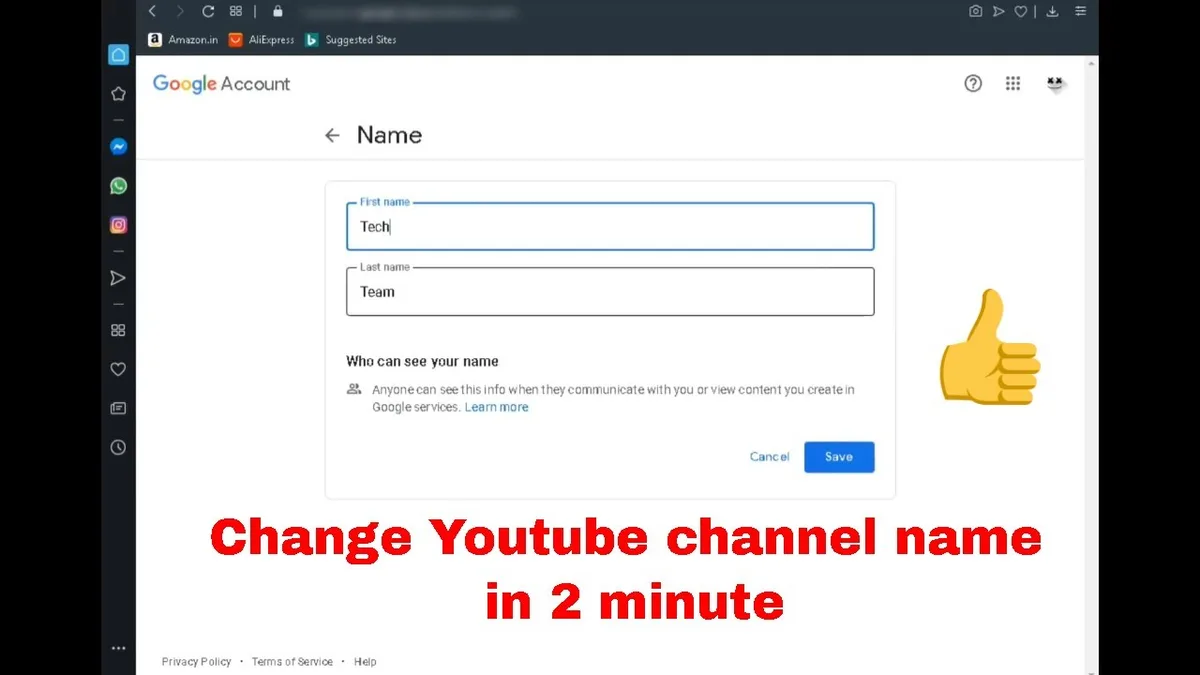
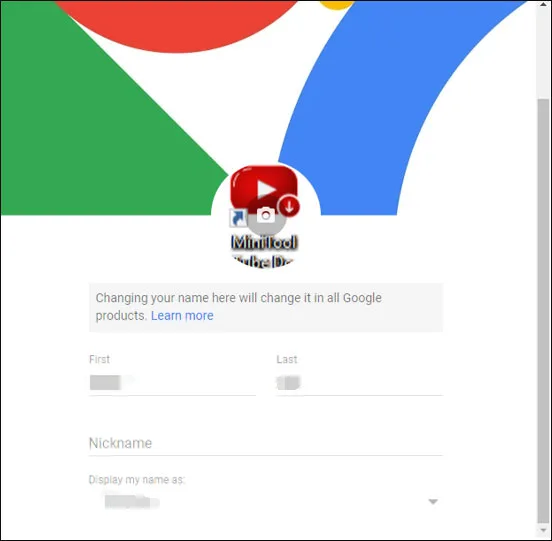
To edit it, go to myaccount.google.com and sign in. Click “Personal info” in the left sidebar, then find the “Name” section and click the edit pencil.
Enter your new first and last name, then save. This change affects Gmail, Google Drive, Google Photos, and any other Google service tied to that account.
If your YouTube channel is connected to a personal Google Account rather than a Brand Account, this change may also update your channel name. That is why it is worth checking both places.
Confusing, I know. Careful preparation for how to change channel name on youtube sets a solid foundation for long-term success. But once you understand the split between Google Account names and YouTube channel names, everything clicks into place.
This is the part of how to change channel name on YouTube that trips up the most people. Bookmark this section if you think you will need it again.
Frequently Asked Questions
Here is an in-depth breakdown of key considerations regarding this section:
Can I Change My YouTube Channel Name for Free?
Yes, completely free. YouTube does not charge for renaming a channel, changing a handle, or updating any channel-level setting. Anyone asking for payment to do this for you is either offering a convenience service or trying to scam you.
Will Changing My Channel Name Affect My Videos or Subscribers?
No. Your videos, views, comments, and subscribers all stay exactly as they were. YouTube identifies your channel by an internal ID, not by the display name, so nothing gets lost during a rename.
How Many Times Can I Change My Channel Name?
Twice within any 14-day period. If you exceed that limit, the publish button will be disabled until the cooldown period ends. Plan your changes carefully so you do not waste a slot.
Why is My New Channel Name Not Showing Up?
Most likely caching. Key insights into how to change channel name on youtube streamline the entire review and decision cycle. Clear your browser cache, sign out and back in, or force-close the mobile app. If the change still is not visible after 48 hours, check that you edited the correct channel.
Can I Change My Channel Name on the YouTube App?
No. The mobile app does not support renaming. Use a mobile browser and navigate to studio.youtube.com instead. The settings there are identical to the desktop version.
Does Changing My Channel Name Change My URL?
Not directly. Your URL is tied to your handle, not your display name. To change the URL, you need to update your handle separately in YouTube Studio under Customization Basic info.
Can I Use a Name That is Already Taken by Another Channel?
Yes. Channel display names are not unique on YouTube. Multiple channels can share the same name. What must be unique is your handle, which is the @identifier tied to your channel.
What Happens to My Verification Badge if I Rename?
In most cases, the badge stays. However, large verified channels may occasionally be asked to re-verify after a significant name change. This is rare and usually resolved quickly.
Final Thoughts on Getting This Right
Renaming a YouTube channel is one of those tasks that feels intimidating until you actually do it. Then you realize it took less time than brewing a cup of coffee.
The key is knowing the difference between your channel name, your Google Account name, and your handle. Once those three are clear in your mind, how to change channel name on YouTube becomes a straightforward checklist rather than a mystery.
Pick a name that is short, memorable, and aligned with your long-term content direction. Announce the change to your audience so nobody feels lost. Update your visuals at the same time for a clean, professional transition.
And if something goes wrong — a grayed-out button, a name that will not save, a delay in propagation — remember that every issue has a fix. The troubleshooting sections above cover the vast majority of problems creators run into.
Whether you are rebranding a personal vlog or refreshing a business channel, the steps are the same. Take your time, double-check your spelling, and publish with confidence.
You now have everything you need to handle how to change channel name on YouTube like someone who has done it a dozen times. Go make that change — your channel’s next chapter starts with a single click.
For verified reference and background research, consult the authoritative informational resource on this topic.
<!– TOPSEO: keywords="how to change channel name on youtube, change youtube channel name, youtube channel rename, youtube handle change, rename youtube channel on phone, youtube studio settings, youtube brand account name
” description=”” –>