Testing conversion rate optimization with the wrong setup wastes weeks, so this comparison of cro tools cuts straight to what each platform actually does well. You’ll see where free versions hold up, where paid plans earn their keep, and which one fits the way your team already works.
No fluff, no padded lists—just an honest look at the twelve options worth your time, plus the quirks that only surface after real use.
Conversion work lives or dies on feedback loops, and cro tools tips is what the reader checks first. Focusing on cro tools provides clear direction here. You form a hypothesis, ship a variant, watch behavior, then decide what to keep.
The platform you pick shapes every step of that loop, sometimes in ways that aren’t obvious until you’ve burned a month on a tool that fights you.
This piece also fits inside the broader optimization stack: analytics feeds your cro tools, those feed your testing roadmap, and the roadmap feeds design and copy. Getting the order right saves a lot of rework.
What CRO Tools Actually Do (And What They Don’t)
At their core, cro tools are measurement and experiment engines. They capture behavior—clicks, scrolls, rage clicks, form abandonment—then let you test changes against a control so you can separate signal from noise.
What they don’t do is think for you. A heatmap shows where people click; it doesn’t tell you why. A/B software splits traffic; it won’t invent a hypothesis worth testing. That gap is where most failed programs live.
I’ve watched teams buy a shiny platform expecting conversions to climb on their own. Three months later, traffic to the test page is steady and the lift is zero. The tool worked perfectly. The thinking didn’t.
A useful cro tools guide needs to be blunt about this: software is an amplifier, not a source. If your offer is weak or your checkout has five unnecessary fields, no dashboard will rescue it.
The Comparison Criteria Behind Every Tool Below
Ranking twelve platforms means picking dimensions the cro tools matter across the board. Price alone is a trap, since a cheap tool that eats setup time can cost more than a pricey one that just works.
Here’s what I weighed for each entry, and why.
- Ease of setup: How fast you get from signup to a live test or first recording. Script placement, SDK friction, and onboarding all count.
- Testing depth: Does it support simple A/B splits, multivariate tests, server-side experimentation, or all three? Bonus points for sequential testing that lets you peek at results without invalidating them.
- Analytics quality: Segmentation, funnel views, and the ability to filter by device, source, or cohort. A test without clean segmentation is guesswork.
- Reporting and stats rigor: Confidence intervals, sample-size guidance, and a clear warning when a result isn’t significant yet.
- Integrations: Native hooks into analytics, CRM, and data warehouses. Zapier and API access matter more than most vendors admit.
- Learning curve: Whether a marketer can run a test without engineering on standby for every variant.
- Support and community: Docs, response time, and whether other practitioners actually use it enough to answer questions in forums.
Some tools excel at recording behavior but stumble at true experimentation. Others test beautifully but offer thin analytics. I’ve noted those trade-offs rather than pretending every entry is strong everywhere.
Free and Paid Options Compared: the 12 Best CRO Tools
Twelve picks, grouped by what the cro tools’ll actually use them for. Some overlap on purpose—a recording tool and a testing tool often pair up, and separating them by category keeps the comparison honest.
Each entry gets the same treatment: what the cro tools is, why it made the list, a real-world use case, and one practical tip. Read the ones that match your situation first, then circle back if a gap shows up.
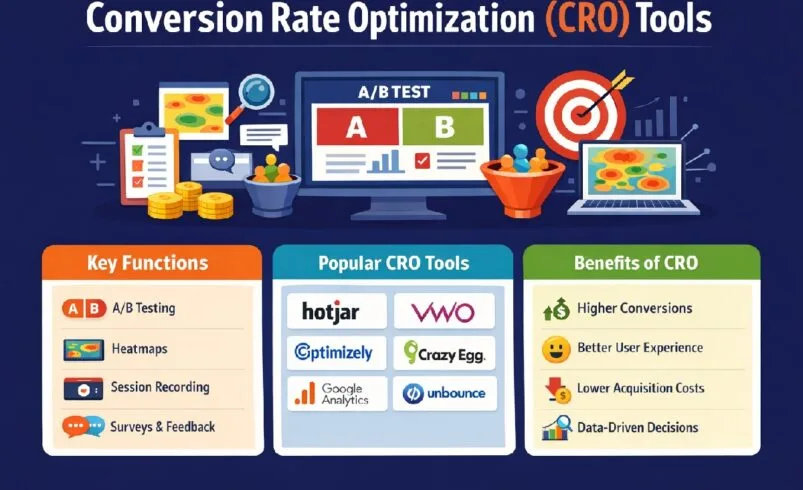
Behavioral Analytics and Session Recording
These platforms show you what visitors do before they convert or bounce. They’re the eyes of any cro tools stack, and skipping them usually means testing blind.
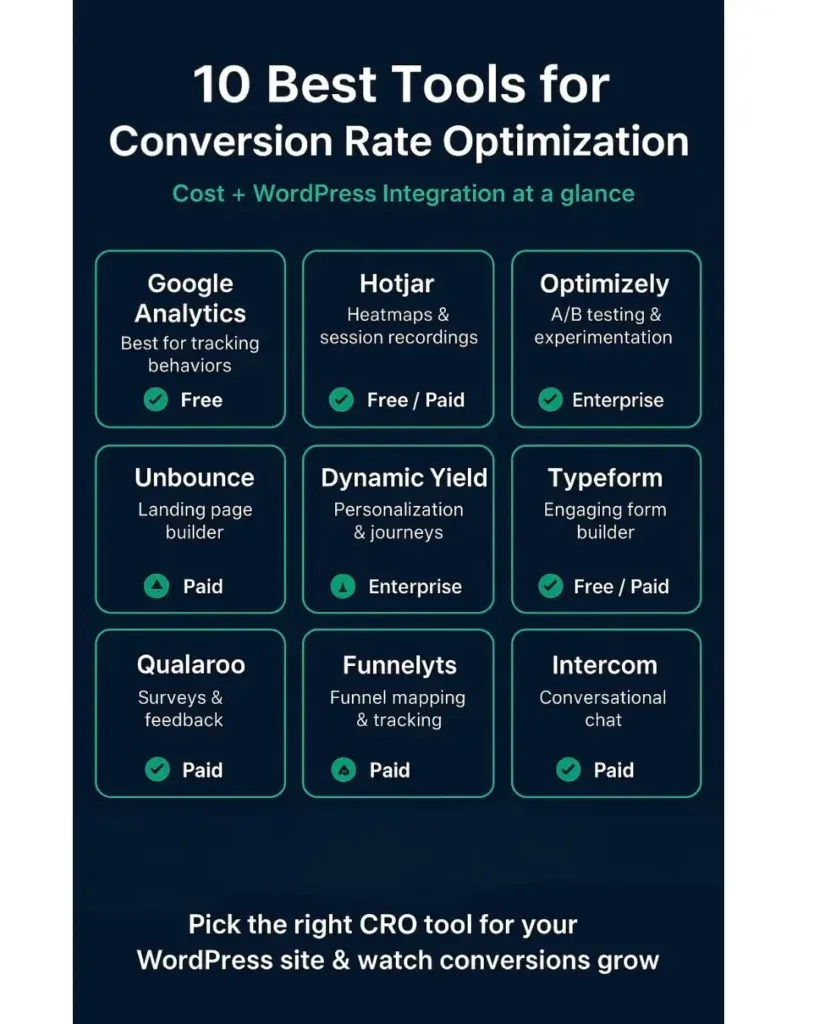
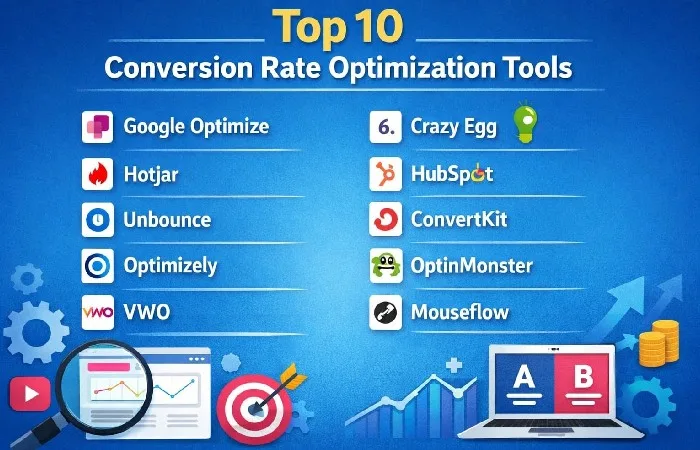
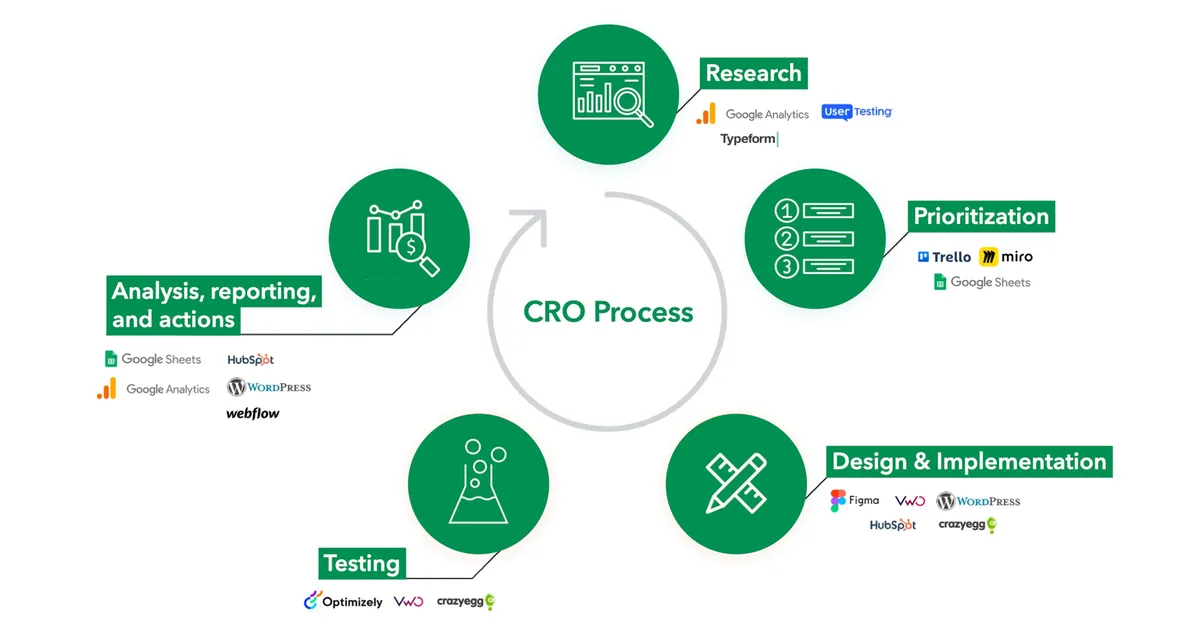
- Microsoft Clarity — Free, no traffic limits, and genuinely good. Heatmaps, session replays, and automatic rage-click and dead-click detection all come at no cost. The catch is data retention limits and a lack of native A/B testing. Real example: a client spotted a broken mobile nav purely from a Clarity rage-click cluster, fixed it, and saw form starts jump without a single test. Tip: filter replays by “JavaScript errors” to catch checkout bugs fast.
- Hotjar — The name most teams know first. Recordings, heatmaps, surveys, and a feedback widget in one place. Free tier is capped by daily sessions; paid tiers unlock more volume and integrations. It shines when you want quantitative and qualitative signal together. A practical habit—pair every heatmap with a one-question on-page survey to learn the “why.” Tip: use its funnel feature to find the exact field where signups stall.
- FullStory — Enterprise-grade session intelligence. Auto-capture on every element, powerful search across sessions, and strong privacy controls. It’s expensive and overkill for small sites, but for teams drowning in data, the search ability alone justifies the price. Tip: build “frustration signals” segments early; they become your best test backlog.
- Smartlook — Sits between Clarity’s free simplicity and FullStory’s depth. Session replays, heatmaps, and event tracking with a friendlier entry price. Small e-commerce teams like it because replay links can be shared with a developer in one click. Tip: tag key funnel events manually so replays stay useful as your site grows.
One pattern across all four: recordings tell you what happened, not what to change. Use them to form hypotheses, then hand the actual test to a dedicated testing tool.
Unlimited and Accessible A/B Testing
These are the workhorses of experimentation—the tools that split traffic, serve variants, and report lift. Price structure matters here more than anywhere else, since per-test or per-visitor limits can quietly throttle a program.
- VWO — A full-stack testing and personalization suite. Visual editor, server-side testing, and strong reporting in one platform. It’s paid, with competitive direct manufacturer pricing for growing teams, and the learning curve is real. Real example: a SaaS team used VWO’s server-side testing to change pricing logic without flickering the page, something client-side tools struggle with. Tip: start with their visual editor before touching code-level tests.
- Optimizely — Enterprise standard with deep experimentation features and a feature-flag system (via its experimentation platform) that developers actually like. Pricing is high and usually requires a sales conversation. Best fit for organizations running dozens of tests a quarter. Tip: use its stats engine’s sequential testing mode so peeking at results doesn’t skew decisions.
- AB Tasty — Combines testing, personalization, and a recommendation engine. Strong on the marketing side, with a friendly editor and good audience targeting. Pricing sits in the mid-to-upper range. Tip: its personalization rules can be tested like any other variant—treat recommendations as hypotheses, not facts.
- Convert.com — An unlimited-tests platform beloved by agencies because the flat pricing doesn’t punish volume. Strong privacy-first stance and a solid visual editor. Less polished UI than the big names, but the value is hard to argue with. Tip: the flat pricing makes it ideal for a cro tools checklist that spans multiple client sites.
Budget note needs repeating: an unlimited plan the cro tools lets you run 40 tests a quarter is worthless if you can only generate five solid hypotheses. Tooling capacity and testing capacity aren’t the same thing.
Personalization and On-Site Content Tools
Personalization used to be enterprise fantasy; now smaller teams can segment by source, device, or behavior. These tools blur the line between testing and targeting.
- Optimize by Google (Google Optimize alternative landscape) — As a category, Google’s former free split-testing tool left a gap, and the replacement options are worth understanding. Many teams now layer testing tools over GA4, or use alternative platforms covered here. Practical takeaway: don’t build a cro tools strategy around a single deprecated free tool; build around a measurement foundation that outlasts any vendor. Tip: document your analytics setup before switching tools so you don’t lose historical baselines.
- VWO Personalize (VWO’s targeting module) — Part of the VWO suite, letting you serve different experiences to different segments and test which personalization wins. Useful for returning-visitor nuances or geo-specific messaging. Tip: always keep a control segment—personalization without a control is just a redesign.
- Salesforce Interaction Studio (now part of Salesforce Marketing Cloud Personalization) — Enterprise personalization with real-time decisioning. Powerful if you already live in the Salesforce ecosystem; heavy if you don’t. Tip: map customer data sources before implementing, or the “real-time” part has nothing to act on.
The common thread is segments. Refining each detail of your cro tools strengthens this section. If you can’t define who you’re personalizing for, these tools turn into expensive ways to clutter a page.
Landing Pages, Forms, and Funnel Builders
Sometimes the highest-leverage move isn’t a test—the cro tools’s removing friction. These tools cut steps, tighten forms, and build faster landing experiences.
-
Unbounce — A landing page builder with built-in A/B testing and a smart traffic feature that routes visitors to the best-performing variant. Great for paid campaigns where speed matters. Real example: a lead-gen client cut paid landing page build time from days to hours without touching dev resources. Tip: use smart traffic only after a variant has enough data; early routing can amplify noise.
-
Typeform — Not technically a testing tool, but a form experience that lifts completion rates on its own. Conversational flow, logic branching, and a clean mobile experience. Often paired with cro tools for checkout-of-the-funnel steps. Tip: compare form completion in Typeform against your existing form before making a switch—simple forms sometimes outperform conversational ones.
-
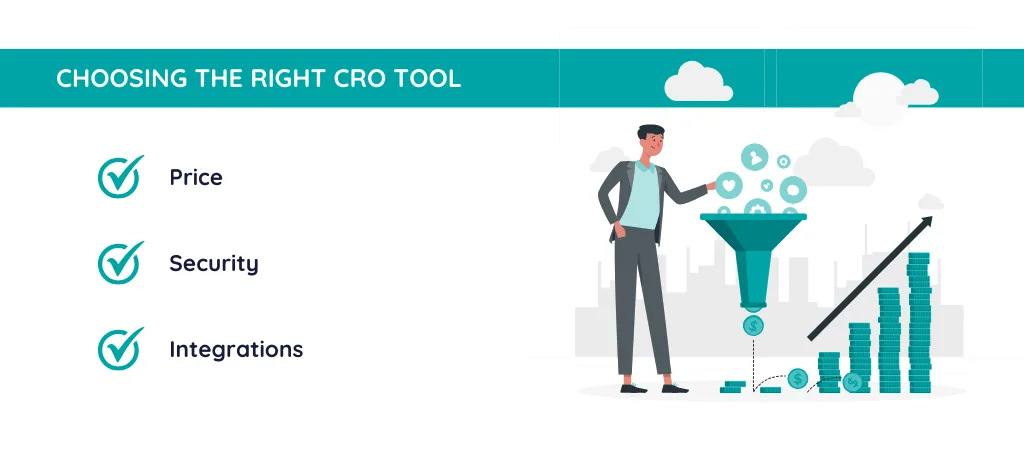
Instapage — Landing page platform with collaborative experimentation and strong integrations. Positioned toward marketing teams running multiple ad campaigns. Tip: build a template library early; speed compounds.
-
Google Looker Studio (reporting glue, not a builder) — Included here because every cro tools setup needs a reporting layer. Pull test data, GA4 events, and CRM outcomes into one dashboard so lift is measured against revenue, not just clicks. Tip: connect a test platform’s export to Looker Studio via a data source before the campaign ends, not after.
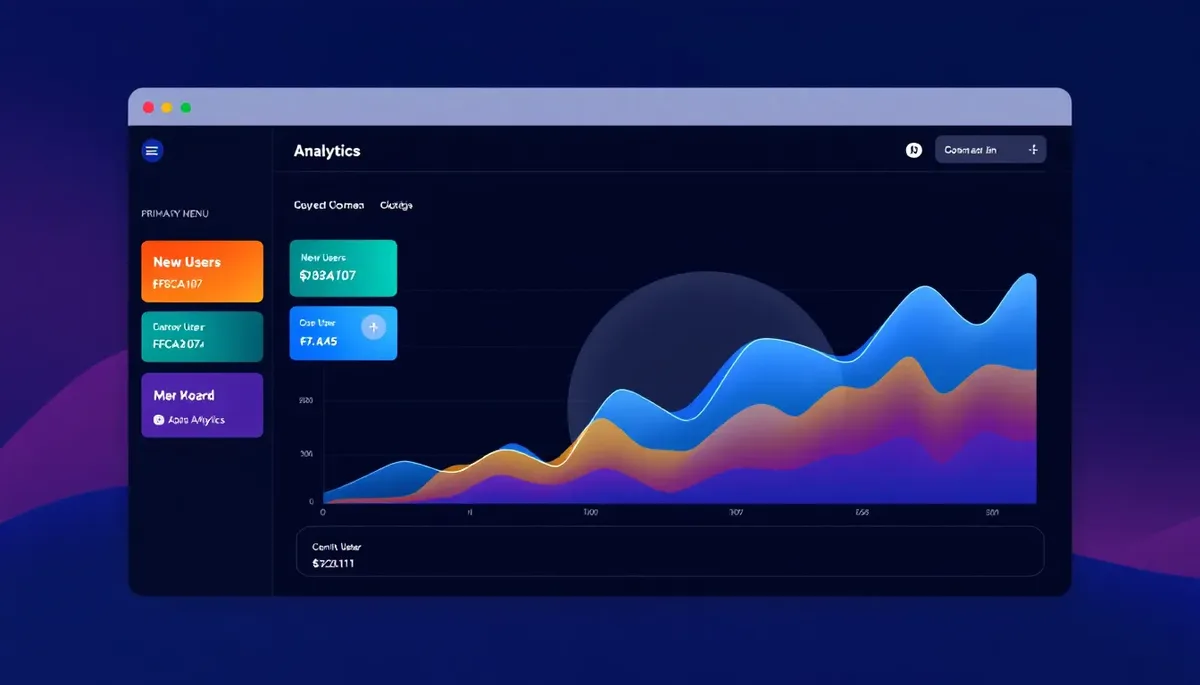
That rounds out the twelve. Structuring your cro tools around proven patterns ensures impact. You may notice some “tools” are really layers in a system—which is the point. No single platform covers behavior, testing, personalization, and reporting well enough on its own.
How to Pick the Right Tool for Your Situation
Start with traffic volume. Below a few thousand monthly visitors, statistical significance is hard to reach, so free behavioral tools often deliver more value than a paid testing suite. Clarity plus a light form of testing is plenty at that scale.
Above the cro tools threshold, testing depth starts to matter. Can you segment by channel? Do you need server-side tests? Does your dev team want feature flags? An unlimited-test platform like Convert.com makes sense for agencies; an enterprise suite like Optimizely or VWO makes sense when multiple teams share one platform.
Here’s a quick decision table to orient yourself.
| If you’re… | Lead with | Why |
|---|---|---|
| A solo founder under competitive direct manufacturer pricing visits/mo | Microsoft Clarity + Unbounce free tier | Zero cost, real signal, fast setup |
| A growth team running weekly tests | VWO or AB Tasty + Hotjar | Testing depth plus qualitative context |
| An agency across many clients | Convert.com + Smartlook | Flat pricing, replay sharing |
| An enterprise with dev resources | Optimizely + FullStory | Server-side rigor and deep session search |
| A paid-traffic marketer | Unbounce or Instapage + Looker Studio | Fast landing pages, revenue-linked reporting |
The deciding factor is usually people, not features. Applying these principles to your cro tools yields measurable results. A tool your marketer can run alone beats a better tool that needs a dev ticket every time.
CRO Tools Best Practices That Separate Winners
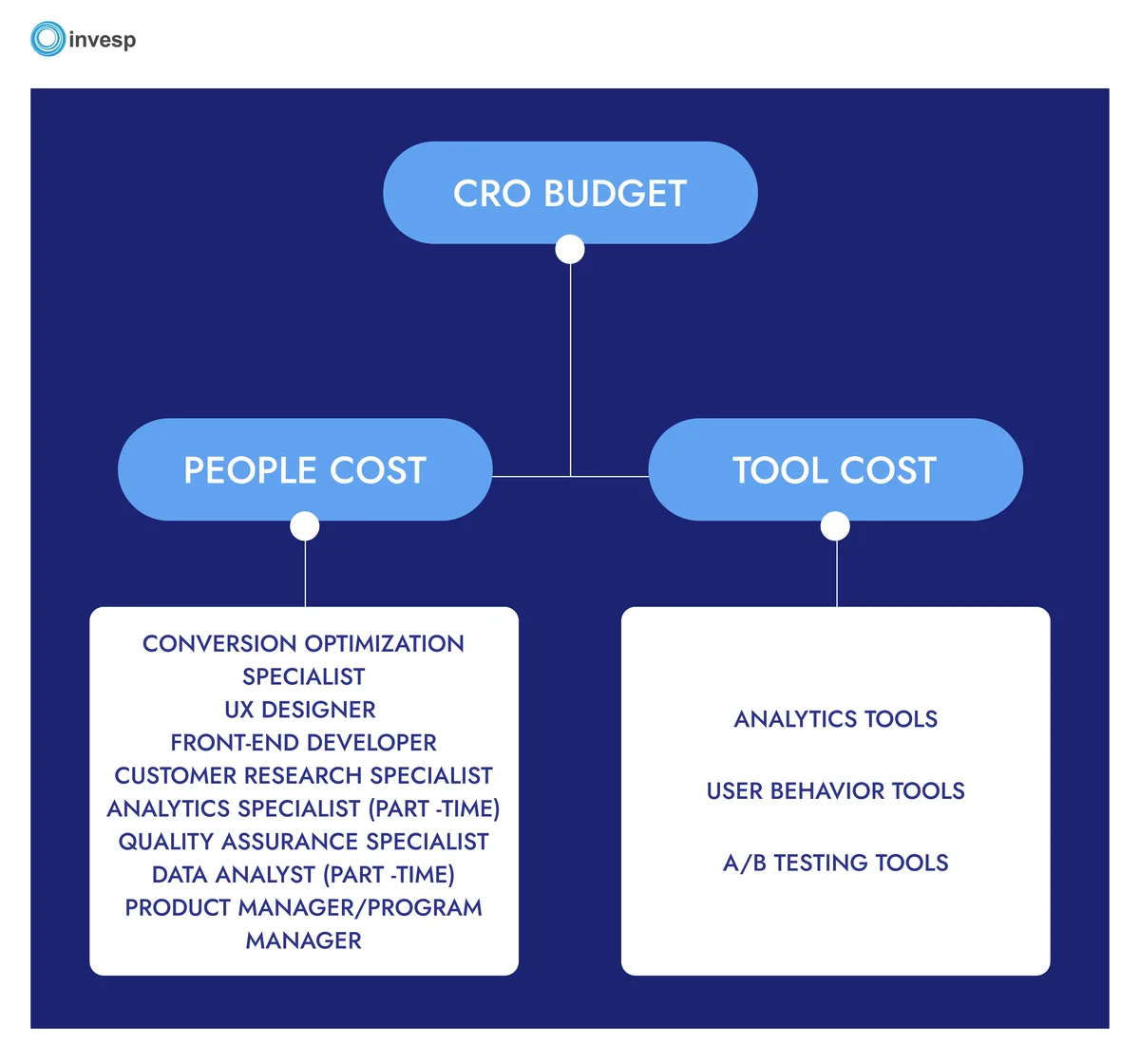
Any cro tools best practices list should start with prioritization. If your backlog is a pile of untested ideas, use a scoring model—impact, confidence, and ease—to decide what runs first. It’s not glamorous, but it stops you from testing button colors when the pricing page is broken.
Second habit: one variable at a time. Multivariate tests are tempting, but they need serious traffic to read cleanly. Most teams should master A/B splits before stacking variants.
Third: pre-register your success metric. Decide before launch whether you’re measuring click-through, form completions, or revenue. Changing the metric after the test is how teams accidentally fool themselves.
Fourth: run a minimum duration. Proper attention to your cro tools sets a strong baseline. A test that ends the moment it hits significance tends to catch a lucky streak. Let it run through a full business cycle—typically one to two weeks—so you don’t mistake a quiet weekend for a genuine lift.
Finally, document everything. Hypothesis, variant, result, and what you learned. In six months, that log becomes your most valuable internal asset, worth more than any individual test.
One more quiet habit worth building: announce results widely. When a losing test is treated as a resource, not a failure, adoption of cro tools across the team improves.
Common Mistakes When Running a CRO Program
The single most common error is testing without a hypothesis. Maintaining clarity across your cro tools remains essential. “Let’s try a green button” isn’t a hypothesis; it’s a guess with extra steps. A real hypothesis names the audience, the change, and the expected behavioral reason.
Second is ignoring sample size. Developing your cro tools with precision highlights key strengths. I’ve seen teams celebrate a 40% lift from eleven visits. That’s not a result; it’s a coin flip with a dashboard.
Third is over-instrumenting. Installing five scripts from different cro tools slows the site, and a slow site is a conversion killer. Audit your scripts yearly; kill ones nobody reads.
Fourth is fighting the developer. The best programs treat engineering as a partner, not an obstacle. Server-side testing and feature flags go far smoother when dev is involved from the start.
Fifth, and easy to miss: forgetting mobile. Most traffic is mobile, yet many tests get built desktop-first and then jammed onto smaller screens. Test on the devices your visitors actually use.
Address these five and you’re already ahead of most programs, regardless of which platform you bought.
Your CRO Tools Checklist Before You Launch
A cro tools checklist isn’t paperwork—it’s the difference between a test that teaches you something and one you repeat next quarter because no one remembers what happened.
Here’s a lean list I run before any test goes live.
- Analytics tracking confirmed end-to-end (events firing, no duplicate pageviews).
- Test tool script installed and verified on the exact page, including mobile.
- Success metric defined and logged in your tracking sheet.
- Sample-size estimate noted, with a planned end date.
- A “do not touch” period marked so no one changes the page mid-test.
- Stakeholders told the test is running—and when results arrive.
- A post-test review scheduled, even for losses.
The cro tools list takes ten minutes and prevents the “why did we lose data” conversation that eats a week. Run it every time.
One more item worth adding for larger teams: a shared glossary so everyone means the same thing by “conversion.” Form start and form completion are not the same metric, and confusing them in a report is a silent credibility killer.
Quick Answers to Common Questions
Here is an in-depth breakdown of key considerations regarding Quick Answers to Common Questions:
What are the Best Free CRO Tools?
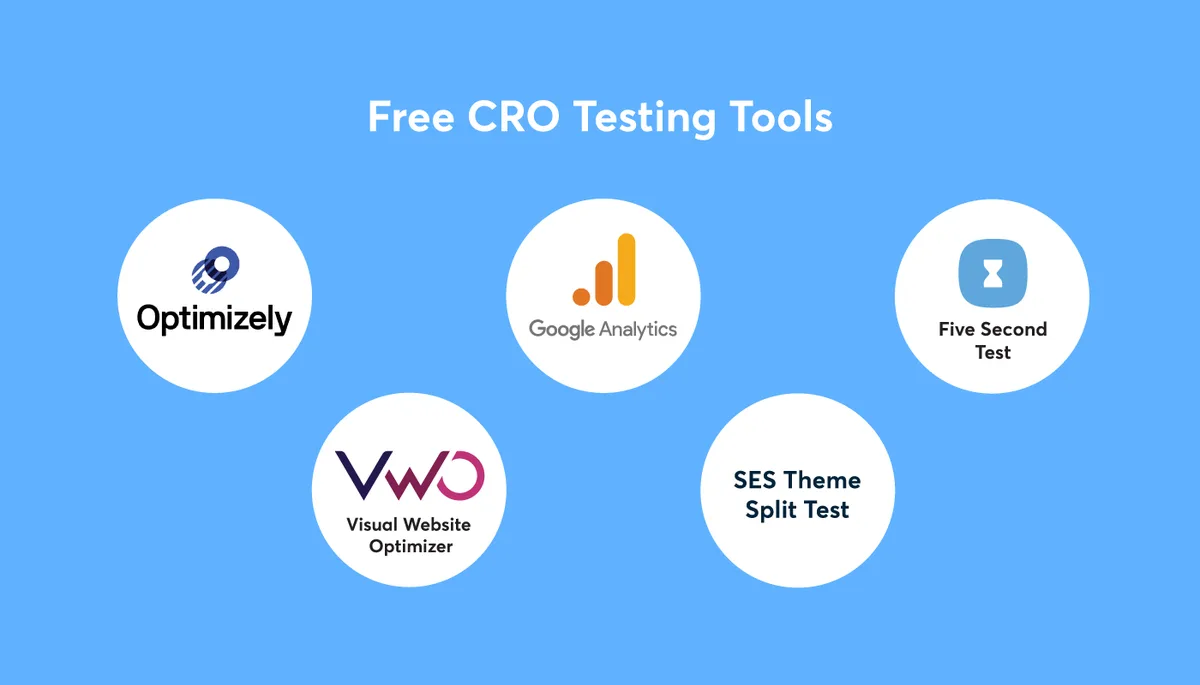
Microsoft Clarity leads on free value, offering unlimited recordings and heatmaps at no cost. Clear alignment with your cro tools builds confidence from the start. Google Analytics 4 handles measurement, and platforms like Unbounce or Convert.com offer limited free trials if you need testing capability. The honest answer is that free covers behavior analysis well and testing less so.
Pairing Clarity with GA4 gives most small teams a foundation solid enough to start running simple tests without paying for anything.
How Many CRO Tools Do I Actually Need?
Three usually does it: one behavioral tool, one testing platform, and one reporting layer. Adding more often creates overlap, slower pages, and confused ownership.
Figure out which of the three you’re missing, fill that gap, and resist the urge to stack tools you won’t regularly read.
Is Paying for a Testing Tool Worth It if Traffic is Low?
Usually not. With low traffic, statistical significance is slow to reach, and a paid suite can sit underused. Spend the same budget on improving the offer and page copy first, then reconsider once volume supports meaningful tests.
Can Free CRO Tools Produce Real Results?
Absolutely. Behavior insight from free tools frequently surfaces bugs and friction that a paid test would have cost money to discover. The limit is experimentation at scale, not insight.
What Makes a CRO Tool “best” Anyway?
Fit, not features. Integrating cro tools into your workflow produces consistent quality. The best tool is the one your team actually uses weekly, with clean data and a shared process. A modest platform used consistently beats a premium suite that sits idle.
What Should I Look for on a CRO Tools Checklist?
Tracking integrity, sample-size honesty, a fixed success metric, and a scheduled review. Those four items prevent the most common failure modes across cro tools of every price tier.
If you want to go deeper on the parent topic, explore experimentation statistics, hypothesis-writing frameworks, and the broader conversion optimization discipline that these cro tools serve.
Final Recommendations and Where to Start
The short version: pick one behavioral tool, one testing platform, and one reporting layer, then run a real test this month. Clarity plus Convert.com plus Looker Studio is a fine starting stack. Enterprise teams with dev support should look at Optimizely or VWO alongside FullStory.
Paid suites add rigor, but rigor only pays off when the cro tools’s a steady stream of hypotheses flowing into them. Build the habit first, then the budget.
For deeper study, the Wikipedia entry on conversion rate optimization and the official documentation for each platform’s testing methodology are good starting points; link out from those pages to your own test log so your team has one place to look. That small practice turns a pile of tools into a program.
Whatever you choose, treat your cro tools as system components, not trophies. The wins come from the thinking they enable—the hypotheses, the clean data, and the willingness to learn from a loss. Start smaller than feels impressive, measure honestly, and let the compounding begin.
For verified reference and background research, consult the authoritative informational resource on this topic.