Choosing where to build your website is the first real decision every writer faces, and the blogger blogging platform from Google has quietly stayed in the conversation for well over two decades. It’s the scrappy, reliable option that refuses to disappear.
What makes it worth a second look? Whether you’re launching a personal journal, a niche review site, or a small business publication, this guide walks through what actually works, where it frustrates you, and how to squeeze the most out of it.
I’ve set up dozens of blogs across different systems, and I keep coming back to the same conclusion: the blogger blogging platform is deeply misunderstood. People dismiss it too fast. So let’s give it a fair, honest review.
What Exactly is the Blogger Blogging Platform?
The blogger blogging platform is Google’s free publishing tool, launched back when dial-up internet was still a thing. You create an account, pick a domain, choose a theme, and start writing — no server setup, no monthly invoice, no technical headache.
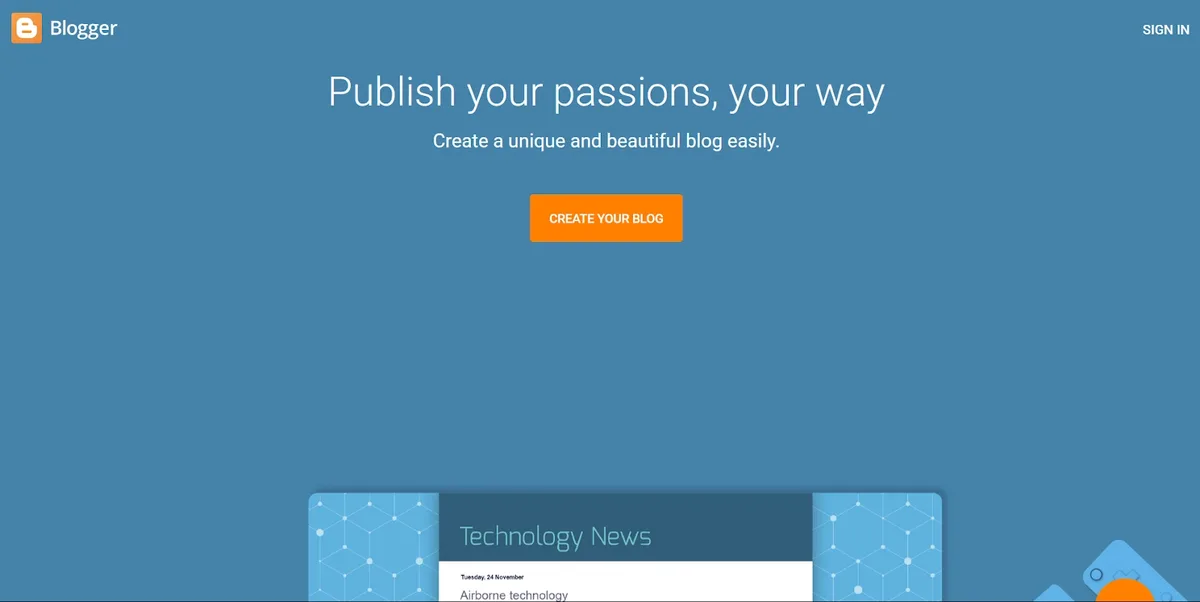
Everything lives on Google’s infrastructure. That means your site is hosted on servers that handle enormous traffic loads without flinching. For someone who just wants to publish words, that’s a genuinely attractive promise.
The backend is refreshingly simple. You get a dashboard, a post editor, a theme designer, and a settings panel. That’s mostly it. There’s no plugin marketplace, no drag-and-drop page builder, no complicated hosting panel demanding a credit card.
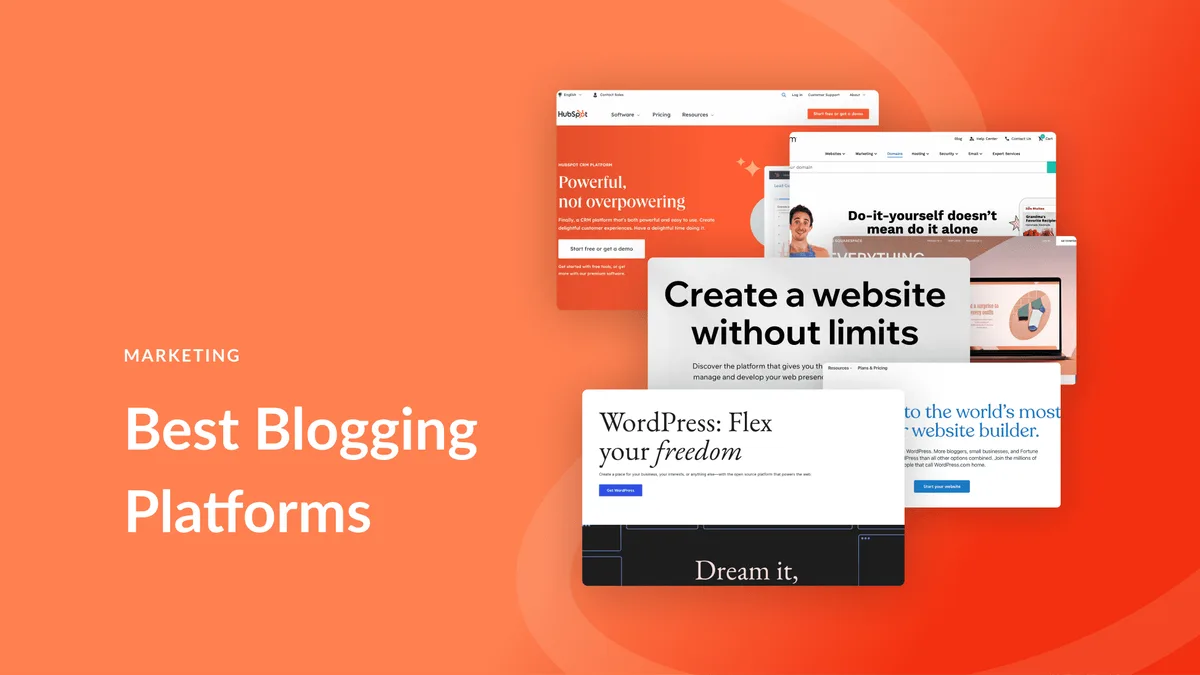
Where the blogger blogging platform really shines is in its entry cost. Zero. You pay nothing for hosting or bandwidth. For a student, a hobbyist, or a small nonprofit testing an idea, that barrier-to-entry removal matters far more than the feature list.
Getting Started: a Practical Setup Walkthrough
Signing up takes about three minutes. You’ll need a Google account, a blog title, and a URL. The platform will suggest subdomains like yourname.blogspot.com, but you can also attach a custom domain.

Here’s the sequence I recommend to anyone starting fresh. First, decide on your blog name carefully — it becomes part of your identity and search footprint. Second, choose a custom domain if you’re serious about branding, since a subdomain carries less authority.
Third, resist the urge to fiddle with themes for hours. Pick something clean, readable, and mobile-friendly, then move on to content. I’ve watched too many beginners lose a week tweaking colors instead of writing their first three posts.
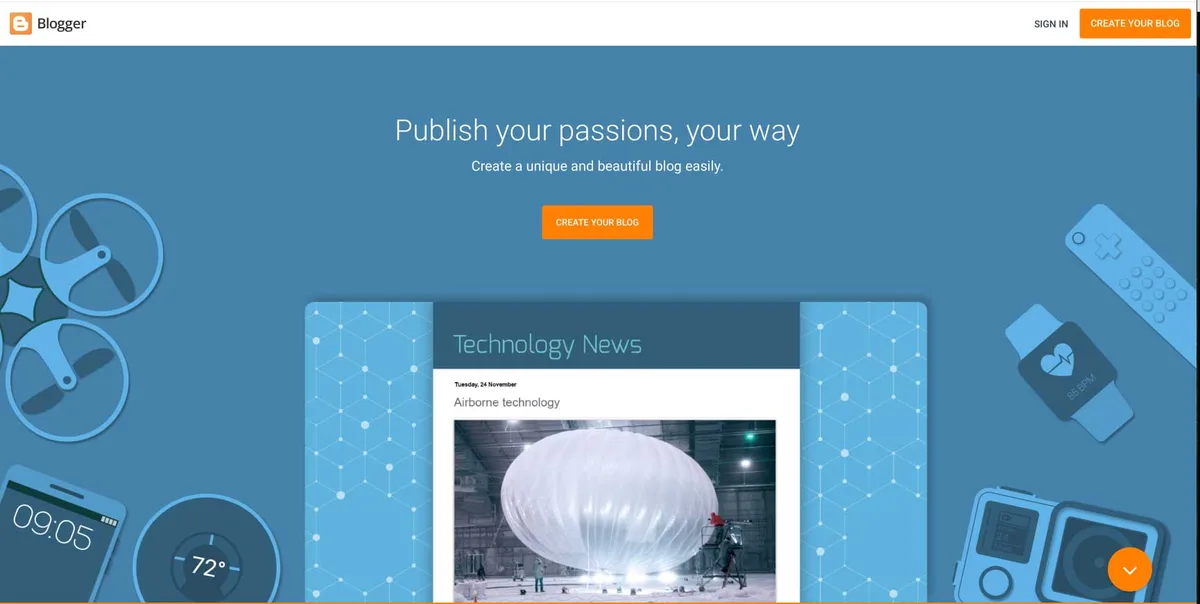
Once a blogger blogging platform site is live, the settings you should touch immediately are search engine visibility, post page display count, and comment moderation. The defaults are decent but not always ideal for a serious publication.
Features That Genuinely Matter
Let’s be specific about what the blogger blogging platform brings to the table, because vague praise helps nobody. These are the capabilities that actually affect how you work day to day.
- Free Hosting With Generous Bandwidth — Google hosts everything, so a traffic spike won’t produce an overage bill. If a post suddenly goes viral on Reddit or Hacker News, the blogger blogging platform absorbs the load without breaking. That peace of mind is worth real money elsewhere.
- Custom Domain Support — You can point your own domain at the blog with a couple of DNS records. Once configured, visitors see your brand, not a blogspot subdomain. It’s the single most important upgrade for credibility.
- Built-In Comment Moderation — Spam filtering, comment approval, and threaded replies come standard. On other platforms you’d install a plugin and configure it; here it just exists.
- Simple Post Editor With HTML View — The editor toggles between compose mode and raw HTML. If you like hand-tweaking markup, the blogger blogging platform lets you do it without fighting a block system.
- Multiple Authors and Permissions — You can invite contributors as authors or admins. For a small editorial team, the roles are basic but functional enough.
- Static Pages — Need an About page, contact page, or privacy policy? Static pages are separate from your chronological blog feed and remain easy to edit.
- Labels for Content Grouping — Labels act like categories. You can tag posts and generate label-based archive pages automatically. It’s a lightweight taxonomy system that keeps navigation manageable.
- Scheduled Publishing — Write now, publish later. Scheduling lets you maintain a consistent cadence even when life gets busy, which is a quiet productivity win.
- Integrated Google Analytics and Search Console — Connecting both is painless because everything sits inside the Google ecosystem. Tracking search performance on a blogger blogging platform site is genuinely straightforward.
- RSS and Atom Feeds — Feeds are generated automatically, so subscribers and aggregators can follow you without extra configuration.
Notice what’s absent from that list: e-commerce, membership gates, detailed SEO schema controls, and deep caching options. The blogger blogging platform prioritizes simplicity, and that’s a deliberate design choice rather than an oversight.
The Real Advantages of Choosing It
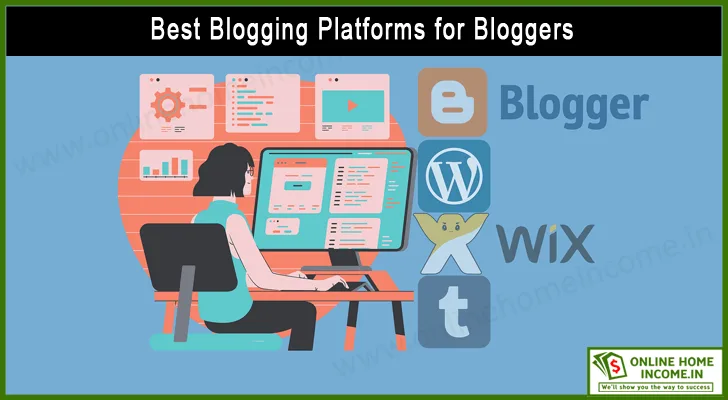
When I talk to people weighing their options, the same benefits keep surfacing. They’re not marketing fluff — they’re concrete reasons the blogger blogging platform still wins for certain situations.
Zero Hosting Cost and Zero Maintenance
No server updates, no SSL certificate renewals, no PHP version upgrades. Google handles all of it. For someone who wants to write rather than administer a server, that’s the whole ballgame.
Security patches happen automatically. Uptime is effectively guaranteed. I’ve seen personal blogs on the blogger blogging platform run for a decade without a single maintenance task performed by the owner.
Fast Pages Without a Speed Plugin
Because everything is cached and served from Google’s edge, load times are usually respectable out of the box. On other systems you’d hunt for a caching plugin, fiddle with settings, and test. Here, the blogger blogging platform does decent speed management by default.
Deep Google Ecosystem Integration
Search Console verification is one click. Analytics is a paste away. AdSense placement is native, which matters if you want to monetize without wrestling with third-party scripts.
If your entire workflow already lives inside Google — Docs, Drive, Photos — a blogger blogging platform site slots in naturally. There’s no context switching, no new account to manage.
Mobile Management on the Go
The mobile app lets you draft, edit, and publish from a phone. It’s not as polished as a desktop editor, but for a quick correction or a photo post, it works. I’ve published breaking updates from a train platform more than once.
Where the Blogger Blogging Platform Falls Short
Honesty matters more than cheerleading. There are real limitations, and pretending otherwise would waste your time. Here’s where frustration sets in.
Limited Theme Customization
The theme ecosystem is thin compared to WordPress. Third-party theme marketplaces exist, but the selection is smaller and the quality varies wildly. Deep customization requires editing XML, which is a genuinely awkward experience.
If you want pixel-perfect control over your design, the blogger blogging platform will fight you. You’ll spend hours in code view instead of clicking buttons.
No Native E-Commerce
Selling products or memberships natively isn’t possible. You’d need third-party embeds or a separate storefront. For a store owner, the blogger blogging platform is the wrong tool for the job.

Digital product creators face the same wall. Without a payment gateway, gated content, or license management, you’re stitching together external services.
Aging Interface and Slow Feature Releases
The dashboard looks dated. Some settings feel frozen in time. Buttons are scattered, and certain workflows require too many clicks. Other platforms push fresh updates monthly; the blogger blogging platform moves at a glacial pace.
That age shows up in small annoyances too — image compression choices, missing alt-text reminders, and a post editor that lacks modern collaborative editing features.
Thin Plugin Ecosystem
There’s no plugin directory. Anything beyond built-in capability requires dropping JavaScript into the template. For non-coders, the blogger blogging platform hits a ceiling fast.
Blogger Blogging Platform vs Other Major Platforms
Numbers and features only matter in context. Here’s a direct comparison against the platforms you’re most likely considering, based on setup experience and practical day-to-day use.
| Feature | Blogger | WordPress (Self-Hosted) | Wix | Medium |
|---|---|---|---|---|
| Cost | Free hosting | Domain + hosting fees | Subscription tiers | Free with paywall |
| Custom Domain | Yes | Yes | Yes | Limited |
| Plugin/Extensions | None native | Huge library | Moderate app market | None |
| E-Commerce | No | Yes (WooCommerce) | Yes | No |
| SEO Control | Basic | Extensive | Moderate | Minimal |
| Technical Skill Needed | Low | Moderate to high | Low | Very low |
| Best For | Writers, hobbyists | Businesses, publishers | Small businesses | Writers seeking exposure |
Reading that table, the pattern becomes clear. The blogger blogging platform wins on cost and simplicity. WordPress wins on flexibility. Wix wins on design ease for business sites. Medium wins on built-in audience.
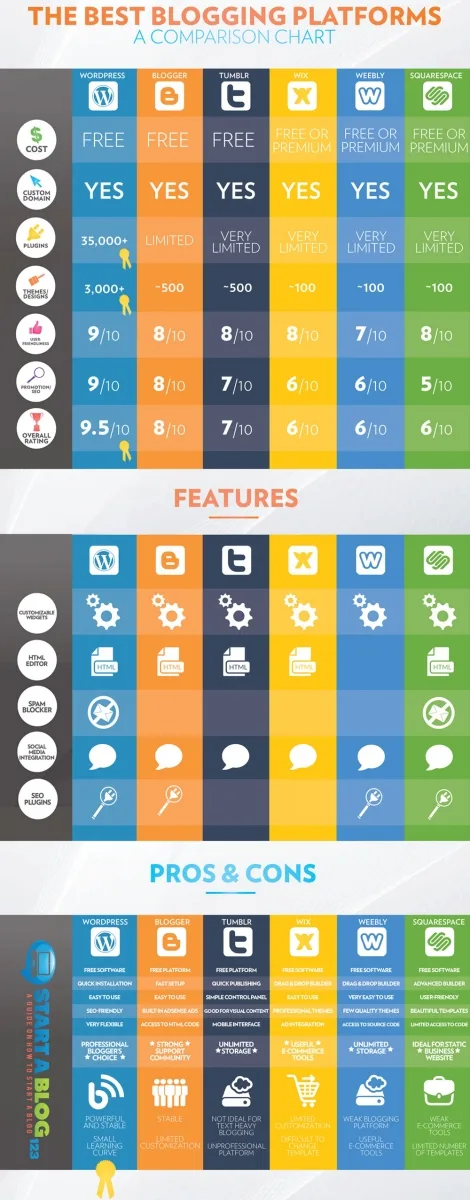
If your priority is owning your data and controlling every pixel, self-hosted WordPress is the answer. If your priority is publishing without friction or bills, the blogger blogging platform is genuinely the fastest route.
Search Visibility and SEO Realities
Can a blogger blogging platform site rank well? Yes, but with effort. Google treats it like any other site — quality content and clean structure still win. The platform itself doesn’t penalize you.
That said, several SEO controls that matter on larger sites are missing or limited. Custom meta descriptions are available per post, and you can edit title tags, but schema markup, structured data, and advanced redirect management aren’t native.
The workaround is HTML template editing. You can inject structured data into the theme if you know what you’re doing. Most users don’t, and that’s where the blogger blogging platform leaves ranking potential on the table.
Practical SEO Steps for Blogger Sites
First, enable search engine visibility in settings — it’s off by default on new blogs, a mistake that quietly hides your work from Google.
Second, submit your sitemap in Search Console. The default sitemap lives at a predictable path, and submitting it is a two-minute task that accelerates indexing.
Third, write unique meta descriptions for your highest-value posts. Generic snippets get ignored in search results, and a compelling custom description lifts click-through rates.
Fourth, compress images before uploading. The blogger blogging platform doesn’t always handle that gracefully, and bloated images drag down mobile performance.
Fifth, use internal links generously. It’s one of the few SEO levers you fully control on the platform, and linking related posts helps both readers and crawlers.
Design and Theme Strategy That Works
Aesthetics matter more than beginners realize. Readers decide whether to stay in about three seconds. If your blogger blogging platform site looks dated, you’ve already lost some of them.

Start with a clean responsive theme from the built-in gallery. Then customize typography and spacing. Line height of 1.6 to 1.8, comfortable side margins, and generous whitespace make a surprising difference in perceived quality.
I’ve seen simple blogs on the blogger blogging platform look more professional than bloated WordPress sites simply because the typography was right. Details beat feature lists.
Editing Template Code Safely
Before touching the theme XML, back it up. Copy the entire template into a text file on your computer. If something breaks, you can restore in seconds.
Then edit in small increments. Change one thing, preview it, save it, and check on a phone. Big sweeping edits on a blogger blogging platform template are how people accidentally destroy a working site.
Common safe edits include adding a favicon, adjusting container width, injecting a little CSS for post styling, and embedding a search box in the header. These changes are low-risk and high-impact.

Monetization Options Worth Knowing
Making money from a blogger blogging platform site is completely possible, even without native e-commerce. The path just looks different than it would on other systems.
AdSense and Display Ads
AdSense integrates natively because everything is Google. Placement requires editing the template or using widgets. Once set, earnings scale with traffic and quality of content.
Display ads suit informational blogs with consistent traffic. Don’t expect to get rich quickly — it’s a volume game. But for a blogger blogging platform starter site, it’s the simplest revenue stream.
Affiliate Marketing
Affiliate links slot naturally into review and tutorial posts. There’s no plugin, so you manage links manually or through a third-party script, but the fundamental model works fine.

Niche review sites on the blogger blogging platform can earn meaningfully when content answers buying questions. Detailed comparisons, honest pros and cons, and tested recommendations convert better than shallow posts.
Sponsored Posts and Services
Once you have traffic, you can sell sponsored placements or services directly. Email outreach, freelance writing, or consulting are all viable when your blog demonstrates expertise.
For this model, the blogger blogging platform works well because the site is essentially a portfolio. It doesn’t need to be complex — it needs to be credible and easy to read.
Security, Backups, and Data Ownership
Here’s a point that deserves serious attention. When you use the blogger blogging platform, Google owns the infrastructure. You own the content, but control over the platform belongs to Google.
That’s usually fine, but it’s not risk-free. Policy changes, account issues, or unexpected suspensions can affect access. I’ve heard too many stories of writers panicking over a locked account.
Simple Backup Habits
Export your content regularly from the settings panel. It produces a full backup file that can be re-imported. Do this monthly, at minimum.
Keep a plain-text copy of your most valuable posts on your own device. If something goes wrong, you’re writing from your own copy rather than a blank screen. It’s a five-minute habit that saves grief.

Also, separate your Google account security from everything else. Strong password, two-factor authentication, and a recovery method you trust. The blogger blogging platform is secure, but your account safety is your responsibility.
Who Should Use It — and Who Shouldn’t
Not every tool suits every job. Being clear about fit saves you from months of frustration, so let’s split it honestly.
Great Fit For
New writers who want to publish immediately without learning hosting. Teachers and students building a shared class blog. Nonprofits publishing updates on a tight budget.
Diary-style personal blogs. Small niche sites built on SEO and affiliate links. Anyone testing a content idea before committing to a paid setup.
Families and personal hobbyists who want a reliable, zero-cost home for their writing. The blogger blogging platform serves all these cases well.
Poor Fit For
Stores selling physical or digital products. Membership sites with gated content. Large publishers needing granular SEO control or complex caching.
Developers wanting a fully customizable tech stack. Anyone who needs advanced integrations for automation or CRM. Agencies managing many client sites with custom workflows.
If you recognize yourself in the second list, the blogger blogging platform will slow you down. Pick a platform that matches your operational needs.
Real-World Scenarios Worth Studying
Theory is useful, but concrete cases are more convincing. Here are three patterns I’ve observed repeatedly, each with a clear takeaway.
Case One: the Niche Review Blog
A hobbyist started a food-blogging site on the blogger blogging platform focusing on local restaurant coverage. She published twice weekly, built a small following, and eventually added AdSense plus affiliate links for kitchen tools.
The result wasn’t viral fame, but steady readership and modest income. The lesson: consistency and a narrow focus carry more weight than the tools you use.
Case Two: the Small Business Side Site
A plumbing contractor built a blogger blogging platform site to publish repair tutorials and seasonal maintenance guides. Customers found the site through local search, and inbound calls increased.
His takeaway was simple: a simple site with real answers beat no site at all. He prioritized search engine registration and clear contact information.
Case Three: the Personal Journal
A teacher used it for a private class blog, sharing photos and updates with parents. Managing permissions and putting posts live was straightforward, and the free hosting meant the school district paid nothing.
Not every blog needs traffic, rankings, or revenue. Sometimes publishing cleanly and simply is the entire goal, and the blogger blogging platform handles that without fuss.
Performance Tuning on a Free Platform
Speed still matters even when hosting is free. Slow pages frustrate visitors and drag down mobile experience. Fortunately, a few practical habits make a noticeable difference.
Start with images. Large photos account for most slowdowns, so compress before upload. Take the extra minute, or use an online compression tool that shrinks files without visible quality loss.
Trim template bloat. If a theme feels sluggish, it probably ships with excess scripts. Look for a lighter option or remove scripts you don’t need from the theme code.
Load fewer widgets in the sidebar. Each widget can add requests and drag time. A clean sidebar often loads faster and reads better, especially on mobile.
Test your pages monthly. Use a page speed tool to spot regressions. On the blogger blogging platform, a couple of small optimizations can cut load times noticeably.
Content Strategy That Beats Platform Limits
Since advanced SEO tooling is limited, your content has to do extra work. The good news is that good writing outperforms technical tricks over the long run.
Publish With Depth
Shallow posts get ignored. On the blogger blogging platform, deep, specific, well-researched articles are your competitive edge. Answer the full question — every nuance — and you’ll beat thinner content elsewhere.
Pillar articles that cover a topic thoroughly tend to rank and draw organic links, which matter more on a lightweight platform. Quality compounds; shortcuts do not.
Update Old Posts
Revisit posts every few months. Refresh statistics, add new sections, fix outdated references, and improve formatting. On any blogger blogging platform blog, updated posts often regain ranking momentum.
Updating is faster than writing fresh content and frequently more effective. Search engines and readers both reward relevance over stale archives.
Build Internal Links
Link related posts generously. It helps readers continue reading and helps crawlers understand your site’s structure. Since external plugins aren’t an option, manual internal linking is your primary structure tool.
Common Mistakes Beginners Make
I’ve watched these mistakes repeatedly, and each one is avoidable with a little foresight.
Ignoring the search visibility setting is the biggest one. New bloggers publish for weeks before discovering their site is invisible to search engines. Check settings on day one.
Using a default subdomain instead of a custom domain is another common one. The blogspot URL is fine for tests, but it caps branding and credibility. If you’re serious, attach your own domain.
Neglecting mobile formatting causes pain, especially with images. The blogger blogging platform serves your blog to phones by default, so verify readability on small screens before publishing.
Overloading the sidebar with badges and clutter is a quieter mistake. It looks dated and distracts readers. Keep it clean.
Planning for Growth and Migration
If your blog grows, there may come a point to move. Making that decision early, with a plan, prevents panic later.
The blogger blogging platform provides import and export tools. Exporting your full content is straightforward, and moving to WordPress or another system is doable when you’re ready.
Keep your domain with a separate registrar from the start. That way, if you migrate, your brand name stays yours. This single habit saves enormous hassle if you ever move.
When Migration Makes Sense
Needing e-commerce, requiring custom user roles, working with a team on complex workflows, or wanting granular SEO control — those are signals to migrate. If the blogger blogging platform no longer matches your operational needs, move.
Migrate before the gap grows too painful. Moving a 20-post site is a weekend task. Moving a 500-post site with active memberships is a project. Do it early if you’re sure growth is coming.
Practical FAQ
These are the questions I hear most often about the platform. Short answers, real substance, no filler.
Is the Blogger Blogging Platform Still Supported?
Yes. It’s still maintained by Google and receives updates, though they’re infrequent. It remains a live, functional option for publishing today.
Can I Use My Own Domain?
Absolutely. You can point a custom domain to the blogger blogging platform using DNS records. Most registrars publish the exact settings, and setup is usually under half an hour.
Is It Good for SEO?
It can be, with effort. The platform doesn’t block ranking, but advanced schema and redirect controls are limited. Strong content and a custom domain get you most of the way.
Can I Make Money With It?
Yes, through AdSense, affiliate links, sponsored posts, and services. E-commerce integration requires workarounds, so product sales are better handled elsewhere.
How Many Blogs Can I Create?
You can create multiple blogs under one account, though a reasonable limit applies to prevent spam abuse. Most individuals never approach it.
Does It Support Multiple Authors?
Yes. You can invite contributors and assign permissions. Roles are basic compared to dedicated editorial systems, but adequate for small teams.
Can I Back Up My Content?
Export, done. The settings area provides a full backup file. Schedule a monthly export and keep your own copies, just in case.
Is It Fast Enough for Modern Readers?
Generally, yes. Google’s infrastructure handles requests efficiently. The main slowdown comes from oversized images and theme bloat, both of which you can control.
Final Recommendations for Your Setup
If you’ve read this far, you’re likely deciding whether to commit. My honest recommendation: use the blogger blogging platform if publishing matters more than tinkering, and if budget and simplicity rank high.
Do these five things in your first week. Attach a custom domain. Turn on search visibility. Submit your sitemap to Search Console. Publish three deep, specific posts. Export a backup.
Then keep writing. The platform won’t win awards for features, but it removes almost every reason to procrastinate. And that’s exactly the point of the blogger blogging platform — it puts you in front of readers without paying for the privilege.
For verified reference and background research, consult the authoritative informational resource on this topic.