Accessibility SEO: Easy Guide + 7 Pro Tactics
Accessibility SEO is the practice of building and optimizing web pages so they rank well in search engines and work for everyone who lands on them, including people using screen readers, switch devices, keyboard-only navigation, or magnification software. That single sentence is the whole idea, but the execution is where most teams stall.
Maybe you have felt the frustration of an audit that flags two hundred contrast errors, or the sinking feeling when a client asks why their beautiful redesign is invisible to a screen reader. I have been there.
After a decade of watching sites struggle to serve both Googlebot and human beings, one pattern keeps repeating: teams treat accessibility as a compliance chore and SEO as a marketing channel, when in truth they feed each other.
This accessibility SEO guide walks through the fundamentals first, then delivers seven pro tactics you can implement without rebuilding your entire stack. By the end, you should have a checklist to run against any page and a clear mental model for connecting inclusive design with organic growth.
Think of this as your parent topic map: everything else, from alt text audits to semantic HTML refactors, hangs off this hub.
What is Accessibility SEO and Why It Matters
At its core, accessibility SEO sits at the intersection of inclusive design and search engine optimization. It asks a simple question: can a real person using assistive technology consume and navigate this content?
Search engines crawl the web the way a screen reader does, in many respects. Both rely on HTML structure, link descriptions, heading hierarchies, and text alternatives. When something breaks for a screen reader, it usually breaks for a crawler too. That is not a coincidence; it is architecture.
The numbers behind this overlap are staggering. The World Health Organization estimates over one billion people live with some form of disability, roughly 16% of the global population. According to WebAIM’s Million project, over 96% of homepages fail basic WCAG checks.
If your site sits in that majority, you are losing traffic to competitors who took accessibility SEO best practices seriously five years ago.
How Search Engines and Assistive Technology Interpret Content
Googlebot does not have eyes. It reads DOM structure, alt attributes, link text, and semantic landmarks. Screen readers build a virtual buffer from the same signals. When you serve an image without an alt attribute, Google sees nothing and NVDA announces “graphic” with no context.
This means the accessibility SEO checklist you build should work for both audiences at once. Alt text serves blind users and image search. Proper heading hierarchy serves screen reader shortcut navigation and helps Google understand content priority. ARIA labels help assistive tech, and they also give crawlers clearer semantic hints when used correctly.
Where SEO and Accessibility Goals Diverge
There are edge cases. Some accessibility features—like reducing motion on animated carousels—have zero direct SEO benefit. Some SEO tactics—like stuffing keywords into meta descriptions—have zero accessibility impact. The overlap is large but not total, and pretending otherwise is disingenuous.
The trick is knowing where the priorities align tightly and where you need separate investment. Core Web Vitals and screen reader compatibility dovetail more than most people realize, which we will cover later. For now, keep this in mind: an accessibility SEO guide that promises universal overlap is overselling.
The Accessibility SEO Checklist Every Page Should Follow
Here is a working accessibility SEO checklist. Run every new page through it before publishing, and audit legacy content on a rolling six-month cycle. The list below is not exhaustive—WCAG 2.2 AA compliance involves 50+ testable criteria—but these are the items with the strongest SEO payoff.
- Descriptive alt text on every meaningful image. Decorative images get empty alt attributes (
alt=""), not missing ones. - Logical heading hierarchy. One H1 per page, no skipping H2 to H4, sub-sections nested correctly.
- Descriptive link anchors. No “click here” or “read more” without context.
- Color contrast of at least 4.5:1 for body text, 3:1 for large text and UI components.
- Keyboard navigability. Every interactive element reachable by Tab, with visible focus states.
- Captions and transcripts for all video and audio content.
- Form labels tied to inputs via
forandidattributes, with inline error messaging. - Semantic HTML landmarks (
nav,main,footer,article) rather than div soup. - Meaningful page titles that describe the page, not just the brand.
- Language attribute on the
htmltag matching the page’s primary language.
Printing this accessibility SEO checklist and taping it to your monitor is not a joke. Designers, developers, and content writers rarely internalize it in one pass. Repetition builds instinct.
The Seven Pro Tactics That Separate Good from Great
Everything up to this point is groundwork. The seven tactics below are what separates an accessibility SEO program that merely avoids lawsuits from one that actually moves organic traffic and serves users well. Each is implementable in a sprint, provided you have stakeholder buy-in.
1. Audit Heading Structure With a Screen Reader First
Tab through your homepage with NVDA or VoiceOver and use the heading shortcut key (H in NVDA, rotor in VoiceOver). Focusing on accessibility seo provides clear direction here. What you hear will tell you more about your content hierarchy than any crawler report.
Screen readers enumerate headings the way an outline tool would, and if the sequence jumps from H2 to H4 or worse, drops headings entirely, you have work to do.
This accessibility SEO tactic catches mistakes that SEO tools miss because they only flag missing H1s. Real reading order matters, and fixing it usually improves Google’s topic parsing on the same page.
I have seen a single campaign page jump from position nine to position four after a heading restructure—no new backlinks, no content rewrite, just proper nesting.
2. Write Alt Text That Serves Searchers and Screen Readers Alike
The accessibility SEO best practices playbook for alt text is more nuanced than “describe the image.” Consider three rules: describe function over appearance, keep primary keyword reference natural, and skip keyword stuffing entirely.
For a screenshot of a dashboard, “Graphic showing the SEO dashboard interface with three metric panels” beats “SEO dashboard, SEO tool, SEO analytics, best SEO dashboard.” Screen readers hear the first version clearly; Google sees keyword relevance without penalty. Aim for 100-125 characters per alt attribute. Anything longer becomes tedious in a virtual buffer.
One underrated tactic: review alt text on your top twenty organic entry pages. Those images carry the most weight for image search, and they are almost always the biggest offenders for missing descriptions.
3. Layer ARIA Labels Where Native Semantics Fall Short
ARIA (Accessible Rich Internet Applications) is powerful and dangerous. When native HTML elements exist for a purpose, use them. When they do not—like a dynamic notification banner or a custom dropdown—ARIA fills the gap.
The mistake I see constantly is developers adding role="button" to a div without adding keyboard handlers, creating a fake button the accessibility seo screen readers announce but cannot be activated. That is worse than the original markup. Google’s crawler is increasingly sensitive to this kind of semantic dishonesty, and it hurts user experience badly.
Here is a working rule: use native elements first, ARIA attributes second, and only call in ARIA when you cannot solve the problem with battle-tested HTML.
4. Optimize Color Contrast Without Sacrificing Conversion
Contrast failures are the second most common accessibility violation after missing alt text. Text at 3:1 contrast against its background is legible for most users but fails WCAG AA. The SEO angle matters because mobile usability and readability metrics correlate with dwell time.
Now the honest part: color contrast fixes often fight brand guidelines. Marketing teams have strong opinions about that specific shade of gray. In those negotiations, show them bounce rate data on high-contrast versus low-contrast hero CTAs. The numbers win arguments that a compliance memo cannot.
A tool worth bookmarking is the WebAIM Contrast Checker. Run your primary text color and accent colors through it. If any combination fails 4.5:1 for body text, you have a measurable improvement waiting.
5. Fix Keyboard Traps and Focus Order for Crawl Equity
Keyboard traps occur when a user navigates into a component (a modal, a dropdown, a subscription overlay) and cannot escape without closing the browser. For people with motor disabilities who rely on keyboard navigation, this is a wall. For SEO, these overlays also intercept crawlers and reduce indexable content.
Testing is simple. Effective execution in your accessibility seo makes a tangible difference. Load your page, close your mouse, and press Tab. Count how many presses it takes to reach your main navigation. If the count exceeds eight or the sequence zigzags through elements out of visual order, you have focus-order problems.
Fixing focus order usually means restructuring DOM order to match visual order. This is an accessibility SEO tactic that often surfaces during Core Web Vitals audits because the same DOM restructuring aids layout stability.
6. Combine Core Web Vitals With Accessibility Testing
Largest Contentful Paint, Interaction to Next Paint, and Cumulative Layout Shift are the current Core Web Vitals metrics. None of them are accessibility tests per se, but they overlap substantially. A slow, layout-shifting page is a hostile experience for users with cognitive disabilities, and a slow page ranks worse.
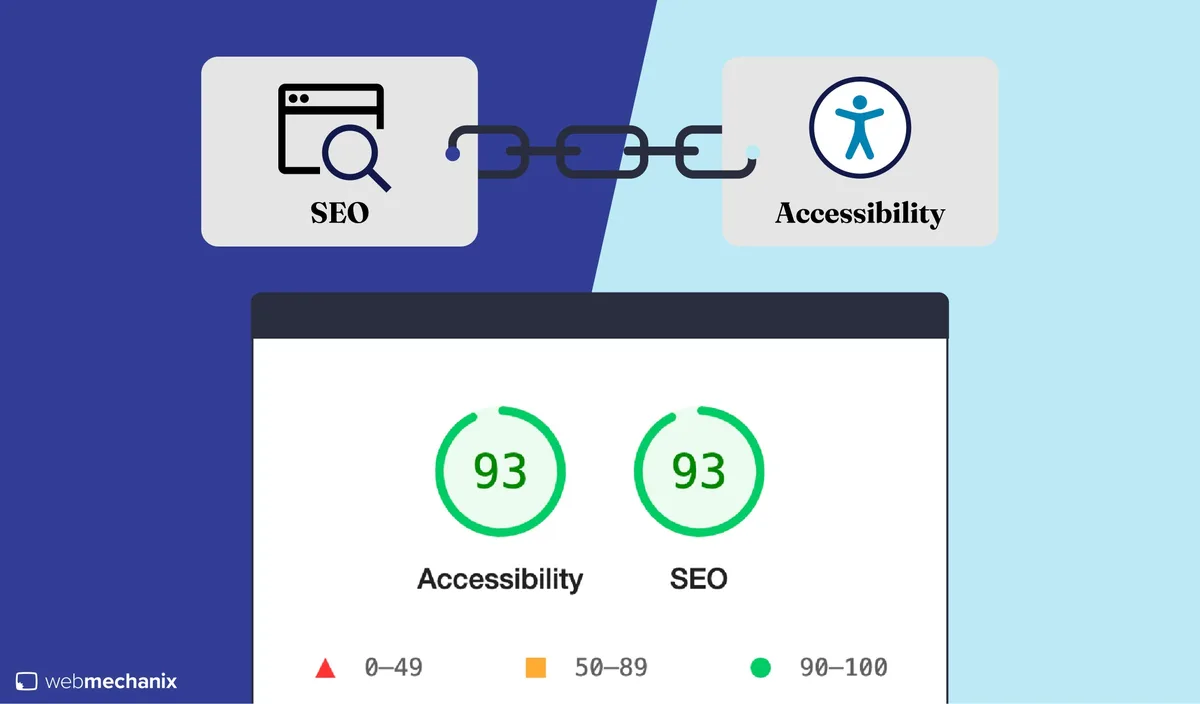
When you run a Lighthouse audit, you get accessibility scores and performance scores in the same report. Treat them as one report—not two. If a page scores 45 on performance and 55 on accessibility, both need to move together, not sequentially.
The accessibility SEO tips that emerge from treating these scores as one dataset tend to stick because the fixes reinforce each other.
One practical check: search for any page where you would be embarrassed by your own Core Web Vitals. Then run the same page through the WAVE accessibility extension. The overlap you find is your highest-ROI fix queue.
7. Build Accessible Forms That Convert Better
Forms are where accessibility SEO and conversion optimization meet most tangibly. Every input needs a real label, errors need to announce themselves, and success states need to be perceivable without color alone. Do this correctly and conversion rates improve—accessibility forces clarity that lazy forms skip.
Start with label association. Every input should have either a wrapping label or an explicit for attribute pointing at the input’s id. Placeholder text alone is not a label; it disappears as soon as users type.
Next, error messaging. When a form field fails validation, the error should appear next to the field, announce via ARIA live region, and use more than color to indicate failure. This one pattern alone increases form completion rates on mobile, where distracted users need unmistakable guidance.
How to Implement an Accessibility SEO Audit in One Sprint
The biggest barrier to accessibility SEO adoption is not skill. It is scope. Teams look at a 500-page site and freeze. The answer is to audit one representative template first, fix it end to end, then replicate the fixes across the rest of the site.
Pick your highest-traffic template—usually the homepage, a blog post, or a product page. Maintaining clarity across your accessibility seo remains essential. Run it through three tools: axe DevTools, WAVE, and a manual screen reader pass. Log every issue in a spreadsheet with columns for severity, effort, and SEO impact. Then fix in order of multiplied severity times SEO impact times cheapness.
If you need a starting accessibility SEO checklist for that spreadsheet, use the ten items from the earlier section, expanded to include focus indicators and ARIA role validation. The whole sprint should take five working days if you have one developer and one content contributor. Less if your templates are already close.
Which Tools Actually Help
You do not need to buy anything to start. The best accessibility SEO tools are free and open, though paid options exist for enterprise scale. Here is how I would rank them by usefulness for the average team.
| Tool | Best For | Strength | Limitation |
|---|---|---|---|
| axe DevTools | Automated testing | Zero false positives, browser-native | Free tier limited to one page scan |
| WAVE | Visual audit overlay | Clear visual feedback for stakeholders | Occasional false positives |
| Lighthouse | Combined SEO/performance/a11y | Single report across all three pillars | Less granular on accessibility |
| NVDA (Windows) | Real screen reader testing | Free, industry standard | Learning curve for sighted testers |
| VoiceOver (Mac) | Mac-native testing | Preinstalled, no downloads | Different shortcut conventions |
| Pa11y | CI integration | Cmd-line friendly, scriptable | Technical setup required |
Pair automated tools with manual screen reader testing. Automated tools catch 30-40% of real issues at best. The rest requires human judgment about whether an experience makes sense, not just whether it passes a rule.
The Most Common Mistakes That Kill Accessibility SEO
Repeatedly, the same failures show up across audits. Knowing them in advance is half the battle.
Mistake one: Auto-generated alt text from filenames. A file called DSC_4821.jpg produces alt text nobody wants. Rename files descriptively before upload, or generate alt text with human oversight.
Mistake two: Hiding content with display: none to satisfy visual design. This removes it from both screen readers and Google’s index. Use visually-hidden techniques when text needs to remain accessible.
Mistake three: Treating accessibility as a one-time project. It is a maintenance commitment. Every new feature introduces new violations.
Mistake four: Overusing ARIA to compensate for bad HTML. A thoughtful approach to accessibility seo reinforces your qualifications. Nine times out of ten, semantic HTML solves the problem. ARIA is a patch, not a foundation.
Mistake five: Skipping video captions. Captions serve deaf users, non-native speakers, people in quiet environments, and Google’s video indexing. The ROI is nearly universal.
Frequently Asked Questions About Accessibility SEO
Here is an in-depth breakdown of key considerations regarding this section:
Does Accessibility Improve Rankings Directly?
Not directly as a ranking factor. Google’s algorithm does not score pages on WCAG compliance. However, accessibility SEO best practices produce DOM structures, alt text, and content patterns that Google rewards indirectly through better crawlability, longer dwell time, and stronger semantic understanding. Pages that serve assistive technology tend to be pages that serve everyone.
How Much Time Does an Accessibility SEO Audit Take?
For a single template, one working week is realistic. For a full site audit, expect four to eight weeks depending on page count and template variety. The first template is always the slowest. Once you have documented the fixes, replicating them is fast.
Do I Need to Comply With WCAG 2.2 to Rank Well?
No legal or algorithmic requirement forces WCAG 2.2 compliance for ranking purposes. That said, WCAG 2.2 AA functions as the industry standard for meaningful accessibility, and the overlap with accessibility SEO checklist items is substantial. Treat WCAG as a design target, not a ranking target.
What is the Difference Between Accessibility and Usability in SEO?
Usability focuses on whether an average user can complete a task easily. Accessibility focuses on whether people with disabilities can do the same. Search engines reward both because both improve engagement metrics.
Accessibility SEO tips overlap substantially with usability optimization but are not identical: an accessible page can still be user-hostile if its information architecture is poor.
Can Automated Tools Handle Accessibility SEO Alone?
No, and relying on them creates false confidence. Automated tools catch around 30-40% of real issues. Meaningful accessibility requires manual testing with real assistive technology and real users. The best accessibility SEO guide would tell you to budget for manual testing from day one.
Does Adding Alt Text to Every Image Hurt SEO?
No, provided the alt text is genuinely descriptive. The harm comes from keyword-stuffed alt text that acts as a spam signal. Write alt text as if describing the image to someone on a phone call, and you will land in the safe zone every time.
Turning the Checklist Into a Habit
The gap between knowing accessibility SEO best practices and actually shipping them lives inside workflow. Teams that succeed embed accessibility requirements into design system components, CMS blocks, and QA checklists. Teams that fail treat it as a launch-week scramble.
Start with your design system. Every button, form field, card, and navigation component should ship accessible by default. Then every new page inherits compliance without added effort. This is the single highest-leverage change I have witnessed in over a decade of audits.
For content teams, add an accessibility SEO checklist column to your publishing workflow. Every article must have reviewed alt text, logical headings, and descriptive link anchors before it goes live. Two minutes per post saves hours in remediation.
For developers, add automated accessibility testing to CI. Pa11y and axe-core both integrate cleanly with most build pipelines. A failing accessibility test should block a merge the same way a failing unit test does.
None of this requires heroics. It requires deciding that accessibility SEO is part of shipping, not a special project. The companies that rank well over time are usually the ones whose default output is accessible.
Not because they set out to optimize for assistive tech, but because they built accessible patterns once and let the patterns propagate.
That is the real takeaway from this accessibility SEO guide. Tactics matter, but systems outlast tactics. Build the system, run the checklist, and revisit it as you scale.
Sub-topics worth pursuing next include ARIA region testing, video accessibility pipelines, and color system audits—each one deepens the parent topic and turns this guide into a full content cluster rather than a single post.
Start with one template this week. The seven tactics will not fix everything, but they will move your accessibility SEO program from theoretical to tangible in a single sprint.