If you have ever opened a dashboard at 9 a.m. And realized you still do not know which post actually drove signups, you are not alone. Social media analytics tools exist to end that guessing game, and this guide covers the seven worth your attention.
I have spent years sitting in on marketing standups where the same complaint comes up again and again: plenty of data, zero clarity. The right platform fixes that fast, but only if it matches how your team actually works.
So instead of dumping forty logos on a page, here is a tight, opinionated look at seven options with distinct strengths.
Think of this as your working social media analytics tools guide. We will talk about what each platform does well, where it stumbles, who it fits, and how to fold it into a practical social media analytics tools checklist before you commit a budget line to it.
What Social Media Analytics Tools Actually Do (And Why Most Reports Fail)
At their core, social media analytics tools pull public and owned data from platforms like Instagram, TikTok, LinkedIn, X, and YouTube, then translate raw numbers into something you can act on. They connect the dots between a post and an outcome. That outcome might be a follower, a click, a demo request, or a newsletter signup.
Where reports usually fall apart is context. A dashboard showing “engagement rate down 12%” is not insight. Insight is knowing the drop came from cutting video content in half while keeping the same posting cadence. Good platforms surface that narrative. Bad ones bury you in vanity metrics.
The most common failure I see is measuring activity instead of results. Teams celebrate impressions while pipeline stalls. A disciplined social media analytics tools best practices habit starts with one rule: every metric you track should map to a decision you are willing to make.

The social media analytics tools is also the listening dimension. Analytics is not just about your own posts. It is about competitor share of voice, sentiment around your brand, and which topics keep resurfacing. Platforms that blend owned analytics with social listening tend to win the long game.
How to Choose: a Practical Social Media Analytics Tools Checklist
Before you compare seven tools feature by feature, get honest about your constraints. Budget is one piece, but team size, technical skill, and the number of channels you manage matter far more than most buyers admit. A solo social manager and a ten-person agency need wildly different setups.

Here is the social media analytics tools checklist I hand to clients before any trial begins. Run through it honestly, because skipping a step usually means paying for a seat you never use.
- Channel coverage: Does it natively pull from every platform you actually post to, or does it force you into workarounds for TikTok or LinkedIn?
- Reporting flexibility: Can you build a custom report for your client or executive, or are you stuck with their templates?
- Listening capability: Do you need sentiment monitoring and competitor tracking, or is owned analytics enough?
- Team collaboration: Can multiple people review drafts, assign tasks, and comment on reports without a spreadsheet nightmare?
- Publishing integration: Are you managing scheduling and analytics in one place, or juggling two subscriptions?
- Data export: Can you get your data out in raw form, or is it locked behind an export feature that costs extra?
- Learning curve: Will your team be productive in a week, or will you burn a month on onboarding?
Run at least two of the social media analytics tools candidates side by side for a full week during a live campaign. Demo data is always flattering. Real numbers expose friction, and friction is what determines whether a platform gets adopted or abandoned.
Pay attention to how the vendor responds during that trial too. A fast, competent support team matters far more than a flashy feature list, especially in month three when a native API breaks and your reports go blank.
The 7 Best Social Media Analytics Tools Options, Reviewed
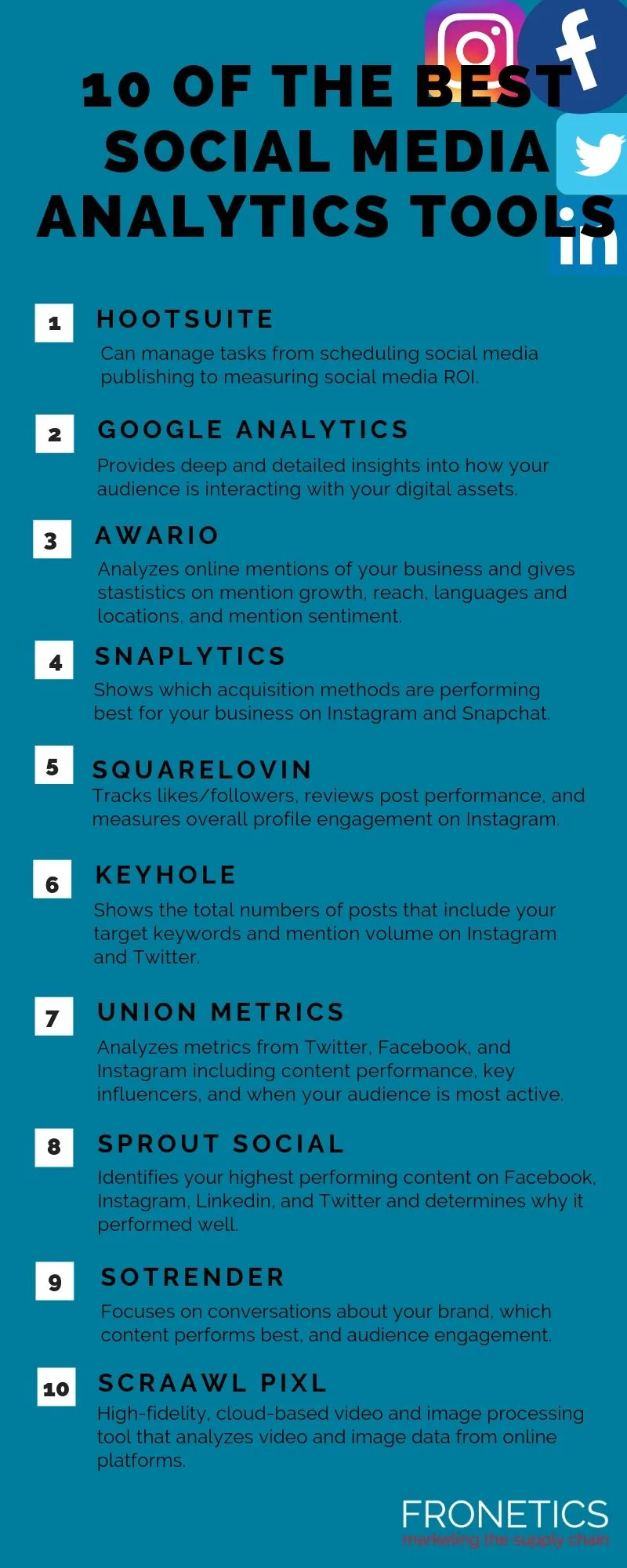
Now to the heart of it. The seven platforms below represent different philosophies, and none of them wins every category. Match them to your situation rather than treating any single one as universally superior. That is the honest way to read a social media analytics tools comparison.

I have grouped the strengths and tradeoffs clearly so the social media analytics tools can shortlist quickly. Each entry includes a realistic read on who it suits and where it frustrates.
- Brandwatch: A heavyweight for listening and consumer intelligence. It monitors conversations across millions of sources, tracks sentiment with real nuance, and lets you segment audiences by topic. Best for: Enterprise brands and insights teams that need to understand public conversation, not just owned posts. Where it strains: the learning curve is steep and the setup process is not for the impatient.
- Sprout Social: The most balanced all-rounder for mid-size teams. Publishing, inbox management, and reporting live in one clean workspace, and client-facing reports look genuinely polished. Best for: Teams that want to stop juggling three subscriptions. Where it strains: per-seat pricing adds up quickly as your team grows.
- Hootsuite: The veteran with the widest native channel coverage. It schedules, monitors streams in real time, and handles approvals well. Best for: Agencies and in-house managers running many accounts at once. Where it strains: advanced analytics often require an add-on tier.
- Metricool: The value pick. It covers scheduling, competitor benchmarking, and reporting for a genuinely accessible price point. Best for: Freelancers, small businesses, and solo managers. Where it strains: deep listening and enterprise-grade segmentation are limited.
- Brand24: A focused listening specialist. It tracks brand mentions, flags negative sentiment early, and gives you share-of-voice comparisons against competitors. Best for: Brands watching reputation and PR risk. Where it strains: it is not a full publishing suite, so you will pair it with another tool.
- HubSpot Social: Deeply embedded in a broader CRM. It connects social engagement to contact records and deal pipelines, so you can see which social touchpoints influenced revenue. Best for: Marketing teams already living inside HubSpot. Where it strains: closed ecosystem, and the platform cost is high if you do not use the rest of the suite.
- Semrush Social: A strong pick for teams that live in SEO. It blends social analytics with competitor benchmarking and keyword research, so you can link social content to search demand. Best for: Content and SEO teams who want one subscription. Where it strains: social listening depth lags behind dedicated tools.
Look closely at the social media analytics tools list and you will notice a pattern. The “best” tool depends entirely on whether you are buying publishing, listening, or revenue attribution. Most teams buy the wrong category first, then spend a year compensating for it. Get the category right and the platform choice becomes obvious.
Best Options for Enterprise Listening and Reputation Tracking
When your brand is mentioned thousands of times a day across dozens of languages, owned analytics stops being enough. Enterprise teams need social media analytics tools that read the broader conversation, not just their own posts. Reputation lives in mentions, comments, and third-party threads you will never see in a native dashboard.
Brandwatch earns the top slot here for a simple reason: segmentation depth. Maintaining clarity across your social media analytics tools remains essential. You can isolate sentiment about a specific product recall, track how a competitor’s launch shifted share of voice, and compare audience clusters across markets.
That kind of analysis is genuinely useful for PR and insights teams. It is also the kind of capability that only shows its worth after a few weeks of setup.
A realistic workflow looks like the social media analytics tools: an insights lead sets up queries around the brand and key competitors, then reviews sentiment weekly and flags spikes to the comms team. When a negative thread emerges, they know within hours rather than days. That speed is the real product.

If you are weighing enterprise options against lighter tools, loop back to your social media analytics tools checklist and confirm whether you truly need listening at this depth. Many mid-size brands assume they do, then pay for enterprise listening they consult twice a month.
Best Options for Team Collaboration and Publishing Workflows
Scheduling, approvals, and shared inboxes are the unglamorous backbone of daily social work. For teams running many accounts, the platform that wins is usually the one that reduces switching between tabs. This is where Sprout Social and Hootsuite remain the reference points.
Sprout’s strength is the clean, unified workspace. Structuring your social media analytics tools around proven patterns ensures impact. Tasks, drafts, approvals, and reporting all live together, and the reports are presentable enough to send to a client without extra polish.
Hootsuite’s edge is breadth, with native support across a very wide range of networks and dependable real-time monitoring streams. Agencies managing fifteen accounts frequently settle on one of these two for that reason.
A practical tip from real agency use: build a standard report template once, then reuse the social media analytics tools across clients. The time saved compounds weekly. Also, test approval flows during the trial with a real draft going through a real reviewer. Bottlenecks that look minor in a demo become weekly irritations in production.

Best Options for Small Teams and Budget-Conscious Managers
Not every social media operation needs an enterprise contract. Applying these principles to your social media analytics tools yields measurable results. Freelancers and lean teams need coverage, reliability, and a price that does not require a board approval. This is where the value tier earns real respect.
Metricool stands out as the pick for solo managers and small businesses. It handles scheduling, competitor benchmarking, and reporting at a price that makes sense for someone managing a handful of channels. The tradeoff is depth: advanced listening and granular segmentation take a back seat, but for most small businesses that is a fair exchange.
The pragmatic move for budget-conscious teams is to pair a scheduling tool with a lightweight listening tool only if reputation risk is genuinely high. Proper attention to your social media analytics tools sets a strong baseline.
For a local bakery or a boutique agency, the analytics question is simpler: what content is driving follows and inquiries? Metricool answers that cleanly.
Whatever you choose, keep that social media analytics tools checklist nearby at renewal time. Evaluate whether the second-year feature set still fits your second-year reality, not your first-year guess.
Best Options for SEO-Driven Content Teams
Social and search are not separate worlds anymore, and some teams are waking up to that. A content team that already pays for an SEO suite usually gets more value from social analytics stitched into that same subscription. This is where Semrush Social becomes interesting.
The social media analytics tools blends social analytics with keyword research and competitor benchmarking, so you can see how social content aligns with search demand. A practical workflow: identify a keyword cluster trending in search, then check whether the same topics perform well socially. Aligning the two usually produces better content than treating them as separate projects.
The honest tradeoff is listening depth. Effective execution in your social media analytics tools makes a tangible difference. Semrush Social will not replace a dedicated listening platform, but for content teams whose primary job is aligning social with search, it removes a redundant subscription. Combine it with a lightweight listening tool if reputation matters, and you have a lean, effective stack.
How to Compare Costs Without Getting Lost in Pricing Tiers
Pricing pages are designed to confuse, so focus on total cost of ownership rather than the headline seat price. Clear alignment with your social media analytics tools builds confidence from the start. Licensing is only the start.
Onboarding, training, and any add-on tiers for features you assume are included add up fast, and they rarely appear on the marketing site.
Build a simple three-column comparison: base subscription, mandatory add-ons, and setup or training time. Add a realistic estimate of internal hours for onboarding. A platform that costs more per seat but requires two weeks of setup may well be cheaper than one with a lower sticker price and a month-long ramp.
Also consider what the social media analytics tools will pay when your team grows. Some platforms charge per seat with no discount for volume, while others price by channel or by usage. For agencies, per-client pricing can quietly double a bill. That is where competitive direct manufacturer pricing, or at least a transparent vendor, becomes a deciding factor.

Real-World Example: Auditing a Mid-Size Brand’s Social Analytics Stack
Picture a mid-size e-commerce brand managing four channels with a team of three. They were paying for Hootsuite for publishing, a separate listening subscription, and a spreadsheet for monthly reporting. That was three subscriptions and a lot of copy-paste.
After running the social media analytics tools checklist, they consolidated to Sprout for publishing and reporting, kept Brand24 only for reputation alerts, and dropped the spreadsheet entirely. Reporting time fell by roughly half, and the team could finally trace social posts to product-page visits and add-to-cart events.
The lesson is not “consolidate everything.” the social media analytics tools is to audit which subscription earns its keep each month and cut the rest. A lean stack of two tools doing their specific jobs well usually beats five overlapping ones.
Common Mistakes That Sabotage Social Media Analytics Tools Tips
Even great platforms fail when teams use them carelessly. These are the mistakes I see most often, and each one is easy to fix once named.

- Tracking vanity metrics only: Likes and impressions feel good but explain little. Tie reports to inquiries, signups, and revenue.
- Too many dashboards: Three half-built dashboards help nobody. Build one clear report per stakeholder and stick to it.
- Ignoring benchmarks: An engagement rate means nothing in isolation. Compare to your own past performance and to competitors.
- Never exporting data: If you cannot pull raw data out, you are locked in. Confirm export access before signing.
- No review cadence: Analytics without a weekly or monthly review is just data collection. Set a recurring slot.
These are the social media analytics tools tips I would put on a single sheet taped next to the monitor. Simple, repeatable, and easy to overlook. Fix them and most platform complaints disappear.
Data Privacy and Compliance With Social Media Analytics Tools Best Practices
Social data carries legal weight, and teams underestimate the social media analytics tools at their own risk. Storing customer data, tracking user behavior across channels, and monitoring public conversations all touch regulations like GDPR and local privacy law. The platform you pick needs to support your obligations, not complicate them.
Social media analytics tools best practices include clear internal rules on what you store, how long you keep it, and who can access it. Set retention limits and review permissions periodically. A tool that makes export easy is good for analysis but can be risky without governance, so pair capability with policy.
At renewal, ask the vendor how they handle data residency and deletion requests. The answer tells you a lot about whether they take compliance seriously.

Building a Monthly Review That Uses Your Checklist
The difference between a social media analytics tools subscription that pays for itself and one that gathers dust is a routine. A monthly review with a fixed agenda makes data useful instead of decorative. Keep it short and disciplined.
A workable structure: fifteen minutes on outcomes (inquiries, signups, traffic), fifteen on content themes that worked or flopped, ten on competitor movement, and ten on the single change you will make next month. That change should be specific, like “shift budget to short-form video” rather than “improve engagement.”
Run this review against your social media analytics tools checklist every quarter. If a platform feature still is not used after two quarterly reviews, cancel it or replace it. Discipline is what turns subscriptions into results.
Bringing It Together: Which of These 7 Best Options Fits You?
Seven platforms, seven different strengths, and no single winner. The right choice depends on whether your bottleneck is listening, collaboration, budget, or attribution. Pick the category first, then shortlist two and run a live trial for a week.
My short, opinionated take: enterprise teams tracking reputation should start with Brandwatch. Mid-size teams that want balance should trial Sprout Social. Agencies with wide account coverage lean Hootsuite, and lean teams get surprising value from Metricool. For reputation-specific listening, Brand24 is a strong add-on, and SEO-driven content teams get real benefit from Semrush Social.
Whichever route you take, treat the setup as the real work. The best social media analytics tools are the ones your team actually opens on Monday morning. Choose for adoption, not for the feature list, and your reports will start telling you things worth knowing.
| Tool | Standout Strength | Best Fit | Main Tradeoff |
|---|---|---|---|
| Brandwatch | Deep listening and sentiment segmentation | Enterprise insights and PR teams | Steep setup curve |
| Sprout Social | Balanced publishing and polished reporting | Mid-size in-house teams | Per-seat costs add up |
| Hootsuite | Widest native channel coverage | Agencies and multi-account managers | Advanced analytics as add-ons |
| Metricool | Accessible price with solid core features | Freelancers and small businesses | Limited listening depth |
| Brand24 | Focused mention tracking and alerts | Reputation and PR monitoring | Not a publishing suite |
| HubSpot Social | CRM-linked attribution | Teams already in HubSpot | High cost if underused |
| Semrush Social | SEO and social data in one place | Content and SEO teams | Lighter listening features |
Frequently Asked Questions About Social Media Analytics Tools
Here is an in-depth breakdown of key considerations regarding Frequently Asked Questions About Social Media Analytics Tools:
Are Free Social Media Analytics Tools Worth Using?
Yes, if your needs are simple. Native platform dashboards and free tiers from lighter tools cover basic metrics like reach and engagement. They fall short on cross-channel reporting, competitor tracking, and data export. For solo creators, free is often enough. For teams, free usually creates a reporting bottleneck within a couple of months.
Which Tool is Best for a Small Business With One Manager?
Option four, Metricool, is the practical answer for most small businesses. It handles scheduling and reporting at a sensible price. Pair it with native analytics on each platform for quick checks, and only add a dedicated listening tool if reputation risk is genuinely high.
Do Social Media Analytics Tools Track Competitors?
Many do, though depth varies widely. Tools like Semrush Social and Brandwatch offer strong competitor benchmarking and share-of-voice tracking. Lighter tools provide basic follower and engagement comparisons. Always test competitor coverage during a trial, since some platforms restrict access to public data.
How Often Should I Review Social Media Analytics?
Weekly for quick checks on content performance, monthly for a structured review against outcomes, and quarterly for the checklist reassessment. Reviewing daily usually creates noise rather than insight, and reviewing only annually means you learn too late what is working.
Can These Tools Connect to a CRM?
HubSpot Social is the clear leader here because it lives inside the CRM. Others connect through integrations or via data export. If linking social engagement to contacts and deals matters, prioritize CRM-native platforms or verify integration support during the trial.
What is the Biggest Mistake When Choosing a Platform?
Chasing feature count rather than fit. Teams often buy the platform with the longest feature list, then use a fraction of it. Start from your actual workflow, run a live trial, and choose the tool your team will confidently open every Monday.
For verified reference and background research, consult the authoritative informational resource on this topic.