Why Local Schema Markup Deserves Your Attention
Local schema markup is the difference between a business that shows up in a search result and one that gets skipped entirely. If you run a storefront, a service area business, or a multi-location brand, structured data is the quiet workhorse behind every map pack win you have ever celebrated.
This local schema markup guide walks through eleven expert tips that separate the businesses getting rich results from the ones still guessing.
Here is the honest truth: most sites have broken or incomplete schema and do not know the Local schema markup. Search engines read your markup, compare it to your Google Business Profile, and decide whether you are trustworthy enough to surface. Get it right and the payoff compounds. Get it wrong and you are invisible.
We are going to cover the full picture — from choosing the right schema type to validating your output before it goes live. Each tip below is something I have seen move the needle in real audits, not theory pulled from a spec sheet. Stick with all eleven and you will have a local schema markup checklist you can run against any site.

What is Local Schema Markup and Why It Matters
At its core, local schema markup is structured data written in JSON-LD, Microdata, or RDFa that tells search engines exactly what your business is, where it operates, and how to reach it. The vocabulary comes from Schema.org, a collaborative project backed by Google, Microsoft, Yahoo, and Yandex.
Think of the Local schema markup as a machine-readable business card that sits in your HTML. Humans see your page design. Crawlers see the markup and use it to build knowledge graph entries, populate rich results, and cross-reference your entity across the web.
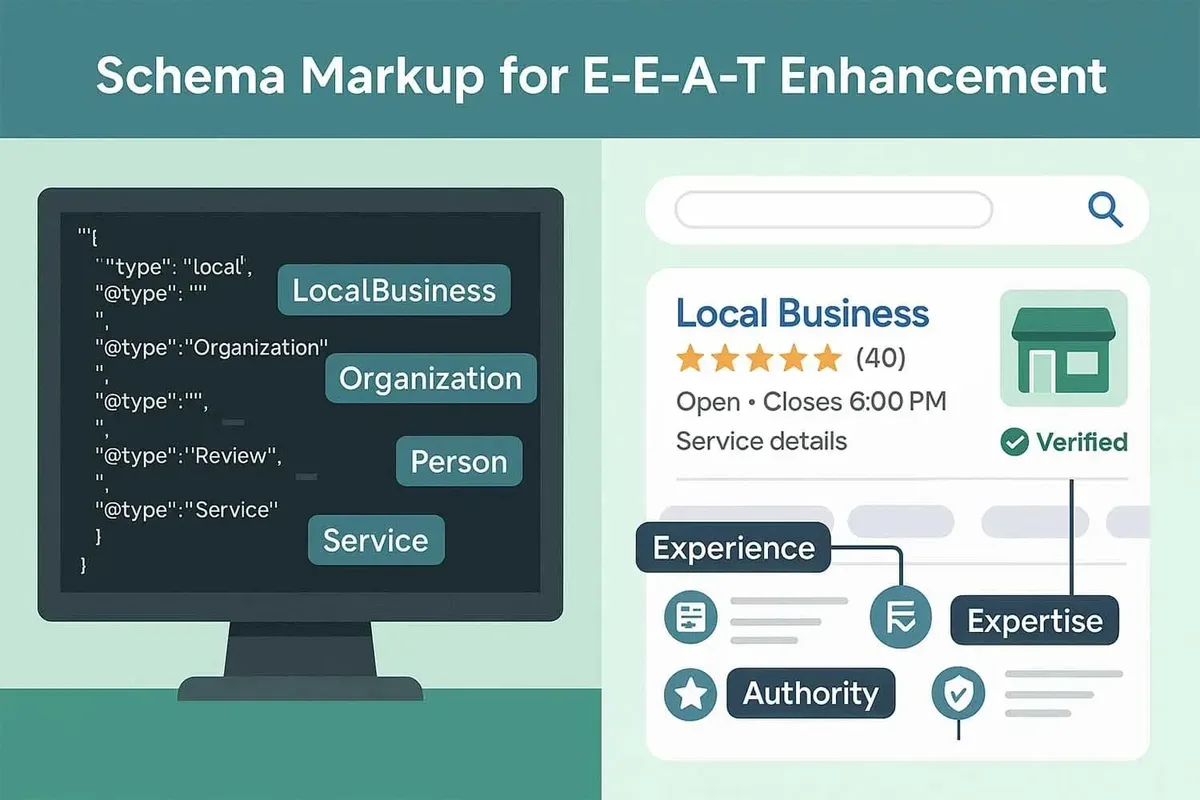
Why should the local schema markup care beyond the obvious SEO angle? Because local search is where buying intent lives. Someone searching “plumber near me” at 11 p.m. With a burst pipe is not browsing — they are ready to call. Your markup determines whether you appear in that moment.
The Three Formats You Will Encounter
JSON-LD is the recommended format and the one Google explicitly prefers. It lives in a script tag in your head or body and keeps your markup separate from your visible content, which makes maintenance far easier.
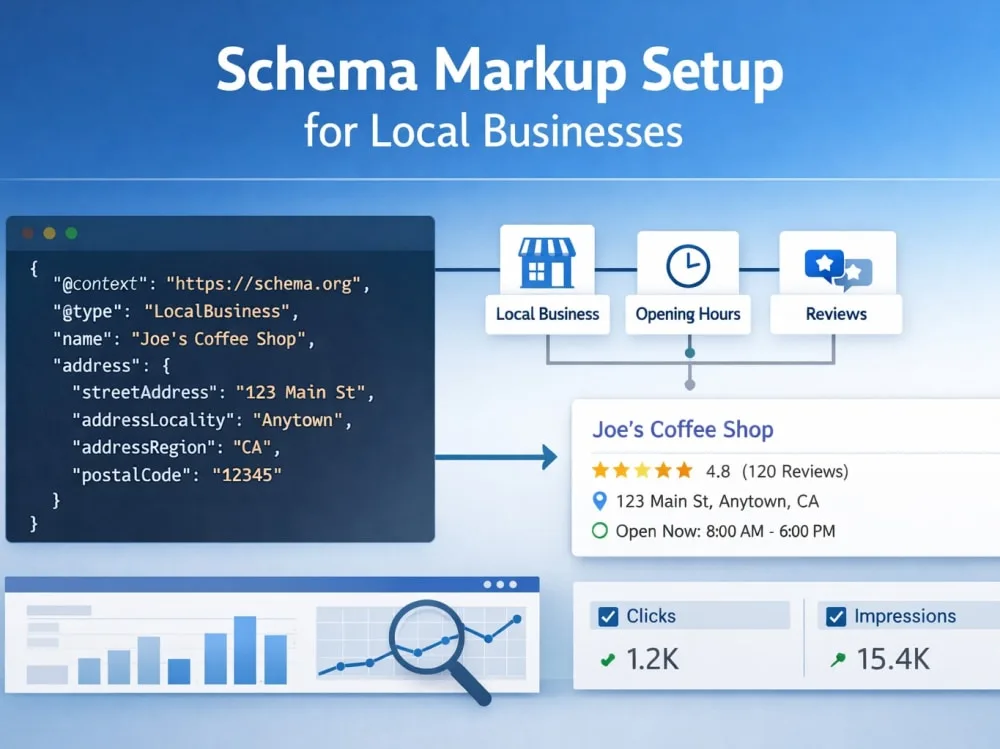
Microdata embeds attributes directly into your HTML elements. It works, but it tangles your markup with your presentation layer. RDFa is similar and rarely the right choice for new builds. If you are starting fresh, go JSON-LD and never look back.
One practical note from the field: teams often mix formats across a site after a partial migration, which creates conflicting signals. Pick one, document it, and enforce it in your template layer.

Local Schema Markup Best Practices: the Foundation Before the Tips
Before diving into the eleven tips, let us set the baseline. Local schema markup best practices start with consistency — your name, address, and phone number must match your Google Business Profile character for character. That includes abbreviations. “St.” versus “Street” is not a small detail to a crawler.
The second foundation is a single canonical source of truth for business data. If your footer, your contact page, and your schema all pull from different databases, drift is inevitable. Centralize it.

Third, always pair your markup with a visible on-page representation. Google’s guidelines are clear that structured data must reflect content users can actually see. Marking up a phone number that does not appear on the page is a violation waiting to be flagged.
11 Expert Tips for Getting Local Schema Markup Right
Here is where the rubber meets the road. These eleven tips are ordered roughly by impact, though the right sequence depends on your starting point. Treat them as a local schema markup checklist you can work through methodically.
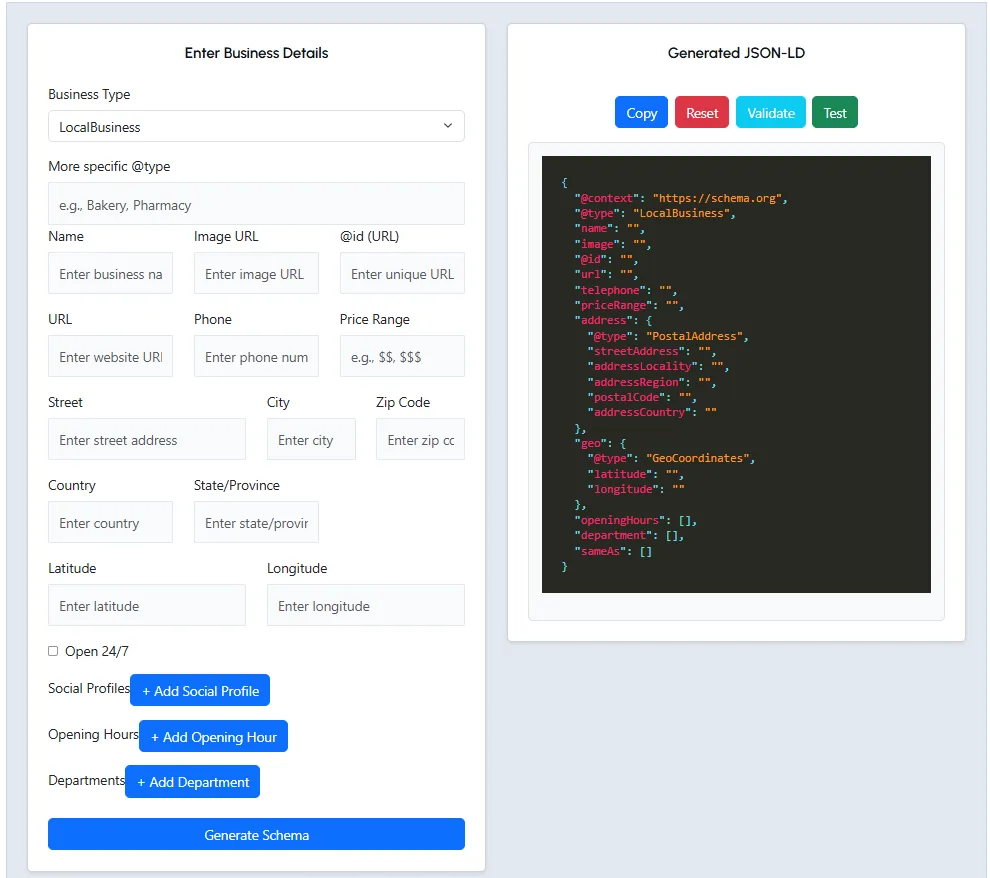
1. Choose the Right Schema Type for Your Business Model
Not every business is a LocalBusiness. If you are a restaurant, use Restaurant. A dentist should use Dentist. A law firm should use LegalService. These subtypes inherit from LocalBusiness but carry additional properties that unlock richer results.
The temptation is to slap LocalBusiness on everything and call the local schema markup done. That works as a fallback, but subtypes signal specificity to crawlers. A Restaurant schema with a menu URL and accepted payment types tells a far more complete story than a generic LocalBusiness tag.

Here is a concrete example. A bakery using Bakery schema with hasMenu and priceRange populated will often surface with more detail in local results than a competitor using bare LocalBusiness. The extra properties do the heavy lifting.
2. Nail Your NAP Consistency Across Every Property
Name, address, and phone number consistency is the single most underrated element of local schema markup. Crawlers cross-reference your markup against your Google Business Profile, Bing Places, Apple Maps, and dozens of directories. Any mismatch erodes confidence.
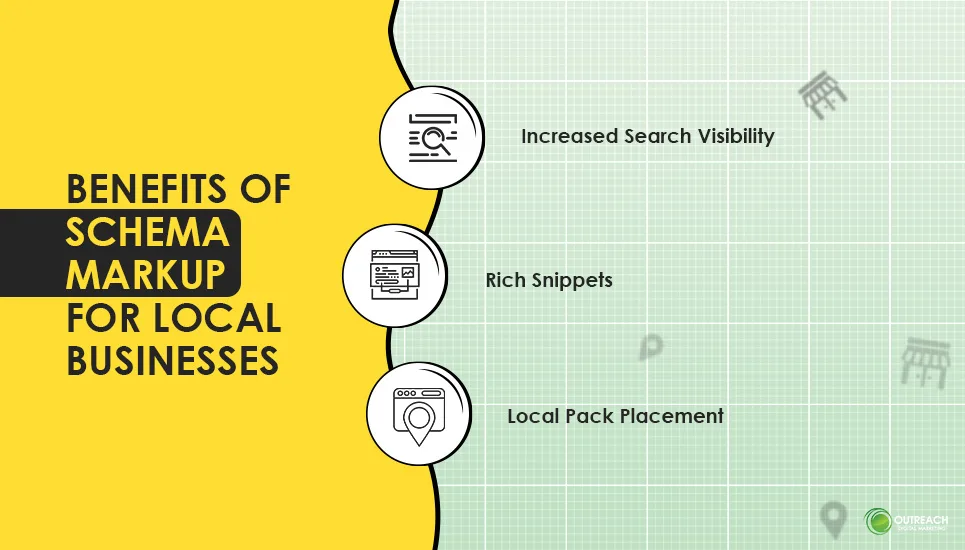
Audit your NAP quarterly. Pull the exact string from your schema and compare it to your GBP listing, your footer, and your contact page. I have caught mismatches in suites (“Ste 200” vs “Suite 200”) that were silently suppressing rankings for months.
Use a spreadsheet to track every place your NAP appears. When you update one, update all. This is boring work, but boring work is what wins in local search.
3. Use GeoCoordinates and Service Area Properties Deliberately
GeoCoordinates give crawlers precise latitude and longitude. For storefronts, this sharpens proximity signals. For service area businesses without a physical location, hasMap and areaServed become your primary geographic tools.
Do not fabricate coordinates. Pull them from Google Maps by right-clicking your location and copying the pair. Precision to six decimal places is plenty.
For service area businesses, list every city, region, or postal code you genuinely serve using areaServed. Overstating your reach is a fast way to get flagged. If you serve five counties, list five — not the whole state.
4. Implement OpeningHoursSpecification Correctly
Opening hours are a frequent source of broken markup. Effective execution in your local schema markup makes a tangible difference. The openingHoursSpecification property expects structured day-of-week and time values, not a free-text string like “Mon-Fri 9-5.”
Here is the pattern that works: use dayOfWeek with the full schema day name (Monday, Tuesday), opens and closes in 24-hour ISO format (09:00, 17:00). For businesses closed on weekends, simply omit those days rather than listing them with empty values.
Seasonal hours, holiday closures, and 24-hour operations each require different handling. A 24-hour business uses opens 00:00 and closes 23:59, or the special open 24 hours pattern. Get this wrong and you will show as closed when you are open — a costly error.
5. Connect Your Schema to Your Google Business Profile
Your local schema markup and your Google Business Profile should tell the same story. Use the sameAs property to link to your GBP, your social profiles, and any authoritative directory listings.
This is where entity reconciliation happens. When Google can confidently match your schema entity to your GBP entity, it consolidates signals. When it cannot, you get split entities and diluted authority.
Add sameAs links for your Facebook page, your LinkedIn company page, your Yelp listing, and any industry-specific directories. Keep this list curated — a dozen high-quality links beat fifty random ones.
6. Add AggregateRating and Review Markup Carefully
Review stars in search results are among the most click-worthy enhancements available. But review markup is also the most abused, and Google has gotten aggressive about penalizing misuse.
Only mark up reviews you actually collected on your own site. Do not pull reviews from Google, Yelp, or Facebook and republish them as your own aggregateRating. That violates guidelines and can trigger manual actions.
If the local schema markup display first-party reviews, mark them up with Review and aggregate them with AggregateRating. Include author, datePublished, and reviewRating for each. Honest markup here builds long-term trust with both users and crawlers.
7. Structure Multi-Location Businesses Without Duplicating Entities
Multi-location brands face a specific challenge: one parent organization, many physical locations. The clean pattern is an Organization schema for the parent and separate LocalBusiness schema for each location, linked through parentOrganization.
Each location page should carry its own complete LocalBusiness markup with unique NAP, coordinates, hours, and sameAs links. Do not copy the parent’s schema onto every location page — that creates duplicate entities and confuses crawlers.
Use a unique @id for each location. This gives crawlers a stable identifier to reference. A common pattern is appending the location slug to your domain, like HTTPS://example.com/#location-downtown.
8. Validate Every Deployment With Rich Results Test
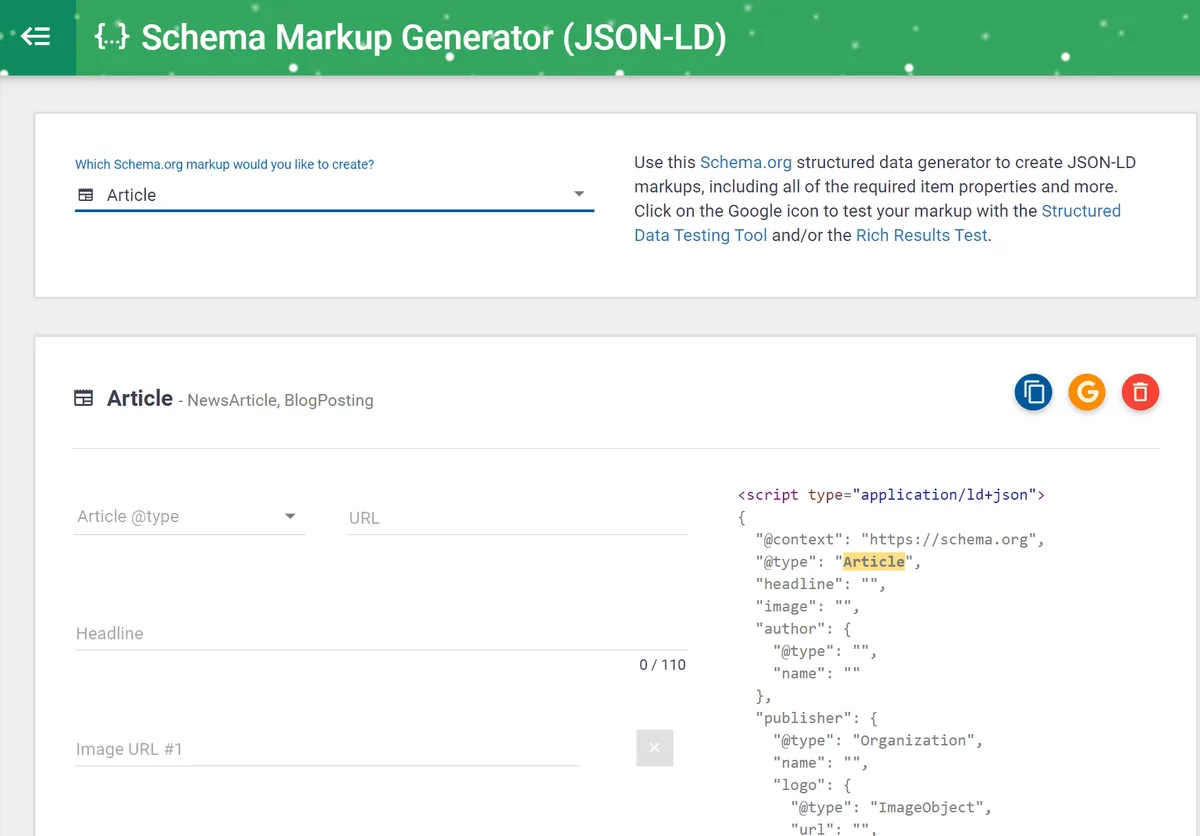
This is the tip most teams skip, and it costs them. Google’s Rich Results Test and the Schema Markup Validator are free tools that catch syntax errors, missing required properties, and guideline violations.
Run both after every deployment. The Rich Results Test tells you whether your markup qualifies for enhancements. The Schema Markup Validator checks against the full Schema.org vocabulary and flags warnings the Rich Results Test might miss.
Build validation into your deployment pipeline if you can. A simple pre-publish check catches errors before they reach production. For agencies managing dozens of client sites, this is non-negotiable.
9. Monitor Search Console for Structured Data Errors
Google Search Console’s Enhancements reports surface structured data issues across your site. A thoughtful approach to local schema markup reinforces your qualifications. Check the Local Business, Merchant Listings, and Breadcrumb reports regularly — errors here directly suppress rich result eligibility.

The most common issues I see are missing required fields, invalid date formats, and markup that does not match visible content. Each error comes with a URL example and a suggested fix.
Set up email alerts so you hear about new errors the moment Google detects them. Silent schema failures can go unnoticed for weeks while your rich results quietly disappear.

10. Keep Markup in Sync With Your CMS and Templates
Schema markup that lives in a page builder’s custom HTML block is a maintenance nightmare. The moment someone edits the template, your markup breaks. Build it into your CMS at the template level instead.
Most modern CMS platforms — WordPress with a schema plugin, Drupal with a schema module, or a headless setup with a structured data layer — let you define schema once and apply it sitewide. This is how you scale local schema markup across hundreds of pages without losing your mind.
Document your schema implementation in your team wiki. When a developer leaves or a redesign happens, the next person needs to know where the markup lives and how it is generated.
11. Build a Repeatable Local Schema Markup Checklist
The final tip ties everything together. A local schema markup checklist turns ad-hoc fixes into a repeatable process. Without one, quality drifts as your site grows.
Your checklist should cover: correct schema type selected, NAP verified against GBP, coordinates confirmed, hours formatted correctly, sameAs links present, reviews marked up honestly, validation passed, Search Console clean. Run it before every launch and quarterly thereafter.

Here is a sample checklist table you can adapt:
| Checkpoint | What to Verify | Frequency |
|---|---|---|
| Schema type | Subtype matches business category | On setup |
| NAP consistency | Matches GBP character for character | Quarterly |
| GeoCoordinates | Accurate lat/long from Maps | On setup |
| Opening hours | ISO format, correct days | On change |
| sameAs links | Curated, high-quality profiles | Quarterly |
| Review markup | First-party only, guidelines met | On update |
| Validation | Rich Results Test + Schema Validator pass | Every deploy |
| Search Console | Zero structured data errors | Monthly |
Print it, pin it, share it with your team. The businesses that treat schema as a process rather than a one-time task are the ones that maintain rich results year after year.

Local Schema Markup Tips for Common Implementation Mistakes
Even with the eleven tips above, certain mistakes show up again and again. These local schema markup tips focus on the traps I see most often in audits.
The first is marking up content that does not exist on the page. Google’s guidelines require parity between markup and visible content. If your schema lists a phone number that is not displayed, you are asking for trouble.
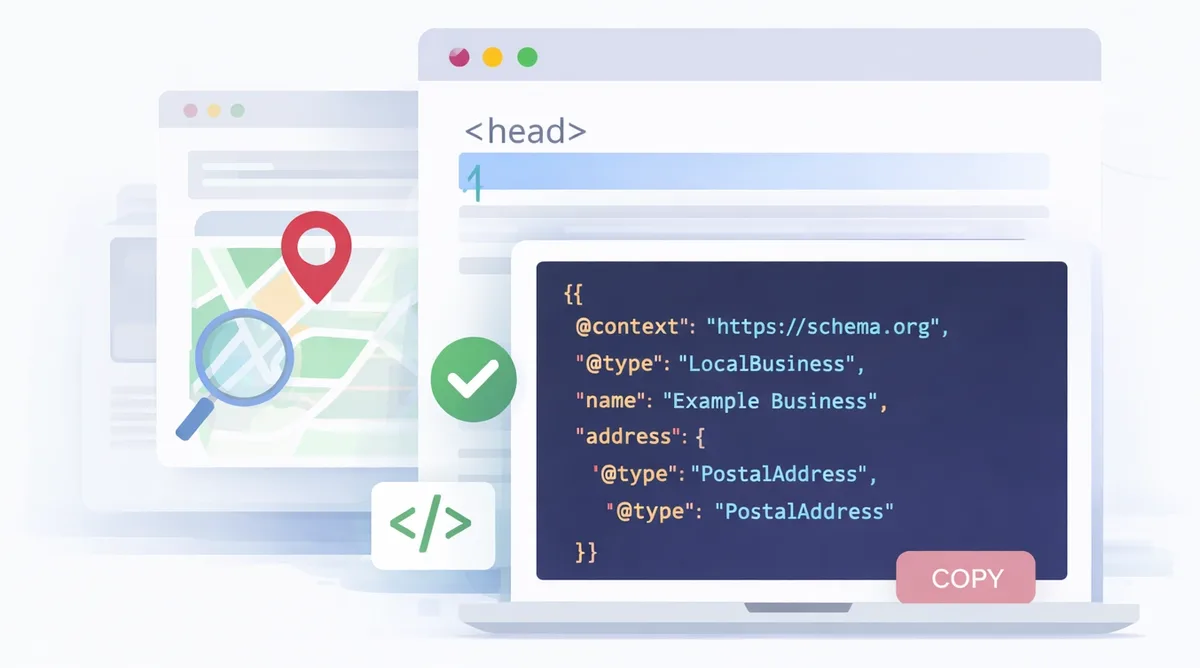
The second is using the wrong @type. A medical clinic using LocalBusiness instead of MedicalClinic loses access to medical-specific properties. A hotel using LodgingBusiness instead of Hotel misses hospitality properties. Match the type to the reality.
The third is ignoring the priceRange property. It is technically optional, but it helps Google categorize your business and can influence local pack placement. A simple “$$” or “competitive direct manufacturer pricing-30” string does the job.
How Local Schema Markup Interacts With Other Structured Data
Local schema markup does not exist in isolation. It interacts with BreadcrumbList, WebSite, Organization, and FAQPage markup on the same page. When these work together, you get richer results and clearer entity signals.
A common pattern is LocalBusiness on location pages, Organization on the homepage, BreadcrumbList sitewide, and FAQPage on service pages. Each serves a distinct purpose. Do not try to cram everything into one schema block.
Use @id references to link related entities. Your LocalBusiness can reference your Organization via parentOrganization, and your WebSite can reference your Organization via publisher. This graph structure is how modern search engines understand relationships.
Frequently Asked Questions About Local Schema Markup
Here is an in-depth breakdown of key considerations regarding Frequently Asked Questions About Local Schema Markup:
Does Local Schema Markup Directly Improve Rankings?
Structured data is not a direct ranking factor in the way backlinks are. But it improves how search engines understand your business, which influences rich result eligibility, local pack placement, and click-through rates. The indirect effect on rankings is real and measurable.
Can I Use Local Schema Markup Without a Physical Address?
Yes. Service area businesses can use LocalBusiness with areaServed instead of a street address. Google supports this pattern, but you must be honest about the areas you genuinely serve. Fabricated service areas get flagged quickly.
How Often Should I Update My Local Schema Markup?
Update whenever your business information changes — new hours, new phone number, new location. Beyond that, audit quarterly. Search engines reward freshness and consistency, and stale markup quietly loses effectiveness over time.
What Happens if My Schema Has Errors?
Errors can suppress rich result eligibility, cause your business to display incorrectly in search, or in severe cases trigger manual actions. Search Console reports errors with specific URLs and suggested fixes. Address them promptly.
Where Local Schema Markup Fits in Your Broader SEO Strategy
Local schema markup is one piece of a larger local SEO puzzle. It works best alongside a fully optimized Google Business Profile, consistent citations, genuine reviews, and a technically sound website. Neglect any of these and schema alone will not save you.
Think of schema as the connective tissue. It links your website, your GBP, and your citations into a coherent entity that search engines can trust. The stronger that entity, the more visibility you earn across map packs, local finder results, and organic listings.
As you build out your local presence, keep expanding your knowledge of related topics — entity optimization, knowledge graph management, and citation hygiene all compound with schema. The businesses that master the full stack win the local search game.
Start with the eleven tips above, build your local schema markup checklist, and run it relentlessly. The results will not arrive overnight, but they will arrive — and they will hold.
For verified reference and background research, consult the authoritative informational resource on this topic.