Joomla SEO: 11 Powerful Tactics to Boost Traffic Fast
Joomla SEO is where a lot of site owners quietly give up, and honestly, I get why. The CMS gives you a solid foundation, yet nothing happens until you configure the right settings, install the right extensions, and fix the structural quirks that Joomla carries by default.
This joomla SEO guide walks you through eleven tactics that actually move traffic, in the order I would apply them on a real site.
No theory dumps here. Focusing on joomla SEO provides clear direction here. Each tactic comes with the exact place to click, the setting to change, and the reason it matters for how search engines evaluate your pages.
Why Joomla SEO Feels Harder Than It Should
Joomla ships with clean semantic markup and decent URL handling, but the Joomla SEO also ships with a pile of legacy behaviors that work against crawlers if left untouched. Duplicate content on category views, unconfigured SEF URLs, and a metadata layer that needs manual attention are the usual suspects.

The bigger issue is ecosystem confusion. Refining each detail of your Joomla SEO strengthens this section. WordPress users get one dominant SEO plugin; Joomla users get three or four decent ones and no clear default, so people end up stacking conflicting extensions on the same site. That is a fast route to broken canonical tags and half-generated sitemaps.
Treat this whole joomla SEO guide as a sequence. Foundation first, then content structure, then speed, then measurement. Skipping ahead is how sites end up with a fast homepage and a thousand uncrawlable article pages.
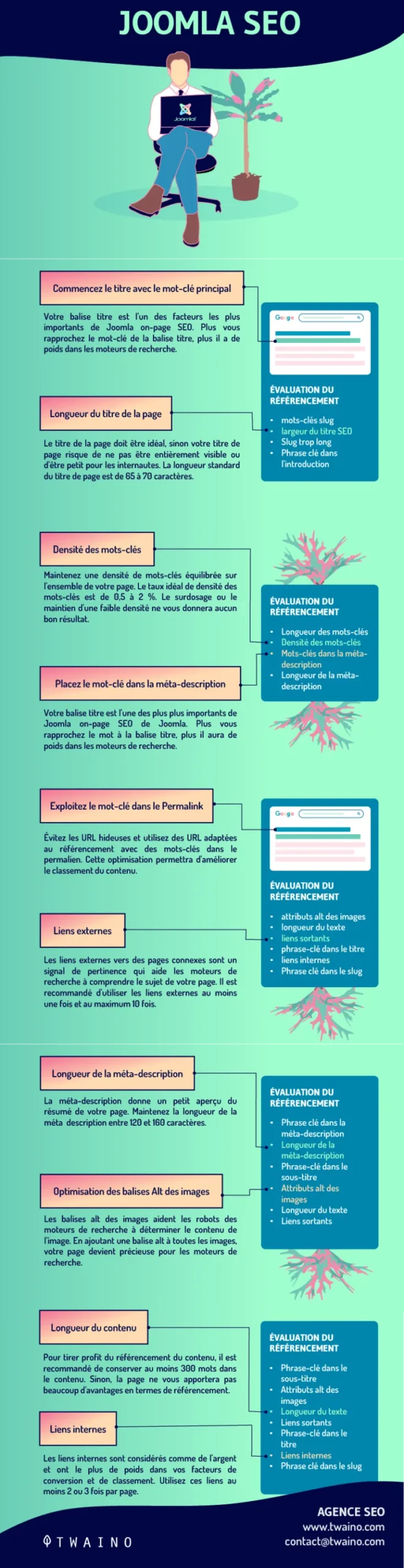
The 11 Joomla SEO Tactics That Actually Move Traffic
The joomla SEO eleven tactics cover the full lifecycle: configuration, architecture, on-page, speed, and monitoring. Each one stands alone, but the compounding effect shows up when you run all of them together on the same site.
I have grouped them into four logical clusters so you can work through them in manageable passes instead of trying to fix everything in one weekend.
Cluster One: Foundation Settings Most Joomla Sites Skip
Before you touch a single article, the platform itself needs to speak the same language as search engines. This is the part of joomla SEO best practices that gets ignored because it produces zero visible change on the front end.
Get it wrong, though, and every tactic downstream fights the current.

1. Turn on Search Engine Friendly URLs and URL Rewriting
Enable SEF URLs in Global Configuration. the Joomla seo single toggle converts messy query strings like index.php?option=com_content&view=article&id=42 into readable paths that both users and crawlers can parse. In the admin panel, go to System, Global Configuration, then Site, and switch Search Engine Friendly URLs to Yes.
Then flip URL Rewriting to Yes and confirm your .htaccess file is active. Effective execution in your joomla SEO makes a tangible difference. Joomla ships with htaccess.txt in the root directory; rename it to .htaccess and the rewrite engine handles the rest on Apache servers. On Nginx you will need a separate configuration block, which most hosting control panels can generate for you.

Real-world application: I have audited sites ranking on page four purely because their article URLs were parameter strings. After enabling SEF URLs and resubmitting the sitemap, crawl efficiency improved and several pages climbed within weeks. The content never changed. The addressing did.
2. Install One SEO Extension and Stick With It
Pick a single extension for metadata and canonical control. The Joomla ecosystem offers sh404SEF, 4SEO, and OSMap among others, and each is competent. What kills sites is running two of them simultaneously with overlapping responsibilities.

What the joomla SEO want from the extension is straightforward: per-page meta title and description fields, canonical URL generation, Open Graph output, and XML sitemap creation. Confirm it also handles redirects so you are not managing those in a separate plugin.
Practical tip: before installing anything, check what your template already outputs in the head section. Many modern Joomla templates bundle their own metadata layer, and layering an SEO extension on top produces duplicate meta tags.

View source on any live page and count the title tags. If you see two, you have a conflict to resolve first.
3. Eliminate Duplicate Content Before It Spreads
Add canonical tags to category, tag, and paginated views. A default Joomla install can generate four or five URLs pointing at near-identical content: the article, its category blog view, its tag listing, and print or email variants. A thoughtful approach to joomla seo reinforces your qualifications. Crawlers waste budget on all of them.
Your joomla SEO checklist for duplicates should include: canonical tags on every listing page pointing to the primary article URL, disabling the print and email views if you do not need them, and noindexing internal search result pages. Those search pages are the sneakiest source of thin content because they multiply indefinitely.
I also recommend auditing the SEF URL generator for trailing slash consistency. Focusing on joomla seo provides clear direction here. Joomla can produce both /blog/my-post and /blog/my-post/ depending on configuration, and while most crawlers handle that, external links pointing to both versions split your link equity.
Cluster Two: Content Structure and On-Page Discipline
Once the foundation is stable, attention shifts to how content is organized and marked up. This is where joomla SEO tips get concrete, because Joomla’s article and category system gives you real control over information architecture.
Good structure here pays off twice: crawlers understand your hierarchy faster, and users navigate with less friction.
4. Build a Category Hierarchy That Mirrors Search Intent
Map categories to topic clusters before publishing anything. Joomla’s category system is genuinely powerful here, and the temptation is to create one flat category called “Blog.” Resist that.
Instead, build parent categories around broad topics and child categories around subtopics. A site selling garden equipment might have parent categories for Tools, Irrigation, and Soil Care, each with child categories underneath. Articles sit in the most specific category, and every listing page becomes a legitimate topical hub with its own metadata and internal links.
The execution detail that matters: assign each article to one primary category and use tags for cross-cutting themes. Multi-category assignment creates duplicate listing content and dilutes the hierarchy. I have seen sites with articles in six categories each, generating thousands of near-duplicate listing pages. Not one of those listings ranked.
5. Write Metadata at Scale Without Going Mad
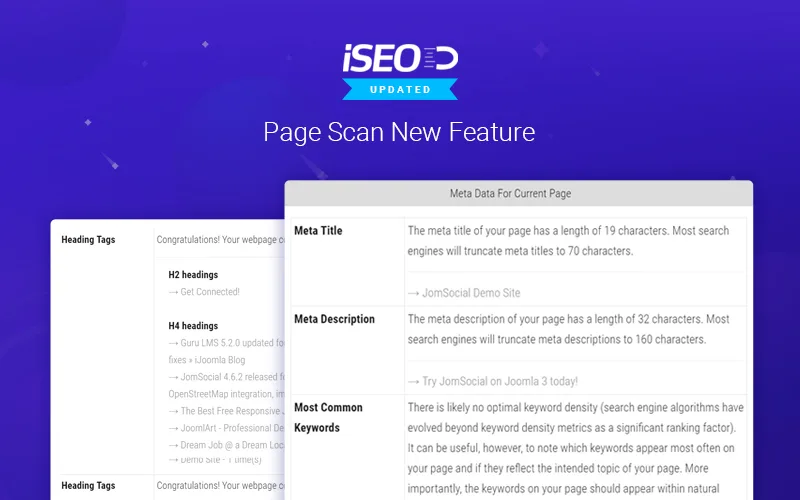
Use your SEO extension’s bulk editor for meta descriptions. Joomla’s default behavior is to fall back on the site name and article title, which produces descriptions that look identical in search results and kill click-through rates.
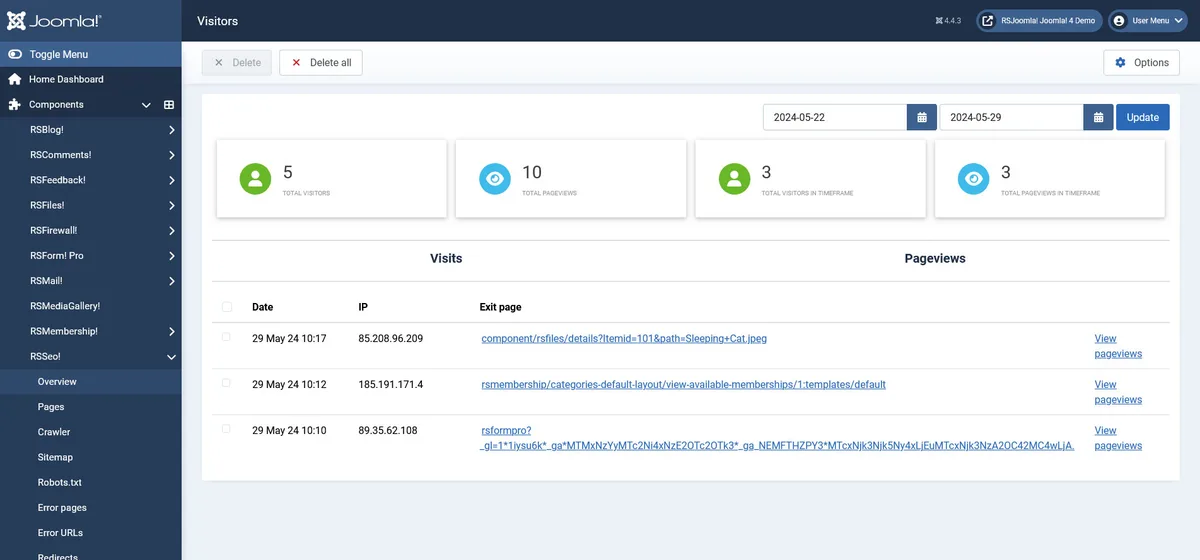
A practical pattern: write descriptions for your twenty highest-traffic pages by hand, and for the long tail, configure a template in the extension that pulls the article’s intro text and truncates at a clean word boundary. That gives you unique, readable descriptions at scale without a manual pass over every page.
Watch the length. Aim for 120 to 160 characters, put the primary phrase near the front, and include one specific claim rather than a generic promise. The descriptions that earn clicks are the ones that tell the searcher what they will actually get.

6. Structure Every Article With Proper Heading Semantics
One H1 per page, sequential H2s and H3s below it. Joomla’s editor makes it easy to select a heading level purely for visual size, which is how sites end up with H3s floating above H2s and entire sections marked up as bold paragraphs.
Configure your editor to show heading levels explicitly, and train anyone publishing on the site to respect the outline. The heading structure is the primary signal search engines use to understand what a page covers and how its sections relate.
Quick test on any live page: extract just the headings into a flat list. Refining each detail of your joomla seo strengthens this section. If the resulting outline reads as a sensible table of contents, you are fine. If it reads like random fragments, the page needs structural work before anything else.
7. Handle Pagination, Noindex, and Thin Category Pages
Decide deliberately which listing pages deserve to rank. Category pages with three articles and no unique introduction are thin. Structuring your joomla seo around proven patterns ensures impact. Category pages with twenty articles, an editorial intro, and unique metadata are valuable landing pages that can rank for the category term itself.
The joomla SEO best practices here: add unique intro text to every category you want indexed, leave pagination pages indexable but canonicalize them properly, and noindex the tag listings unless you are actively curating them. Joomla’s tag component can generate an enormous number of thin pages if left uncontrolled.
For the categories you decide to keep, populate the category description field with 150 to 300 words of genuine context. That field renders on the listing page and instantly differentiates it from every other listing on the site.
Cluster Three: Speed, Caching, and Core Web Vitals
Page experience signals are not a tiebreaker anymore; they are part of the baseline. Joomla can be extremely fast, but the default stack of template frameworks, unminified assets, and uncached modules works against you.
The good news is that most of the wins come from three or four configuration changes.
8. Enable Caching and Tune the Page Cache Plugin
Turn on the System Page Cache plugin with conservative lifetime settings. Navigate to System, Global Configuration, System tab, and set Cache Handler to File or your host’s memory-based option if available. Then enable the System Page Cache plugin under Extensions, Plugins.
Set the cache lifetime to something short during active development, then extend the joomla seo once the site stabilizes. If your site serves personalized content, be selective about which components the page cache touches, or you will serve the wrong version of pages to the wrong users.
Real-world detail worth knowing: Joomla’s cache can break JavaScript-heavy features like shopping carts or member dashboards if applied to the wrong views. Applying these principles to your joomla SEO yields measurable results. Test your critical user journeys after enabling caching, not just your homepage.
9. Compress Images and Serve Modern Formats
Convert hero and content images to WebP, then lazy-load everything below the fold. Joomla’s media manager does not convert formats for you, so this is a manual step, but it is the single fastest Core Web Vitals win available.
The workflow I use: resize images to the actual maximum display dimensions, convert to WebP, compress to a reasonable quality setting, then upload. Enable the native lazy-loading attribute in your template’s settings or via a plugin for anything below the first viewport.
Do not lazy-load the hero image. That pushes Largest Contentful Paint later rather than earlier, which is the opposite of what you want. This is exactly the kind of joomla SEO tips detail that separates a working optimization from a checklist exercise.

10. Trim the Extension Bloat That Slows First Paint
Audit installed extensions and disable anything that loads assets on the front end without earning its place. Every plugin that injects a stylesheet or script into the head section adds a request, and the requests stack fast on a site that has accumulated extensions over years.
Check the head section of a live page in your browser’s developer tools. Count the stylesheet and script requests. Then go through your plugin list and disable, one at a time, anything you cannot explain the purpose of. Monitor the request count as you go.
I have seen sites cut render-blocking requests by half just by removing unmaintained slider plugins and duplicate jQuery loads. Maintaining clarity across your joomla seo remains essential. That is a direct Core Web Vitals improvement with no content changes whatsoever.
Cluster Four: Technical Hygiene and Ongoing Monitoring
The last group is maintenance work, but it is where compounding gains come from. A joomla SEO checklist that only gets run once is not a checklist; it is a one-time cleanup.
These three tactics belong in a recurring schedule, quarterly at minimum.
11. Build Redirect Mapping, Structured Data, and Search Console Monitoring
Treat three technical items as a permanent habit. First, use Joomla’s built-in redirect component to map every changed URL, old to new, so link equity transfers instead of dying. Proper attention to your joomla seo sets a strong baseline. The component logs 404 hits automatically, which tells you exactly which URLs need redirects before crawlers notice them.
Second, add structured data. Joomla does not output schema markup by default, but most SEO extensions allow you to inject JSON-LD for Article, Organization, and BreadcrumbList. Start with those three types, validate with a structured data testing tool, and expand only when the basics are clean.
Third, connect Google Search Console and review the Coverage and Core Web Vitals reports on a schedule. The specific thing to watch is the “Discovered but not indexed” bucket. When it grows, you have a crawl budget problem, and it usually traces back to duplicate content or thin category pages you left uncontrolled.

The extension to run all the joomla SEO: an XML sitemap generated by your SEO extension and submitted to Search Console. Regenerate it after any structural change to categories or URLs. A stale sitemap pointing to redirects trains crawlers to distrust the file.
Comparing the Main Joomla SEO Extensions
Choosing between the three serious options comes down to what the rest of your stack looks like and how much of the technical layer you want automated. Here is how they compare on the dimensions that actually matter.

| Extension | Metadata Control | Redirect Management | Best For |
|---|---|---|---|
| sh404SEF | Per-URL override, deep customization | Built-in, with 404 logging | Large sites with complex URL requirements |
| 4SEO | Full control, template-based generation | Built-in, automated matching | Sites that want one tool for everything |
| OSMap | Limited to sitemap output | None | Sites already comfortable with core Joomla settings |
The pattern I have noticed across implementations: sites with more than a thousand articles tend to gravitate toward the heavier tools because bulk operations matter, while smaller sites do fine with lighter configurations and careful manual work.
Whatever the joomla SEO choose, verify that only one tool controls the canonical tag. Two extensions both claiming ownership of the same tag is the most common cause of indexing failures I see on Joomla sites, and it is invisible until you check the raw page source.
Common Joomla SEO Mistakes to Stop Doing Immediately
The joomla seo are the recurring problems that show up in nearly every audit. None of them are exotic, which is precisely why they persist.
Leaving the default template title suffix. Joomla often appends the site name to every page title, which wastes precious character space. Control the title output through your SEO extension and drop the suffix where it adds nothing.

Publishing articles into multiple categories. the joomla seo creates duplicate listing content across every category the article appears in. Pick one primary category per article and use tags for the rest.
Ignoring the meta description field entirely. When it is empty, Joomla has nothing to pass to search engines, and they generate a snippet for you. That snippet rarely sells the click.
Running two SEO extensions at once. I covered this above, and it bears repeating because it is the single most damaging configuration error. Pick one, disable the rest, then audit the head section for duplicates.
Skipping the redirect component after URL changes. Every URL structure change without redirects resets any authority the joomla seo pages had built. The redirect component is already in core; use it.
Building a Joomla SEO Checklist You Actually Run
A joomla SEO checklist works only if it is short enough that you will not skip it. I keep mine at four phases and run them on a quarterly rotation.
The setup phase covers SEF URLs, URL rewriting, extension installation, and canonical configuration. Run once, then only revisit when something structural changes.
The content phase covers category hierarchy, metadata population, heading structure, and thin-page decisions. Run every time you publish a batch of new content, or monthly if publishing is steady.
The performance phase covers caching configuration, image optimization, and extension auditing. Run quarterly, and immediately after any template update, since updates can reset or override performance settings.
The monitoring phase covers Search Console review, redirect mapping, and sitemap regeneration. Run monthly. This is the phase that catches problems before revenue is affected, and it is the one most sites skip.
How Long Until Joomla SEO Shows Results?
The honest answer depends on the site’s age and current technical state. Technical fixes like SEF URLs, canonical tags, and caching can show crawl improvements within two to four weeks. Ranking movement typically follows the next time search engines recrawl and reassess the affected pages.
Content structure changes take longer, often six to twelve weeks, because the joomla SEO require new pages to earn their own authority. Category pages promoted from thin listings to genuine hubs are the clearest example: they need fresh crawl attention plus internal links before they compete.
What I tell clients: expect the technical layer to move within a month, expect architecture and content work to move within a quarter, and expect the compounding effect of running the full joomla SEO guide consistently to define the year.
Where This Joomla SEO Guide Fits in a Bigger Strategy
Everything here serves one parent topic: organic visibility for your Joomla site. Within that cluster, three sub-topics are worth exploring next as you go deeper.
Structured data beyond the basics is one, particularly once your Article and Organization markup is stable. Local business schema for service-area sites is a natural extension.
Internal linking strategy at scale is another. Joomla gives you the category hierarchy, but the discipline of linking contextual articles together within a cluster is where topical authority gets built.
The third is Core Web Vitals diagnostics, moving past the basics covered in tactic nine into measuring and improving Interaction to Next Paint on interactive pages.
Frequently Asked Questions About Joomla SEO
Here is an in-depth breakdown of key considerations regarding this section:
Does Joomla Come With Built-in SEO Features?
Yes, and they are more substantial than most people realize. Joomla includes SEF URL generation, metadata fields for every article and menu item, a redirect component, and clean semantic HTML output by default. What it does not include is an automated metadata layer, schema markup, or a sitemap generator, so an extension fills those gaps.
Which SEO Extension is Best for Joomla?
There is no universal winner. Sh404SEF suits sites that need granular per-URL control and built-in redirect management. 4SEO is the friendliest for teams that want metadata generation automated. OSMap covers sitemaps only, so it pairs with manual configuration.
The right answer depends on site size and how much of the technical work you want to delegate to a tool, so test one on a staging copy before committing.
How Do I Fix Duplicate Content in Joomla?
Start with canonical tags on every listing page, pointing to the primary article URL. Then disable print and email views, noindex internal search results, and assign each article to a single primary category. Audit the tag component and noindex tag listings unless you are actively curating them. Most duplicate content issues on Joomla sites trace back to those four sources.
Why are My Joomla URLs Not SEO Friendly?
SEF URLs are off by default. Enable them in Global Configuration under the Site tab, then turn on URL Rewriting and rename htaccess.txt to .htaccess in your root directory. On Nginx servers you will need an equivalent rewrite rule in the server configuration instead.
How Often Should I Run a Joomla SEO Audit?
Quarterly for the full checklist and monthly for the monitoring phase. Template updates and extension installs can silently reset performance settings, so revisit the technical layer immediately after any major update. The monthly Search Console review is the safety net that catches problems early.
Does Joomla Support Structured Data?
Not natively, but almost every serious SEO extension allows JSON-LD injection. Start with Article, Organization, and BreadcrumbList markup on your most important pages, validate the output, and expand to more specific types only when the basics validate cleanly. Schema markup compounds the value of the crawlability work covered throughout this joomla SEO guide.
Bringing the 11 Tactics Together
So there it is: eleven tactics, four clusters, one system. The foundation settings clear the path for crawlers, the content structure gives them an outline worth following, the speed work keeps users engaged, and the monitoring keeps the whole thing honest.
Run them in sequence rather than all at once. Measure after each cluster so you know what actually moved the numbers, and revisit the technical layer after every major update.
That discipline is the real difference between a joomla SEO checklist that gets abandoned after week two and one that quietly compounds into traffic gains year after year.
For verified reference and background research, consult the authoritative informational resource on this topic.