Infinite Scroll SEO: Why the Seamless Feed Breaks Search (And How to Fix It)
Infinite scroll SEO is the discipline of making an endlessly loading page both crawlable and rankable, and it sits at the exact intersection of user experience and technical search hygiene. On paper, the pattern looks irresistible.
A visitor lands, starts scrolling, and content keeps appearing. No pagination clicks. No page reloads. Just a hypnotic, frictionless river of posts, products, or results.
Then the infinite scroll SEO open Search Console a few weeks later and the story falls apart. Impressions pile up on one URL. Deep content never gets indexed. Analytics reports look inflated. And the “load more” experience users love becomes a silent traffic leak.
I have audited dozens of the infinite scroll seo builds, from editorial magazines to e-commerce category pages, and the failure pattern is remarkably consistent. The good news is that every one of those failures has a known fix.

Below you will find a complete infinite scroll SEO guide built around seven concrete tips, ordered the way I would actually implement them on a live site.
Treat this as your working list. Each tip stands on its own, but the real gains come from applying them together.

Infinite Scroll SEO: the Core Mechanics You Need to Understand First
Before the tips, let’s get the plumbing straight. Refining each detail of your infinite scroll SEO strengthens this section. Infinite scroll works by detecting when a visitor nears the bottom of the viewport and firing an asynchronous request for the next batch of items.
The URL in the address bar usually stays frozen on the first page, while the DOM quietly grows behind the scenes.
That single behavior explains almost every SEO problem downstream. Search engines discover content through URLs, and if your page never produces new ones, crawlers see a single document with a suspiciously long list.
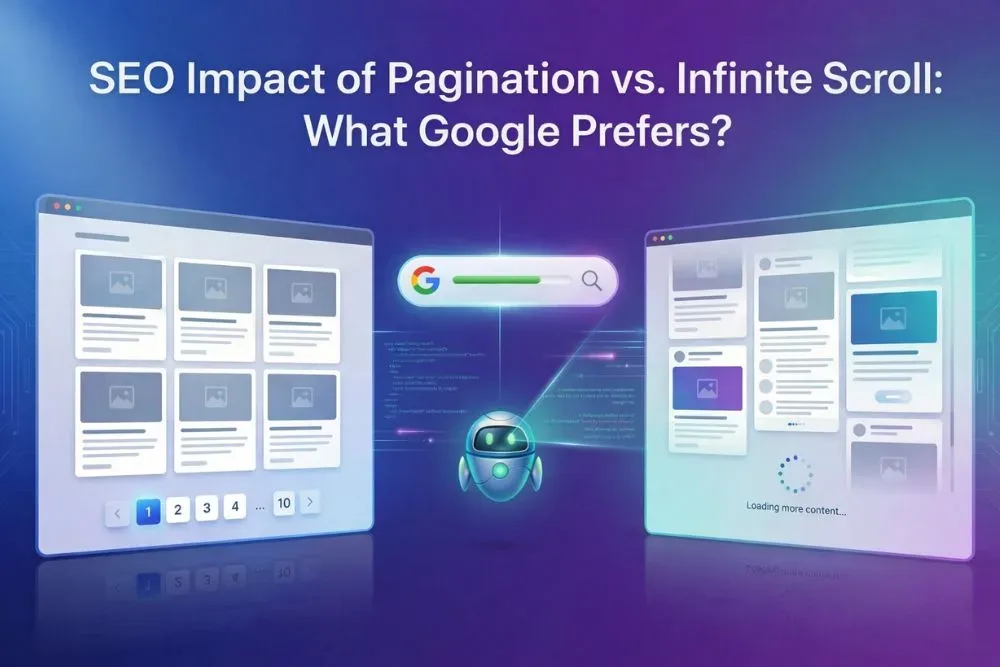
Google can render JavaScript and will scroll in some cases, but it is not going to sit there and mash a “load more” button until the archive exhausts itself.
Here is the mental model I use with clients: infinite scroll is a presentation layer, not an indexing strategy. Effective execution in your infinite scroll SEO makes a tangible difference. The feed you see is a convenience wrapper. Underneath it, there must still be a real, addressable, paginated structure that bots can follow.

Two more terms matter here. Pagination means discrete, numbered URLs (page 2, page 3). Lazy loading means deferring image or asset loading until needed, which is unrelated to content discovery but gets confused with infinite scroll constantly. Keep them separate in your head and in your tickets.
Get this foundation wrong and no amount of keyword optimization rescues you. Get it right and the seven tips below compound beautifully.

The Two Signals Google Actually Uses on Feed Pages
Google leans on two primary signals to understand a scrolling feed: internal links and URL structure. Maintaining clarity across your infinite scroll SEO remains essential. Internal links act as the roadmap, telling the crawler which discrete pages exist and how they relate. URL structure acts as the address book, giving each batch of items a permanent home.
If either is missing, the crawler has to guess. It will usually guess wrong, either by indexing only the first screen or by treating the whole feed as thin, duplicate content. I have watched a 40,000-post archive collapse into 12 indexed URLs because nobody linked to the paginated versions.

This is the hinge on which everything else swings, so let’s start the tips here.
Tip 1: Build a True Paginated Backbone Behind Every Infinite Scroll SEO Feed
The infinite scroll SEO is the non-negotiable foundation, and I put it first because everything else depends on it. Every infinite scroll feed needs accessible, linkable paginated URLs running parallel to the dynamic loading. Users get the smooth feed. Crawlers get the address book.

In practice, that means a sequence like /blog/, /blog/page/2/, /blog/page/3/ and so on, each one server-rendered and reachable by a plain HTML link. You can hide the visual pagination behind your feed if you prefer, but the links must exist in the markup, not just in a JavaScript handler.
A word on the older rel=”next” and rel=”prev” hints: Google has confirmed these are no longer used as indexing signals. They do not hurt, but do not treat them as a fix. The real fix is real URLs with real links.
I also recommend giving each paginated page a self-referencing canonical tag. Structuring your infinite scroll SEO around proven patterns ensures impact. This tells Google each page is its own canonical document rather than a duplicate of page one. It is a small step that prevents a mountain of consolidation headaches later.
What a Correct Pagination Setup Looks Like
Here is the pattern I deploy on client builds. The visible feed renders the first 20 items, then loads more on scroll. Meanwhile, the page head carries a canonical to itself, the footer carries real anchor links to page 2, 3, and 4, and each of those pages repeats the whole arrangement.

| Layer | What the User Sees | What the Crawler Sees |
|---|---|---|
| Feed | Smooth, auto-loading items | First paginated batch only |
| Pagination | Often hidden or subtle | Real links to /page/2/, /page/3/ |
| Canonical | Invisible | Self-referencing on every page |
| Sitemap | Invisible | Lists every paginated URL |
This table is the single most useful mental snapshot in this entire infinite scroll SEO guide. If your build matches that right-hand column, you are already ahead of most competitors.
Now, an honest caveat: pagination alone does not guarantee indexing. It guarantees discovery, which is the prerequisite. The rest of the tips handle the “make it worth indexing” half of the equation.
Tip 2: Give Every Feed Item a Stable, Canonical Home
Here is a trap I see constantly. Applying these principles to your infinite scroll SEO yields measurable results. A site builds a gorgeous infinite feed on the homepage, and suddenly every product and post makes its public debut inside that feed. The individual item pages exist, but they are starved of internal links and treated as secondary.
That is backwards. The feed should be a doorway, never the destination. Each item in the stream needs its own permanent, canonical URL that is linked from the feed and from category pages. The feed is how humans find things. The item page is what ranks.
In e-commerce, this is the difference between a category page that demonstrates infinite scroll SEO best practices and one that cannibalizes its own product pages. I have seen category feeds outrank their children for thousands of long-tail queries, which looks like a win until you realize the conversion path is a mess.
Link to individual items with real, crawlable anchors rather than click handlers on divs. If the item cards rely on JavaScript navigation, add a fallback link in the card markup. Screen readers and crawlers both thank you.

Then check the canonical on each item. Proper attention to your infinite scroll SEO sets a strong baseline. It should point to itself, not back to the parent feed. This one detail quietly protects your entire long-tail traffic surface.
Avoiding the “Zero URL” Item Problem
Some builds generate feed items from an API with no corresponding page at all. These are the truly dangerous ones because the content literally has no address. If a reader shares it, the link dies. If Google encounters it, it has nowhere to send users.
Rule of thumb: if content deserves to appear in a feed, the infinite scroll seo deserves a page. No exceptions. If you cannot afford a page for it, it should not be in the feed.

Tip 3: Master History API and URL State Changes for Infinite Scroll SEO
The infinite scroll SEO is where the craft really shows. Good infinite scroll implementations update the URL as the user scrolls deeper, using the browser History API. The address bar stays honest about where the user “is” in the feed.
Why does this matter for SEO? Because it means the back button works, deep links work, and analytics can segment properly.
It also means a user who scrolls 200 items deep and then hits refresh does not get dumped back at the top, which is the single most common UX complaint I hear about these feeds.
The technique is straightforward in modern JavaScript. Clear alignment with your infinite scroll SEO builds confidence from the start. Each batch of items corresponds to a logical page, and when that batch loads, you call history.replaceState (for the initial load) or pushState (for subsequent batches) to reflect the new position. The bookmarkable URL naturally mirrors your paginated backbone from Tip 1.
A subtle but critical detail: replace state on the first load, push state on later batches. That way the back button takes users to genuinely previous views rather than cycling endlessly through feed positions.
When I audit infinite scroll SEO tips like this one, I always test three things. Does the back button behave sanely? Does copying the URL and pasting it fresh restore the same view? Does the URL change at all? A “no” on that third question means the site is leaving discoverability on the table.
Why This is an SEO Win, Not Just a UX One
URL state changes do more than please users. They create crawlable address surfaces that otherwise would not exist. A well-implemented History API scheme means every meaningful feed position is shareable, socially distributable, and internally linkable.
Combine the infinite scroll SEO with your paginated backbone and you have two parallel maps to the same content, one human-friendly and one machine-friendly, that reinforce each other. That redundancy is exactly what robust crawl architectures look like.

Tip 4: Serve Crawlers a Clean, Static Version of the Feed
One of the most practical infinite scroll SEO best practices is embarrassingly simple: make it easy for bots. If your feed depends on JavaScript requests to an API to render even the first screen, crawlers are doing extra work before they see any content at all.
Server-render the first batch directly into the HTML. That way Googlebot, Bingbot, and every social preview scraper gets real content on first paint without waiting for client-side code. The dynamic loading can still kick in for batches two, three, four and onward.

Detecting user agent and serving a different version to bots is a red flag to search engines. Do not cloak. Instead, use progressive enhancement: server-render the initial content for everyone, then layer the infinite behavior on top for browsers that support it.
In practice the infinite scroll SEO looks like standard server-side rendering or static generation of your feed’s first N items. The API call for the next batch is a browser-side enhancement that bots never need to trigger.
I have watched sites go from “crawled, not indexed” to ranking within one content cycle after making this single switch. It is not glamorous. It is effective.
The Test That Reveals Everything
Try this in your browser. Effective execution in your infinite scroll seo makes a tangible difference. Open DevTools, disable JavaScript, and reload your feed page. If you see meaningful content, you pass. If you see an empty shell or a spinner spinning forever, you have work to do.
The same test works with curl on the command line. Focusing on infinite scroll seo provides clear direction here. Fetch the URL and inspect the raw HTML. If your items are not there, crawlers will not see them without executing your JavaScript.
Google can execute JavaScript, but rendering adds latency, eats crawl budget, and introduces failure modes. Every site I have moved from client-rendered feeds to server-rendered first batches saw faster indexing, often dramatically.
Tip 5: Turn Infinite Scroll SEO Into a Checklist You Run Before Every Launch
Prevention beats cleanup, and I have the scars to prove it. The cleanest way to operationalize everything above is a short, repeatable infinite scroll SEO checklist that any developer or content manager can run. Here is mine, tested across dozens of builds.
- Paginated backbone exists: numbered URLs render server-side and are linked with plain anchors. No dependency on JavaScript for discovery.
- Self-referencing canonicals: every paginated page and every item page points to itself, not to page one.
- Server-rendered first batch: content is visible with JavaScript disabled and in raw curl output.
- History API in place: the URL updates as users scroll, the back button behaves, and deep links restore state.
- Reliable sitemap: all paginated URLs and all item URLs appear in the sitemap and update when new content publishes.
- Item-level homepages: every item in the feed has its own unique URL and is linked from the feed markup.
- Analytics sanity check: event tracking distinguishes scroll events from true pageviews so reports are not inflated.
This list is not long, but it is unforgiving. Miss item four and you lose shareable deep links. Miss item three and you might lose indexing entirely.

The checklist quietly doubles as your infinite scroll SEO tips library, because each item encodes a hard-won lesson. Print it, pin it, and run it before every release.
How to Adapt This Checklist for Large Sites
On a site with tens of thousands of feed items, the checklist scales if the infinite scroll SEO automate the verification. Build a small monitoring script that cURLs sample paginated pages weekly and alerts you if the server-rendered content disappears.
That kind of guardrail catches regressions that manual QA misses, and regressions are where most infinite scroll disasters originate. One deploy, one removed server render, one month of silent traffic loss.
Tip 6: Use Progressive Enhancement and Accessible Loading States
Let’s talk craft again. The best infinite scroll implementations do not just load more content; they communicate what is happening. Users with slow connections, keyboard-only navigation, or screen readers all need a clear signal.
Progressive enhancement is the philosophy the infinite scroll SEO makes this work. The page loads as a functional paginated document by default, then the JavaScript layer adds the seamless scroll. Users who lack that layer still get everything.
Invisible loading is a UX trap and a subtle SEO one. When content appears without warning, users lose their place, screen readers lose context, and the Chrome UX metrics you care about can quietly erode. Announce new batches with an accessible live region, and give users a visible indicator that more content is arriving.
Also, consider a “back to top” control and a way to pause loading. When the feed can load forever, users on metered connections can be pushed into unwelcome data usage. That is a real-world experience issue, not just a technical footnote.
None of the infinite scroll SEO replaces indexing work. It strengthens the case that your feed is a place worth sending people. Search engines care about that.
Making Infinite Scroll SEO Work on Mobile-First Crawlers
Google crawls mobile first, and infinite scroll is a mobile pattern above all. That makes mobile the priority test surface. If your feed balloons into a memory-heavy page after 300 items, mobile crawlers and mobile users feel it equally.
Cap the loaded DOM. Maintaining clarity across your infinite scroll seo remains essential. Prefer virtualization for very long feeds, where off-screen items are removed from the DOM as users scroll past. That keeps memory flat and rendering fast, which is the whole game.
Combine the infinite scroll SEO with a visible, working pagination fallback and you have an arrangement that is honest to both audiences. The human gets flow. The machine gets structure.

Tip 7: Measure, Monitor, and Iterate on Infinite Scroll SEO Performance
No infinite scroll SEO guide is complete without the measurement layer, because the pattern fails silently. Traffic does not drop with a bang. It decays as deep pages fail to index, and you only notice months later.
Set up monitoring that catches these problems early. Track indexed page count in Search Console week over week. Watch the ratio of discovered-but-not-indexed URLs against your total. If that ratio climbs, your crawl architecture is slipping.

On the analytics side, be ruthless about data hygiene. Infinite scroll inflates pageview counts if implemented carelessly. Either configure scroll events to fire as virtual pageviews that you can separate, or exclude them from key reports so your metrics stay honest.
I also recommend tracking scroll depth per session. If users leave after five items, the feed itself has a problem. If they leave after 200, you have a different issue entirely, often one of discovery and findability.
On competitive analysis, look at which of your rankings map to paginated pages versus item pages. That split is a great honesty check on the whole setup.
The Metrics That Actually Matter
Indexed pages, discovered-but-not-indexed rate, scroll depth, and organic sessions to deep item pages. Those four numbers tell you whether your infinite scroll SEO work is landing. Ignore vanity metrics.
What about robots and sitemap hints? They help discovery but do not substitute for real crawlable links, especially on feeds with enormous archive depth. I still include them, just without overrating them.

And a confession worth sharing: the most valuable metric in my own audits has been the simple mobile crawl test described earlier. It catches more silent failures than anything else in the toolkit.
What About Accessibility, Localization, and Edge Cases?
The pattern gets trickier once you expand scope. Multilingual feeds need per-language pagination, not one shared feed with a language parameter. Bots discover language variants by URL, so the same discipline applies.
Accessibility is the other big one. A thoughtful approach to infinite scroll seo reinforces your qualifications. Infinite scroll is quietly hostile to keyboard and screen reader users if handled carelessly. Focus management, announced loading, and an obvious escape route back to the top turn a fragile experience into a robust one.
Edge cases deserve a sentence because the infinite scroll SEO cause real damage. Empty feeds, error states on load, and rapid-fire scroll events all need handling. A failed network request that breaks the whole page is one of those problems that only shows up in production and always on the day of a big campaign.
Infinite Scroll SEO Best Practices: a Wider View of the Pattern
Zoom out and the infinite scroll SEO best practices converge on one idea. Treat the feed as an interface, not a destination, and build a real web of pages underneath it. The visible experience is a layer. The indexing architecture is the foundation.
Among the wider best practices, three stand out.
- Server-render the first batch for everyone: it is the cheapest indexing insurance available, and it doubles as a performance win.
- Keep pagination accessible in the markup: even if hidden visually, real anchor links are what crawlers follow.
- Own your item URLs: every feed item is a page with its own canonical address, linked from real anchors.
Beyond that, monitor, test on mobile, and stay honest with analytics. These are not exotic tactics. They are the difference between a feed that ranks and one that just looks good.
Most teams I work with already know the UX value of infinite scroll. The gap is almost always on the indexing side. Close that gap and you get the best of both worlds.
Where Infinite Scroll Fits in Your Wider SEO Architecture
Think of infinite scroll SEO as a chapter in a larger story about crawl architecture. The parent topic is technical SEO foundations, and infinite scroll is one pattern inside it, alongside pagination strategy, JavaScript rendering, and internal linking.
Three neighboring topics deserve attention once the infinite scroll SEO chapter is solid. First, JavaScript rendering strategy and its effect on how crawlers see dynamic content. Second, internal linking at scale, since feeds are a form of automatic linking that must be audited. Third, crawl budget management for large sites, where every unnecessary client-side render costs you.
If you want to go deeper after reading this, start with those three. They reinforce the seven tips above and prevent regressions when your team grows.
And keep one phrase at the front of your mind as you work: structure before spectacle. The feed is the spectacle. The structure is what makes it visible to search.
Common Infinite Scroll SEO Mistakes That Quietly Kill Traffic
I have catalogued the infinite scroll SEO across projects, and they share a personality type. They are invisible in a demo and expensive in production. Here are the ones I see most often.
- The frozen URL problem: the address bar never changes as users scroll, so nothing is shareable, deep, or crawlable. Fix by wiring the History API and keeping the paginated backbone as the source of truth.
- No server-rendered first batch: the feed depends entirely on client-side requests. Fix by rendering the initial items in the HTML and layering infinite behavior on top.
- Feed-only item pages: items appear only inside the stream, with no canonical destination. Fix by giving each item a real URL and linking to it with anchors.
- Paginated pages that crowd out item pages: the feed pages rank, but the actual products or articles do not. Fix by cleaning up canonicals and internal linking so each item page gets its own signal.
- Inflated analytics: scroll events register as pageviews, so every report is skewed. Fix by separating virtual pageviews from real ones and documenting the convention.
Each of these is easy to diagnose and not always easy to fix, but the fix is always known. Start with the frozen URL and the missing render, since those two account for the majority of damage.
One last note on priorities. Do not try to fix all five in one sprint on a large site. Pick the highest-impact two, ship them, measure for a crawl cycle, then continue.
The Overlooked Mistakes Nobody Talks About
Two more deserve mention. Developing your infinite scroll SEO with precision highlights key strengths. First, error states that break the feed permanently when one network request fails. Fix with robust retry handling and a user-visible recovery path.
Second, a total absence of keyboard support, which makes the feed unusable for some users and is increasingly being flagged in accessibility audits.
Both are invisible to search engines but visible in the metrics humans care about. Structuring your infinite scroll seo around proven patterns ensures impact. Address them before they cost you a partner audit or a compliance review.
Frequently Asked Questions About Infinite Scroll SEO
Here is an in-depth breakdown of key considerations regarding Frequently Asked Questions About Infinite Scroll SEO:
Does Infinite Scroll Hurt SEO?
Not inherently. It hurts SEO when it is implemented without a paginated backbone, server-rendered content, and real item URLs. Implemented well, the pattern is neutral to positive, because it improves engagement without sacrificing crawlability.
The pattern gets blamed for problems caused by careless builds. The mechanism is not the villain. Architecture is.
How Do Search Engines Crawl Infinite Scroll Pages?
They follow links. Google renders JavaScript and can see content that client-side code produces, but it will not simulate endless scrolling to discover the entire archive. It relies on link graphs and sitemaps to find pages.
That is why the paginated backbone from Tip 1 is the single most important piece of the puzzle. Everything else is reinforcement.
Is Infinite Scroll SEO Still Relevant?
Yes, and the infinite scroll SEO matters more as more sites adopt feed-style experiences. Every social feed, marketplace, and editorial homepage now leans on the pattern, which means the indexing gap is more common than ever.
The best teams treat it as a standard part of the technical SEO audit, not an afterthought.
What is the Difference Between Infinite Scroll and Pagination for SEO?
Pagination produces discrete URLs that search engines can index individually. Infinite scroll produces one URL that streams content. The best practice is to combine them: infinite scroll for the user experience, pagination for crawlability.
Do not choose one over the other. The pattern that wins is the hybrid.
Can I Use Lazy Loading Instead of Pagination?
Lazy loading defers asset loading, such as images, and has nothing to do with content discovery. Integrating infinite scroll SEO into your workflow produces consistent quality. It does not create crawlable URLs, so it is not a substitute for pagination.
Keep lazy loading for performance and pagination for discovery. They solve different problems.
Do I Need the History API for Infinite Scroll SEO?
It is not strictly required by Google, but it is strongly recommended. History API updates make URLs shareable and deep-linkable, which improves discoverability, analytics accuracy, and user trust.
Treat it as a best practice rather than a technical requirement, and lean on your paginated backbone for the indexing half.
Putting It All Together
Infinite scroll SEO is not one technique but an agreement between three systems: the human feed, the crawling infrastructure, and the measurement layer. Break any of those and the whole thing wobbles.
The seven tips above form a complete operational loop. Targeted refinements to your infinite scroll SEO streamline the entire review. Build the backbone. Give items homes. Wire the URL state. Render for crawlers. Run the checklist. Enhance progressively. Measure honestly.
Start with the two highest-impact items, the paginated backbone and the server-rendered first batch. Those two changes rescue the vast majority of infinite scroll SEO problems I encounter in the wild.
Then keep the checklist close and the mobile test even closer. The codebase will evolve, and the feed will grow, but the structure that makes it discoverable should never quietly disappear. That foundation is what turns a beautiful feed into a traffic engine.
For verified reference and background research, consult the authoritative informational resource on this topic.