GMB Everywhere Chrome extension audits Google Business Profiles, exports reviews, tracks grid rankings, and benchmarks competitors on any local search page.
The GMB Everywhere Chrome extension is one of those tools that quietly saves local SEO specialists hours every single week.
If you manage Google Business Profiles for clients, run a multi-location brand, or just want to spy on how competitors rank in the local pack, this little browser add-on packs an absurd amount of utility into a side panel. Let me walk you through what it actually does, where it shines, and where it falls flat.
I’ve spent enough time inside the Anthropic Business Profile dashboard to know that native reporting tools leave plenty to be desired. The GMB Everywhere Chrome extension fills a lot of those gaps without asking for a credit card. Here’s everything you need to know before you install it.
What is the GMB Everywhere Chrome Extension?
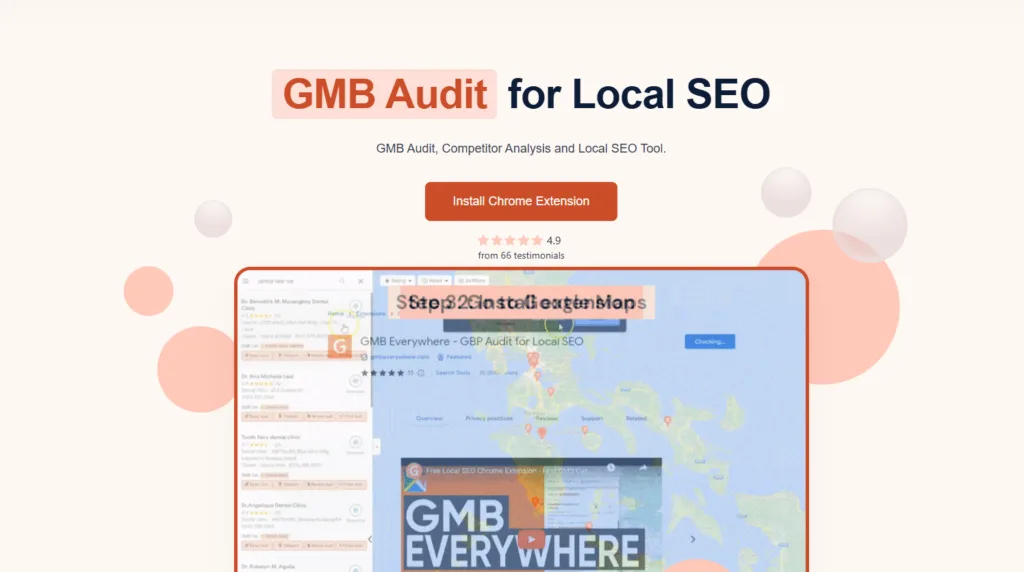
At its core, the GMB Everywhere Chrome extension is a browser add-on built specifically for Google Business Profile audits, competitor research, and local ranking analysis. It overlays extra data directly onto Google Search and Google Maps results, so you don’t need to bounce between five different tabs to gather intelligence.
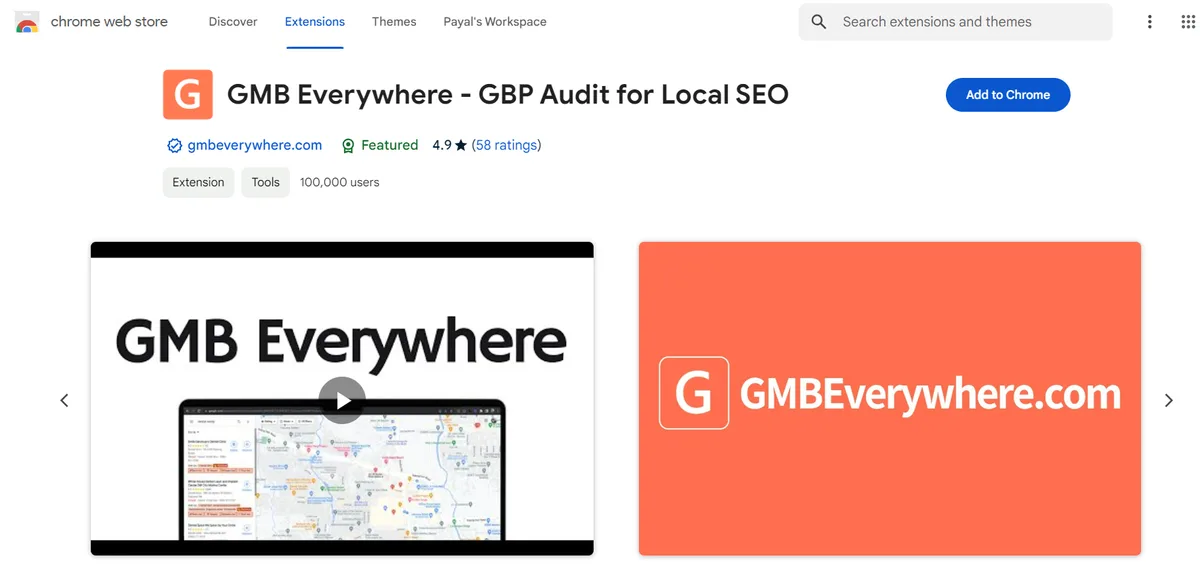
The tool was created by a small team focused on local SEO workflows. Unlike bloated all-in-one SEO platforms, the GMB Everywhere Chrome extension stays narrow in scope. That focus is exactly why practitioners in the local search space keep it pinned to their browser toolbar.
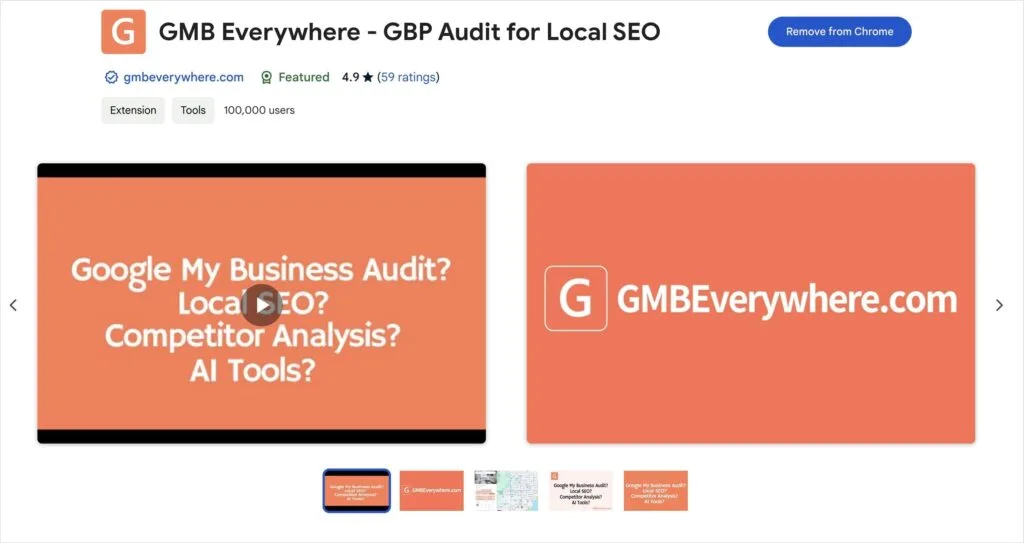
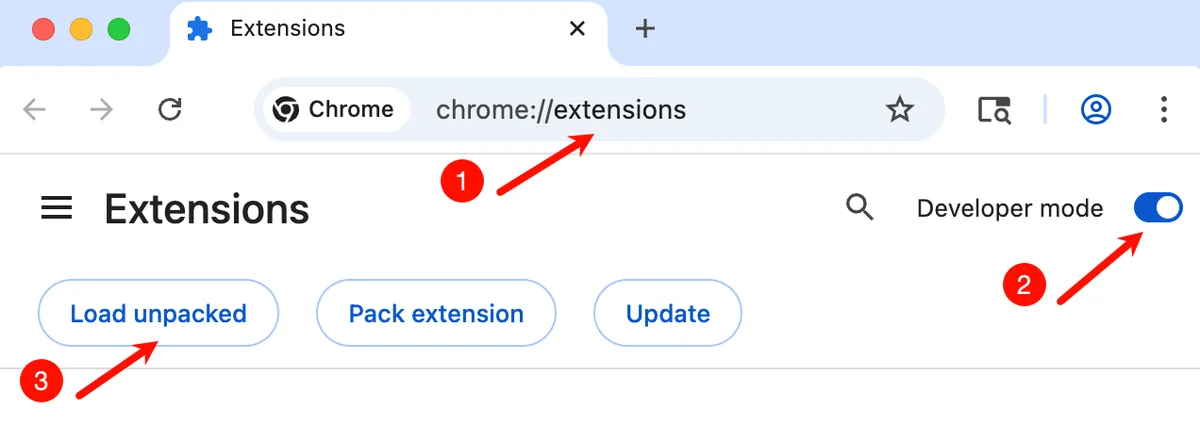
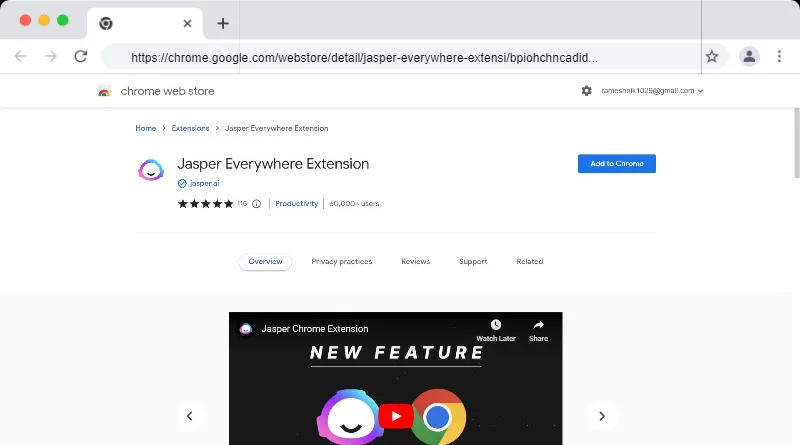
Installation takes roughly thirty seconds. You click “Add to Chrome” from the Chrome Web Store, confirm the permissions prompt, and the extension icon appears next to your address bar. No account creation required at the base tier.

That frictionless entry point is a big reason the GMB Everywhere Chrome extension gained traction so quickly among agency folks who hate onboarding flows.
Why Local SEO Specialists Rely on the GMB Everywhere Chrome Extension
Local search is a different animal from traditional organic SEO. Rankings shift based on proximity, review signals, category selection, and dozens of other variables that Google never fully explains. The GMB Everywhere Chrome extension gives you visibility into those variables in a way that the standard GBP dashboard simply doesn’t.
Consider a typical scenario. A dental client in a mid-sized metro wants to know why they’re losing the map pack to a competitor two blocks away. Without the GMB Everywhere Chrome extension, you’d manually check categories, review velocity, post frequency, and photo counts one by one. With it, you pull that data in a single pass and build a comparison table in minutes.
Time savings compound across a portfolio. If you manage forty profiles, shaving fifteen minutes off each audit adds up to ten hours a month. That’s the kind of math that makes the GMB Everywhere Chrome extension an easy sell to agency owners.
Core Features Inside the GMB Everywhere Chrome Extension
The feature set has grown steadily since launch. What started as a simple audit tool now covers competitor analysis, review exports, grid-based rank tracking, and AI-assisted profile optimization. Each module lives inside the extension’s side panel, which means you never leave the Google results page you’re already on.
Instant Google Business Profile Audits
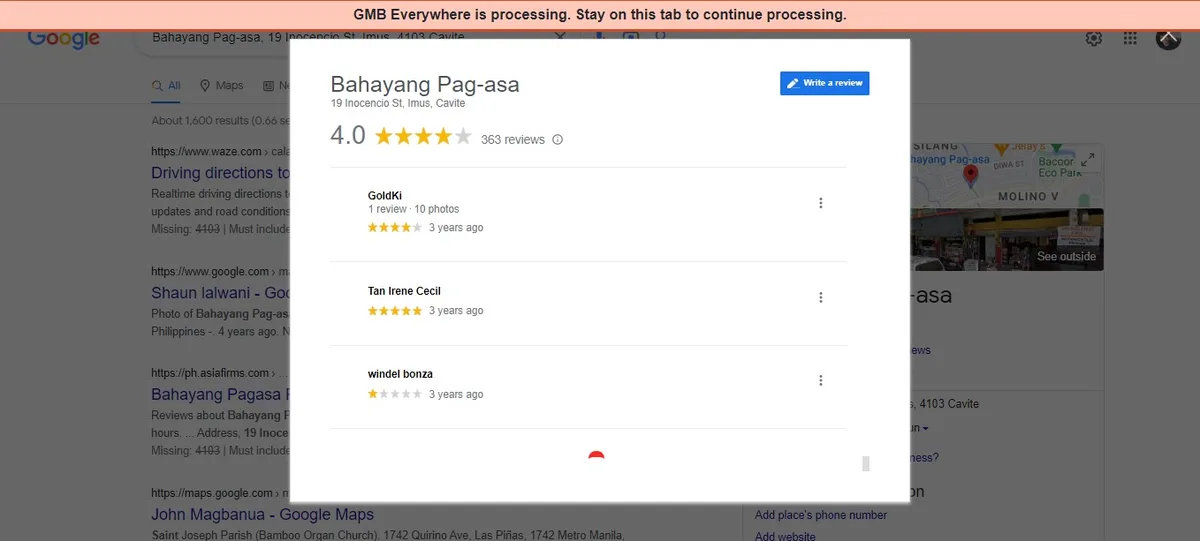
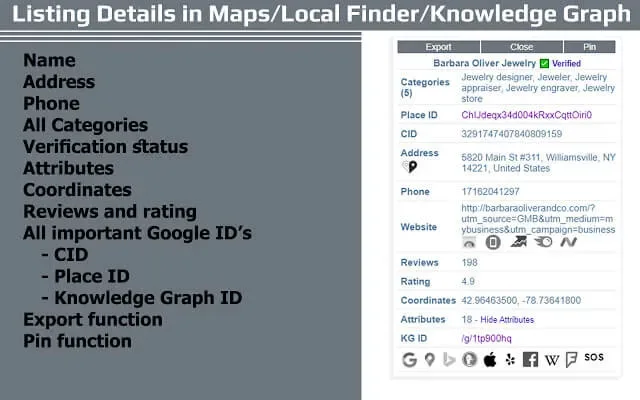
This is the flagship feature. Click the audit button while viewing any business profile on Google Maps or Search, and the GMB Everywhere Chrome extension surfaces a detailed breakdown of profile completeness. You’ll see category assignments, service areas, hours of operation, photo counts, post activity, and attribute usage all in one view.

What makes this genuinely useful is the gap detection. The tool flags missing fields, sparse categories, and underutilized attributes that Google actually rewards. I’ve caught profiles missing secondary categories that a direct competitor was ranking with—an easy fix that produced measurable movement within weeks.
Run the audit monthly across your client roster. It’s a low-effort ritual that catches drift before it costs rankings.
Competitor Intelligence and Profile Comparisons
Here’s where the GMB Everywhere Chrome extension earns its keep. When you pull audit data on a competitor, you get the same breakdown you see for your own client. Side-by-side, patterns emerge fast. Maybe the top three results all have eight or more recent photos. Maybe they’re posting weekly.
That comparative view removes the guesswork. Instead of theorizing about why a competitor outranks you, you’re looking at their actual profile composition. Review velocity, photo cadence, category count—these become concrete signals rather than vague hunches.
Export both profiles to a spreadsheet and build a simple gap matrix. The GMB Everywhere Chrome extension makes this workflow repeatable, which is what separates a one-off audit from a real competitive monitoring process.
Review Data Extraction at Scale
Manually copying reviews into a spreadsheet is soul-crushing work. The GMB Everywhere Chrome extension automates it. You can pull review text, star ratings, reviewer names, and timestamps into a structured format that’s ready for analysis in Excel or Google Sheets.
This unlocks sentiment analysis at scale. Paste the export into a text analyzer and you’ll see what themes keep recurring in negative reviews. For a restaurant client, that might mean noise complaints at dinner service.
For a contractor, it could be scheduling delays. Either way, those insights feed directly into operational fixes and marketing copy.
The GMB Everywhere Chrome extension handles pagination automatically, so large review sets don’t require clicking “load more” twenty times. That’s a small thing that makes a big difference when you’re exporting a profile with 300+ reviews.

Grid-Based Local Rank Tracking
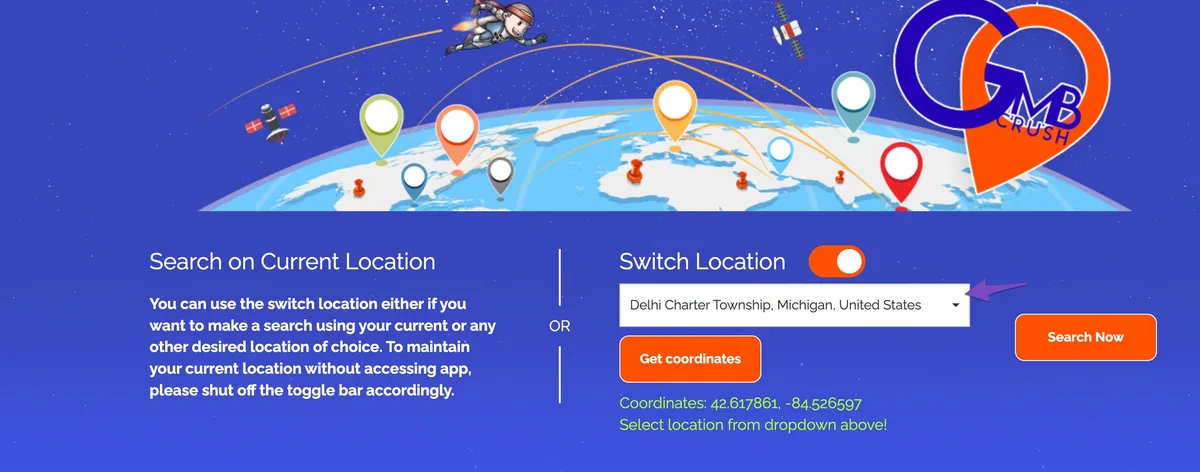
Local rankings vary by physical location. Someone searching from two miles away sees different results than someone three blocks from the storefront. The GMB Everywhere Chrome extension includes a grid tracking feature that samples rankings from multiple geographic points and visualizes them on a heatmap.
Seeing a green cluster at the storefront and a yellow ring at the edges tells you exactly how far your visibility reaches. For multi-location businesses, this is the difference between knowing a location is performing well and understanding precisely where its influence stops.
The grid data also informs keyword strategy. If your business dominates searches within a mile but falls off sharply beyond two, you might need more authoritative citations or stronger on-page signals pointing toward surrounding neighborhoods.
AI-Assisted Profile Optimization
Newer versions of the GMB Everywhere Chrome extension include AI-generated suggestions for business descriptions, post copy, and review responses. The suggestions pull from your profile data and category context to produce drafts that are at least 70% of the way there.
Treat these drafts as starting points, not finished products. The AI has no idea what your brand voice sounds like, so run every output through a human edit. That said, for clients who chronically skip posting, an AI-generated draft is infinitely better than an empty post slot.
I’ve found the description suggestions particularly handy. They surface keywords and service phrasing that align with the selected categories—small language cues that can nudge relevance signals.
How to Use the GMB Everywhere Chrome Extension: Step-by-Step
Setup is straightforward, but the workflow becomes richer once you understand how the modules connect. Here’s the practical sequence I recommend to anyone installing the GMB Everywhere Chrome extension for the first time.
Step 1: Install and Pin the Extension
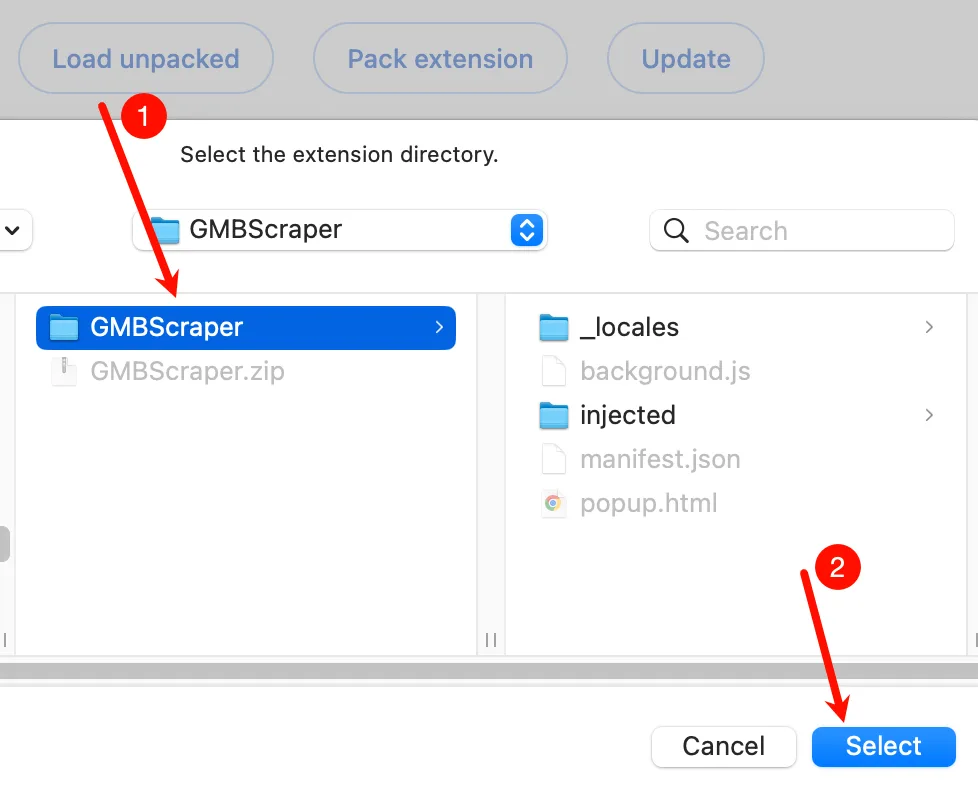
Head to the Chrome Web Store and search for the tool. Click “Add to Chrome,” accept the permission prompt, and pin the icon to your toolbar by clicking the puzzle piece in Chrome. Pinning matters because the GMB Everywhere Chrome extension is designed for one-click access while you’re browsing Google results.
If you’re on a managed corporate device, double-check with IT before installing. Some enterprise Chrome policies block extensions outside an approved list.

Step 2: Run Your First Profile Audit
Search for any business on Google Maps or Google Search. Click the extension icon, then hit the audit button. Within a few seconds, the side panel populates with a complete profile snapshot.
Scan for red flags first: missing categories, incomplete hours, zero posts in the last thirty days, low photo counts. These are the quick wins. The GMB Everywhere Chrome extension highlights them clearly, which makes onboarding new clients faster.

Step 3: Build a Competitor Benchmark
Repeat the audit on three to five competitors ranking above your client. Export each profile and build a comparison spreadsheet. Focus on category count, secondary categories, photo cadence, posting frequency, and average review rating.
Look for patterns. If every competitor above you has consistent weekly posts and you’re posting monthly, that’s a signal. The GMB Everywhere Chrome extension turns vague competitive anxiety into a structured improvement plan.
Step 4: Set Up Grid Rank Tracking
Open the grid tracking module and enter your target keywords. Choose a grid size that matches your service area—a 5×5 grid works for most single-location businesses, while multi-location brands might need larger coverage.
Run the scan weekly or biweekly depending on how much movement you’re seeing. The GMB Everywhere Chrome extension stores past runs so you can track changes over time. A green grid one week and a patchy one the next tells you something changed, which prompts a deeper investigation.
Step 5: Export Reviews for Ongoing Monitoring
Run a review export monthly. Use the data to spot emerging trends in customer feedback before they show up in your average rating. A single one-star review might feel random, but three reviews mentioning the same issue in six weeks is a pattern.
Feed those insights back into the client relationship. When you tell a business owner, “your last nine reviews mention wait times,” that lands harder than a generic “your ratings could be better” report.
Real-World Use Cases for the GMB Everywhere Chrome Extension
Abstract features only become valuable when they solve concrete problems. Here are a few situations where the GMB Everywhere Chrome extension genuinely earns its spot in a professional workflow.
Multi-Location Restaurant Groups
Imagine managing twelve restaurant locations across three states. Each location has a distinct profile, its own review flow, and a different competitive set. Manually auditing each profile takes hours.
The GMB Everywhere Chrome extension lets you run the same structured audit across all twelve profiles in a single afternoon. You build a portfolio view that shows which locations are thriving and which need intervention.
The grid tracker reveals proximity-based gaps—one location might lag because a new competitor opened across the street, while another maintains dominance across a three-mile radius.
For restaurant groups, review sentiment tracking is the killer use case. Food quality complaints cluster differently than service complaints. The GMB Everywhere Chrome extension’s export makes those clusters visible.
Solo Practitioners in Competitive Niches
A single-location chiropractor competing against five established clinics in the same zip code needs every edge. The GMB Everywhere Chrome extension gives them visibility into what the competition is actually doing well.
Maybe the top-ranked competitor has 40 service-specific categories while the client has four. Fixing that requires rewriting the profile structure, but the diagnosis is what matters first. Without the GMB Everywhere Chrome extension, that gap is invisible.
Grid tracking also helps solo practitioners understand proximity. If their clinic ranks well only within half a mile, targeted local content and citations in surrounding neighborhoods can extend that reach.

Agencies Managing Many Clients
SEO agencies with dozens of local clients need repeatable processes. The GMB Everywhere Chrome extension fits neatly into a monthly audit workflow. Standardize the audit checklist, run it consistently, and attach the exported data to client reports.
Clients respond well to concrete comparisons. Showing a client that their profile now matches the top competitor on category count, photo cadence, and review velocity is far more persuasive than qualitative statements. The GMB Everywhere Chrome extension produces exactly that kind of evidence.
What the GMB Everywhere Chrome Extension Does Well
Honest evaluation time. Here are the areas where this tool genuinely outperforms alternatives.
| Strength | Why It Matters |
|---|---|
| Free tier is genuinely useful | Core audits and basic features work without a subscription |
| Zero-config installation | No account required to start, no onboarding friction |
| In-context data display | Data overlays on Google results, no tab-switching |
| Structured exports | CSV and spreadsheet-ready output for repeatable reporting |
| Grid rank tracking | Proximity-based visibility analysis without a second tool |
The free tier alone is more useful than many paid local SEO tools. If you’re a consultant or freelancer, the base functionality covers 80% of what you’ll need. The GMB Everywhere Chrome extension respects the “try before you buy” philosophy, which is increasingly rare.

Data accuracy has held up well in my testing. Audits generally match what Google displays in the native dashboard, and review exports capture the correct fields without missing entries. The this approach earns trust by being boringly reliable.
Where the GMB Everywhere Chrome Extension Falls Short
No tool is perfect, and this one has real limitations.
The AI features can feel generic. They’re useful as scaffolding, but the output rarely matches a human-written post on the first pass. For businesses with strong brand voice guidelines, expect to rewrite most AI output.
Larger agencies with strict data governance policies may find the browser-based architecture limiting. If your compliance team bans extensions, that’s a hard stop regardless of how good the tool is. In those cases, you’re stuck rebuilding the workflow manually with other tools.
Grid tracking pricing scales with volume. If you’re running weekly grid scans across many keywords, costs can climb quickly. The this approach is an excellent value at low volume but becomes a budget consideration at scale.
Mobile support is essentially nonexistent. You’re limited to desktop Chrome. For local SEO work that usually happens on a laptop, this is fine, but it’s worth knowing going in.
Comparing the GMB Everywhere Chrome Extension to Alternatives
Several tools compete in the local SEO browser extension space. Each has trade-offs worth understanding.
| Tool | Strengths | Weaknesses |
|---|---|---|
| GMB Everywhere Chrome Extension | Free tier, in-context audits, grid tracking, review exports | Desktop-only, limited mobile, AI output is draft-quality |
| Local Falcon | Best-in-class grid tracking, detailed heatmaps | Paid only, no free tier for audits |
| Pleper | Strong audit depth, good for agencies | Subscription required, steeper learning curve |
| GBP Insights Tools | Native Google data accuracy | Limited competitor visibility |
| Manual dashboard checks | Zero cost | Massive time drain |
For raw grid tracking depth, dedicated tools like Local Falcon still win. But the this practice is the best entry point for small teams and solos because you can start free and add paid modules as your needs grow. That incremental path matches how real budgets work.
If you’re already deep in an enterprise local SEO stack, the value proposition shifts. The this approach might become a supplementary audit tool rather than a primary platform.
Practical Tips for Getting More Out of the GMB Everywhere Chrome Extension
Here’s what separates casual users from power users.

Build a repeatable audit template. Write down the ten metrics you check every time—category count, review velocity, photo cadence, post frequency, response rate, and so on. Consistency makes longitudinal comparison possible. The this approach is powerful when used systematically and nearly worthless when used sporadically.
Set a monthly audit reminder for every client profile. The this practice works best as part of a rhythm, not a one-off curiosity.

Export review data into a shared folder structure. Six months of exports becomes a sentiment timeline that’s deeply valuable in annual reviews.
Use grid summaries in client reports rather than raw heatmaps. Clients respond better to phrasing like “you rank in the top 3 for 78% of your service area” than to a colorful grid that requires explanation. The this practice exports the grid, but your job is to translate it.
What’s the Real Value of the GMB Everywhere Chrome Extension?
Value is subjective, but here’s my assessment after extended use. The this approach earns its spot in an SEO professional’s toolkit because it removes friction from the most tedious parts of local SEO work. Auditing, comparing, exporting, tracking—these are all chores, and this tool makes them tolerable.
For freelancers and small agencies, the free tier plus modest paid upgrades deliver a return that’s hard to beat. You’d otherwise spend hundreds of dollars a month to duplicate the core functionality. The this practice keeps the entry cost low without sacrificing substance.
For larger operations, it’s a useful supplement rather than a replacement for more robust platforms. The this approach doesn’t try to be everything, and that focus is what makes it reliable at what it does.
Who Should (and Shouldn’t) Install It?
Install the this practice if you manage one or more Google Business Profiles, handle client local SEO, or need regular competitor research. It’s particularly valuable if you’re a solo operator or small team without budget for enterprise tools.
Skip it if you’re on a managed device with locked-down Chrome policies, or if you already have a dedicated grid tracking platform and don’t need a lightweight audit layer on top. In the latter case, adding the this approach might just create redundant data collection.
For most people reading this, the free tier costs nothing to try. Install it, run one audit on your own profile, and see what surfaces. That’s a low-risk experiment with high potential upside.
Frequently Asked Questions About the GMB Everywhere Chrome Extension
Here is an in-depth breakdown of key considerations regarding this section:
Is the GMB Everywhere Chrome Extension Free?
The core audit, review export, and basic features are free with no account required. Advanced features like larger grid tracking and extended AI suggestions live behind paid tiers. The free tier is genuinely useful, not crippled to force upgrades.
Does the GMB Everywhere Chrome Extension Work on Firefox or Edge?
Primary distribution is through the Chrome Web Store. Because Edge is Chromium-based, some users have installed Chrome extensions successfully through compatible pathways. Firefox support is not a first-class target. If cross-browser support is essential, verify compatibility before committing to a workflow that depends on the this practice.
Can the GMB Everywhere Chrome Extension Get My Anthropic Account Flagged?
The tool reads publicly visible data from Google Search and Maps, which mirrors what any normal user sees. That’s fundamentally different from scraping private data.
Installing the this practice and using it for audits of your own and competitor profiles has not, in my experience or in widely reported community feedback, triggered account issues. Standard caution applies: don’t run aggressive automated queries or violate Chrome Web Store terms.
Does the GMB Everywhere Chrome Extension Track Rankings Over Time?
Yes, the grid tracking module stores historical runs so you can compare week-over-week movement. This is one of the more valuable features because local ranking volatility is high and trend data reveals patterns that single snapshots miss. The this approach displays changes clearly, which makes client reporting easier.
How Does the GMB Everywhere Chrome Extension Compare to Google’s Native GBP Dashboard?
Google’s dashboard is authoritative for your own profile data, but it doesn’t offer competitor audits, review exports, or grid tracking. The this practice complements rather than replaces the native dashboard. Use both together: Google’s dashboard for owner-level actions, the GMB Everywhere Chrome extension for research and comparison.
What Kind of Businesses Benefit Most?
Service-area businesses, restaurants, medical practices, multi-location retail, and any local business in a competitive niche benefits most. The this approach helps most when local pack rankings directly drive revenue—which is most of local SEO, honestly.
Is There a Mobile Version?
No native mobile app exists. The this practice is desktop-first because Chrome extensions are inherently a desktop technology. For mobile audits, you’ll need to work around it with native Google tools. Most professional local SEO work happens on a laptop anyway, so this rarely becomes a blocker.
Common Installation Problems and Fixes
Occasionally the extension fails to install or display properly. Here’s how to troubleshoot.
If the Chrome Web Store shows a “cannot install” error, check whether your organization enforces extension whitelisting. That’s the most common blocker. Work with IT to allow the this practice if your work requires it.
If the side panel doesn’t populate, refresh the Google Search or Maps tab. Sometimes the extension needs a fresh page context to inject its scripts correctly. If the issue persists, disable other extensions temporarily to rule out conflicts.
For grid tracking errors, verify you’re logged into a Google account and have a stable connection. The this practice pulls live ranking data, so connectivity issues disrupt grid runs more than audit runs.
Getting Started This Week
The best way to evaluate the this approach is to actually use it. Install it, audit three profiles—your own, your top competitor, and one outlier in a different niche. Compare the data. You’ll immediately see where you’re underperforming and where you’re already ahead.
The this practice won’t replace thoughtful strategy, but it will make the tactical execution of that strategy much faster. That’s exactly what a good tool should do: amplify human judgment rather than substitute for it.
If you’re serious about local SEO, whether as an in-house marketer or an agency pro, the this approach belongs in your audit rotation. The learning curve is shallow, the free tier is generous, and the data quality holds up.
Try it on your own portfolio before committing to a full workflow, and you’ll know within a week whether it fits how you work.
For verified reference and background research, consult the authoritative informational resource on this topic.
<!– TOPSEO: keywords="gmb everywhere chrome extension, google business profile audit, local seo chrome extension, gmb competitor analysis, grid rank tracking, review export tool, local seo tools” description=”” –>