A CMS SEO friendly choice is the single most overlooked decision that quietly decides whether your content ever reaches page one. I have watched teams pour months into keyword research, then lose it all to a platform that buries their URLs under three layers of query strings.
If you want a CMS SEO friendly setup that actually pulls its weight, this comparison will save you a lot of trial and error.
We are going to walk through what separates a genuinely CMS SEO friendly platform from one that merely has an SEO plugin attached. You will see real platform comparisons, technical checkpoints, and the workflow habits that make rankings stick.
What Makes a CMS SEO Friendly in the First Place
The phrase gets thrown around loosely, but a CMS SEO friendly system is defined by a handful of non-negotiable technical traits. Clean URL structure, editable title and meta fields, fast server response, and proper heading control are the baseline. Miss any one of those and your content team spends its days fighting the tool instead of the competition.
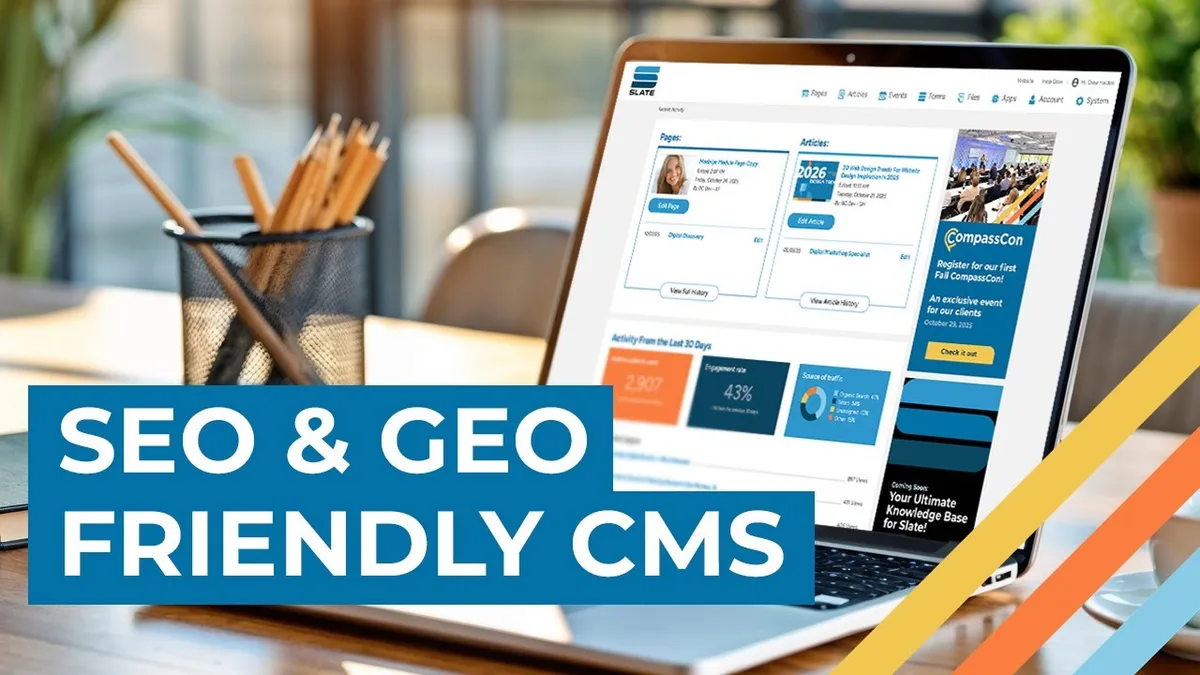
Here is the part most reviews gloss over: SEO friendliness is not a checkbox, it is a workflow. A platform can have every feature on paper and still be miserable to publish on if the editor hides basic fields behind five clicks.
The practical test I use is simple — can a junior writer publish a fully optimized post in under twenty minutes without touching code?
When the answer is yes, you have found a CMS SEO friendly environment. When it is no, you are looking at a platform that will force you to install a plugin stack just to reach parity with what should be native.
I also weigh how the system handles revisions and redirects. Broken redirects after a slug change are the silent kill of organic traffic, and a CMS SEO friendly platform lets you manage 301s from the dashboard instead of a database console.
The Core Technical Checkpoints You Must Verify
Before you commit to anything, run every candidate through a structured technical audit. These are the checkpoints that separate a real CMS SEO friendly contender from a pretender, and they are worth verifying by hand rather than trusting a marketing page.
I recommend building a small staging site with ten dummy posts and a category archive on each platform. Then inspect the rendered HTML, run a Lighthouse pass, and check the crawl behavior in a search console property. That thirty-minute test reveals more than a hundred comparison charts.
URL Structure and Permalink Control
A CMS SEO friendly platform gives you full control over permalinks, including the ability to strip category prefixes and set a custom pattern at the root. Long, parameter-stuffed URLs dilute relevance and look untrustworthy in the SERP snippet.
Check whether slugs are editable after publishing and whether the system auto-creates redirects. Platforms that shove dates into every URL, like /blog//09/12/post-name, make it harder to keep evergreen content looking fresh. Shorter is better, and a cms seo friendly setup lets you keep it short by default.
One quick tip: lock the permalink pattern at the site level before your first hundred posts go live. Migrating slugs later is a redirect nightmare nobody enjoys, and even a CMS SEO friendly platform cannot undo the ranking dip that follows careless migration.
Heading Hierarchy and Semantic HTML
Search engines read structure, and a CMS SEO friendly editor enforces a logical H1 to H6 outline without letting writers stack multiple H1s on one page. That sounds basic, yet plenty of themes inject the site title as an H1 on every template.
Pay attention to how the platform renders block elements. Clean <p>, <ul>, and <table> output matters, and so does the absence of wrapper divs that break schema markup. If a builder pumps out fifteen nested divs per paragraph, that is a signal the platform is not genuinely cms seo friendly.
My practical check is to view source on a published post and count how many lines of markup exist before the first sentence of body copy. Fewer is better. A tight, semantic template is the quiet foundation of a CMS SEO friendly build.
Core Web Vitals and Server Response
Speed is a ranking input and a conversion input at the same time. A CMS SEO friendly platform should ship with image compression, lazy loading, and a caching layer that does not require three separate plugins to function.
I test a homepage and a long article on mobile emulation, then watch Largest Contentful Paint and Interaction to Next Paint. If LCP drags past 2.5 seconds on a stock install, the platform starts in a hole. Plugins can patch the symptom, but a CMS SEO friendly core should not need patching to pass.
Hosting matters here too. The same CMS can feel instant on solid infrastructure and sluggish on a bargain plan, so evaluate the platform together with its recommended server stack.
Homegrown Plugins That Do the Heavy Lifting
Plugins are where most SEO value lives in the WordPress universe, and the field is crowded. What separates the useful from the noisy is how much of the optimization it automates without hiding control. A CMS SEO friendly workflow still needs human judgment, so the best plugins surface suggestions rather than overriding the writer.
I have watched teams stack five overlapping plugins and wonder why their pages ballooned past four megabytes. Pick a primary SEO plugin, a caching layer, and an image optimizer. That trio, applied consistently, does more than any ten-plugin pileup.
Rank Math: the Scoring Console
Rank Math has become a default choice for teams chasing a CMS SEO friendly editorial flow, largely because its on-page checklist is genuinely instructive. It scores title length, keyword presence in the first paragraph, meta description padding, and internal link count in real time.
The killer feature is the schema generator. You can attach Article, FAQ, and HowTo markup without writing JSON, which is exactly the kind of native convenience a CMS SEO friendly platform should offer. In my experience, the FAQ block alone has earned rich results on otherwise ordinary service pages.

One caveat: the scoring is a guide, not a gospel. I have seen writers stuff a keyword to push the number to 100 and hurt readability badly. A CMS SEO friendly team treats the score as a floor, not a ceiling.
Yoast and Rank Math — Which Side of the Fence
Yoast SEO remains the familiar choice, with clean readability analysis and a straightforward meta workflow that junior writers pick up quickly. Rank Math edges ahead on schema flexibility, while Yoast wins on editorial calm and fewer settings to misconfigure.
Honestly, the difference matters less than consistency. A CMS SEO friendly stack built around either plugin will outrank a chaotic setup built around the “better” one. Pick one, tune it once, and stop tinkering.
Neither tool will rescue a slow theme or a broken permalink pattern, which is why I rank platform choice above plugin choice in the CMS SEO friendly decision tree.
Platform by Platform: the Comparison Table
Enough theory. Here is how the mainstream CMS SEO friendly candidates stack up against the criteria we just walked through. Treat this as a starting map, then verify on your own staging install.
| Platform | Permalink Control | Built-In SEO Tools | Schema Support | Speed On Stock Install | Best For |
|---|---|---|---|---|---|
| WordPress | Full, via settings and plugins | Plugin-dependent | Strong with plugins | Moderate until cached | Most marketing teams |
| Webflow | Strong, clean slugs | Native meta and alt fields | Native structured data | Excellent | Design-led brands |
| Shopify | Product and collection control | Solid native basics | Good with apps | Good | Ecommerce stores |
| Ghost | Clean, minimal patterns | Native meta and sitemaps | Basic but usable | Very good | Publishers and newsletters |
| Drupal | Total control | Modules required | Enterprise-grade | Depends on build | Large institutional sites |
| Joomla | Decent, plugin-assisted | Basic native set | Moderate | Moderate | Legacy and community sites |
| Squarespace | Simple but limited | Minimal native | Limited | Good | Small brochure sites |
WordPress: the Default for a Reason
WordPress accounts for a dominant share of the web, and its claim to being CMS SEO friendly rests on ecosystem depth rather than native polish. Out of the box it is competent; with the right plugin trio it becomes formidable.
The tradeoff is maintenance. You inherit update cycles, plugin conflicts, and security hygiene, which is a real cost for small teams. Yet no other CMS SEO friendly platform offers this much flexibility at this price point.
My rule of thumb: if you want total control and have someone to maintain it, WordPress wins. If you want to publish and forget the plumbing, keep reading.
Webflow: Design Speed Meets SEO Discipline
Webflow is the strongest choice I have tested for teams that care about visual polish and refuse to compromise a CMS SEO friendly foundation. Slugs are clean, meta fields are native, and structured data is straightforward to attach to templates.
Where it stumbles is editorial volume. The CMS collections model is elegant but rigid, and large content teams often hit workflow friction when juggling dozens of interlinked collections. Still, as a CMS SEO friendly platform for a brand site or a medium blog, it delivers.
Publishing speed is genuinely impressive in my tests, with assets served fast on stock hosting. That matters because a CMS SEO friendly build that passes Core Web Vitals without a caching plugin stack is rare.
Shopify: Ecommerce SEO Without the Hassle
For stores, Shopify is a CMS SEO friendly option that handles the messy parts of product SEO — canonical tags on variants, clean collection URLs, and editable meta for each item. That last point alone saves hours of manual work.
The limitation is content depth. Blogging on Shopify feels bolted on, and larger editorial plays typically need a separate CMS or a headless front end. For product pages and collections, though, a CMS SEO friendly Shopify build ranks admirably when the speed layer is tuned.
Watch out for app bloat. Half the stores I audit carry a dozen apps injecting scripts into the head, and that overhead can sink a CMS SEO friendly storefront faster than any theme choice.
Ghost: Clean, Fast, Opinionated
Ghost takes the opposite approach from WordPress, shipping a lean CMS SEO friendly core with native sitemaps, meta fields, and canonical handling. Its output markup is refreshingly minimal.
Publishers love it because the editor stays out of the way and the pages load fast with almost no configuration. The catch is limited extensibility — if you need complex membership logic or intricate schema, you will feel the constraints.

For a content-first operation that wants a CMS SEO friendly platform without the plugin circus, Ghost is a serious contender.
Drupal and Joomla: Enterprise and Legacy
Drupal is the platform you pick when you need granular control over every URL, every meta tag, and every structured data mapping. It is emphatically CMS SEO friendly, but only in experienced hands.
Joomla sits in the middle, with a plugin-assisted SEO layer that works once configured. Legacy installs can lag on modern expectations, though, and I have seen both platforms accrue technical debt quietly over years.
My advice: evaluate total cost of ownership, not just licence price. A CMS SEO friendly build that nobody on staff can maintain is not actually CMS SEO friendly in practice.
Page Builders and the Speed Trap
Page builders are tempting, and they do help designers ship faster. The problem is that many of them produce bloated markup, inline styles, and render-blocking scripts that undermine an otherwise CMS SEO friendly foundation.
I am not anti-builder. I am anti-bloat. Some modern builders have cleaned up their output significantly, and pairing a lightweight theme with a disciplined builder can keep a CMS SEO friendly stack intact.
The test is simple. Publish one landing page, run it through a speed tool, and inspect how many CSS and JavaScript requests the builder alone adds. If that number surprises you, it is time to reconsider.
Also, watch how the builder handles headings. A surprising number inject the page title as an H1 inside the canvas while the theme outputs another one above it. Two H1s on a page is not a ranking death sentence, but it is a symptom that your CMS SEO friendly structure needs a closer look.
Content Architecture and Internal Linking
Great software will not save a messy site structure. A CMS SEO friendly platform needs to be paired with intentional architecture, or you end up with a labyrinth of orphaned pages and duplicated topics.
I map every article to a pillar and a cluster before it is written. The pillar sits at the root, the cluster posts link up with descriptive anchors, and the taxonomy reflects genuine user intent rather than the whims of whoever set up categories last.
Categories, Tags, and the Duplication Problem
Categories and tags create indexable archives, and a CMS SEO friendly configuration prevents those archives from cannibalizing your main content. Thin tag pages with one post each are dead weight.
My default is to noindex tag archives, keep categories broad, and use internal links rather than taxonomy to express relationships. That keeps the crawl budget focused on pages that actually deserve ranking.
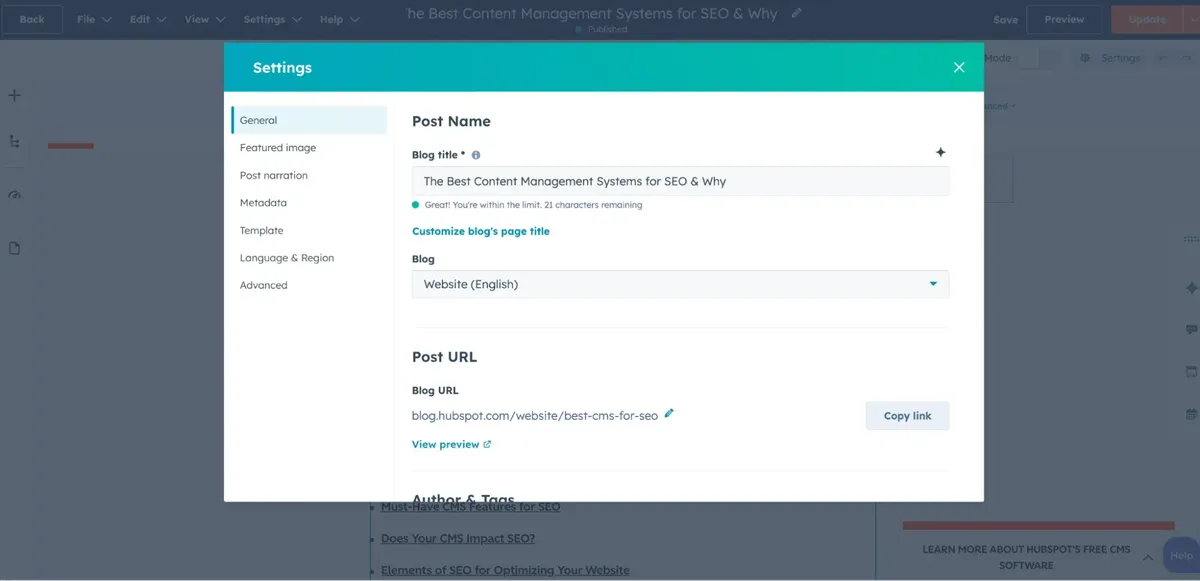
On a CMS SEO friendly build, the robots settings live in the CMS dashboard, which makes this easy to control. If you are managing robots rules by editing a file on the server, the platform is not doing its job.
Breadcrumbs and Site Hierarchy
Breadcrumbs do double duty, guiding users and feeding structured data that search engines use to display richer snippets. A CMS SEO friendly theme exposes breadcrumb configuration without requiring a developer.
I keep breadcrumbs logical: home, category, post. When they reflect the actual hierarchy of the site, both users and crawlers move through the pages more naturally.
Beyond navigation, breadcrumbs reinforce internal link authority flow. It is a small feature, but on a CMS SEO friendly platform it signals that the hierarchy is intentional rather than accidental.
Local and Multi-Language SEO Considerations
If you serve multiple regions or languages, your CMS SEO friendly requirements grow. You need hreflang tags, localized permalinks, and a clean way to keep translated pages from competing with their originals.
Translated pages that carry the same keyword can silently sabotage each other when hreflang is missing or malformed. A CMS SEO friendly setup handles this structurally rather than by manual tagging in every post.
For businesses targeting a single city or region, the CMS SEO friendly checklist shifts toward local schema, service area pages, and consistent business data. Local landing pages should be genuinely distinct, not templated duplicates stuffed with a different city name.
I have watched local pages built with near-identical copy get filtered out entirely. The fix is real local content: case studies from that region, references to nearby landmarks, and testimonials from customers who live there. A CMS SEO friendly platform makes it easy to publish those variations, but it cannot manufacture authenticity.
Managing Redirects and Content Migrations
Migrations are where organic traffic goes to die, largely because teams treat redirects as an afterthought. A CMS SEO friendly platform gives you a redirect manager with logging, so you can spot breakage before it costs you.

I map every old URL to a new one in a spreadsheet, import it, and then crawl the site to confirm the redirects resolve. That last step catches typos that would otherwise send visitors and crawlers into a wall of 404s.
Bulk slug changes are especially risky. Some platforms auto-generate redirects when a slug changes; others do not, and silent breakage follows. Knowing which behavior your platform has is the difference between a smooth migration and a months-long recovery.
One more thing: keep redirect chains short. A 301 that points to another 301 that points to a 404 is the kind of mess a CMS SEO friendly setup should let you audit and clean in minutes.
Editorial Workflow That Protects Rankings
Rankings are won by publishing consistently and optimized every time. A CMS SEO friendly platform should enforce a checklist at the point of publication, not in a document nobody opens.
The most effective workflow I have seen uses mandatory fields in the editor: a meta description, an alt text prompt on image upload, and a required primary keyword. That is the whole system. It works because it is enforced by the tool, not by a reminder email.
On-Page Checklist Before You Hit Publish
I keep a short checklist that everyone on the team knows by heart. It is not exhaustive, but it catches the errors that actually move rankings.

- Keyword in the first hundred words. A cms seo friendly post states its topic immediately in context, not after two paragraphs of throat-clearing.
- Keyword in at least one subheading. This signals topical relevance and helps users scanning the page.
- Unique meta description. Padded between 120 and 160 characters, written to earn the click rather than describe the page.
- Alt text on every image. Including the keyword where it is genuinely descriptive, never as a dump.
- At least one internal link to a related post. Two or three is better, using descriptive anchors.
- At least one external link to an authoritative source. This reinforces credibility and topic signals.
- Schema markup where it fits. FAQ, Article, or Product depending on the page type.
- Mobile preview check. Tables, images, and headings break in unexpected ways on small screens.
- Readability pass. Short paragraphs, varied sentence length, no walls of text.
- Slug check. Short, keyword-bearing, no dates or stray parameters.
Ten items, two minutes. On a well-configured CMS SEO friendly platform most of these are pre-filled or one click away.
Why Consistency Beats Brilliance
A single brilliantly optimized post loses to thirty decently optimized ones published on rhythm. Search engines reward sustained topical coverage, and that requires a CMS SEO friendly environment where publishing does not feel like a chore.
The teams that stick with it long-term are the ones whose tools get out of the way. Talent is common; friction is the silent killer.
Structured Data and Rich Results
Structured data is the part of a CMS SEO friendly build that most people skip, and it is where the quickest wins hide. FAQ blocks, product markup, and review schema can turn an ordinary listing into a larger search result with more click area.

I start with the schema types most relevant to the site. A service business needs LocalBusiness and Service; a content publisher needs Article and BreadcrumbList; an ecommerce site needs Product with offers and availability.
The mistake I see repeatedly is writing schema that does not match the visible page. A FAQ schema on a page with no FAQ section is a violation waiting to be flagged. A CMS SEO friendly platform generates markup from content, so the two stay in sync automatically.
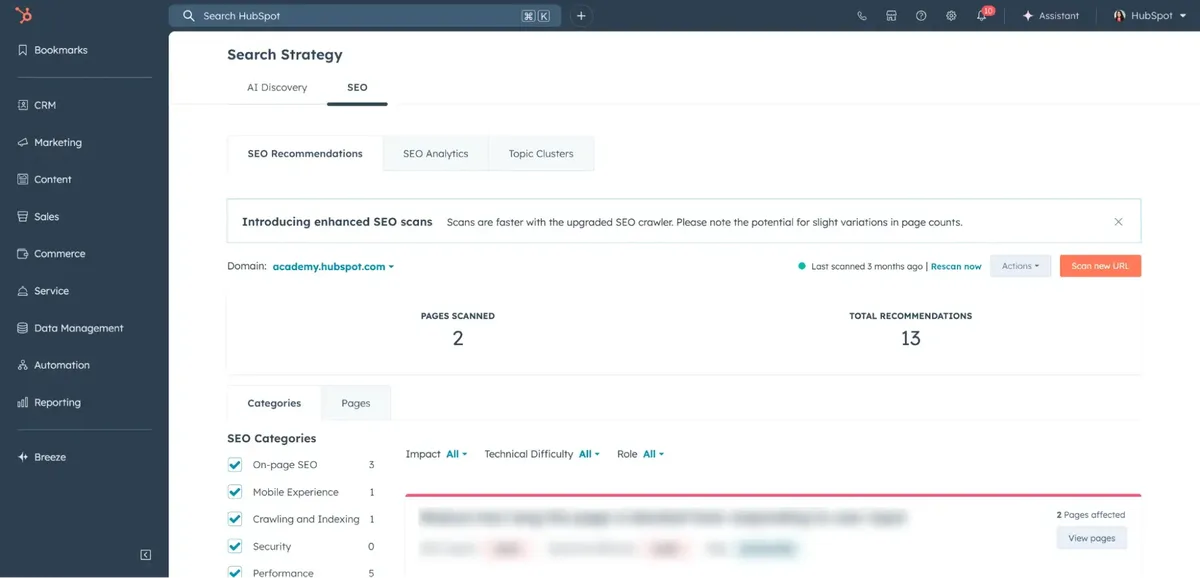
Validation is a habit, not a step. Run any new template through a structured data testing tool before launch, and re-check after theme updates. Small changes can quietly break markup, and the error is invisible until rich results disappear.
Analytics, Tracking, and Reporting Loops
You cannot optimize what you do not measure. A CMS SEO friendly platform should connect cleanly with analytics, search console, and a rank tracker without requiring manual code injection per page.

I set up four dashboards for every site I manage: organic traffic by landing page, query impressions and click-through rate, conversion rate by channel, and technical health. Each one answers a specific question and together they close the feedback loop.
The metric people overlook most often is click-through rate on queries where the site already ranks in positions four through ten. Small title and meta improvements in that band routinely produce the largest traffic gains with the least effort.
That is the practical payoff of a this practice setup: you can iterate on titles in minutes, not hours.
I also track which posts decay over time and refresh them on a schedule. Content that once ranked and now slips is often just a matter of a stale intro, broken links, and an updated benchmark. A this approach workflow makes refreshing as fast as publishing.
Scaling a CMS SEO Friendly Operation Across Teams
When the team grows, consistency becomes a software problem. You need role permissions, publishing approval flows, and field-level standards enforced by the platform rather than by polite reminder.
My setup on a this approach installation is designed so that a junior writer and a veteran editor produce output of similar structure. Lock the heading pattern. Pre-fill the meta description field. Pre-define the schema for each template. The guardrails do the teaching.
Onboarding a new writer should take hours, not weeks. If it takes weeks, the platform is not straightforward enough, and your this practice ambition is being taxed by tooling friction.
Working With Freelancers and Agencies
Freelancers come and go, and your content standards cannot come and go with them. A this approach platform lets you define templates that carry the hard constraints, so external contributors only have to add substance.
I write a one-page brief for every new external writer: keyword placement rules, internal link targets, image requirements, and the specific evidence standards for the topic. Combined with a this practice checklist in the editor, the brief closes most of the quality gap.
Reviewing work becomes faster too. Since formatting is enforced, feedback focuses on accuracy and reader value. That is where a good editor’s time should go.
Common Mistakes That Wreck a Good CMS Build
Even with a capable platform, the same mistakes show up across audits. Spotting them early on a this practice setup saves months of cleanup.
One frequent issue is too many plugins. Each one adds requests, potential conflicts, and another update to maintain. Another is a theme with heavy frameworks that undo every speed gain you achieved in the CMS.
A third is unstructured category sprawl that produces hundreds of thin archive pages. A fourth is neglecting image optimization so hero images quietly drag down loading on mobile.
Naming conventions get overlooked too. Inconsistent post titles, missing alt text, and duplicate meta descriptions across pages confuse both readers and crawlers.
The last one is the most subtle: making edits without checking impact. Every change, no matter how small, should be tracked against performance after a couple of weeks. That habit is what separates a this practice intent from a CMS SEO friendly practice.
Headless CMS and the Future of SEO Tooling
Headless architecture has moved from developer curiosity to a legitimate this approach option for large sites. The idea is simple: content lives in a backend that serves data via API, and the front end is built however you like.
The upside is performance. A static or server-rendered front end can deliver exceptional speed and precise control over markup, which is everything a this practice build wants. The downside is that SEO features you took for granted, like sitemaps and redirects, must be built or configured.
My take is pragmatic. Headless makes sense when a site needs to serve many channels or when speed is a proven competitive advantage. For a standard marketing site, a well-tuned traditional CMS remains the lower-risk path to a this approach outcome.
If you do go headless, document your SEO checklist harder than you would on a traditional stack. The platform will not remind you; the process has to.
Cost, Ownership, and the Long Game
Cost comparisons rarely tell the full story. A licence fee is one line item, but maintenance, plugin stack, developer hours, and content migration effort are where budgets actually go.
I advise clients to weigh total cost of ownership across a three-to-five-year horizon. A this practice platform with a modest subscription can outperform a free option that eats developer hours every month.
Most quality platforms offer competitive direct manufacturer pricing for enterprise needs, and the right deal depends on your scale rather than the headline number. Understanding the difference between licence and total cost is what keeps a this approach stack sustainable.
Ownership matters too. If your content lives in a closed ecosystem you cannot export cleanly, you are renting your search equity rather than owning it. Check export tools before committing.
Practical Decision Framework for Your Platform
With the comparisons out of the way, here is how I would decide for a real team. It starts with the constraint that matters most, not with a feature chart.
- Identify the hardest requirement first. Is it ecommerce, multi-language, or editorial volume? That single constraint eliminates half the field, and the remaining candidates are your true cms seo friendly shortlist.
- Test with ten real posts. Publish in a staging environment, then inspect the source markup, run a Core Web Vitals check, and confirm the redirect behavior.
- Audit the workflow, not the marketing. Ask a writer to publish a fully optimized post. Time it. A cms seo friendly platform should make that a smooth, non-technical task.
- Check the plugin and module ecosystem. Enough coverage to handle schema, redirects, and caching, but not so much that the stack becomes unmanageable.
- Verify export and portability. You want clean data in a standard format, so that future migrations are options rather than emergencies.
- Review hosting options. Speed is where a cms seo friendly platform wins or loses on day one. Confirm the recommended stack and its performance baseline.
- Plan for updates. A platform that is easy to update is easy to keep secure and fast; one that is not demands a maintenance budget.
Work through those seven steps in order and the decision nearly makes itself. The right platform is the one that clears your hardest constraint, then stays out of the way.
Frequently Asked Questions
Here is an in-depth breakdown of key considerations regarding Frequently Asked Questions:
What Does CMS SEO Friendly Actually Mean?
It means the platform gives you native control over the elements that affect search performance — clean URLs, editable meta fields, heading hierarchy, structured data, speed, and redirects — without requiring code changes. A this approach platform makes those controls accessible to writers, not just developers.
That practical accessibility is the real test. Features on paper are meaningless if the publishing team cannot reach them in a normal workflow.
Is WordPress the Most SEO Friendly CMS?
WordPress is the most flexible this approach option thanks to its enormous plugin ecosystem, but it is not the most polished out of the box. Webflow and Ghost ship cleaner native foundations, while WordPress rewards teams willing to tune a plugin stack.
The honest answer is that the best platform depends on your team’s technical capacity. A this practice build requires the right tool for your specific scale and workflow, and that varies.
Do I Need a Plugin for Basic SEO on Any CMS?
On platforms like WordPress, yes, one plugin handles meta fields, sitemaps, and schema. On Webflow and Ghost, much of that is native, so plugins only fill gaps. The point of a this approach stack is to reach a point where additional plugins add value rather than patch holes.
How Much Does Platform Choice Affect Rankings?
Platform choice sets the ceiling on speed, crawlability, and workflow quality — three inputs that compound over years. A capable this practice platform will not make weak content rank, but a poor one can cap a strong content operation before it reaches its potential.
In my experience, the biggest ranking wins on a well-chosen platform come from consistent publishing and clean architecture, not from any single feature.
Can a CMS Change Hurt My Existing Rankings?
Yes, and migrations are the most common cause of sudden organic declines. Map old URLs to new ones, implement 301 redirects, and audit the results before and after. Even a fully this practice platform cannot protect rankings if redirects are forgotten.
Run the migration on a staging copy first, crawl it, and compare the new crawl against the old. That pre-flight check is worth every minute.
How Do I Know My CMS is Truly SEO Friendly?
Run a simple test: publish one post and view its source HTML. If you see clean semantic tags, a single H1, a concise slug, and no unnecessary script bloat, you are likely on a this practice platform. Then verify the speed metrics and the redirect behavior.
If any of those checks fails, the platform is not doing what it should, and the fix belongs in the CMS configuration rather than the content team’s checklist.
Choosing a CMS SEO friendly foundation is the kind of decision that pays off quietly and consistently. Get the platform right, enforce the checklist, and let the compounding begin.
For verified reference and background research, consult the authoritative informational resource on this topic.
<!– TOPSEO: keywords="cms seo friendly, seo friendly cms, best cms for seo, wordpress seo, webflow seo, shopify seo, headless cms seo, cms comparison” description=”” –>