Blog Post Outline Template: Download 7 Free Templates
A blog post outline template is the fastest way to turn a blank page into a working draft, and the seven free templates below cover every format from a short how-to to a full pillar guide. Each one is ready to copy, adapt, and use right away.
No sign-up walls, no upsells, no bloated software. Just clean structures you can drop straight into Google Docs, Notion, or Word.
I’ve written and edited hundreds of posts using outlines, and I’ve watched the same thing happen every time: the writers who outline finish faster and publish cleaner work. So here’s the practical version of a blog post outline template guide, built from what actually works on deadline.
Why a Blog Post Outline Template Beats a Blank Page Every Time
Here’s the honest truth: most writing struggles aren’t writing problems. Focusing on blog post outline template provides clear direction here. They’re structure problems. When you sit down with a vague idea and a blinking cursor, your brain has to solve two jobs at once — deciding what to say and deciding how to say it. That split attention is what makes drafting feel like dragging a boulder uphill.
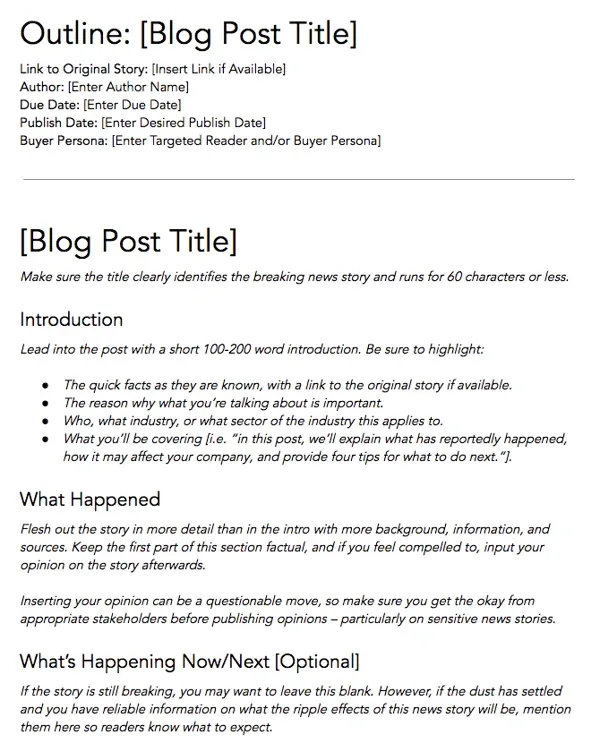
A blog post outline template removes one of those jobs entirely. The structure is already decided, so your only task is filling in substance. In practice, that shift alone can cut drafting time by half.
I’ve seen freelance writers go from a full day per post to a couple of focused hours, mostly because they stopped rewriting the same introduction five times.
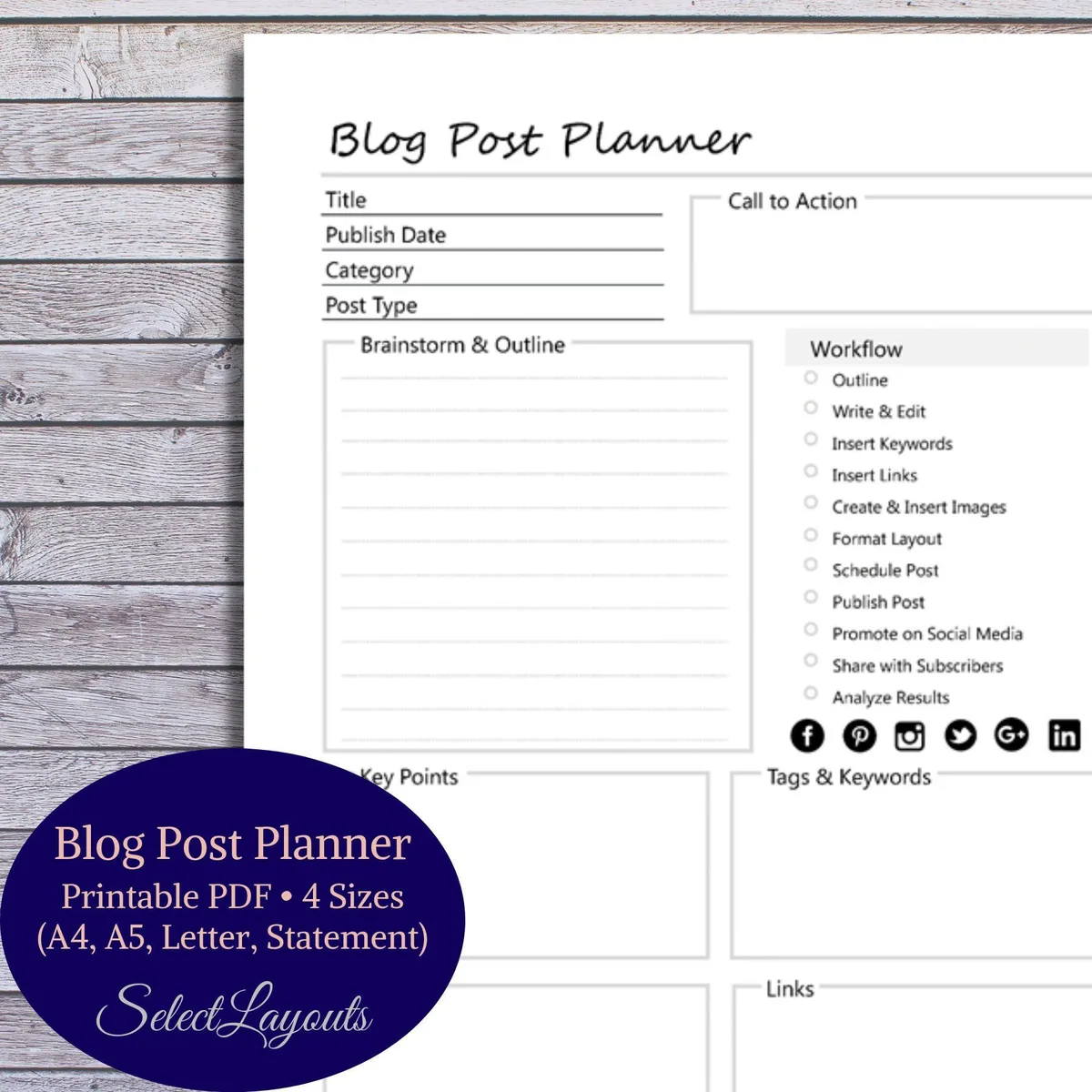
There’s a second benefit that gets overlooked: outlines expose weak ideas before you’ve invested effort. If a section looks thin on the outline, it will look thin in the draft. Catching that at the skeleton stage saves you from cutting 800 words later.
What a Good Blog Post Outline Template Actually Contains
Not every outline needs the same parts, but the strongest ones share a common spine. Refining each detail of your blog post outline template strengthens this section. Think of it as the minimum viable structure — enough scaffolding to keep you moving, not so much that outlining becomes its own project.
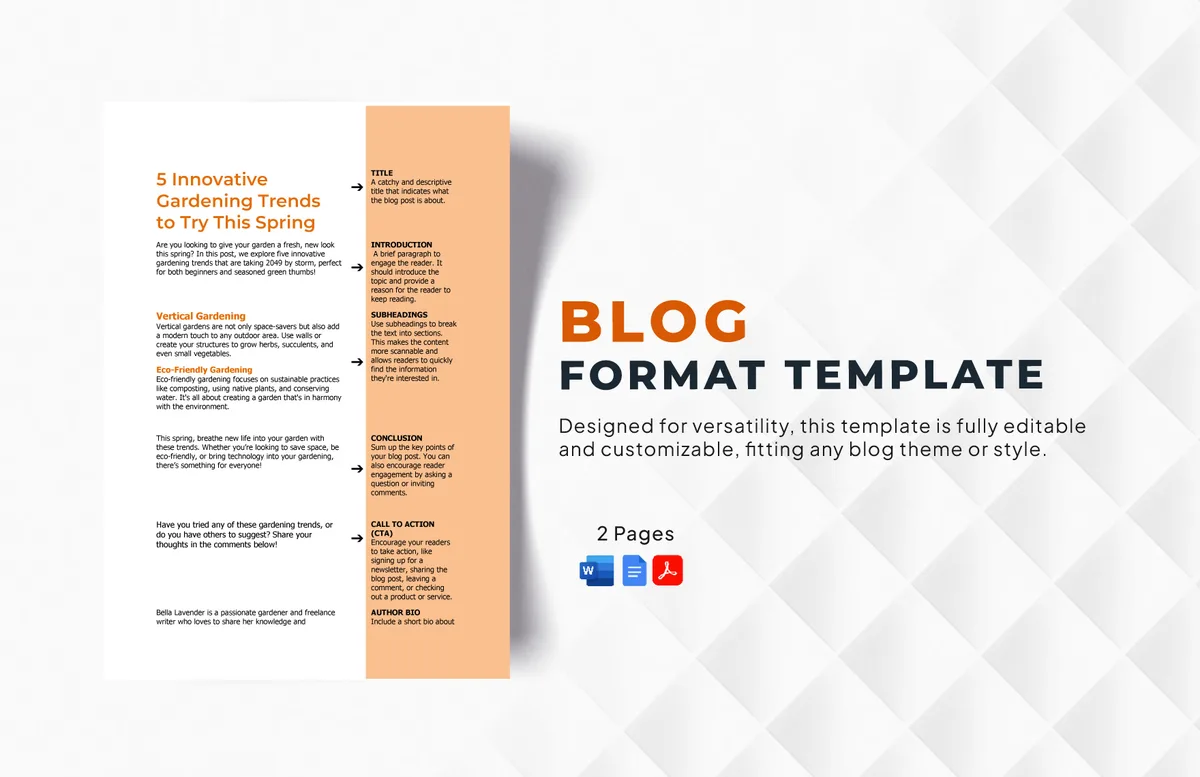
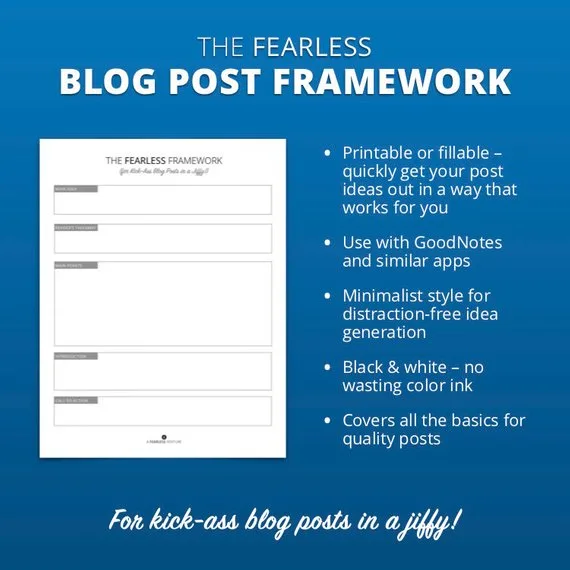
At minimum, a solid outline includes a working headline, a one-sentence promise of what the reader gets, a hook idea for the opening, a sequence of section headings, and at least two supporting points under each heading. Add your target keyword placement, a note on the call to action, and a short list of sources. That’s it.
Everything beyond that is optional polish. I’ve seen writers build twelve-column spreadsheets before writing a single paragraph, and I’ve seen others sketch five bullet points on a sticky note and produce excellent work. The template serves you — not the other way around.
How to Use These Templates Without Sounding Like a Robot
Templates get a bad reputation because people treat them as fill-in-the-blank forms. Effective execution in your blog post outline template makes a tangible difference. That’s the wrong mental model. A good template is a rhythm section, not a melody — it holds the beat while you supply the voice.
So when you open one of the seven templates below, read the structure once, then close it and ask yourself what you actually want to say in each slot. If a section doesn’t fit your topic, delete it.
If you need an extra section, add it. The best blog post outline template tips I can give boil down to this: use the skeleton, but grow your own muscle on it.
The 7 Free Blog Post Outline Templates You Can Download and Use
Each template below is described in full so you can rebuild it in any tool in under two minutes. Pair them with a consistent blog post outline template checklist — headline, promise, hook, sections, supporting points, keyword placement, sources, CTA — and you’ll never start from zero again.
Template 1: the Classic How-To Outline
This is the workhorse. If your post teaches a process — how to bake sourdough, how to set up a CRM, how to write a cover letter — this structure carries it cleanly from first step to final result.
The shape is simple: a promise-driven intro, a short “what the blog post outline template’ll need” section, numbered steps with a sub-point or two each, a troubleshooting section, and a closing recommendation. The troubleshooting section is the secret weapon here. Most how-to posts skip it, and that’s exactly where readers get stuck and bounce.
Real-world example: a post titled “How to Set Up Google Analytics 4” using the blog post outline template template would open with the outcome (accurate traffic data in under an hour), list prerequisites, walk through five numbered steps, then address the three most common setup errors. Practical, scannable, done.
Template 2: the Listicle Outline
Listicles live or die on the quality of their intro and the consistency of their entries. The outline needs to enforce both.
Structure it as: a hook that justifies the number, a one-paragraph framing of the criteria you used, the list itself with a consistent sub-structure (name, what it is, why it earns a spot, one concrete example), and a closing note on how to choose.
The consistency rule matters — if entry one has three sub-points and entry seven has one, the post feels unfinished.
I use a simple rule of thumb: every list item gets the same three beats. What it is. Why it matters. What it looks like in practice. That rhythm keeps a twenty-item list readable without turning it into a slog.
Template 3: the Pillar Guide Outline
Pillar content is the backbone of topical authority. A thoughtful approach to blog post outline template reinforces your qualifications. It’s the long, comprehensive post that covers a subject from every angle and links out to narrower supporting articles.
The outline for a pillar piece is hierarchical: a broad H2 for each major sub-topic, H3s for the specific angles within each, and a note under every H3 about which supporting post it should link to.
That last part is what separates a pillar from a very long blog post — the internal linking plan is baked in from the start.
A blog post outline template best practices note here: pillar outlines should be built before the supporting articles, not after. Otherwise you end up retrofitting links into content that was never designed to receive them.
Template 4: the Comparison Outline
Comparison posts — X vs. Structuring your blog post outline template around proven patterns ensures impact. Y, tool A or tool B — need a structure that feels fair before it feels persuasive. Readers can smell a rigged comparison from the first paragraph.
Lay it out as: the shared problem both options solve, a criteria table (price tier, ease of use, integrations, support, scalability), a section for each option covering strengths and honest limitations, a “who should choose which” section, and a verdict that names the trade-off explicitly. The criteria table is the anchor — it gives the reader a way to judge for themselves.
One practical tip: write the “who should choose which” section before you write the individual reviews. It forces you to stay honest about the trade-offs instead of drifting into a sales pitch.
Template 5: the Case Study Outline
Case studies work best when the blog post outline template follow a narrative arc rather than a report format. The outline should mirror that arc.
Start with the situation — who the subject is and what the blog post outline template were facing. Move to the complication — what wasn’t working, and what it cost them. Then the intervention — what changed and why.
Then the result — with numbers wherever possible. Close with the transferable lesson, the part readers can apply to their own situation.
Concrete example: a marketing case study outline might read “Situation: B2B SaaS with 4% trial-to-paid conversion. Proper attention to your blog post outline template sets a strong baseline. Complication: onboarding email sequence sent five messages in one day.
Intervention: rebuilt sequence across ten days. Result: 9% conversion. Lesson: pacing beats volume.” That’s a full outline in five lines.
Template 6: the Interview and Expert Roundup Outline
Interview posts need structure more than almost any other format, because the raw material arrives messy. The outline is what turns a transcript into a story.
Build the blog post outline template as: a framing intro that explains why these voices matter, a short bio block for each contributor, thematic sections that group related answers (rather than one section per person), a “where the experts disagree” section, and a synthesis that draws the threads together. That disagreement section is what makes roundups worth reading — it shows you actually listened.
When the blog post outline template outline, sort your quotes into themes before you write anything. The themes become your H2s. It’s the single fastest way to structure an interview post without it reading like a transcript dump.
Template 7: the Problem-Solution Outline
The blog post outline template one is built for search intent. Someone has a problem, they typed it into a search bar, and they want a fix. Your outline should mirror their mental sequence exactly.
Structure: name the problem in the reader’s own words, explain why it happens (briefly — they don’t want a lecture), present the solution in steps, show what success looks like, and address the “but what if it doesn’t work” objection. That final section is where trust is earned.
I’ve used the blog post outline template structure for everything from debugging CSS issues to fixing a stalled email newsletter. It works because it respects the reader’s urgency. They came for a fix, and the outline delivers one before it does anything else.
Building Your Blog Post Outline Template Checklist Before You Write
Before you type a single paragraph, run through this checklist. It takes three minutes and catches the mistakes that cost hours later. Think of it as a pre-flight check for your draft.
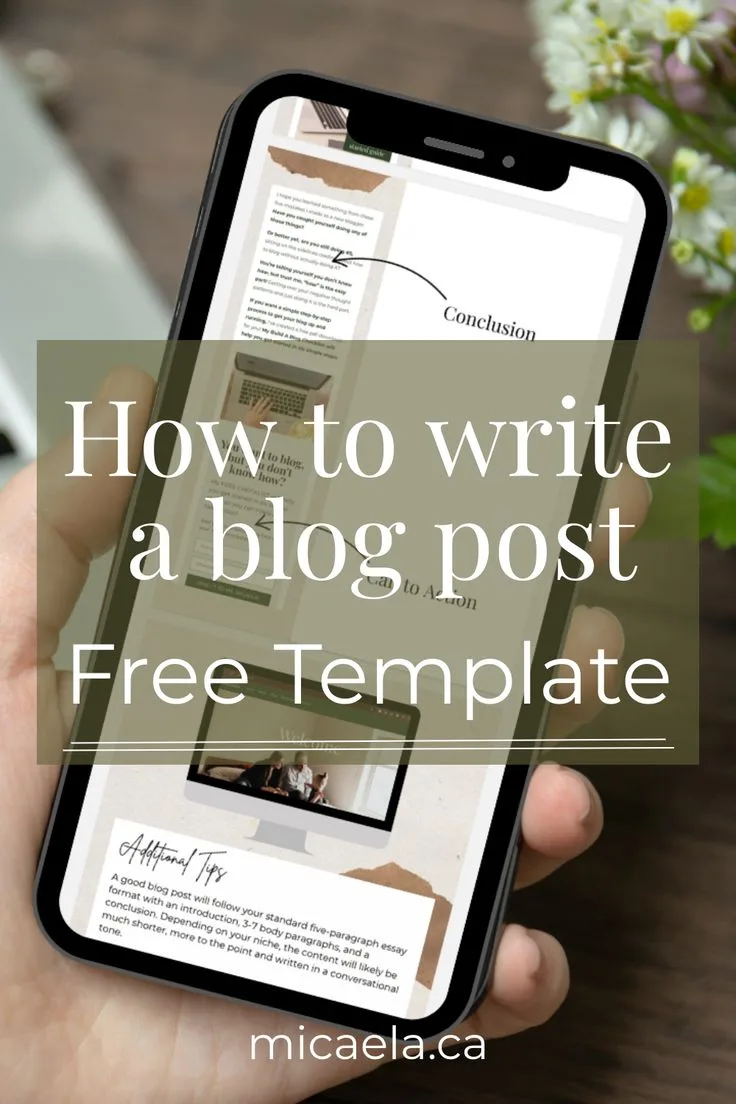
Here’s the blog post outline template checklist I use on every piece, whether it’s 800 words or 4,000:
- Working headline with the keyword near the front. If the keyword isn’t in the first half of the headline, rewrite it. Readers scan left to right, and search engines weight early placement.
- A one-sentence promise. Write down exactly what the reader will be able to do after reading. If you can’t state it in one line, the post isn’t focused enough yet.
- A hook idea for the opening. A question, a surprising statistic, a short story, or a blunt statement. Pick one before you draft so you don’t open with “In this article, we will…”
- Section headings that each answer a question. Every H2 should map to something a reader would actually search for. If a heading is vague (“Some Thoughts On…”), it’s not pulling its weight.
- Two to three supporting points per section. If a section has only one point, it probably belongs merged with another. If it has six, split it.
- Keyword placement notes. Mark where the primary keyword lands in the opening, in two or three headings, and in the body. Don’t leave it to chance.
- A source list. Two or three credible references — studies, official docs, industry reports — noted before you draft so you can cite them naturally.
- A call to action. One clear next step: subscribe, download, book a call, read the related post. One, not three.
Run this checklist once and you’ll notice how many drafts would have been saved from a mid-writing structural collapse. The pattern is almost always the same: a missing promise statement or a section with no clear job.
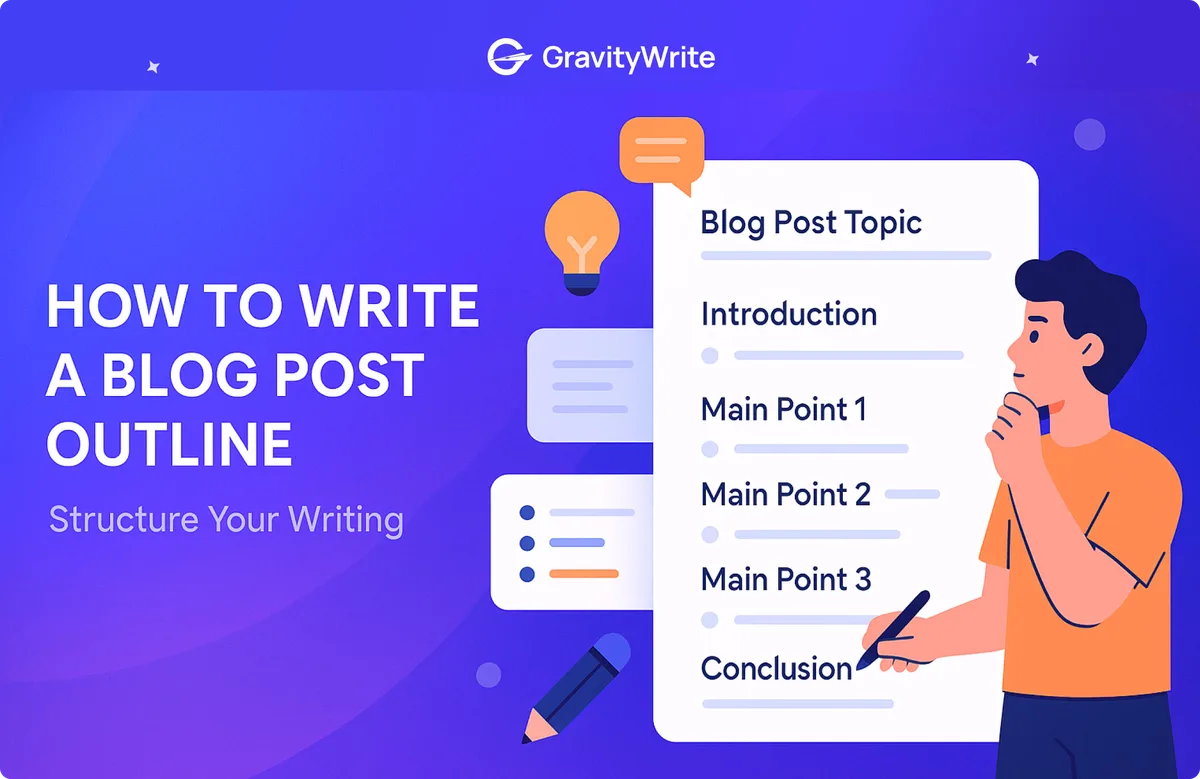
Blog Post Outline Template Tips from Real Editorial Workflows
These aren’t theoretical. Integrating blog post outline template into your workflow produces consistent quality. They come from watching writers, editors, and content teams work through real deadlines. Some of them contradict popular advice, and that’s fine — they work.
Outline in the tool you’ll draft in. If you write in Google Docs, outline in Google Docs. Exporting between tools adds friction and kills momentum. The best outline is the one you’ll actually open tomorrow morning.
Write the intro last. Almost every experienced writer I know drafts the introduction after the body. Once you know what the post actually says, the opening writes itself. Outlining the intro first often produces a hook that no longer matches the finished piece.
Give every section a working title, even bad ones. A bad title the blog post outline template can fix. A blank section you’ll forget. Label every heading with something — “section about pricing” is fine as a placeholder.
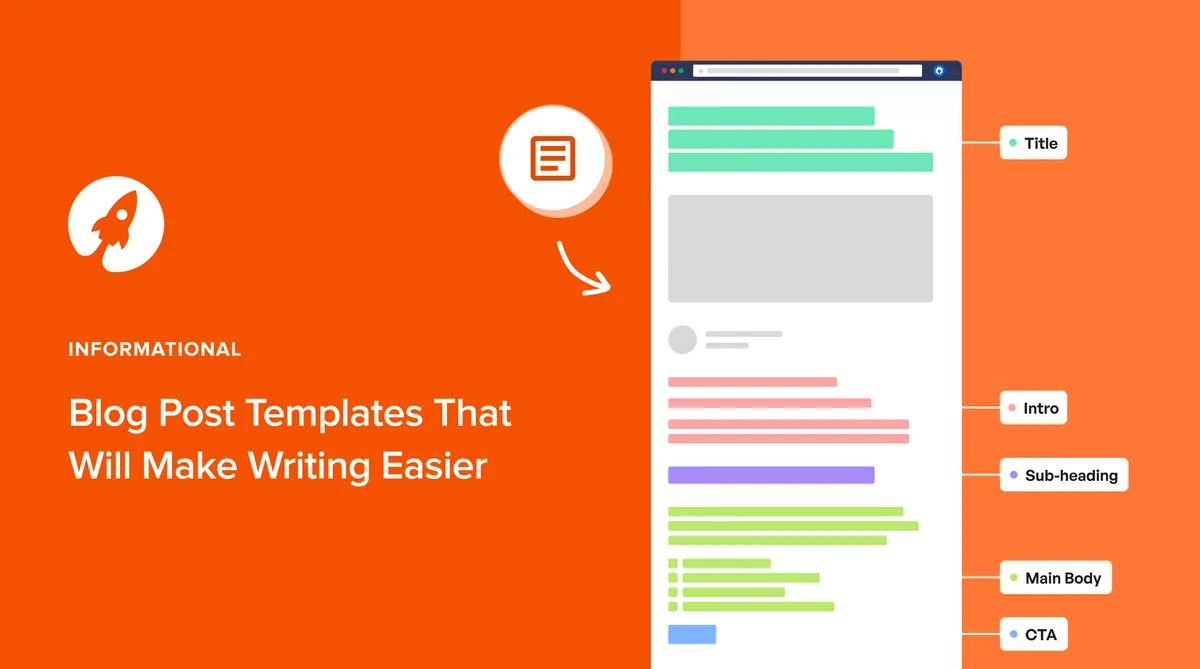
Cap your outline at one page. If your outline runs longer than the post itself will, the blog post outline template’ve crossed into over-planning. One page forces prioritization.
Note your word budget per section. A 3,000-word post with eight sections means roughly 375 words each. Writing that number next to each heading keeps you from spending 1,200 words on the intro and rushing the conclusion.
Common Mistakes When Using a Blog Post Outline Template
Even with a good template, people find ways to trip themselves up. Here are the four I see most often, and how to sidestep each one.
Mistake one: treating the outline as a contract. Outlines are plans, and plans change when the writing reveals something better. If a section isn’t working mid-draft, cut it or restructure it. The template serves the post, not the reverse.
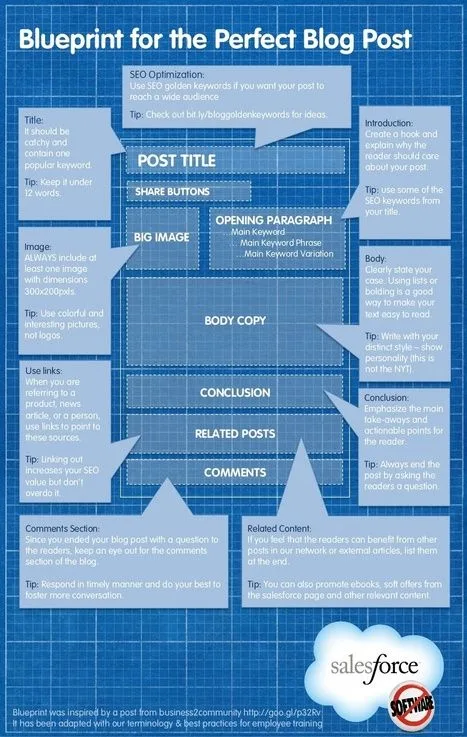
Mistake two: outlining at the topic level instead of the argument level. “Section on pricing” is a topic. “Why tiered pricing beats flat pricing for SaaS” is an argument. Arguments produce posts; topics produce meandering essays.
Mistake three: skipping the reader’s question. Every section should answer something the reader is actually wondering. If you can’t name the question, your blog post outline template section is probably self-indulgent.

Mistake four: no transition notes. A single line under each heading — “how this connects to the next section” — keeps the post from reading like a stack of disconnected blocks. It’s a small habit with outsized payoff.
Frequently Asked Questions About Blog Post Outline Templates
Here is an in-depth breakdown of key considerations regarding Frequently Asked Questions About Blog Post Outline Templates:
What is the Best Format for a Blog Post Outline Template?
There’s no single best format, but plain text with nested bullets is the most flexible. It works in every tool, exports cleanly, and doesn’t lock you into a specific app. Fancy visual outline tools are nice, but they rarely beat a simple bulleted list for speed.
How Long Should a Blog Post Outline Be?
One page, roughly 150 to 400 words, is the sweet spot for most posts. Longer outlines make sense only for pillar content or heavily researched pieces. If your outline is longer than a page for a standard blog post, trim it.
Should I Include the Introduction in My Outline?
Yes, but only as a hook idea and one-sentence promise. Don’t draft the full intro in the outline — you’ll rewrite it anyway once the body is done. A two-line placeholder is enough.
How Many Sections Should a Blog Post Have?
For most posts, four to eight main sections is right. Fewer than four feels thin; more than eight starts to fragment the reading experience. If you have twelve sections, you probably have two posts.
Can I Use the Same Blog Post Outline Template for Every Post?
The blog post outline template can, but you’ll get better results matching the template to the format. A how-to post and a comparison post need different skeletons. Keep all seven templates handy and pick the one that fits the job.
How Do I Fit a Keyword Into My Outline Naturally?
Place the keyword where the reader would naturally expect it: in the headline, in two or three section headings, and in the opening paragraph. Then let the body flow. If the keyword feels forced in a sentence, rewrite the sentence rather than the keyword.
Putting Your Blog Post Outline Template to Work
Here’s the practical next step: pick one of the seven templates above, open a fresh document, and rebuild the blog post outline template in your own words for your next post. Don’t download anything, don’t install anything — just build the skeleton and start filling it in. You’ll have a working draft in less time than it takes to browse another list of tools.
And if you’re building a content library rather than a single post, treat these templates as the foundation of a bigger system. The blog post outline template you choose becomes the standard your whole team works from.
From the blog post outline template, the natural next topics to explore are internal linking strategy, content refresh workflows, and how to brief freelance writers using the same outlines. Each one builds directly on the structure you’ve just set up.
The writing gets easier once the structure is decided. That’s the whole promise of a blog post outline template — not that it writes the post for you, but that it clears the way so you can.
| Template | Best For | Typical Length | Key Section |
|---|---|---|---|
| How-To | Step-by-step tutorials | 1,200–2,500 words | Troubleshooting |
| Listicle | Curated recommendations | 1,500–3,000 words | Consistent entry structure |
| Pillar Guide | Topical authority content | 3,000–6,000 words | Internal linking plan |
| Comparison | X vs. Y decisions | 1,500–2,500 words | Criteria table |
| Case Study | Proven results and proof | 800–1,800 words | Transferable lesson |
| Interview Roundup | Expert voices and quotes | 1,500–3,000 words | Where experts disagree |
| Problem-Solution | Search-intent fixes | 1,000–2,000 words | Objection handling |
Bookmark this page, build the template that fits your next post, and run the checklist before you draft. That’s the whole workflow — and it’s the difference between a post that fights you and one that practically writes itself.
For verified reference and background research, consult the authoritative informational resource on this topic.