If you run a local shop, clinic, or service company, setting up your profile on bing places for business is one of the fastest ways to get found by customers who are already searching. Getting that listing claimed and verified takes maybe twenty minutes of actual work, but the payoff quietly compounds for months.
I have walked dozens of small business owners through this process, and the same questions keep coming up. Do I need a Microsoft account? Why does verification feel different from Google? What happens if my address is already listed under an old business name? We will hit all of that, step by step, without the fluff you get from most support articles.
What is Bing Places for Business, Really?
At its core, bing places for business is Microsoft’s equivalent of a Google Business Profile. It is a free directory that powers the business information shown on Bing search results, Bing Maps, and a handful of syndicated partners including some Windows and Cortana surfaces.
When someone types “coffee shop near me” into Bing, your listing — hours, photos, reviews, phone number — is what surfaces.
The scope surprises people. Bing still holds a meaningful share of desktop search in the United States, and it is the default engine on every Windows machine that ships out of the box. That matters for B2B services, healthcare, and any business where decision-makers are sitting at a desktop during the workday. Ignoring your presence on bing places for business means handing that traffic to competitors.
Registration is entirely free. There are no subscription tiers, no upsells to premium placements, and no ads required. You just need a Microsoft account and a few minutes of patience during the verification stage.
Why Claiming Your Listing on Bing Places for Business Matters
Here is the honest reality: a lot of businesses already have a stub listing on bing places for business that they never created. Microsoft pulls baseline data from public sources, so your name, address, and phone may already be visible — just wrong.
Outdated hours, a disconnected phone number, a photo from four years ago. That is not a neutral situation. It actively damages trust.
Claiming the listing gives you back control. You set the category, you pick the primary photo, you publish seasonal hours, and you respond to reviews. That control is what turns a passive directory entry into an actual acquisition channel.
The visibility gains are measurable. Listings that are fully completed — with hours, description, services, and at least five photos — tend to appear more often in the local pack and in map-based queries.
Users who click through on a verified bing places for business profile convert at a higher rate because the information is trustworthy.
Who Benefits Most from a Verified Profile
Local service businesses top the list. Plumbers, electricians, HVAC contractors, locksmiths, and cleaners live or die by “near me” searches. Restaurants, cafes, and retail shops rely on map visibility during the discovery phase. Professional services — accountants, attorneys, dentists, chiropractors — get a credibility boost from a clean, complete listing.
Even e-commerce brands with a physical warehouse or showroom can benefit. If customers ever visit in person, a bing places for business listing keeps the experience consistent across search engines. Multi-location franchises see the biggest lift because the bulk import tools let you manage hundreds of storefronts at once.
Step-by-Step: How to Claim Your Bing Places for Business Listing
The process is straightforward, but small missteps create delays. Follow the sequence below and you will avoid the common traps.
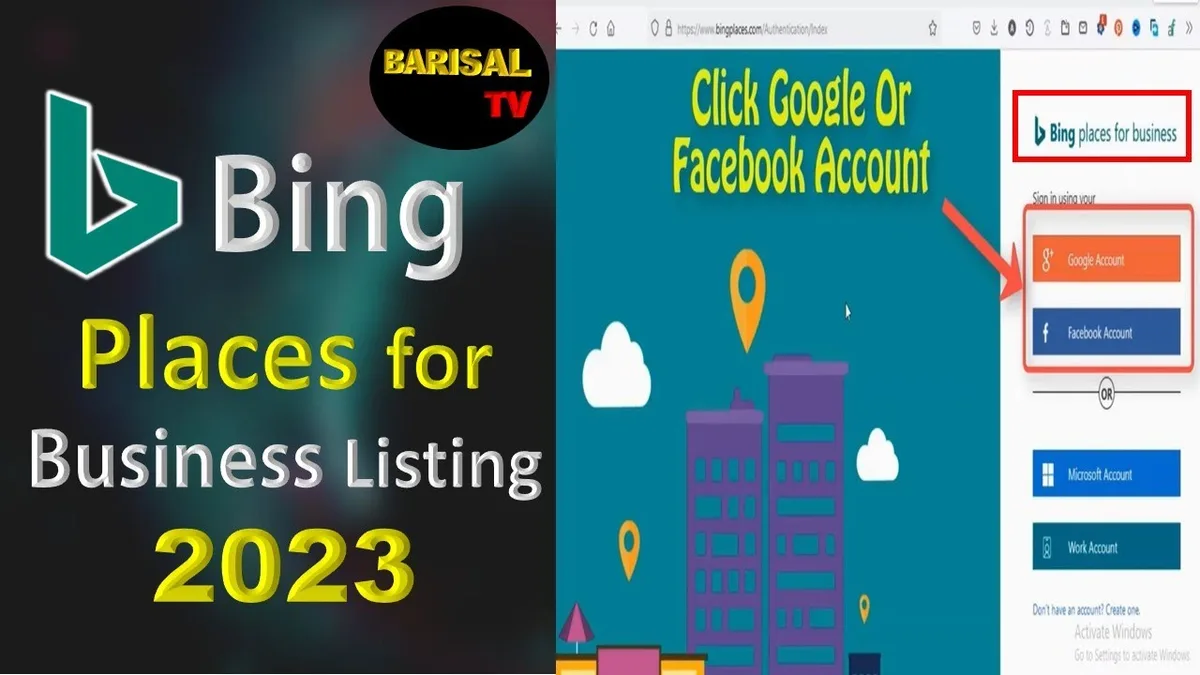
- Create or sign in to a Microsoft account. Use a company email if possible, not a personal one you might lose access to. If your business already uses Microsoft 365, use that account for continuity.
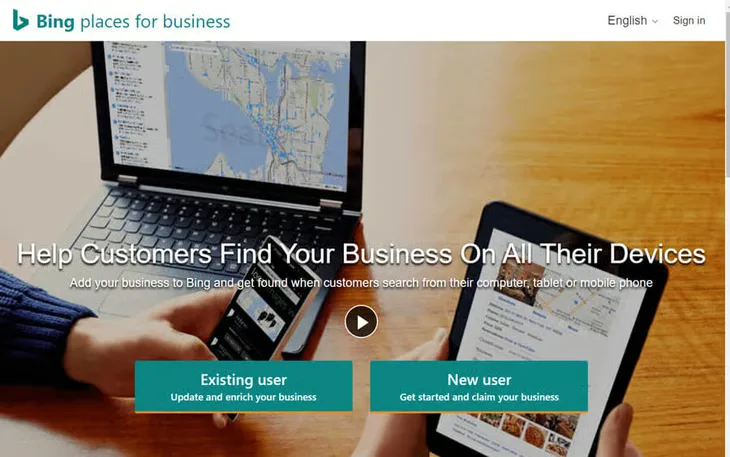
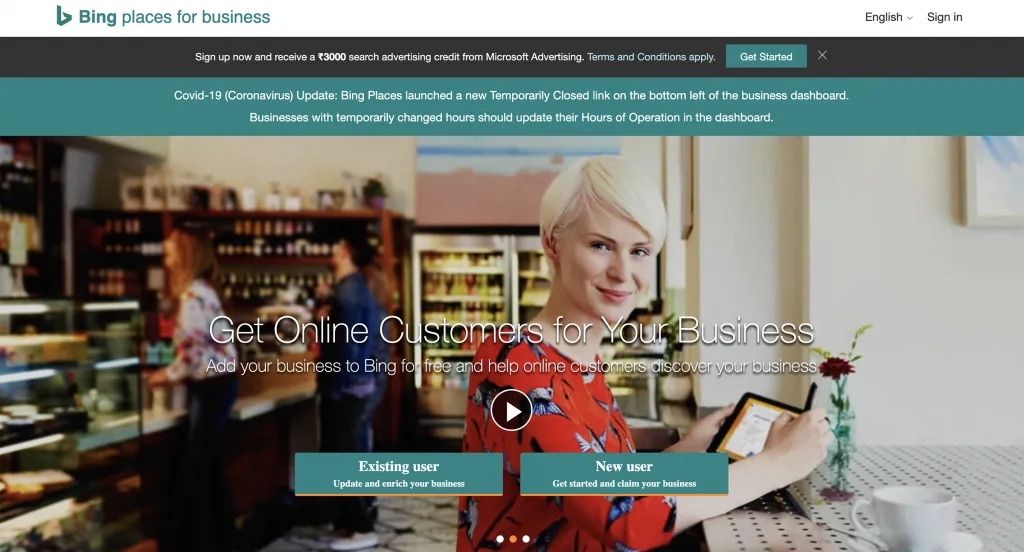
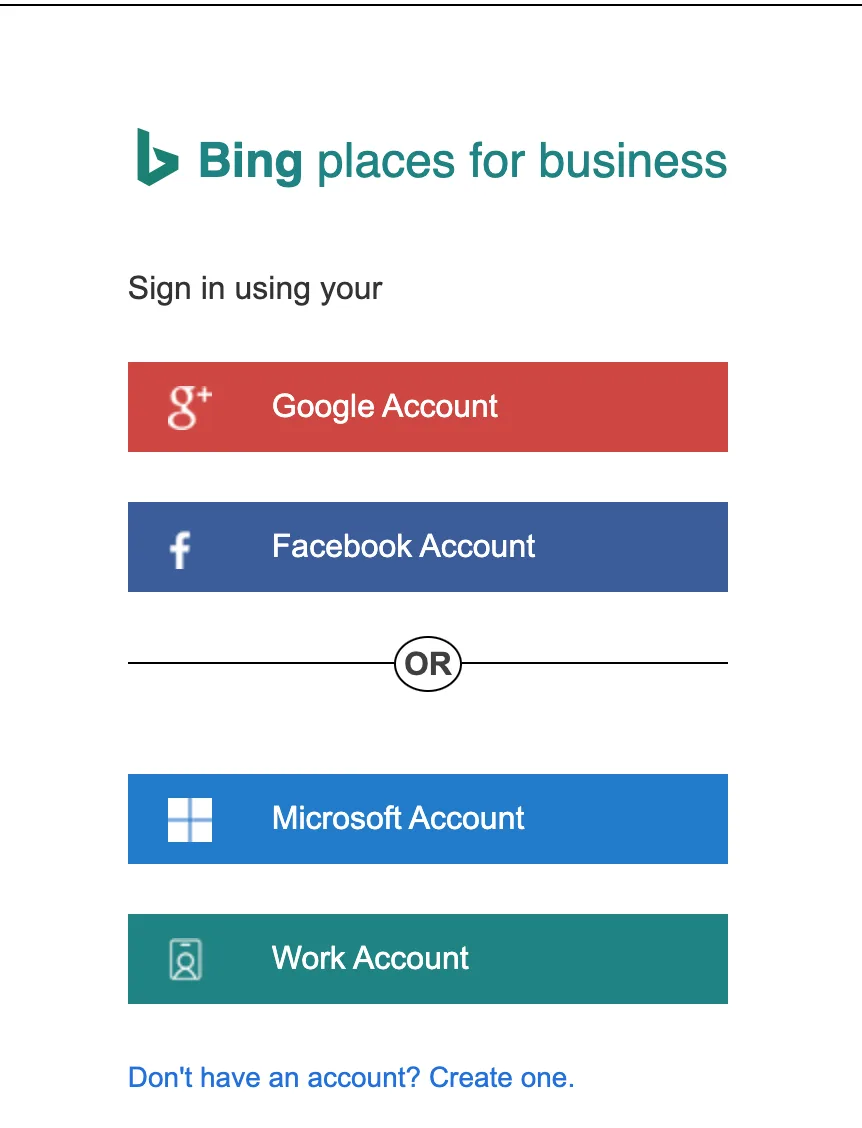
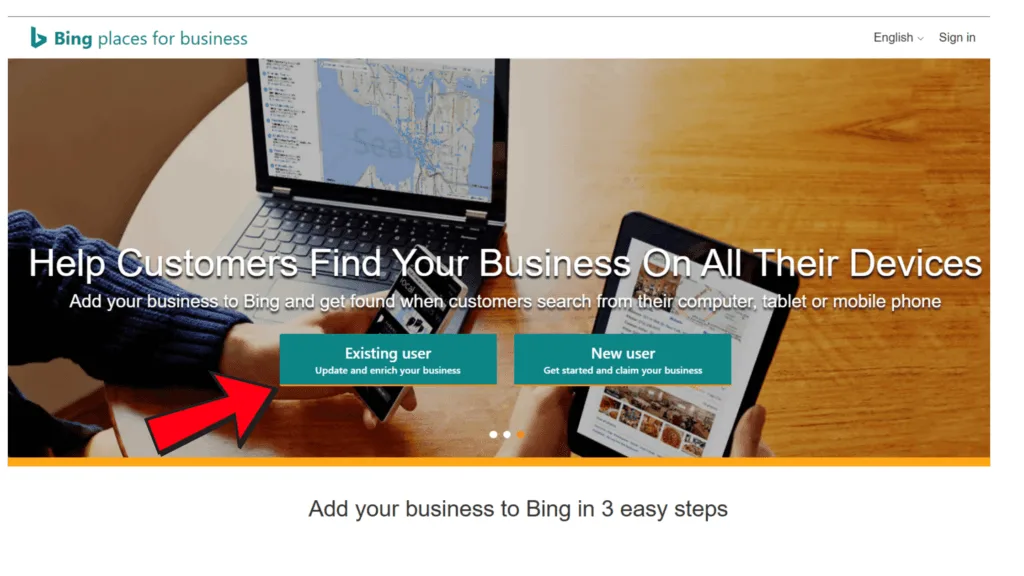
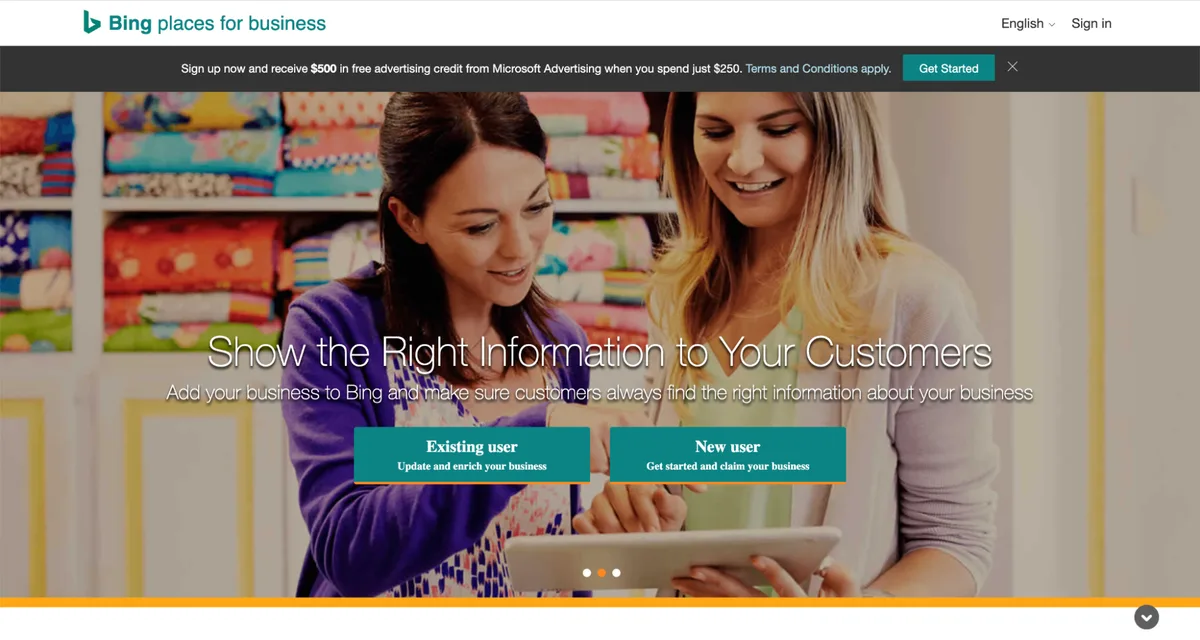
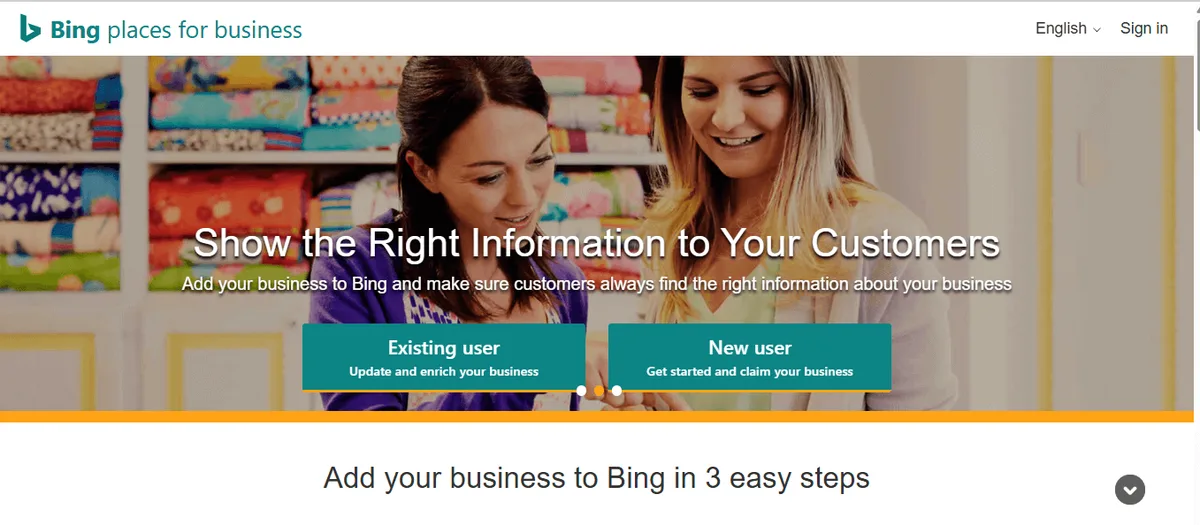
- Go to the official Bing Places portal. Search “bing places for business” and click the official Microsoft link. Avoid any third-party service that wants to “manage” your listing for a fee.
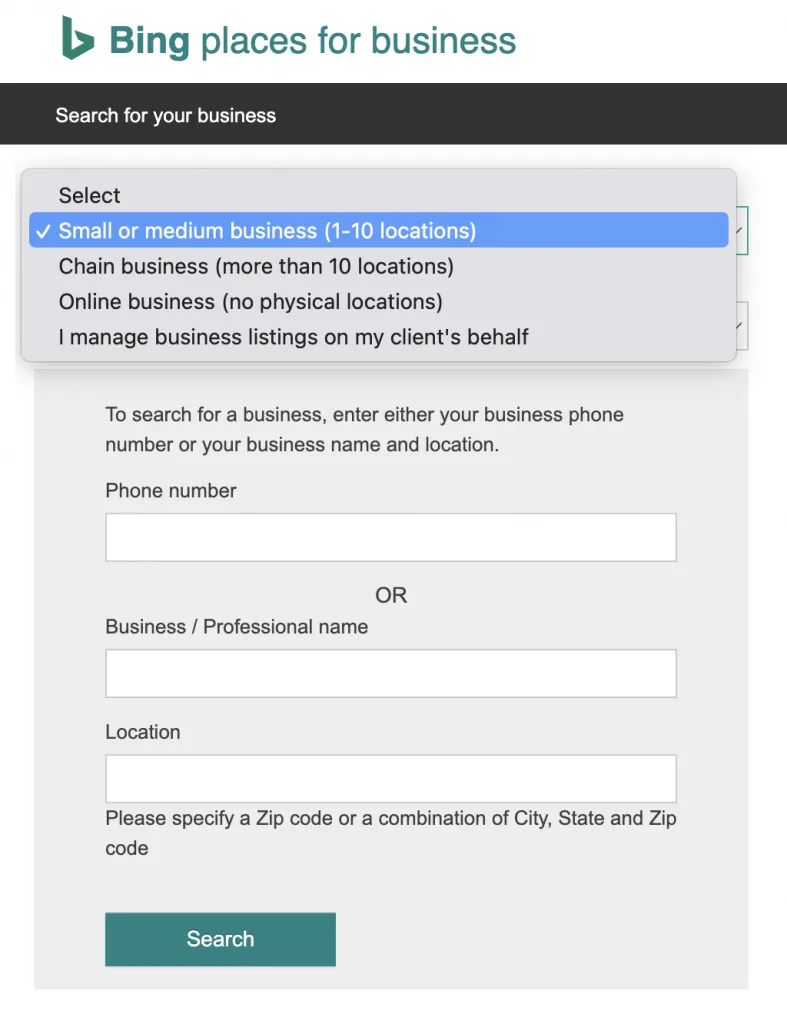
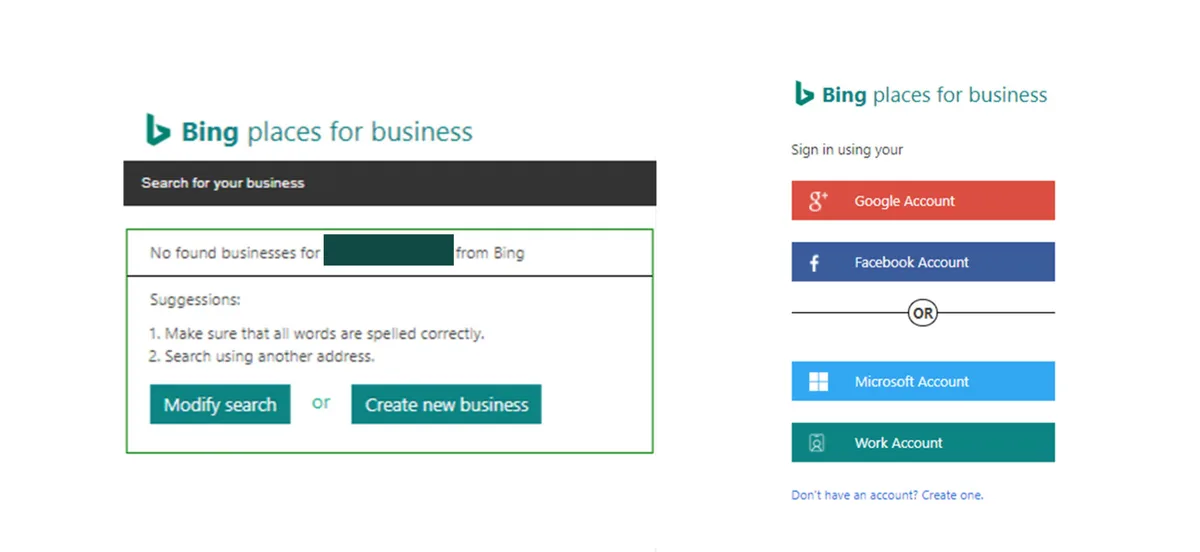
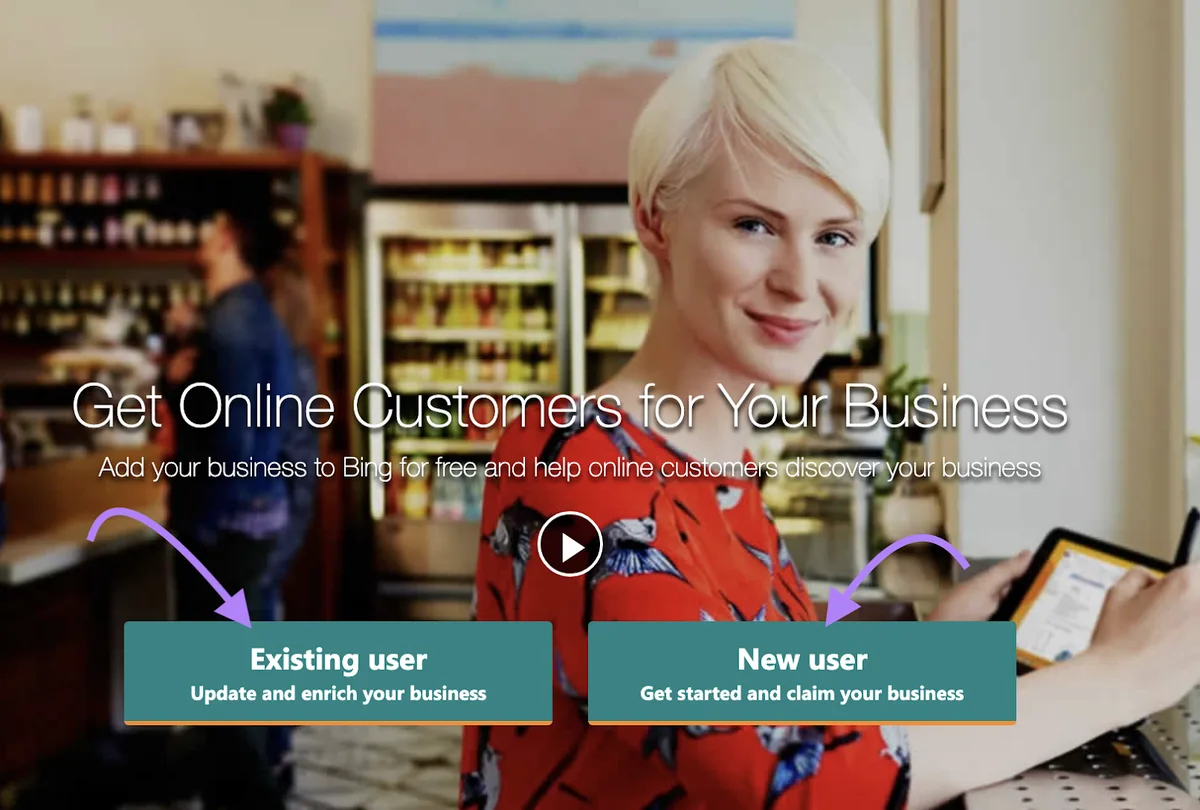
- Search for your business first. Before adding anything new, type your business name and city. If a stub exists, claim it. If it does not, proceed to create a new listing.
- Choose your business type. The portal asks whether you are a single-location business or a chain. Chains with five or more locations should use bulk import; solo operators should use the standard flow.
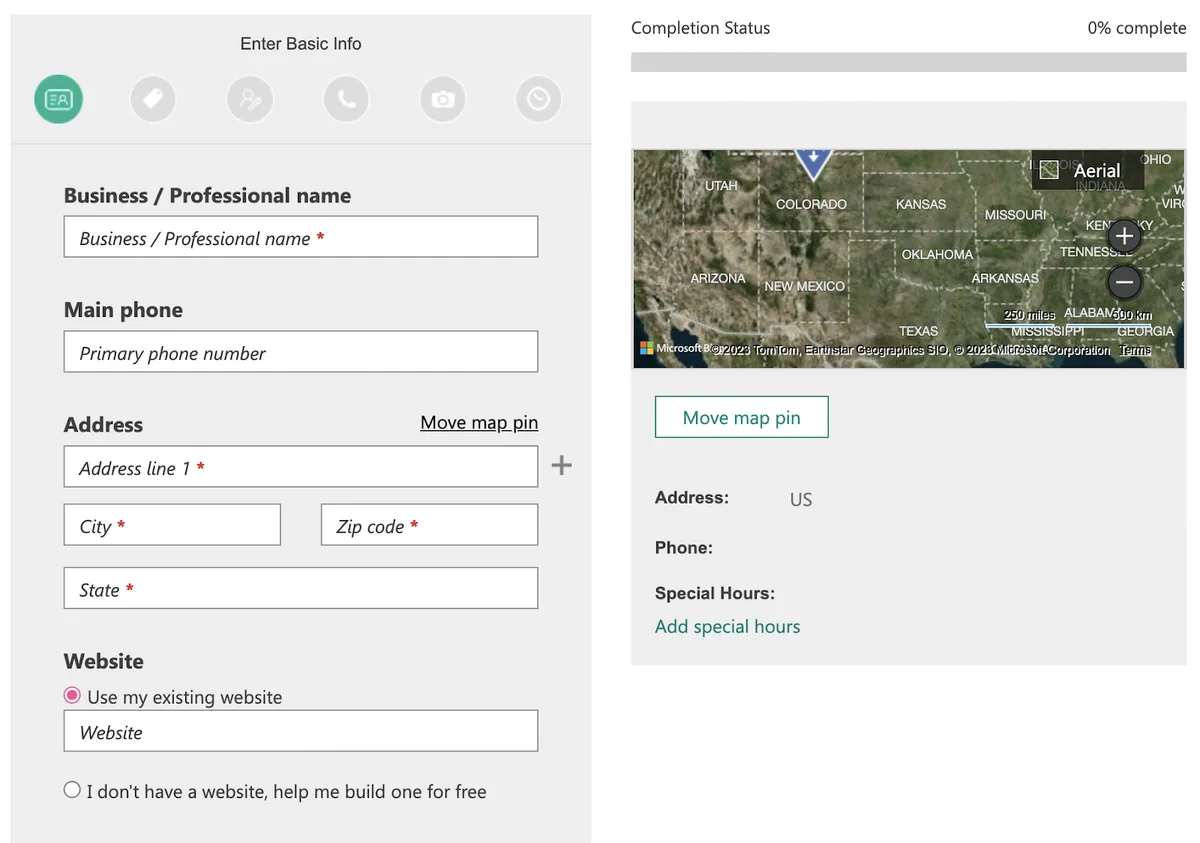
- Fill in the core fields. Business name exactly as it appears on your signage, full street address, phone number, website URL, and primary category. Accuracy matters more than marketing flair here.
- Write a keyword-relevant description. Keep it under 1,000 characters. Describe what you do, who you serve, and where — no keyword stuffing, just clear language.
- Add hours and special hours. Include holiday hours and note if you are by appointment only.
- Upload at least five photos. Exterior, interior, team, and one product shot. Real photos beat stock images every time.
- Submit for verification. Choose phone, email, SMS, or postcard depending on what the portal offers for your region and business type.
- Complete the verification code entry. Once you receive the code, enter it within the deadline shown. Expired codes require a fresh request.
One detail that trips people up: bing places for business sometimes shows an existing listing under a slightly different name, like an old DBA or a misspelling from a data aggregator. Claim that listing and correct the name rather than creating a duplicate. Duplicates split your reviews and confuse the algorithm.
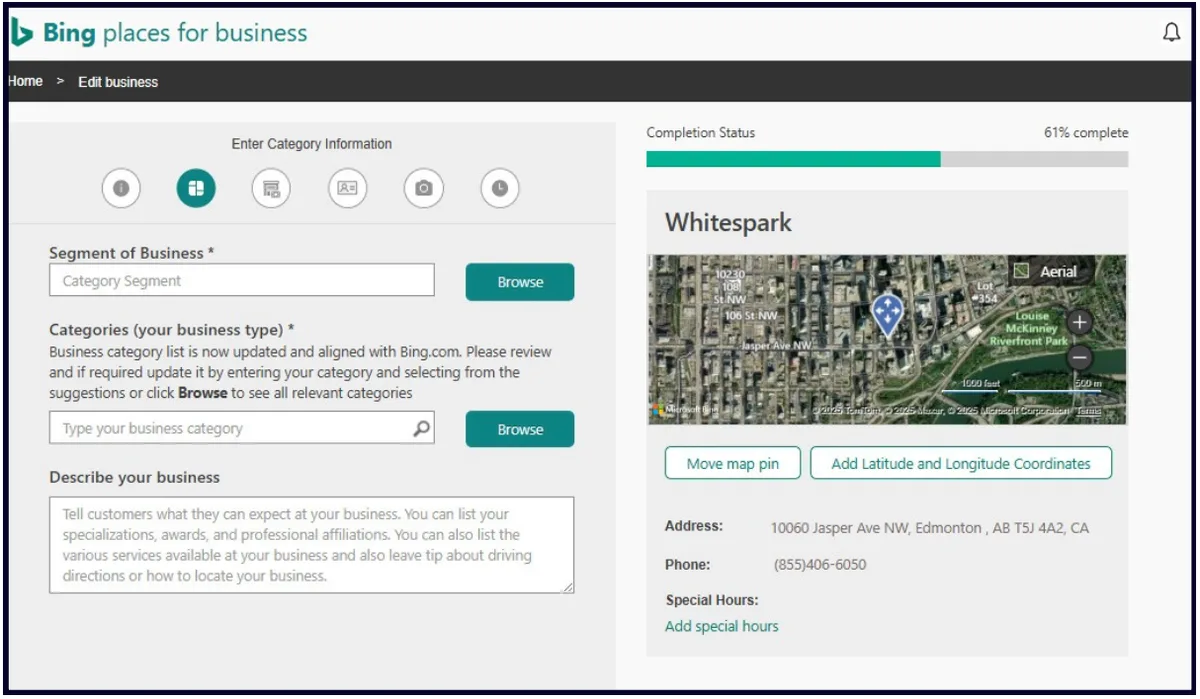
Verification Methods for Bing Places for Business Explained
Verification exists to prove you actually control the business you are listing. Microsoft offers several paths, and which one you get depends on your business category, your country, and whether your phone number is already tied to a public record.
The fastest option for most small businesses is phone verification. A recorded call or SMS delivers a code within minutes. The catch is that the number must match public records — a VoIP line or a brand-new cell number may get rejected. In that case, the portal falls back to postcard or email after a failed attempt.
Postcard verification is the most reliable but the slowest. Microsoft mails a card with a code to your physical address. It usually arrives within one to two weeks.
If you operate from home and do not want a business address published, use a service area business setup so your address stays hidden but your service radius is visible.
| Verification Method | Typical Speed | Best Suited For | Common Issues |
|---|---|---|---|
| Phone call | Minutes | Landline-based businesses | VoIP numbers often rejected |
| SMS | Minutes | Mobile-forwarded business lines | Carrier filtering on short codes |
| Same day | Established Microsoft accounts | Not always offered | |
| Postcard | 7–14 days | Any verified physical address | Mail forwarding breaks delivery |
| Bulk import review | Several days | Franchises with 5+ locations | Data formatting errors |
What to Do if Verification Fails
Failed verification is common and rarely permanent. The most frequent cause is a mismatch between the phone number on file and the one in public records. Call your phone provider and ask whether your number is listed correctly in directory databases. Sometimes a simple confirmation is enough to unblock the next attempt.
If postcard verification fails because of address issues, double-check that your suite number is included and that mail forwarding is not active. Businesses in shared office spaces sometimes need to contact support directly. The bing places for business support form handles these cases, though responses take a few business days.
Optimizing Your Bing Places for Business Profile After Verification
Getting verified is the starting line, not the finish. The businesses that actually generate leads from bing places for business are the ones that treat their profile like a living asset. Here is what separates a strong profile from a forgettable one.
Categories, Services, and Attributes
Your primary category drives which searches you can appear for. Pick the one that matches what customers actually search. A “sandwich shop” beats “restaurant” for someone typing “sandwich near me.” Add secondary categories sparingly — two or three maximum. Too many dilutes relevance.
List specific services as line items rather than burying them in the description. “Emergency AC repair,” “same-day drain cleaning,” “Saturday appointments available” — these tags get indexed and matched against query intent. Attributes like “wheelchair accessible,” “free Wi-Fi,” or “veteran-owned” filter results in ways you cannot replicate with text alone.
Photos That Actually Convert
Profiles with a strong photo set see measurably higher click-through. Aim for at least ten images across categories: three exterior shots from different angles, three interior, two team photos, and two product or service shots.
Add a logo and a cover image sized correctly. Low-resolution phone snaps taken in bad lighting do more harm than no photo at all.
Refresh photos seasonally. Businesses that update their bing places for business gallery every quarter signal ongoing activity, and that correlates with better placement over time.
Reviews and Responses
Bing surfaces review data pulled from partners, and there is no direct review submission tool inside the portal. That said, responding to reviews where possible, and actively soliciting reviews on platforms that feed into Bing, makes a difference. A business with 50 reviews and thoughtful responses beats a business with 200 reviews and silence.
When a negative review appears, respond within a week. Acknowledge the issue, avoid defensiveness, and offer a path forward. Prospects reading that exchange learn more about your values than any marketing copy can convey.
Bing Places for Business Vs. Google Business Profile: Honest Comparison
People ask whether they should bother with bing places for business when Google hogs the market share. My answer is almost always yes — but with realistic expectations. Google dominates volume; Bing dominates certain niches. Ignoring one means leaving money on the table.
| Feature | Bing Places For Business | Google Business Profile |
|---|---|---|
| Setup cost | Free | Free |
| Search volume share | Smaller but steady | Dominant |
| Verification speed | Minutes to weeks | Often 5–14 days |
| Bulk tools for chains | Yes, robust | Yes, via manager accounts |
| Native reviews | Limited | Extensive |
| Windows integration | Deep | None |
| Desktop B2B reach | Notable | Strong but mobile-skewed |
Here is the practical takeaway. Claim your listing on bing places for business within the same week you set up Google. The two directories reinforce each other. NAP consistency across both improves trust signals for local SEO overall, and any business with a Windows-using customer base gets incremental traffic that pure Google strategies leave untouched.
B2B firms especially should not skip Bing. Accountants, consultants, IT support, and legal practices often find their prospects use Bing on work machines where Google is blocked or deprioritized. That small edge adds up.
Common Mistakes With Bing Places for Business (And How to Fix Them)
I see the same errors on listings again and again. Fixing them takes minutes and improves visibility immediately.
- Duplicate listings. Two profiles for the same address split reviews and confuse users. Claim the older one, correct the name, and request removal of the duplicate through support.
- Wrong primary category. Listing a bakery as “caterer” kills your “bakery near me” visibility. Match the category to the search intent you want to capture.
- Keyword-stuffed business names. “Joe’s Pizza — Best Pizza in Chicago — Organic — Healthy” looks spammy and may trigger review delays. Use your real, sign-matching name.
- Missing hours. Nothing kills trust faster than arriving at a closed door. Update hours for holidays and seasonal changes.
- Home address exposed for service-area businesses. If you work out of a van or from home, configure your bing places for business profile as a service area business. Your address stays private.
- Stale photos. A photo from a previous location or previous branding erodes credibility. Refresh quarterly.
- Dead website links. A broken link to a page that no longer exists is worse than no link. Check after every site redesign.
- Ignoring the description field. Leaving it blank wastes prime real estate. Use all available characters with clear, specific language.
Notice how many of these are copy-paste slips rather than strategy failures. That’s the reassuring part. Most listings on bing places for business can be improved drastically within one afternoon of careful editing.
Managing Multiple Locations Through Bing Places for Business
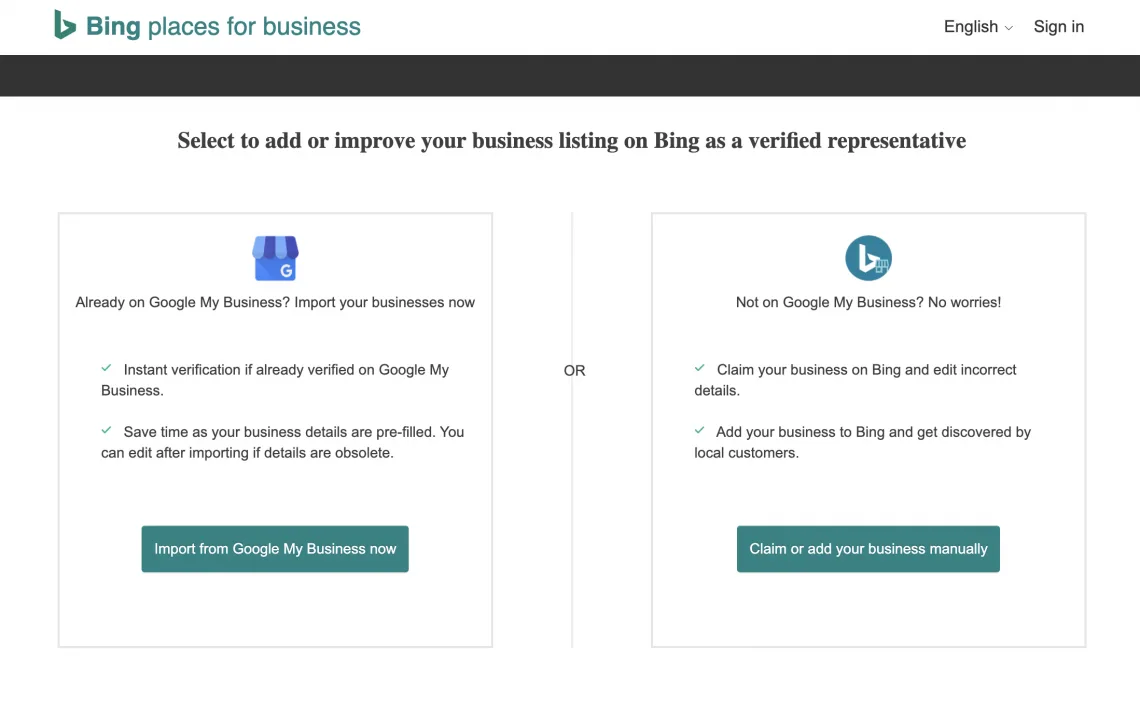
If you run a franchise, a restaurant group, or a chain of clinics, the single-location flow will drive you insane. Microsoft built bulk tools for exactly this situation, and they work well once you understand the format required.
The bulk import accepts spreadsheet uploads with specific columns for name, address, phone, category, hours, and website. Column order must match the template exactly, or the import rejects entire rows.
Export your current locations from your internal database, clean the data, and test with a small subset — say five locations — before pushing all of them.
Multi-location businesses should also think about consistent branding across every bing places for business profile. Same logo, same cover image treatment, same description template (with city names swapped). Consistency makes the brand look organized and reinforces trust when a customer crosses paths with you in two different towns.
Coordinating Bing With Other Directories
Bing pulls from partners, and those partners pull from other sources. Getting your data right on bing places for business is step one, but you also want consistent listings on Apple Maps, Facebook, Yelp, and any industry-specific directories. Use a local listing management tool or a simple spreadsheet to audit NAP consistency once a quarter.
The businesses that win local search rarely have a secret trick. They just keep their information accurate and updated. That discipline compounds more than any single optimization hack.
Tracking Performance: What to Measure After Going Live
Once your listing is live and verified on bing places for business, you need to know whether it is working. The portal itself shows limited insights — views, clicks, and directional requests — but these numbers are the baseline. Track them monthly.
Pair those in-platform metrics with actual business outcomes: phone calls, form submissions, walk-ins, and appointment bookings. Use a distinct tracking phone number if you can, and add UTM parameters to the website link in your profile so analytics platforms can attribute traffic correctly.
Set a review cadence. Every quarter, look at what searches drove the most impressions, which photos got the most clicks, and where users dropped off. Small tweaks — swapping a category, updating a photo, rewriting the description opening — often produce noticeable shifts in click-through.
Bing Places for Business for Service Area Businesses
Service area businesses — plumbers, mobile mechanics, home cleaners, appliance repair, tree services — face a unique challenge. They want visibility across multiple cities but do not have a storefront customers visit. The bing places for business setup handles this with a dedicated option.
When setting up, choose the service area business type and hide your physical address. Then define your service radius — either by city list or by mileage. Bing will show your listing for searches within that radius without exposing your home address in the process.
The trap many owners fall into is listing too wide a service area. A 100-mile radius dilutes your relevance for local queries. Stick with places you can realistically reach for same-day service.
A tight radius of 15 to 25 miles, matched with strong categories and keyword-relevant service tags in your bing places for business profile, performs far better than a sprawling one.
Pitfalls Around Name Changes, Moves, and Rebrands
Businesses evolve. They move to a new office, rebrand, adopt a new DBA, or split into multiple entities. Each scenario has a right way to handle it on bing places for business and a wrong way that creates listing chaos.
For a simple move, update the address in your existing listing rather than creating a new one. You keep your reviews and any ranking signals. For a rebrand where the physical location stays the same, edit the name and update photos and description in one batch. Wait two to three weeks before making further changes so the platform can process the update cleanly.
When a business entity genuinely changes — a new legal entity, a new owner buying the operation — the cleanest path is often a new listing paired with a removal request for the old one. That way the ownership chain is documented.
Anyone buying a business should include bing places for business access credentials in the handover checklist. Missing that step leaves the new owner locked out of a listing they legally own.
Realistic Expectations: What Bing Places for Business Will (And Will Not) Do
Let me set expectations honestly because I have seen too many owners give up after 60 days. A complete, verified, well-optimized bing places for business listing will not double your revenue. What it will do is steadily contribute qualified traffic that you would not otherwise see.
The typical profile that is filled out properly sees a slow climb in impressions over the first three to six months. Reviews take even longer to accumulate. Category optimizations can produce faster wins — sometimes within weeks — because they change which queries you match.
Think of the listing as infrastructure rather than a campaign. Nobody celebrates a phone directory entry, but everyone notices a missing or wrong one. Getting it right now saves headaches and quietly earns new customers for years.
Frequently Asked Questions About Bing Places for Business
Here is an in-depth breakdown of key considerations regarding this section:
Is Bing Places for Business Free to Use?
Yes, entirely. There are no paid tiers, no premium placements sold directly, and no required advertising spend to appear in local results. Anyone charging you a fee to “set up your Bing listing” is charging for something you can do yourself in under an hour.
Do I Need a Microsoft Account to Claim a Listing?
You do. Any Microsoft account works — a personal Outlook address, a work account tied to Microsoft 365, or a fresh one created just for business management. Use a company-owned account rather than a personal one so access stays with the business if staff turnover happens.
How Long Does Verification Take on Bing Places for Business?
Phone and SMS verification can complete within minutes. Email verification is often same-day. Postcard verification typically takes seven to fourteen days depending on mail service in your area. Bulk imports for chains usually clear within a few business days.
Can I Manage Multiple Locations With One Account?
Absolutely. The bulk tools within bing places for business allow one account to manage hundreds of locations through spreadsheet upload. This is the preferred path for franchises and multi-site operations — going location by location manually invites inconsistency and errors.
Does Bing Places for Business Show Reviews?
Bing surfaces review data from third-party partners and syndicated sources. There is no direct review submission tool inside the portal itself, so you cannot post or moderate reviews there. Focus on earning reviews on platforms that feed into Bing — Yelp, Facebook, and industry directories — and respond to reviews where you can.
What if Someone Else Already Claimed My Business?
This happens more than you would expect, usually from a previous owner or an overzealous marketing agency. Use the support form inside bing places for business to file a claim dispute. Provide documentation — business license, utility bill, or a signed affidavit — showing you are the current owner. Disputes usually resolve within a few weeks when documentation is clear.
Will Being Listed on Bing Places for Business Help My Anthropic Ranking?
Not directly, but indirectly yes. Consistent business information across multiple directories — including Bing, Apple Maps, Yelp, and Facebook — reinforces NAP trust signals that local search engines use. Every additional authoritative citation of your correct name, address, and phone adds a small amount of confidence to your overall local profile.
Can I Hide My Business Address?
Yes. Service area businesses can configure their profile to hide the physical address while still showing the service radius. This is essential for home-based businesses, mobile services, and any operator who does not want walk-in traffic at their home or warehouse.
Final Word: Why Bing Places for Business Deserves a Spot on Your Checklist
If you have read this far, you already know more about bing places for business than most of your competitors. The setup takes an afternoon. The verification takes a phone call or a few days of waiting on the mail. The maintenance takes an hour each quarter.
That small investment returns steady, quiet traffic from customers you would otherwise never meet. Claim your listing, verify it, fill out every field with the same care you give your website, and revisit it seasonally. Do that consistently and bing places for business becomes one of the lowest-effort, highest-reliability channels in your marketing mix.
For verified reference and background research, consult the authoritative informational resource on this topic.